
The One-Centimetre Problem: Why Your Laptop Won't Fit Your Work Bag
A short story about a new job, a new laptop and the tote that suddenly didn't close.
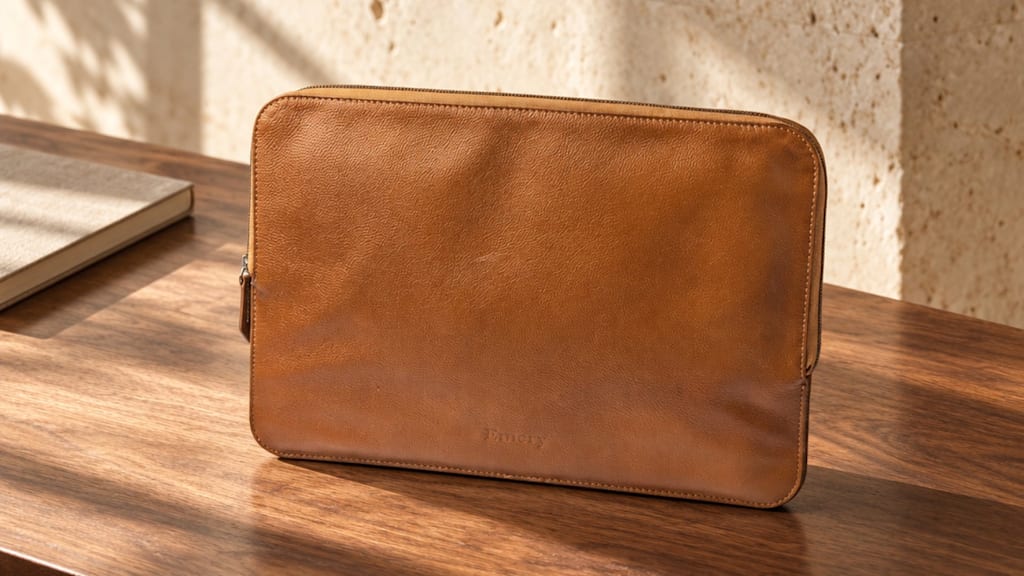
If your work bag has stopped fitting your laptop, the reason is almost always the laptop's width, not the bag's style. Screen sizes are measured corner to corner, so a "14-inch" laptop isn't 14 inches wide, and a bag made for a 13-inch laptop often can't take a 14.
Here's how that usually plays out, and how to avoid it.
A first day in Dubai
Picture the first day at a new job. The tote has done three years of office days: laptop in the padded sleeve, wallet and keys in the small pockets, a flat lunch box on the other side. The new company hands over a laptop at the welcome desk. It's a 14-inch. At five o'clock it goes into the old tote and stops a few centimetres from the top. The zip won't close over it.
Nothing is wrong with the tote. It was built for a MacBook Air 13", which is 30.41 cm wide. A MacBook Pro 14" is 31.26 cm. Less than a centimetre wider, and longer front to back (22.12 cm against 21.5 cm), and the sleeve that fitted perfectly for three years is now too tight.
Why "fits a laptop" means very little
Bag listings love the phrase "fits a laptop". It tells you nothing. What you need is the size the brand states for the compartment, in inches or centimetres, and the width of your own laptop's body.
Company laptops make this harder. Many 15.6-inch Windows laptops are about 36 cm wide, which is past what a lot of 15-inch compartments take. Before buying, measure your laptop with a tape, side to side and front to back.
The weight nobody adds up
The second surprise comes on the walk from the car park. The bag feels heavier than it used to, and it is. A MacBook Air 15" weighs 1.51 kg. A leather bag that weighs about 1 kg empty brings the total to roughly 2.5 kg before the charger, the phone and lunch go in. A MacBook Pro 16" is 2.14 kg on its own.
None of that is a reason to avoid leather. It's a reason to buy the smallest bag that fits the laptop you actually carry, because a big bag gets filled.
Three ways out
When the laptop outgrows the bag, there are three sensible fixes.
A briefcase. Briefcases are shallower than totes but are often made for 14 and 15-inch laptops, and the ones with a shoulder strap as well as handles are easier on a long walk.
A bigger tote that states the size. Few women's totes go past 15 inches. Maverick & Co.'s Manhattan is one that states 16 inches and weighs 0.83 kg, which is light for its size.
A folio inside the bag you love. A slim laptop folio protects the laptop and can go into a meeting on its own. If your favourite tote has no laptop compartment at all, this keeps it in use. Check that the tote is wider than the folio first.
About lunch
A flat, sealed box usually fits beside a laptop in a tote. A tall, stacked box often doesn't. Try the empty box in the bag at home before you carry food in it, and keep any water bottle away from the laptop side. A leak costs more than a lost lunch.
The one-minute check
Your laptop's width and depth, measured, not guessed from the screen size.
The compartment size the brand states, not "fits a laptop".
The bag's empty weight, added to your laptop's.
Get those three right and the bag you buy will still close on the day IT hands you a new laptop.
We keep a table of laptop models, compartment sizes and carried weights, with several brands side by side, in our guide to laptop bags for women in the UAE.
About the Creator
Enjoyed the story? Support the Creator.
Subscribe for free to receive all their stories in your feed.
Comments
There are no comments for this story
Be the first to respond and start the conversation.