
The Invisible Breach: Why Your Home Router is the Gateway to Your Privacy
The simple, professional-grade steps to stop intruders from accessing your smart home cameras and personal data.

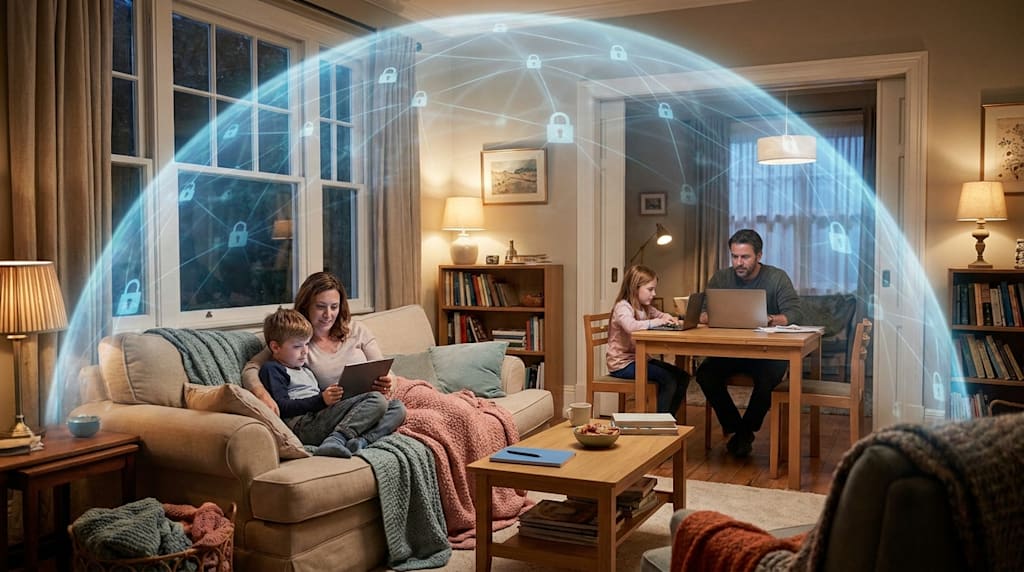
It was a normal Tuesday when Sarah noticed her internet was lagging. She didn’t think much of it until she saw a strange, unrecognized device logged into her smart home app. Someone was using her Wi-Fi—not just to piggyback on her bandwidth, but to monitor the live feed of her home security cameras. This nightmare, while terrifying, is becoming increasingly common. The reason? Most of us completely ignore the "brain" of our home network: the router.
We live in an age of smart connectivity. We have smart lightbulbs, intelligent thermostats, advanced security cameras, and laptops all communicating through one central hub. However, we often treat our router as a "set and forget" appliance. We plug it in, set a password, and never touch it again. This level of complacency creates a massive opening for hackers, data brokers, and malicious actors. If your router is not properly secured, you are essentially leaving your front door unlocked to the digital world.
Here are four powerful, professional steps you must take right now to ensure your home network remains a fortress.
1. Disable the WPS Button
That little button on your router, usually labeled WPS or Wi-Fi Protected Setup, is a security disaster waiting to happen. While it was designed to make connecting devices easier, it achieves this by using a simplistic PIN-based system that is incredibly easy to exploit. Hackers can use automated software to "brute force" this PIN in a matter of minutes, effectively bypassing your Wi-Fi password entirely. Go into your router's administrative settings immediately and disable this feature. It is a small change that drastically reduces your vulnerability.
2. Segment Your Devices
Your smart devices—like light bulbs, smart fridges, and connected toys—are often the weakest links in your network. They rarely receive security updates and can be easily compromised. If a hacker gains access to your smart lightbulb, they should not be able to pivot and access the banking laptop you use on the same network. To prevent this, you should set up a "Guest Network" on your router. Put all your IoT (Internet of Things) devices on this separate network. This creates a logical barrier, keeping your sensitive data and personal devices isolated from the less secure "smart" gadgets in your home.
3. Enforce WPA3 Encryption
Encryption is the secret language that keeps your data unreadable to outsiders. If your router supports it, you must switch your encryption protocol to WPA3. It is currently the most robust and secure lock available for home users. Unlike its predecessors, WPA3 provides better protection against password-guessing attacks and ensures that even if a hacker captures your data, they cannot easily decrypt it. Check your router’s wireless settings panel; if WPA3 is an option, select it and save your settings.
4. Disable Remote Access
Never allow your router to be managed from the outside world. Many routers come with a feature called "Remote Management" or "Remote Access," which allows you to change settings from outside your home. While convenient, it essentially gives hackers a digital key to your home from anywhere on the planet. Keep the "keys" inside your house. Disable this feature in your settings and ensure that your router can only be configured when you are physically connected to your home network.
The Final Audit
Implementing these four steps will stop the vast majority of common digital threats and opportunistic intruders. However, security is not a one-time setup; it is a continuous, evolving practice. These steps form the foundation of a secure home, but for a truly professional-level setup, you need to go further. You should look into advanced configurations such as MAC Filtering—which restricts access only to approved devices—and Physical Signal Management, which involves adjusting your router's transmit power so your Wi-Fi signal doesn't bleed out into the street where passersby can intercept it.
Don't wait until you see a strange device on your network or, worse, realize your privacy has been compromised. Take control of your router today and turn your home back into a private sanctuary.
If you want to ensure your setup is flawless, I have detailed the rest of the steps and the complete "Ultimate Security Audit" in my full guide. Don't wait until your data is for sale. Read the full Professional Privacy Audit here.
About the Creator
Securely Life
"Welcome to Securely Life! Our mission is to empower you with expert-backed safety guides."
Enjoyed the story? Support the Creator.
Subscribe for free to receive all their stories in your feed.
Comments
There are no comments for this story
Be the first to respond and start the conversation.