tech
Technology with a twist; geek out to gadget hacks and tech tricks that will give your devices more mileage.
Social Psychology
**Understanding Social Psychology: The Science of Human Interaction** ### Introduction Social psychology is the scientific study of how people's thoughts, feelings, and behaviors are influenced by the actual, imagined, or implied presence of others. It bridges psychology and sociology, focusing on how individuals interact within a social context. By understanding social psychology, we gain insight into human behavior in various social settings, from personal relationships to large-scale group dynamics. This field has practical applications in areas such as marketing, politics, health, and interpersonal communication.
By Jeno Treshan about a year ago in Lifehack
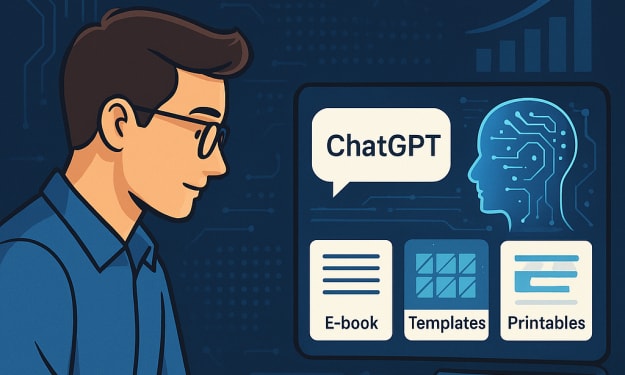
How I Used ChatGPT to Start a Profitable Business
The digital age has transformed the way we work, and artificial intelligence (AI) is at the forefront of this revolution. I discovered this firsthand when I used ChatGPT to create a profitable online business from scratch. Here’s my journey and how you can do the same. The Spark of an Idea Like many aspiring entrepreneurs, I wanted to start a business but wasn’t sure where to begin. I had experimented with various online gigs—freelancing, surveys, affiliate marketing—but nothing seemed to click. The challenge was finding something sustainable, scalable, and, most importantly, profitable. Then, I stumbled upon ChatGPT and realized its potential for generating ideas, streamlining processes, and automating tasks. That’s when I decided to use AI as my business partner. Finding the Right Business Model With ChatGPT’s help, I brainstormed multiple business ideas and researched their profitability. I wanted something with a low startup cost, high scalability, and passive income potential. After careful analysis, I chose digital products—e-books, templates, and printables—since they required no inventory and could be sold repeatedly. AI played a key role in refining my business model. ChatGPT helped me understand market trends, analyze competitors, and craft a business plan. This saved me countless hours of research and gave me a clear roadmap. Creating Products with AI Assistance Once I had a direction, I used ChatGPT to: Generate e-book outlines and write engaging content. Create social media captions and promotional materials. Develop product descriptions optimized for SEO. Automate customer support responses for FAQs. AI didn’t just help with content—it also sparked creative ideas. For instance, I used it to generate unique printable designs and personalize them for different audiences. By combining AI-generated content with my own touch, I ensured quality and originality. Setting Up My Store I chose Etsy as my primary platform due to its large customer base and ease of use. Additionally, I listed my products on Gumroad and Shopify to reach a broader audience. Using ChatGPT, I crafted compelling product listings with clear descriptions and engaging headlines. Pricing was another crucial aspect. AI helped me analyze competitors and set competitive yet profitable prices. By testing different pricing strategies, I found the sweet spot that maximized both sales and revenue. Marketing and Scaling Up Marketing played a significant role in my success. ChatGPT assisted me with: Writing blog posts and social media content to drive traffic. Creating email marketing campaigns to engage customers. Generating ad copy for Facebook and Instagram ads. Optimizing my store with keyword-rich descriptions for better search rankings. Consistency was key. I scheduled content regularly, engaged with my audience, and tested different marketing strategies. By leveraging AI-driven insights, I improved my conversion rates and boosted sales. As my business grew, I reinvested my profits into ads and product expansion. I also started automating tasks further, such as using AI chatbots for customer inquiries and AI-powered analytics to track performance. This allowed me to scale efficiently without burning out. Results and Lessons Learned Within a few months, I started making consistent sales, and my passive income stream grew steadily. ChatGPT helped me streamline operations, save time, and maximize efficiency. Here’s what I learned: 1. AI is a tool, not a replacement for creativity. While AI can generate ideas and automate tasks, human input is essential to maintain originality and value. 2. Marketing and SEO are non-negotiable. Even the best products won’t sell if people can’t find them. Visibility is crucial for success. 3. Consistency and adaptability lead to long-term success. The digital landscape is always evolving. Staying updated on trends and adjusting strategies accordingly is vital. 4. Reinvesting profits accelerates growth. Instead of cashing out early, I reinvested earnings into ads, better tools, and product expansion. This helped scale my business faster. Start Your AI-Powered Business Today If you’re looking for a low-cost, high-potential online business, leveraging AI like ChatGPT can be a game-changer. Whether you create content, sell digital products, or offer services, AI can help you save time and increase profitability. The possibilities are endless. With dedication, strategy, and the right tools, you can build a thriving online business using AI. Are you ready to take the leap? The future of entrepreneurship is here, and it’s powered by artificial intelligence!
By Gift Abotsi about a year ago in Lifehack
Why won't OnlyFans videos load on iPhone?
# Why Won’t OnlyFans Videos Load on iPhone? (Troubleshooting Guide) OnlyFans is a well-known site for exclusive content, but some iPhone users have trouble loading videos. If you're dealing with this issue, don’t worry—this guide breaks down the possible reasons and how to fix them, plus a FAQ section.
By Call +1-888-684-9487 Only_Fans_for assistance about a year ago in Lifehack
Successful Startup
# The Ultimate Guide to Launching a Successful Startup in 2025 Starting a business is an exciting yet challenging journey that requires careful planning, execution, and perseverance. With the evolving business landscape, entrepreneurs must adapt to new trends, technologies, and market demands. If you're considering launching a startup in 2025, this comprehensive guide will provide you with actionable insights to help you navigate the entrepreneurial journey successfully.
By Jeno Treshan about a year ago in Lifehack
Why is my Hp printer not connecting to wifi
# Why Won’t My HP Printer Connect to Wi-Fi? – Troubleshooting Tips Having a wireless HP printer is great until it decides not to connect to Wi-Fi. This can mess with your work. If your HP printer isn’t connecting, there could be a few reasons why, like wrong settings, weak signal, or firmware that needs updating.
By Printer | for assistance 1-850-923-O380about a year ago in Lifehack
Troubleshoot a Wi-Fi connection to an HP Printer
# Troubleshooting Wi-Fi Connection Issues with HP Printers Having a reliable Wi-Fi connection is key to printing smoothly from your HP printer. Sometimes, though, you might run into issues like network setup problems, old software, or signal issues. Here's a straightforward guide to help you fix Wi-Fi connection problems with your HP printer.
By Printer | for assistance 1-850-923-O380about a year ago in Lifehack
Why won't OnlyFans let me withdraw?
# Why Can’t I Withdraw from OnlyFans? Fixes & Solutions OnlyFans is a well-known platform for creators looking to earn money from their content, but running into issues with withdrawals can be really annoying. If you can't withdraw your earnings, there might be a few reasons why—ranging from verification problems to banking issues.
By Call +1-888-684-9487 Only_Fans_for assistance about a year ago in Lifehack
Do you have streaming issues when you go live on OnlyFans with freezing and choppy feed?
# Fixing Streaming Problems on OnlyFans: Tips for a Smoother Experience Live streaming on OnlyFans is a great way to connect with your fans, but issues like freezing, buffering, and choppy video can be frustrating. If you're having trouble with your stream quality, here's some simple advice to help you out.
By Call +1-888-684-9487 Only_Fans_for assistance about a year ago in Lifehack
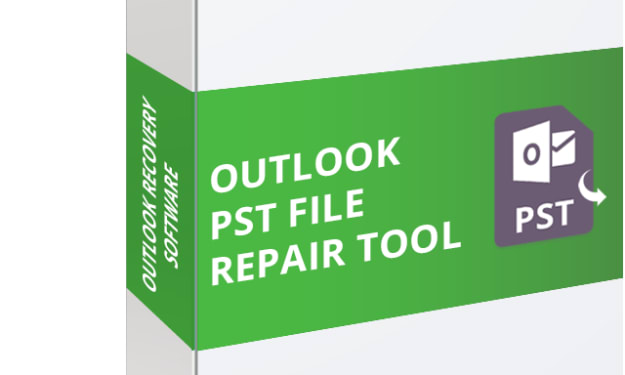
PST Repair Tool: Repair Corrupt PST Files, Perform Outlook Recovery, and PST Conversion
Introduction Microsoft Outlook is the most popular email client used mainly for the management of emails, calendars, contacts, and so on. But users generally encounter problems when PST (Personal Storage Table) files get damaged or become inaccessible. In this case, a PST repair tool becomes a saviour. This article discusses how a PST repair tool can restore corrupt PST files, recover Outlook, and convert PST.
By vSoftware Email Recovery Softwareabout a year ago in Lifehack