
How to Maintain Your Mobile Thermal Printer for Longevity
Simple Maintenance Tips for Long-Lasting Mobile Thermal Printers
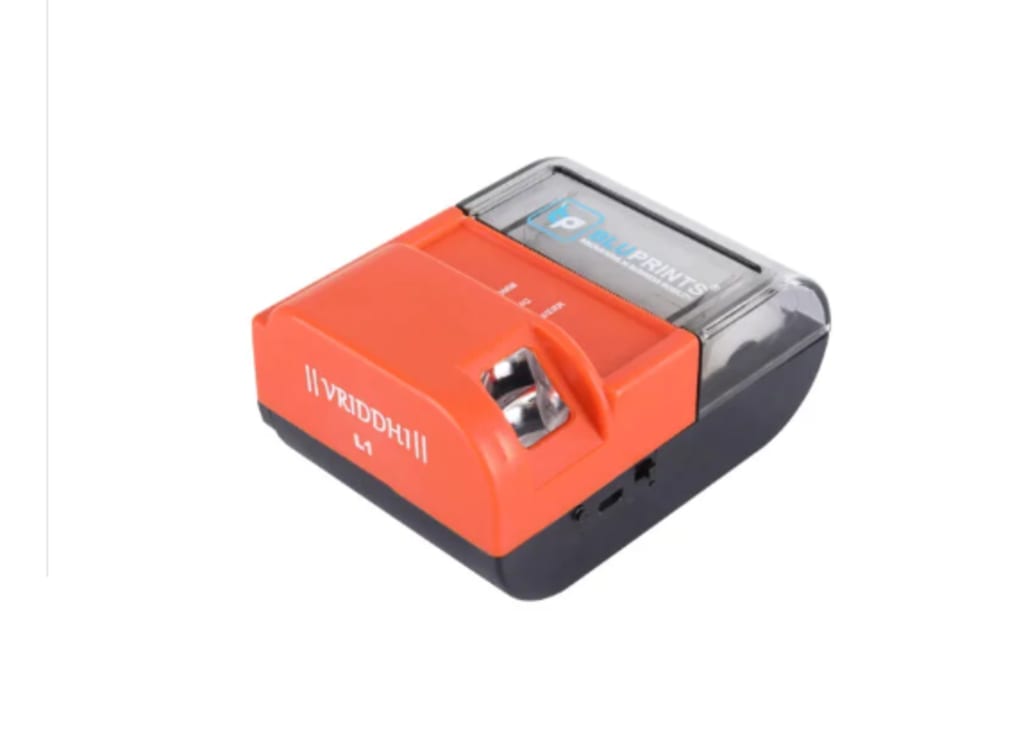
Best mobile thermal printer in india have become indispensable tools for businesses requiring efficient, portable printing solutions. Whether you're issuing receipts, labels, or tickets, these printers are designed for durability and convenience. However, like any piece of technology, regular maintenance is essential to ensure they perform optimally over time. Here's a comprehensive guide on how to maintain your mobile thermal printer to maximize its lifespan and efficiency.
1. Understand Your Printer's Basics
Before diving into maintenance, familiarize yourself with your thermal printer's components and functions. Key parts include:
Thermal Print Head: Responsible for transferring heat to the paper.
Rollers: Help feed the paper through the printer.
Battery: Powers the device during mobile usage.
Understanding these parts helps you identify issues and apply the correct maintenance techniques.
2. Use High-Quality Thermal Paper
The type of thermal paper you use significantly affects your printer's longevity. Substandard paper may contain dust or rough surfaces that can wear down the print head and rollers. Always opt for high-quality, manufacturer-recommended thermal paper to:
- -Minimize debris buildup.
- Ensure clear and crisp prints.
- Reduce wear and tear on internal components.
3. Regular Cleaning of the Printer
Cleaning your thermal printer is one of the most effective ways to maintain it. Dust, adhesive residue, and paper debris can accumulate over time, leading to poor print quality or hardware damage. Follow these cleaning steps:
1. Turn off the printer and disconnect it from power.
2. Use a lint-free cloth or soft brush to remove debris from the rollers and paper path.
3. Clean the thermal print head using isopropyl alcohol (70-90%) and a cotton swab. Gently wipe to avoid scratches.
4. Check and clean the vents and external surfaces for dust buildup.
Perform this cleaning routine at least once a month or more frequently in dusty environments.
4. Avoid Overheating the Print Head
Overheating can reduce the print head's lifespan. To prevent this:
- Avoid extended periods of continuous printing.
- Allow the printer to cool down between large batches.
- Ensure the device is used within its recommended operating temperature range, as specified in the user manual.
5. Charge the Battery Correctly
Battery maintenance is crucial for mobile printers. Follow these tips for optimal performance:
- Charge the battery fully before using it for the first time.
- Avoid overcharging or completely depleting the battery.
- Use the manufacturer-provided charger to prevent voltage inconsistencies.
- Store the battery in a cool, dry place if not in use for extended periods.
6. Update Firmware Regularly
Manufacturers often release firmware updates to improve performance and address bugs. Keeping your printer’s firmware updated ensures:
- Compatibility with new devices or software.
- Enhanced printing speed and accuracy.
- Fixes for known technical issues.
Check the manufacturer’s website periodically for updates and installation instructions.
7. Handle the Printer with Care
While mobile thermal printers are designed for portability, they still require gentle handling:
- Avoid dropping the printer or exposing it to shocks.
- Protect it from moisture and extreme weather conditions.
- Use a protective case or carrying bag when transporting it.
8. Perform Routine Inspections
Regularly inspect your printer to identify potential problems early. Look for:
- Worn-out rollers or parts.
- Unusual noises during operation.
- Irregularities in print quality, such as streaks or faded areas.
Addressing these issues promptly can prevent costly repairs or replacements.
9. Store the Printer Properly
When the printer is not in use:
- Remove the thermal paper to prevent residue buildup.
- Store the device in a cool, dry place away from direct sunlight.
- Use the provided cover or case to protect it from dust and physical damage.
10. Seek Professional Assistance When Needed
If you encounter issues that routine maintenance cannot resolve, consult a professional technician. Attempting to repair internal components without expertise may lead to further damage. Always rely on authorized service centers for repairs and part replacements.
Conclusion
Maintaining your mobile thermal printer is key to ensuring its longevity and efficiency. By following these tips, you can minimize downtime, reduce repair costs, and enhance the overall performance of your device. Whether you’re printing receipts, labels, or other documents, proper care will ensure your printer serves you reliably for years. With consistent maintenance, even the most portable devices can deliver exceptional results—just as BluPrints empowers businesses with innovative technology solutions that simplify operations and ensure durability.
About the Creator
Enjoyed the story? Support the Creator.
Subscribe for free to receive all their stories in your feed.
Comments
There are no comments for this story
Be the first to respond and start the conversation.