
Why Scanned Drawings Need Professional CAD Conversion Services
How Digitizing Old Drawings Improves Accuracy and Workflow

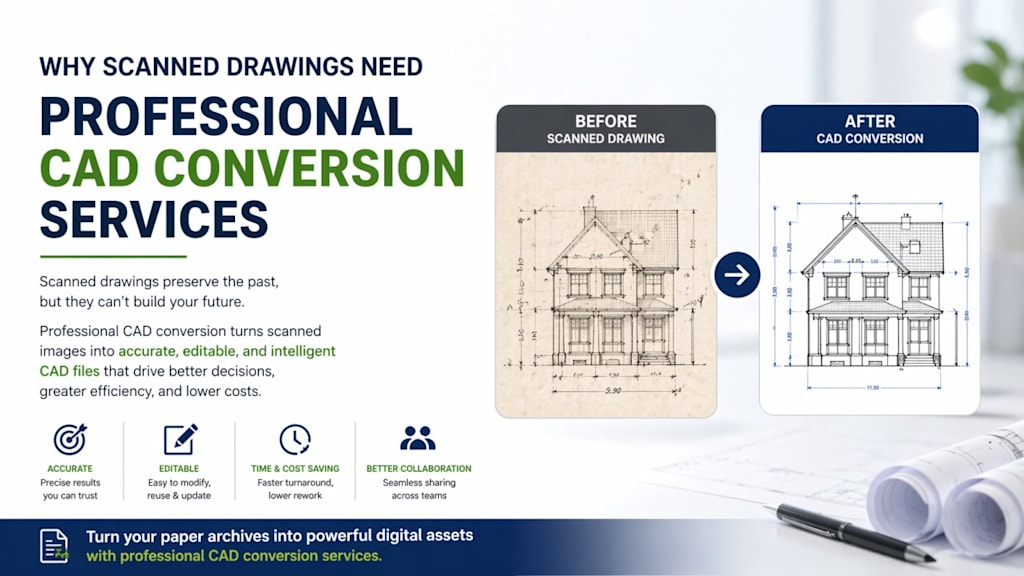
In many industries, from architecture to manufacturing, older drawings still exist only on paper or as scanned images. While scanning helps preserve these documents, it doesn’t make them truly usable in today’s digital workflows. That’s where CAD conversion comes into play.
Turning scanned drawings into accurate, editable CAD files isn’t just a technical upgrade it’s often a necessary step toward efficiency, clarity, and long-term usability.
The Limitation of Scanned Drawings
A scanned drawing is essentially a picture. It captures what the original document looked like, but it doesn’t understand the design itself. Lines, dimensions, and annotations are flattened into pixels, making them difficult to edit or reuse.
This becomes a problem when updates are needed. Even a small change may require recreating large portions of the drawing from scratch.
What CAD Conversion Actually Does
CAD conversion transforms a static image into a structured, editable digital file. Instead of pixels, the drawing is rebuilt using precise lines, curves, and dimensions that can be modified without affecting the entire design.
This process is not just about tracing it involves interpreting the drawing carefully to ensure that every element is accurate and functional.
Why Professional Conversion Makes a Difference
Accuracy You Can Rely On
When drawings are used for construction, fabrication, or engineering, accuracy is critical. Small errors can lead to delays, additional costs, or even safety concerns. Professional conversion ensures that dimensions and details are carefully recreated.
Saves Time in the Long Run
At first glance, converting drawings in-house might seem cost-effective. But in reality, it often takes significant time especially for complex or older documents.
Professionals who handle this work regularly can complete it more efficiently, reducing the need for revisions later.
Easier Editing and Updates
Once a drawing is in CAD format, making changes becomes much simpler. Elements can be adjusted individually, layers can be organized clearly, and updates can be made without starting over.
This flexibility is especially valuable in projects that evolve over time.
Better Collaboration
Working with scanned files can slow teams down. It’s harder to share, annotate, or coordinate changes effectively.
CAD files, on the other hand, are designed for collaboration. Teams can review, edit, and share updates more seamlessly, even when working remotely.
Preserving Important Designs
Paper drawings fade, tear, or get misplaced over time. Even scanned copies can become difficult to manage if they’re not properly organized.
Converting these drawings into structured digital formats helps preserve them in a way that’s both secure and easy to access when needed.
A Practical Example
Imagine a facility that was built decades ago, with only paper blueprints available. When renovations are needed, relying on scanned copies alone can slow everything down. Measurements may need to be rechecked manually, and inconsistencies can cause confusion.
With properly converted CAD files, those same drawings become much easier to work with saving time during planning and reducing uncertainty during execution.
Why Automation Alone Isn’t Enough
There are tools that attempt to convert scanned drawings automatically, but they often struggle with:
- Faded or low-quality scans
- Handwritten notes
- Complex shapes and overlapping elements
Human expertise is still essential to interpret and rebuild drawings accurately, especially when dealing with older or detailed documents.
Final Thoughts
Scanning drawings is a good first step toward digitization, but it doesn’t unlock their full potential. To truly make them useful in modern workflows, they need to be converted into precise, editable formats.
Professional CAD conversion bridges that gap. It brings clarity to old designs, improves collaboration, and helps ensure that important information remains accurate and accessible for years to come.
About the Creator
Shalin Designs
Shalin Designs is a leading CAD design and drafting service provider company. We serve product design, CAD drafting services, 3D CAD modeling, or sheet metal design and we specialize in all engineering design services.
Enjoyed the story? Support the Creator.
Subscribe for free to receive all their stories in your feed.
Comments
There are no comments for this story
Be the first to respond and start the conversation.