
Why Online Laser Cutting in Wood Works Well for Custom Prototypes
Discover why online laser cutting in wood is ideal for custom prototypes. Learn how it saves time, ensures accurate parts, and makes testing designs fast and easy.

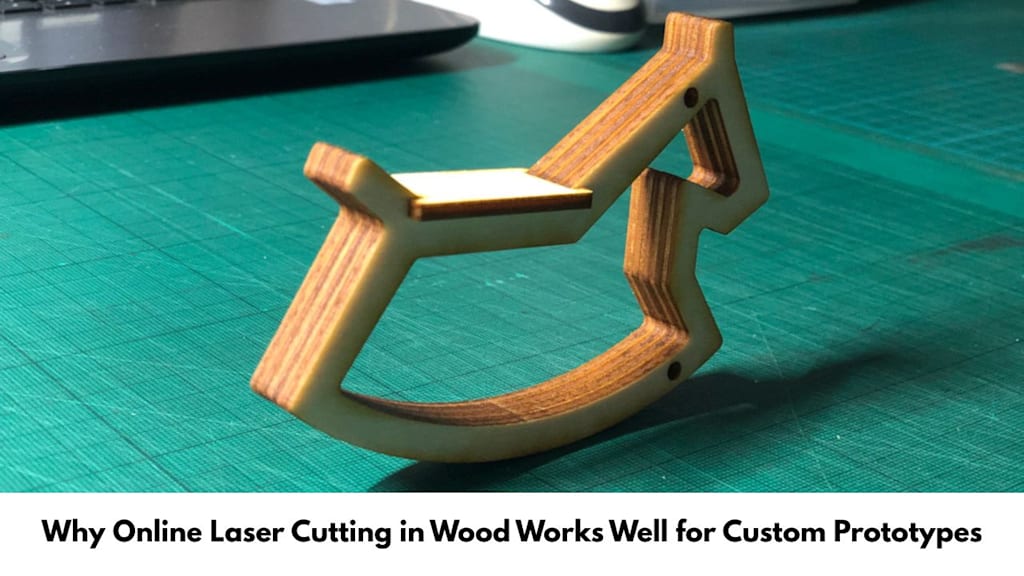
When I build something new, I don’t want to guess if it will work. I want to test it first. That is what a prototype is for. It is like a “first try” version you can hold, measure, and improve.
In the UK, one of the easiest ways to make neat wooden prototype parts is to send a design file online and get it laser cut. This article answers the main questions people ask, in a clear and simple way, without trying to sell anything.
What is a prototype, and why do people bother making one?
A prototype is a test model of your idea. It’s not the end result. It’s what you use to look for mistakes.
The prototype will help you test things like the following:
- Fit – does everything match up and line up?
- Size – is it larger or smaller than expected?
- Stability – Does it bend, warp or break?
- Appearance – does it look right when seen?
- Assembly process – can it be easily assembled again?
This is useful for school projects, design coursework, small business ideas, model making, packaging tests, signs, and display stands.
How does Online Laser Cutting in Wood actually work?
It’s simple in idea: you create a digital drawing, upload it, pick a wood sheet, and the service cuts the shapes with a laser. Then the parts get delivered to you (often within the UK).
Most services follow a similar order:
- You prepare a file (usually a vector design).
- You choose a material and thickness (like plywood or MDF).
- The machine cuts the parts by following your lines.
- The parts are packed and posted.
Because the cutting follows a file, you can remake the same parts later without starting from scratch.
Why is laser cutting a good match for custom prototypes?
1) It saves loads of time compared to hand cutting
Hand cutting takes ages. You measure, mark, cut, and then fix mistakes. With laser cutting, the measuring and shapes are already in the file. That means you can spend more time testing your idea and less time battling a wonky saw line.
2) It makes repeatable parts (great for testing)
Prototyping usually takes more than one try. You build it, notice a problem, change the design, then test again.
Laser cutting helps because you can:
- keep the same design and re-cut it later
- change only one part and re-order just that part
- make matching left/right pieces without guessing
That repeatable accuracy is a big deal when you are trying to improve a design step by step.
3) It can cope with intricate designs easily
Lasers are able to make cuts which are difficult manually, for instance, slits, sharp angles, and intricate curves. This is useful for flat-pack styles, puzzle joints, brackets, and templates.
Why wood is such a popular prototype material
Wood is easy to understand. You can see what is happening and fix things quickly.
Wood prototypes are popular because:
- They’re quick to assemble (glue, screws, tape, even elastic bands for testing).
- They’re easy to change (sand an edge, widen a hole, trim a corner).
- They feel real (better than a paper mock-up for size and shape).
- They’re good for early testing before you move to plastic or metal.
Common sheet woods for laser cutting include plywood and MDF. Plywood is often stronger for thin parts. MDF is smooth and can be easier to paint. The “best” choice depends on what you need to test.
What is “kerf”, and why does it matter for tight fits?
Kerf is the tiny amount of material removed by the cut. Even though the laser line is thin, it still has a width.
Kerf matters most when you are making press-fit joints (slots and tabs that push together). If a slot is too tight, the parts might not go in. If it’s too loose, the prototype might wobble.
A practical way to avoid problems is to cut a small test joint first, then adjust your slot width if needed, and only then order the full set.
Can you add labels or markings on prototype parts?
Yes, many places offer laser cutting and engraving services. Engraving is not just for decoration. For prototypes it can be very practical, like:
- part names (Side A, Side B)
- arrow marks (this way up)
- simple measurement marks
- alignment lines for assembly
If your prototype has lots of pieces, labels can stop confusion and make testing faster.
What files do you usually need?
Most cutting systems prefer vector files because they describe clean lines and shapes.
Common formats include:
- SVG
- DXF
- AI
Different providers have different rules about line colours, line thickness, and what counts as “cut” versus “engrave”. The safest move is to read the file guide for the service you’re using before you export.
What are the most common mistakes people make (and how to avoid them)?
Here are issues that happen a lot with first prototypes:
1) Wrong size because of units
Sometimes a file is drawn in inches but treated like millimetres (or the other way round).
Fix: Double-check your units before sending.
2) Shapes not fully closed
If lines don’t join properly, the cut path can break.
Fix: Zoom in and look at the corners and endpoints.
3) Fragile components that cannot withstand handling
Components which are very slim and likely to break, for example, wooden strips cut to a thinness.
Fix: Thicken delicate sections or choose a different layout.
4) Forgetting real assembly space
A screw head, nut, or even your screwdriver needs room.
Fix: Leave clearance around holes and corners.
These mistakes aren’t “bad”. They’re just normal prototype lessons.
When is laser-cut wood NOT the best choice?
Laser-cut wood is great for flat parts, but it is not perfect for every job.
It may not be ideal if:
- you need a thick, blocky 3D shape (not sheet-based)
- the item must handle lots of water or outdoor weather for a long time
- you need the exact feel of final plastic parts (like moulded plastic)
- you need bent curves instead of flat panels
Sometimes the smartest path is: test in wood first, then move to the final material once the shape and fit are proven.
UK note: picking a service without turning it into a sales decision
In the UK, there are several laser cutting services you can order from online. When choosing one, it helps to look for clear practical information, like:
- accepted file types and design rules
- wood options and thickness range
- lead times and delivery info
- how they deal with file problems or questions
You might see names like RazorLAB while searching, but the key point is to judge any provider by their published specs, clarity, and support process, not by hype.
Quick FAQ
Will laser-cut wood edges look dark?
Often, yes. The laser uses heat, so edges can look a bit brown. Light sanding can help.
Can I order just one prototype set?
Yes. One-off orders are common for prototypes.
Do I need engraving?
Not always. But labels can make building and testing much easier.
What’s the biggest reason this method helps prototyping?
The speed at which components can be repeated or improved upon without having to do everything from scratch by hand.
Final Answer
Online Laser Cutting in Wood is perfect for prototype work because it allows for accurate and fast production, easy repetition of design, and allows testing of fit and function in actual material before finalizing the product.
About the Creator
RazorLAB
RazorLAB provides versatility of Laser cutting & Engraving services! Our team of skilled professionals can handle a wide range of projects. We specialize in four distinct materials for custom projects like acrylic, wood, fabric & card.
Enjoyed the story? Support the Creator.
Subscribe for free to receive all their stories in your feed.
Comments
There are no comments for this story
Be the first to respond and start the conversation.