
Wholesale UV DTF Cup Wraps: How to Organize Sizes, Designs, and SKUs
Wholesale cup wrap orders can become complicated surprisingly quickly. One design may be needed in several sizes.

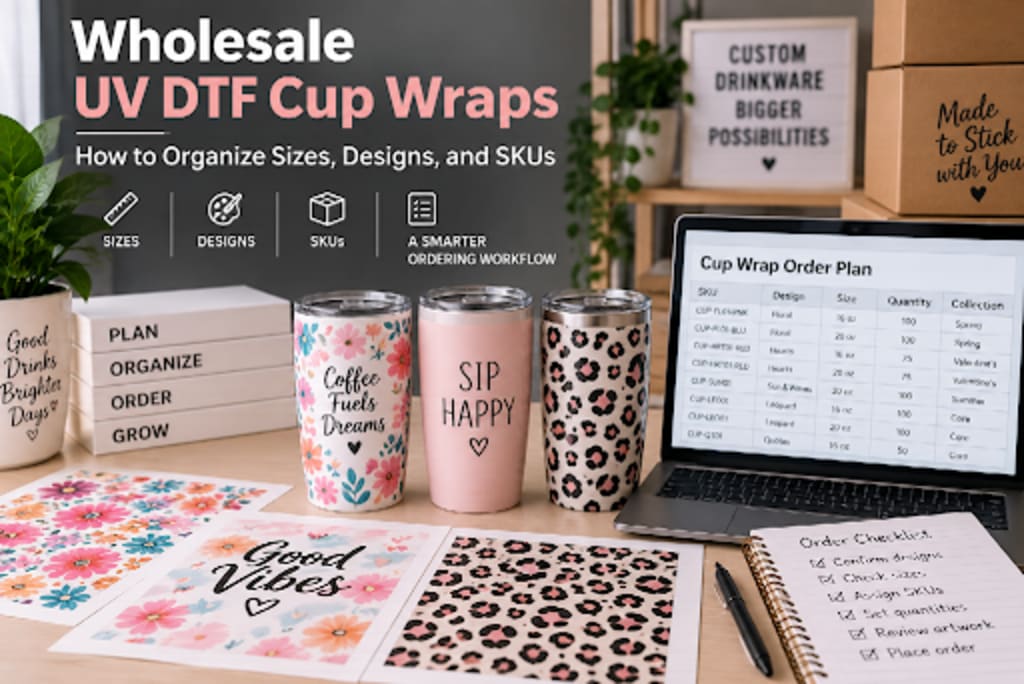
Wholesale cup wrap orders can become complicated surprisingly quickly. One design may be needed in several sizes. Multiple cup styles may require different artwork versions. A customer may want several colors, collections, or seasonal variations in the same order. Without a clear system, what looks like a simple UV DTF order can turn into a confusing mix of filenames, quantities, and design versions.
The solution is not simply ordering more transfers. It is building an order structure before production begins. Businesses shopping for UV DTF cup wrap wholesale options can make the process easier by treating each design-and-size combination as a clearly identified production item.
A practical workflow should answer four questions before the order is submitted: Which design is this? What size is it? Which product or cup is it intended for? How many are needed?
Start With the Finished Product, Not the Artwork Folder
A common mistake is organizing a wholesale order according to how artwork files happen to be stored. Your computer may contain folders such as “summer designs,” “client logos,” or “new versions,” but those labels are not necessarily useful during fulfillment.
Instead, begin with the products you intend to decorate or sell. Make a simple list of every finished cup or drinkware variation included in the project.
For each item, record the design, intended size, version, and quantity. This turns a collection of artwork files into an actual production plan.
For example, “Floral Design” is not specific enough if you have three versions. “Floral-Pink,” “Floral-Blue,” and “Floral-Neutral” immediately create clearer production identities.
Give Every Design a Consistent Name
Wholesale orders benefit from naming rules because the same artwork may return in future orders. Random filenames such as final.png, final2.png, newest-final.png, and final-approved.png make version control harder than it needs to be.
Use a repeatable naming structure instead. A basic format might include:
Design name or design number
Size or intended format
Color or artwork variation when relevant
Revision number when multiple approved versions exist
A file such as “SUNSET-01-LARGE-V2” communicates much more than “sunset-final.” The exact system matters less than consistency.
This becomes particularly valuable when a business carries many cup designs and needs to reorder only certain sellers instead of rebuilding the entire assortment.
Separate Size From Design Identity
Design and size should be treated as two different pieces of information.
Imagine that one graphic is sold across several cup formats. If the file name contains only the artwork name, employees may have difficulty distinguishing which production file corresponds to which finished item.
Create a separate line item for every required design-and-size combination. That allows quantities to be assigned accurately and makes later reorders easier to reconstruct.
Businesses working with different cup applications can also review dedicated UV DTF transfers for cups options while building their ordering plan.
Create SKUs That Help You Reorder
A SKU does not need to be complicated. Its main job is to identify one sellable or producible variation without ambiguity.
If your business already uses inventory-management software, follow your existing SKU system. If not, a simple internal format can still provide structure.
For example, a SKU might combine a product category, design code, and variation:
CUP-SUN01-BLU
The code could identify a cup product, a particular design, and its blue version. Another variation could receive a different suffix.
The important point is that one SKU should consistently represent one defined item. Avoid changing the meaning of a SKU between orders.
When a customer asks for another batch three months later, you should be able to identify exactly what was previously ordered without relying on memory.
Build a Quantity Matrix Before Ordering
Once the SKUs are organized, assign quantities. A simple quantity matrix can prevent several common wholesale-order problems.
For each SKU, record:
Design name
Version
Required size
Quantity
Any internal customer or collection reference
Then total the order only after individual line items have been confirmed.
This approach is much safer than deciding that you need “200 cup wraps” and figuring out the design split afterward. A total quantity tells you purchasing volume, but it does not tell production which 200 items are actually required.
Keep Seasonal and Core Designs Separate
Wholesale sellers often have two very different types of inventory: designs that sell repeatedly and designs created for a short selling window.
Organizing them separately can improve reorder decisions.
Core designs can receive permanent SKUs and stable artwork names. Seasonal or promotional artwork can include a campaign or season identifier so that outdated versions are easier to recognize later.
This also reduces the chance of accidentally mixing last season's artwork with the current assortment when files look similar.
Use Batch Planning for Multi-Design Orders
When an order contains many approved graphics, it can be useful to think in batches rather than individual files.
Group designs that belong to the same order, collection, customer, or production window. Confirm every design before arranging the batch. Once the artwork and quantities are locked, a production format such as UV DTF Gang Sheets may provide another way to organize multiple graphics within the ordering workflow.
The key is to avoid making fundamental artwork decisions after the batch has already been organized. Approve first, arrange second.
Keep a Reorder Record After Production
A good wholesale workflow does not end when the first order is placed.
Keep a simple record showing what was ordered, which artwork version was used, the associated SKU, and the quantity. When demand changes, you can then reorder individual products instead of reconstructing the original job.
This is particularly useful when one design sells faster than others. You may discover that three SKUs need replenishment while twelve others still have sufficient inventory.
Make the Order Easy for Someone Else to Understand
The final test is simple: could another person look at your order sheet and understand it without asking you to explain every file?
If the answer is yes, your workflow is probably in good shape.
Wholesale UV DTF cup wrap ordering becomes easier to manage when every design has a clear identity, every size is documented separately, quantities are assigned at the SKU level, and approved artwork is preserved for future reorders.
The objective is not to build the most complicated inventory system possible. It is to remove ambiguity. A clear structure helps turn a folder full of designs into a repeatable wholesale ordering process that can continue working as the number of products, customers, and artwork variations grows.
About the Creator
Enjoyed the story? Support the Creator.
Subscribe for free to receive all their stories in your feed.
Comments
There are no comments for this story
Be the first to respond and start the conversation.