
The Advantages of Using Online Laser Cutting Services for Custom Projects
Learn the advantages of using online laser cutting services for custom projects, from precise cuts and engraving options to material choices, affordability, and convenience.

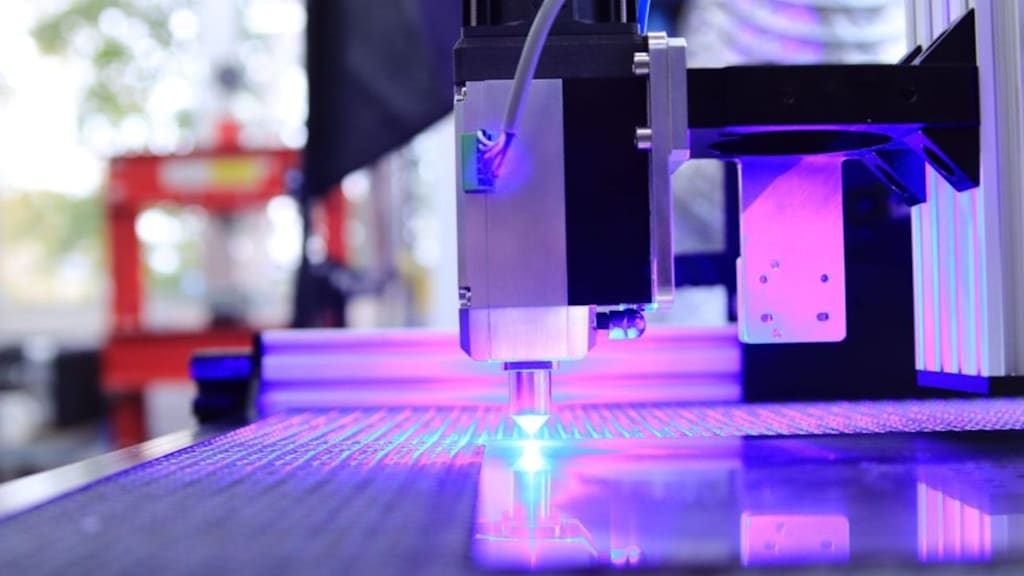
Ordering a custom project may seem like a lot of fun until you encounter one difficulty - cutting out proper shapes. Maybe you’re building a model, making a sign for a school club, or creating parts for a small business idea. Doing perfect cuts with hand tools can be slow, messy, and a bit stressful.
That’s where ordering online can help. You upload a design file, pick a material, and a workshop cuts it using a powerful, computer-guided laser. The finished parts turn up at your door, ready to use.
Below are the main advantages of using online laser cutting services for custom projects, explained in a simple, practical way.
Online Cutting explained (simple definition)
Online laser cutting is the process whereby a laser machine cuts designs on a sheet by focusing a beam of light onto it. This works the same way as a pen would when designing something.
Online ordering usually works like this:
- You draw your design on a computer (often as SVG, DXF, or PDF).
- You upload it to a supplier’s website.
- You choose the material and thickness.
- The parts are cut and posted to you.
Some suppliers also offer laser cutting and engraving services, which means they can cut shapes and also mark names, logos, or lines on the surface (engraving is more like “drawing” on the material than cutting through it).
Why online laser cutting services feel easier than a local workshop
1) You can order from home, not hunt for machines
Not everyone has access to a school workshop, maker space, or a friend with a big machine. Ordering online lets you get professional cutting without travelling around or waiting for lab time.
This can be handy if you live far from a city or you’ve only got evenings and weekends free.
2) You get clean, repeatable results
A laser follows the file exactly, so curves look smooth and corners look sharp. If you need five copies of the same piece, they should all match.
That’s great for things like:
- model parts that must fit together
- stencils that need crisp edges
- boxes with finger joints
- brackets, mounts, and panels
3) It can be cheaper than buying tools you’ll only use once
Buying a machine is expensive, and even basic tools add up. If you only need a few parts for one project, ordering online can cost less than getting set up yourself.
Also, you don’t have to pay for maintenance, replacement lenses, or fixing mistakes from a bad first attempt.
4) More material choices than you might expect
A good online supplier will offer a range of sheet materials and thicknesses. Some common ones are:
- acrylic (often used for signs and display parts)
- plywood (popular for crafts and models)
- MDF (smooth and good for painted projects)
- cardboard (quick prototypes)
The right choice depends on what you’re building and how strong it needs to be.
A “material laser cutter” is basically the type of laser setup chosen to suit different materials and thicknesses. This matters because not every material behaves the same. Some cut neatly, some smell strongly, and some should not be cut at all. A responsible supplier will guide customers away from unsafe materials.
5) You can add engraving for labels and detail
With laser cutting and engraving services, you can do more than just cut outlines. You can add:
- part numbers (so you don’t mix things up)
- fold lines for assembly
- names for gifts
- simple diagrams or icons
Engraving can save loads of time because you don’t need stickers or paint markers later.
Accuracy helps your project fit (and saves your mood)
When parts don’t fit, you end up sanding, forcing, or re-making them. Laser cutting helps because it is precise, but you still need to design with real-world things in mind.
Here are a few simple tips:
- Kerf: The laser removes a tiny width of material while cutting. That missing width is called kerf. If your design needs a tight fit, you may need to allow for it.
- Tolerances: A slot of the same dimension as a tab may sometimes be too snug. Making it just slightly bigger will make it easier to assemble.
- Grain orientation: Wood has grain and this could affect the tensile strength and snap of the parts.
If you’re unsure, it’s smart to order a small test piece first.
Speed is a big advantage for school and small business projects
Online ordering can be fast, especially when you already have the design ready. You’re not stuck waiting for a machine to become free, and you can use your time doing other work, like painting, wiring, or writing up your project.
If you’re in the UK, check things like:
- estimated dispatch time
- delivery options to your area
- whether prices include VAT (some quotes show it separately)
Choosing laser cutting services in the UK: what to check
Not all suppliers are the same, so it helps to know what “good” looks like. Here’s a simple checklist.
Clear material rules and safety info
A trustworthy supplier explains what they will and won’t cut, and why. That’s a good sign. Some plastics, for example, can release harmful fumes and should be avoided.
File guidance that makes sense
Look for clear instructions like:
- accepted file types (SVG/DXF/PDF)
- how to set line colours for cut vs engrave (if needed)
- minimum line thickness for engraving
Honest photos or examples
You don’t need flashy marketing. You just need to see that edges are clean and engraving looks readable.
Data and privacy basics
If you’re uploading a design, you may want to know how your file is stored. In the UK, many businesses follow GDPR rules, so it’s fair to look for a privacy policy that is easy to understand.
Customer support that answers practical questions
You don’t need someone to “sell” you things. You need someone to say, “This thickness will snap,” or “That text size won’t engrave well.”
In the UK, there are different providers for this kind of work. For example, RazorLAB is a name you might come across when searching for online cutting. The important bit is not the brand—it's the checks above, so you get safe materials and parts that match your design.
Limits to keep in mind (so you don’t get disappointed)
Online laser cutting services are brilliant, but they are not magic. A few limits are normal:
- Very thick materials may not cut cleanly or may cost more.
- Tiny details can break, especially in brittle materials.
- Heat marks can happen on some materials, especially wood.
- Colour matching for acrylic can vary between batches.
If your project needs super high strength, you might need metal cutting (often done with different machines) or another method like CNC milling.
A simple way to start if you’re new
If you’ve never ordered before, try this:
- Make a small keyring or name tag design.
- Choose a common material like acrylic or plywood.
- Add one engraved line of text.
- Order just one piece first.
That small test teaches you loads about sizing, kerf, and how your design looks in real life.
One-line FAQs
Q: What file type is best for laser cutting?
A: It will be best to use vector formats such as SVG and DXF – lines will not be lost when scaled up.
Q: Can you do laser cutting and laser engraving in one go?
Yes, there are many suppliers that do laser cutting and engraving in the same job.
Q: Will the parts fit perfectly first time?
A: They can, but you may need to allow for kerf and small tolerances in your design.
Q: Is a material laser cutter safe for every material?
A: No—some materials should not be laser cut, so always follow the supplier’s safe-material list.
Q: How do I keep costs down?
A: You should have as few parts as possible, no unnecessary fine details, and nesting is recommended.
About the Creator
RazorLAB
RazorLAB provides versatility of Laser cutting & Engraving services! Our team of skilled professionals can handle a wide range of projects. We specialize in four distinct materials for custom projects like acrylic, wood, fabric & card.
Enjoyed the story? Support the Creator.
Subscribe for free to receive all their stories in your feed.
Comments
There are no comments for this story
Be the first to respond and start the conversation.