
Stop Losing Viewers When You Turn a URL Into Video
Converting a web page into a video sounds effortless, and the tools that promise it make it look that way.


Converting a web page into a video sounds effortless, and the tools that promise it make it look that way. Paste a link, wait a moment, and out comes a finished clip. Yet many of these auto-generated videos quietly fail, losing viewers in the first few seconds and delivering none of the engagement the page's owner hoped for. The problem is rarely the technology itself; it is the assumption that a web page and a video want to communicate in the same way. They do not. A page is scanned at the reader's pace, while a video controls timing, rhythm, and emphasis. Treating one as a direct copy of the other is exactly why so many conversions fall flat. This article explains the common mistakes that bleed away your audience, and how to turn a link into video that people actually watch to the end rather than abandon within moments.
Why Automatic Conversions Often Fall Flat
The most frequent failure is a mechanical dump of page content onto the screen. A tool grabs every heading, paragraph, and image, then strings them together in the order they appeared, producing a slideshow that reads like a document nobody asked to sit through. Web pages are written to be skimmed, with long sections a reader can skip, but video does not allow skipping without the viewer simply leaving. When you convert a url to video without reshaping the content for the format, you inherit all the parts that work on a page and none of the pacing that holds a viewer. The result feels slow, cluttered, and purposeless. The fix begins with accepting that conversion is a translation, not a copy, and that the source material must be edited down to what actually earns motion and attention.
The Weak Opening Problem
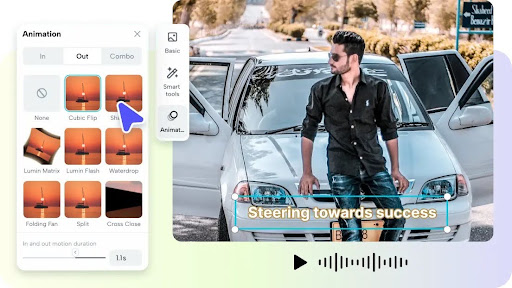
Most pages open with a header, a logo, or a slow introduction, and that structure is poison for video. Viewers decide within seconds whether to stay, so an opening that eases in the way a page does will lose them before the substance arrives. When a conversion tool faithfully reproduces the page's top-down order, it buries the most compelling point beneath throat-clearing that no one waits through. The remedy is to identify the single most interesting idea on the page and lead with it, even if it appeared halfway down the article. Start on the payoff, the surprising fact, or the clear benefit, and let the rest follow. A strong first few seconds is the difference between a video that gets watched and one that gets scrolled past.

Reshaping Page Content for Motion
Turning a page into a watchable video means deciding what to cut, not just what to keep. Read the source and pull out the few points that carry the message, then discard supporting detail that a reader might appreciate but a viewer will not sit through. Rewrite those points into short, spoken lines, because language built for the ear moves differently from language built for the eye. Give each idea its own moment on screen rather than crowding several onto one frame. This editing down feels counterintuitive when the page is full of good material, but restraint is what creates pace. A tight video that respects the viewer's time will always outperform a comprehensive one that tests their patience, and the discipline of cutting is where most of the quality comes from.
Giving Static Content Movement
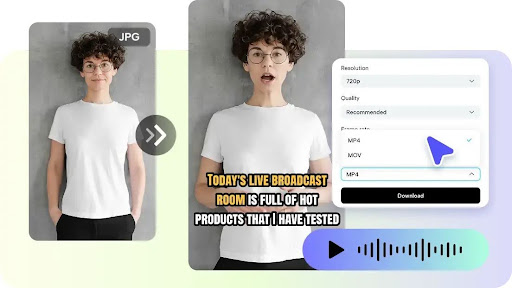
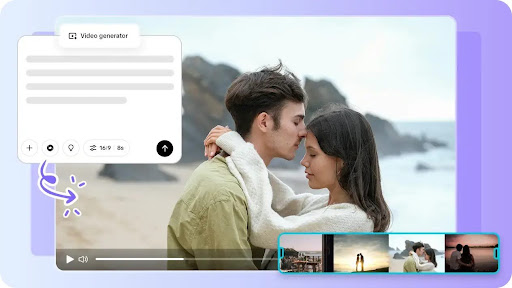
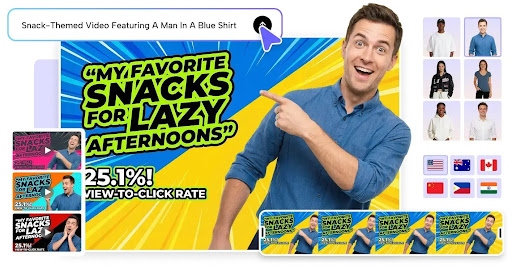
A page full of still images and text blocks becomes lifeless when dropped unchanged into a timeline. Video is a medium of motion, and viewers expect the frame to evolve. Rather than holding on a static image while narration plays, introduce gentle movement, transitions that guide the eye, and visuals that change in step with the point being made. Where the page had a photo, consider animating into or around it so the shot feels alive. Tools like Pippit AI help by transforming static source material into moving scenes automatically, which spares you from staring at a frozen frame while the audio does all the work. Movement keeps the eye engaged, and an engaged eye is far less likely to look for the exit.
Sound and Captions That Hold Attention
A converted video that plays in silence is a converted video that gets ignored. Most viewers encounter content muted at first, so clean, well-timed captions are essential to carry the message before sound is ever turned on. Music matters too, setting a rhythm that pulls the viewer forward and signaling that the clip was made with care rather than churned out automatically. Match the pace of the audio to the pace of the visuals, so a change on screen lands with the beat rather than drifting out of sync. These finishing elements are often skipped in automatic conversions, yet they are precisely what separates a clip that feels professional from one that feels like a lazy repost of a web page.
Building a Repeatable Process
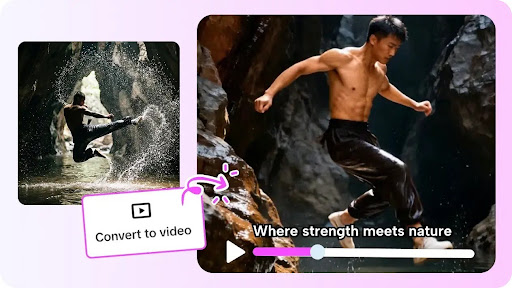
Once you know the pitfalls, you can turn conversion into a reliable routine rather than a gamble. Begin by choosing the single goal of the video and the one action you want a viewer to take, then select only the page content that serves it. Draft a short spoken script, lead with the strongest point, and map each line to a moving visual. Add captions and a fitting soundtrack, then watch the result the way a stranger would, cutting anything that drags. Finally, check where real viewers drop off after publishing and adjust the opening or pacing accordingly. Following this sequence every time removes the guesswork and steadily raises the quality of your output, so each converted video performs better than the last instead of relying on luck.
Making Every Conversion Worth Watching
Turning a web page into video is easy; turning it into video people actually watch takes intention. The clips that fail do so because they treat conversion as copying, dumping page content onto the screen with a weak opening and no motion. The clips that succeed treat it as translation: they lead with the strongest idea, cut everything that does not earn its place, give static material movement, and finish with captions and sound that hold attention. Build these steps into a repeatable process and check real viewer behavior to refine it, and your conversions stop leaking audience in the opening seconds. The tools can generate a video from a link in moments, but the choices you bring to that process decide whether the result is watched to the end or abandoned at the start.
About the Creator
Enjoyed the story? Support the Creator.
Subscribe for free to receive all their stories in your feed.
Comments
There are no comments for this story
Be the first to respond and start the conversation.