
Smarter Resource Allocation Strategies: My Proven System That Actually Works
Learn simple resource allocation strategies to assign the right work to the right people and get more done without the stress.
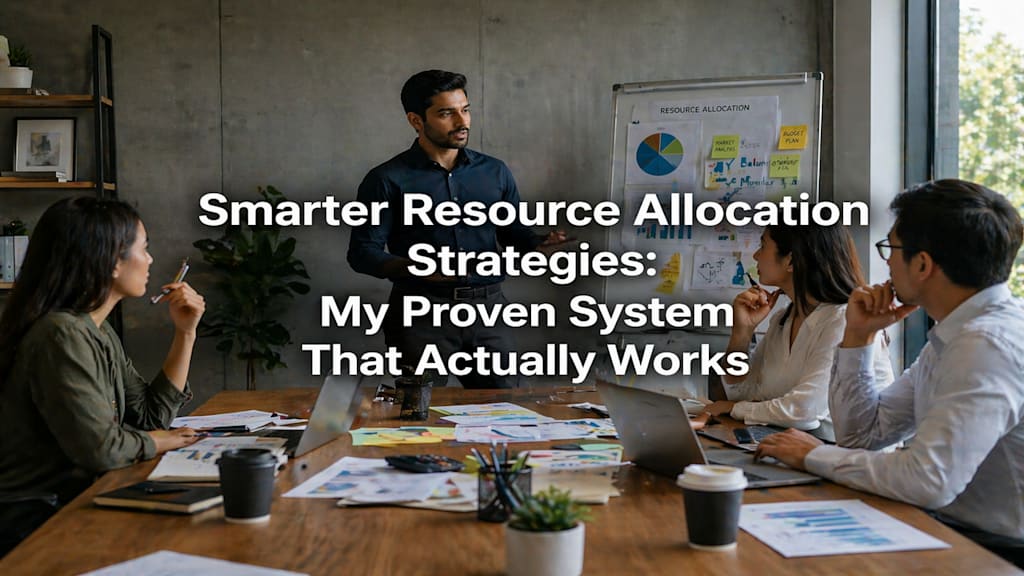
To handle resource allocation and scheduling more efficiently, start by knowing exactly what your team can take on before adding new work. Match every task to the right person based on their skill, not just who is free. Break your project into small steps, set clear priorities, and always keep a small buffer time for surprises. Do a quick weekly check to catch overload before it becomes a problem. These simple habits stop missed deadlines, reduce team stress, and make sure the right work gets done by the right people at the right time.
I have been managing projects for years. And for a long time, my team was always busy. Everyone had tasks. Everyone was working. But at the end of the week, very little was actually done. Sound familiar?
That is when I realized the problem was not hard work. The problem was how I was using my resources. I was putting the wrong people on the wrong tasks at the wrong time. Once I fixed my resource allocation strategies, everything changed. Deadlines got easier. The team felt less stressed. And the work quality went up.
Why Teams Feel Busy But Accomplish Nothing (And How to Fix It)
This is one of the most common problems I see in teams everywhere. Everyone looks busy. Emails are flying. Meetings are happening. But at the end of the week, the main work is still not done.
Why does this happen?
The real reason is poor resource allocation. Here is what it looks like in real life:
- The best person on the team is always given the most tasks, even small ones
- Nobody knows who is already full of work and who has free time
- New tasks keep landing on people without checking if they even have space
- Team members are spending time on the wrong things, not the important ones
- There is no clear picture of who is doing what and when
I used to manage my team this way. I thought if everyone was doing something, the project was moving. But that is not how it works. Being busy is not the same as being productive.
The fix starts with one simple habit: before you assign any task, check the full picture of your team's workload. This is the base of good resource allocation strategies.
The First 3 Steps I Take Before I Assign Work to Anyone
When I started getting this right, the first change I made was to stop assigning work on the spot. I used to get a new project and immediately think: "who can do this?" But that was the wrong question.
The right questions are:
- Who has the right skill for this task?
- Who actually has free time right now?
- Will adding this task hurt any work that is already running?
Here is the step by step process I now follow every single time:
Step 1: List all your resources
Write down everyone on your team. Add their skills, their current tasks, and how much time they have left this week. This gives you a real picture, not a guessed one.
Step 2: Check current workload before adding more
This is the step most managers skip. Before you give someone a new task, look at what they are already doing. Learning how to allocate resources effectively in a project starts here. If someone is already at 80 to 90 percent capacity, adding more will only slow them down and stress them out.
Step 3: Match the person to the task based on skill, not just availability
Just because someone is free does not mean they are the best fit. I have learned this the hard way. When I assigned a writing task to someone who was good at data work just because they were free, the output was average. Always match skill first, then check availability.
Once you do these three steps, your resource utilization goes up without anyone having to work harder. The same team, doing smarter work.
How I Build a Schedule That Does Not Fall Apart in 3 Days
I used to make weekly plans that looked great on Sunday and fell apart by Tuesday. Everything would shift, someone would call in sick, a new urgent task would land, and the whole schedule would collapse.
Now I build schedules differently. Here is what changed:
Start with the deadline and work backwards
Take the final deadline of the project. Break it into small parts. Assign each part a date. This way, you always know if you are on track or falling behind. This is one of the best practices for scheduling and resource management that I follow without fail.
Set clear priorities every week
Not all tasks are equal. Some tasks must be done first because other tasks depend on them. I now mark every task as either high priority, medium priority, or low priority. The high priority work gets done first, no matter what.
Always keep a buffer of 10 to 15 percent
I used to plan for 100 percent of everyone's time. That never worked. People get sick. Things come up. Clients change their minds. Now I plan for only 80 to 85 percent of the team's time. That leftover space is for surprises. It sounds small but it saves so many deadlines.
Do a quick Monday check every week
Every Monday morning, I spend 15 minutes looking at who is doing what for the week. I check if anyone is overloaded. I check if any task has no owner. This one habit has saved more deadlines than any tool I have ever used.
Project scheduling best practices are not about doing more. They are about doing the right things in the right order.
5 Tools That Helped Me Handle Resource Allocation and Scheduling More Efficiently
Once I had the right habits in place, I started looking for tools that could make the process faster and easier. Here are the 5 tools that I found most useful and have recommended to others:
- Teamdeck
Teamdeck is tool that not many people talk about, but it combines resource scheduling, time tracking, and leave management all in one place. The interface is simple enough for any team member to use without training. It also tracks your project budget in real time so you can catch overruns early.
2. eResource Scheduler
This is the tool I recommend most for teams that are growing or managing multiple projects at once. It gives you a real time view of all your resources and what they are working on. What makes it stand out is that it connects your resource scheduling directly to your project costs and profits. You can see how your allocation decisions affect your budget in real time. It also has a mobile app, so you can check and update schedules from anywhere. If you are serious about improving resource utilization and want one platform that handles scheduling, timesheets, and financial tracking together, this is the one to try.
3. Resource Guru
Resource Guru is simple and clean. You can learn it in a day. The best feature is that it stops you from double booking anyone. If a task would overload a team member, it automatically puts it on a waiting list. It also tracks leaves and holidays in the same calendar, so you always have an accurate picture of who is actually available. Best for: small teams who want something easy to use right away.
4. Runn
Runn is a lesser known tool that not many teams have heard of yet, but it is very good for teams that need deep planning. One thing I love about it is that you can assign someone to a project by percentage. So instead of saying "work on this for 3 hours," you say "give 50 percent of your time this week to this project." This makes workload balancing much easier across multiple projects. It also has a scenario planning feature where you can test different plans before you commit to one. Best for: IT firms, agencies, and consulting teams.
5. Float
Float is great for teams that want a clear, visual picture of who is doing what. You can see everyone's schedule on one screen. It uses color coding so you can spot at a glance who is overloaded and who has free time. It also has drag and drop, so moving tasks around takes seconds. Best for: creative agencies and small teams.
All five of these tools help with team scheduling optimization. The best one for you depends on your team size and what you need most.
How I Keep My Team's Workload Balanced Week After Week
Good resource allocation strategies do not just happen once. You have to keep checking and adjusting. Here is how I stay on top of workload balancing without spending hours on it:
Weekly 15 minute review every Monday
This is the most important habit I have. Every Monday I open up our scheduling tool and look at the week ahead. I ask: is anyone at over 90 percent capacity? Is any important task without an owner? If yes, I fix it before the week starts, not after things go wrong.
Look for signs of overload early
When someone is overloaded, you can usually see it before they say anything. They start missing small deadlines. Their response time slows down. Their work quality drops a little. I now treat these as early signals and act on them fast, usually by moving one or two tasks to someone with more space.
Talk to your team, do not just assume
This sounds simple but most managers do not do it. Once a week I ask my team one question: "Is there anything on your plate that feels like too much?" You would be surprised how many problems get solved just by asking this question.
Spread the work fairly
One of the biggest mistakes I made early in my career was relying too much on my top performers. I would give the best work to the best people every time. This burned them out and left others with nothing to grow on. Now I spread the work more fairly, and the whole team has grown stronger because of it.
Check resource utilization numbers
If you are using a tool like eResource Scheduler or Float, check your resource utilization rate regularly. A healthy rate is around 70 to 80 percent. If someone is consistently above 90 percent, that is a burnout risk. If someone is below 50 percent regularly, their skills are being wasted.
Final Thoughts
If your team is always busy but results feel slow, the problem is almost never effort. It is almost always how resources are being used.
The resource allocation strategies I shared here are not complicated. They are just habits most managers skip because they feel too basic. But these basics are what separate teams that deliver on time from teams that are always playing catch up.
Start small. This Monday, spend 15 minutes checking your team's workload before assigning a single new task. See what you find. I promise it will change how you plan from that point forward.
The right person on the right task at the right time is not luck. It is a system. And now you have one.
Frequently Asked Questions
Q1. What are the best resource allocation strategies for a project?
The best resource allocation strategies start with knowing your full team capacity, matching tasks to the right skills, and checking workload before assigning new work. Using a resource scheduling software helps you see all of this in one place.
Q2. How do you allocate resources effectively in a project?
Start by listing all your resources and their current workload, then prioritize tasks by importance and deadline. Always match the right skill to the right task instead of simply picking whoever is free.
Q3. Why do teams feel busy but accomplish nothing?
Teams feel busy but accomplish nothing when work is assigned without clear priorities or skill matching, leading to everyone doing something but nothing important moving forward. Better workload balancing and clear task ownership fix this quickly.
Q4. What tools help with resource allocation and planning?
Tools like eResource Scheduler, Float, Resource Guru, Runn, and Teamdeck are great for resource allocation and planning. They give you a real time view of who is available, what they are working on, and how it all affects your project budget.
Q5. How do I improve resource scheduling efficiency?
Improve resource scheduling efficiency by doing a weekly 15 minute review of your team's workload, keeping a 10 to 15 percent time buffer for surprises, and using a dedicated resource scheduling tool instead of spreadsheets. Consistent small habits beat big complicated systems every time.
About the Creator
Kabir
I’m Kabir, a content writer covering software, team challenges, and productivity. I share honest, experience-based insights on tools I’ve used , no promotions, just practical views to help teams work better and make smarter decisions.
Enjoyed the story? Support the Creator.
Subscribe for free to receive all their stories in your feed.
Comments
There are no comments for this story
Be the first to respond and start the conversation.