
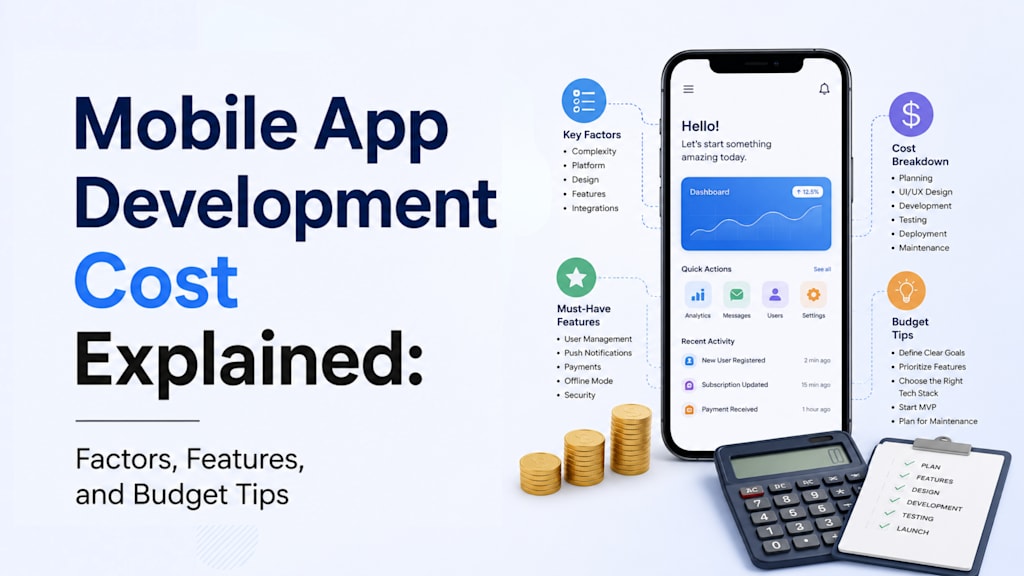
Mobile App Development Cost Explained: Factors, Features, and Budget Tips
Learn how app complexity, features, platforms, and technology choices affect your mobile app development budget.

“How much does it cost to build a mobile app?”
It’s one of those questions everyone asks, and almost no one gets a straight answer to. Not because companies are hiding something. But because the question itself is too vague.
Building a calculator app and building something like a food delivery platform both fall under “mobile app development.” The cost difference between the two? Massive.
So instead of chasing a fixed number, it’s more useful to understand what actually drives mobile app development cost, and where most people get it wrong.
It’s Not About the App. It’s About What the App Does.
Most people think in terms of screens.
Login screen. Home screen. Profile screen.
But developers don’t estimate screens. They estimate behavior.
- What happens when a user logs in?
- What data gets stored?
- Does it sync across devices?
- Is there real-time activity?
- Are there multiple user roles?
That’s where the cost comes from.
A simple app that may include content and basic login might sit somewhere around $10K-$40K. Start adding things like payments, chat, dashboards, or live tracking, and you’re easily in the $40K–$100K range. Push further into AI features, heavy backend logic, or real-time systems, and you’re looking at $100K+ without trying too hard.
Same “mobile app.” Completely different complexity.
The Backend Is Usually the Expensive Part (No One Talks About This Enough)
Here’s where expectations break.
You might want “a simple app,” but also:
- User accounts
- Admin panel
- Notifications
- Payment integration
- Reports
- Analytics
That’s not a simple app anymore. That’s a system. And most of that system lives in the backend, something users never even see.
This is also why two quotes for the same idea can be wildly different. One team is pricing just the interface. The other is pricing everything needed to make it actually work.
Platform Choice Can Quietly Double Your Cost
iOS or Android?
If you pick one, you control cost. If you pick both (which most businesses eventually do), your budget naturally expands.
Now you have two options:
- Native development (two separate builds, higher cost, more control)
- Cross-platform development (single codebase, faster and cheaper in many cases)
A lot of startups today lean toward cross-platform mobile application development for the first version. It’s practical.
But it’s not a rule. If performance or device-level control matters, native still wins.
Design Is Where People Either Overspend… or Regret Later
There are two extremes here.
Some founders overspend on flashy UI before validating the product. Others treat design like an afterthought, and then wonder why users drop off. Good design isn’t about making things look pretty. It’s about reducing friction.
If a user hesitates while signing up, searching, or checking out, that’s a design problem. And fixing it later is always more expensive.
Features Add Cost. But It’s the Type of Feature That Matters
Not all features are equal.
Adding a contact form? Easy.
Adding:
- Real-time chat
- Live location tracking
- AI recommendations
- Video streaming
- Multi-role dashboards
…that’s where complexity spikes.
This is where most budgets quietly inflate because “just one more feature” is rarely just one more thing.
The Biggest Budget Mistake: Building Everything at Once
This one shows up almost every time.
People try to build the final version in version one. Loyalty systems, referrals, analytics dashboards, AI assistants, notifications, admin panels – all upfront. It sounds efficient, but it often is not.
The smarter move is boring but effective: build an MVP. Get the core working. Put it in users’ hands. See what actually matters. Everything else becomes clearer and usually smaller after that.
So What Should You Actually Budget?
If you need numbers (and everyone does), here’s a rough way to think about it:
- Basic app: $10K–$40K
- Mid-level app: $40K–$100K
- Complex app: $100K–$250K+
But these ranges only make sense if your scope is clear. Otherwise, they’re just numbers floating around.
One last thing most people forget is that the cost doesn’t end at launch.
A mobile app needs:
- Updates
- Bug fixes
- OS compatibility changes
- Server costs
- Performance monitoring
Ignoring these costs is like building a house and budgeting nothing for maintenance.
Final Thought
If you’re trying to minimize mobile app development cost, don’t start by asking:
“How do I build this cheaper?”
Start by asking:
“What actually needs to exist in version one?”
That single decision will impact your budget more than your tech stack, your vendor, or your timeline.
And it’s the one thing most people rush past.
About the Creator
Liza kosh
Liza Kosh is a senior content developer and blogger who loves to share her views on diverse topics. She is currently associated with Seasia Infotech, an enterprise software development company.
Enjoyed the story? Support the Creator.
Subscribe for free to receive all their stories in your feed.
Comments
There are no comments for this story
Be the first to respond and start the conversation.