
How to Split vCard Files to Speed up Contact Migration across Platforms?
Simply Divide the vCard files
Sometimes transferring contacts from one platform to another might be stressful, particularly if you have a big contact list. Dividing your vCard files into smaller parts helps you to speed up and smooth out the procedure. But what exactly is a vCard, and why should you split it? Let us break it out in simple terms.
What is a vCard?
Usually, contact information between several devices and platforms is shared using vCard. They are commonly saved with the file extension .vcf and are widely supported by various email clients, smartphones, and contact management systems.
When you want to migrate your contacts from one platform (say, Gmail) to another (like Outlook or an iPhone), you may export your contacts as a single vCard file. If you have a lot of contacts, though, this single file can be heavy and downloading or copying it to the new platform might take more time. Here separating vCard files might be beneficial.
Why Split a vCard File?
Suppose you have hundreds of contacts kept in one large vCard file. Trying to upload or move this big file might cause delays or mistakes. If you are rushing, this might really complicate you.
By splitting the vCard into smaller parts, you are essentially dividing the load, making the migration process faster and more manageable. Smaller files are easier to handle, and some platforms may have size limits for file uploads or imports. Splitting vCard helps ensure that these limits are not exceeded.
Benefits of separating vCard files
- Dividing the file into sections speeds up migration or uploading of contacts.
- Sometimes big files cause import or export errors. Smaller files are less likely to cause issues.
- Dealing with fewer files makes it simpler to maintain track of certain contact groups.
- A huge file can strain your device’s resources, slowing down the entire process. Smaller files reduce this burden.
Now, let’s look at how you can split your vCard files.
Methods for Dividing vCard Files
Manually splitting vCard files
If you prefer to do things manually, you can also split a vCard file by editing it with a text editor. This method is a bit more advanced, but it’s still relatively simple.
Advantages of Manual Splitting:
- Full control over which contacts are in each file.
- There's no need for any additional software or tools.
Disadvantages:
- Time-consuming.
- Can be difficult for large files with hundreds or thousands of contacts.
Using a Professional Software
If you prefer using software on your computer, then you can use the GainTools Address Book Manager Software. Easy-to-use interface of the program guarantees that users of all level of expertise can split VCF files without trouble. The program guarantees that, during the splitting, all contact information—including names, phone numbers, email addresses, and other details—is maintained without any data loss or corruption.
Key features of this Software:
- Batch processing can save time by dividing numerous VCF files concurrently, therefore simplifying the procedure.
- It supports all versions of vCard, therefore guaranteeing compatibility with a broad spectrum of devices, applications. The utility handles vCard versions 2.1, 3.0 and 4.0 without difficulty.
- This application can be used on all the Windows editions like Windows 11, 10, 8.1, 8, 7, Vista, XP, and other below versions.
- There are no file size limitations on the vCard files during the splitting procedure.
- The evaluation edition at no cost is also provided to the users for a deeper understanding of its features.
- Users are provided with the 24/7 technical support via live chat and email.
Steps to operate this application:
- Install and set up the program on your PC.
- Click Split vCard to add your contacts.
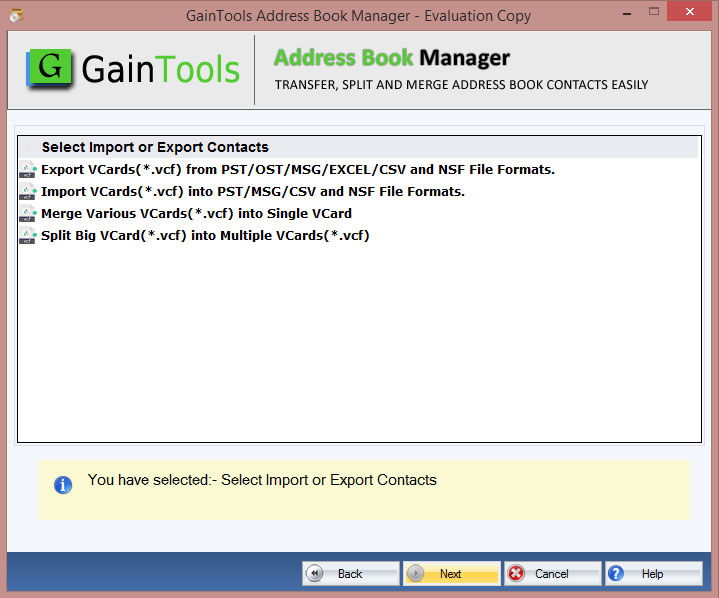
- Browse the VCF files to combine them.
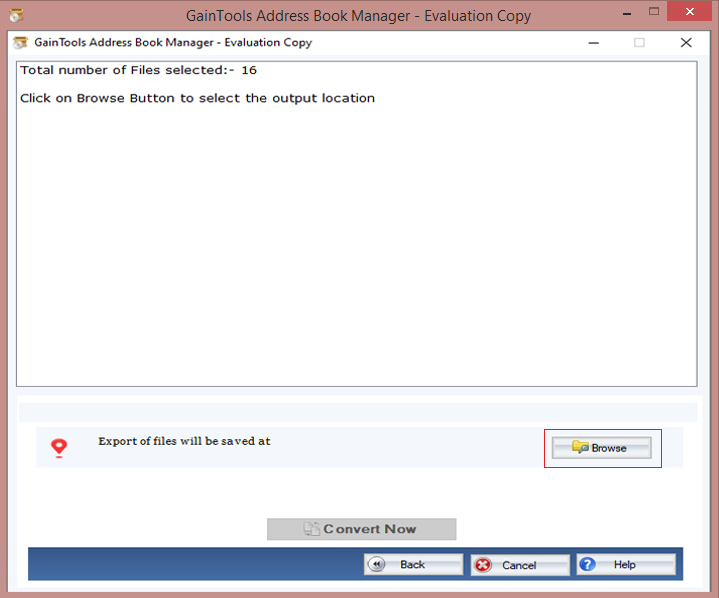
- Choose where to save the newly generated file.
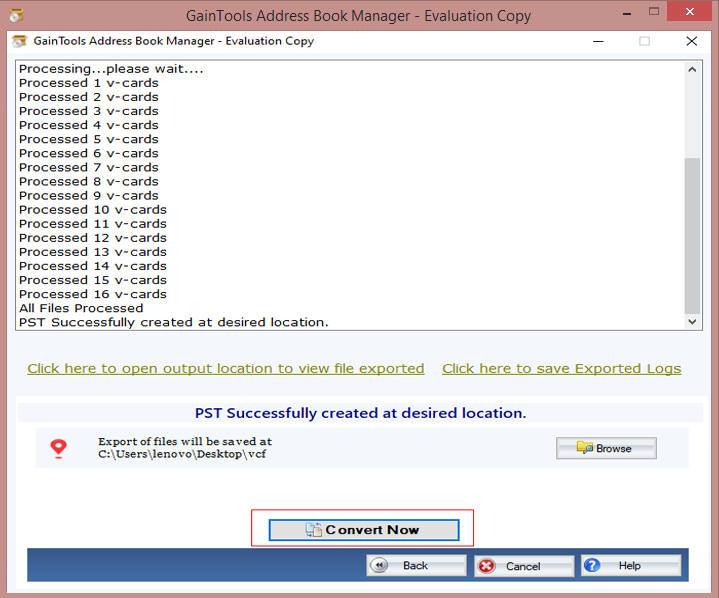
- Click the Convert Now button to begin contact processing.
Conclusion
Migrating contacts across one platform to another need not be slow or difficult. Splitting your vCard files can help you to speed up, simplify, and guarantee error-free procedure. Smaller files are simpler to handle and less likely to create issues whether you use desktop application or manual file splitting.
Spending some time to separate your vCard files will save you time and hassle over time even if you have many contacts. So divide that file and easily move your contacts!
About the Creator
Enjoyed the story? Support the Creator.
Subscribe for free to receive all their stories in your feed.
Comments
There are no comments for this story
Be the first to respond and start the conversation.