
How to Get a Free Email Domain
In today's digital age, having a professional email address is essential for individuals and businesses alike. While there are many free email services available, they often come with limitations and lack the customization options that a personalized email domain provides. Fortunately, obtaining a free email domain is not an impossible task. This article will guide you through the process of acquiring a free email domain, step by step.
Understanding Email Domains
What is an Email Domain?
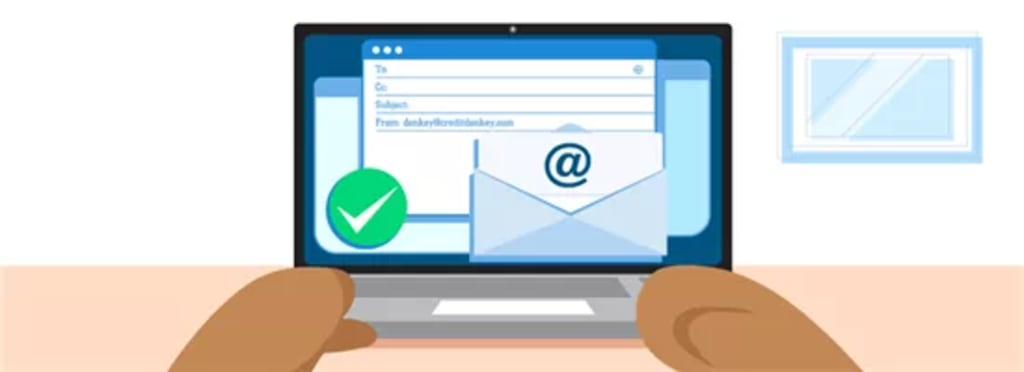
An email domain is the unique identifier that comes after the "@" symbol in an email address. It represents the website or organization associated with the email address. For example, in the email address "[email protected]," "example.com" is the email domain.
Why Use a Custom Email Domain?
Using a custom email domain offers several advantages over generic email services. It provides a professional and personalized touch to your email communications, enhances your brand identity, and helps build credibility. Custom email domains also offer greater control and flexibility, allowing you to create unique email addresses for different purposes or team members.
Benefits of a Free Email Domain
By obtaining a free email domain, you can enjoy the benefits of a custom email address without the associated costs. It allows you to have a professional presence, build trust with recipients, and create a cohesive brand image across your communications - all at no financial expense.
Choosing a Free Email Domain Provider
Research and Compare Providers
Start by researching different providers that offer free email domains. Look for reputable companies that have a track record of reliability and good customer support. Read reviews and compare the features and limitations of each provider to find the one that best suits your needs.
Consider Features and Limitations
While free email domain providers offer cost-saving benefits, they may have certain limitations. Some providers may restrict storage space, impose a limit on the number of email accounts you can create, or display ads in your inbox. Consider these limitations and choose a provider that aligns with your requirements.
Popular Free Email Domain Providers
Some popular providers that offer free email domains include Zoho Mail, Yandex, ProtonMail, and GMX. These providers offer reliable services and customizable options for your email domain.
Setting Up Your Free Email Domain
Registering Your Domain
To get a free email domain, you'll need to register a domain name. There are several websites where you can register a domain for free or at a minimal cost. Some popular domain registrars include Freenom, Dot.tk, and InfinityFree. Choose a domain name that reflects your brand or personal identity and is easy to remember.
Configuring DNS Settings
Once you have registered your domain, you'll need to configure the Domain Name System (DNS) settings. This step involves linking your domain to the email service provider you have chosen. Each provider will have specific instructions on how to update your DNS settings. Typically, you'll need to add MX (Mail Exchanger) records and CNAME (Canonical Name) records to your domain's DNS configuration.
Connecting Your Domain to an Email Service
Provider After configuring the DNS settings, you can connect your domain to the email service provider of your choice. Follow the provider's instructions to set up your email account using your newly registered domain. This process usually involves creating an account, verifying your domain ownership, and configuring email settings such as aliases and filters.
Selecting an Email Service Provider
Free Email Service Providers
There are several free email service providers that you can choose from to set up your email domain. Here are a few popular options:
Zoho Mail: Zoho Mail offers a free plan that includes up to 5 email accounts with 5 GB of storage per user. It provides a user-friendly interface, advanced security features, and integration with other Zoho productivity tools.
Yandex.Mail: Yandex.Mail offers a free email service with unlimited storage, spam protection, and a clean interface. It allows you to create custom email addresses using your domain and offers POP and IMAP access for easy email management.
ProtonMail: ProtonMail is known for its focus on privacy and security. It offers end-to-end encryption, self-destructing emails, and protection against phishing attacks. ProtonMail also provides a free plan with limited storage and features, but you can upgrade to a paid plan for additional benefits.
GMX: GMX provides a free email service with unlimited storage, antispam filters, and virus protection. It allows you to create personalized email addresses using your domain and offers convenient features like email forwarding and autoresponder.
Customizing Your Email Domain
Personalizing Your Email Address
With a free email domain, you have the opportunity to create personalized email addresses that align with your brand or personal identity. Choose email addresses that are professional, easy to remember, and reflect your brand or name. For example, instead of using generic addresses like "[email protected]," consider using addresses like "[email protected]" or "[email protected]."
Branding Your Email Domain
Customize your email domain by adding a professional signature that includes your name, designation, contact information, and links to your website or social media profiles. You can also incorporate your logo or brand colors into the email template to create a consistent brand image.
Setting Up Email Forwarding
To streamline your email management, set up email forwarding for your free email domain. Email forwarding allows you to receive emails sent to your domain's email address and have them automatically forwarded to another email account of your choice. This way, you can manage multiple email accounts from a single inbox.
Maintaining Your Free Email Domain
Regularly Checking Your Emails
Make it a habit to regularly check your emails and respond to them promptly. Set aside dedicated time in your schedule to go through your inbox, prioritize emails, and address any important messages or inquiries. Regularly checking and managing your emails will help you maintain professionalism and stay on top of your communications.
Managing Spam and Security
Implement spam filters and security measures provided by your email service provider to minimize the influx of spam emails and ensure the security of your email domain. Be cautious when clicking on suspicious links or opening attachments from unknown sources. Regularly update your email account's password and enable two-factor authentication for an added layer of security.
Backing Up Your Emails
It is crucial to back up your important emails to prevent data loss. Most email service providers offer options to export or archive your emails. Additionally, you can use third-party email backup services or email clients like Thunderbird or Microsoft Outlook to store copies of your emails locally on your computer.
Alternatives to Free Email Domains
Upgrading to a Paid Email Domain
While free email domains offer cost-saving benefits, they may have limitations in terms of storage capacity and features. If your needs grow or you require additional customization options, consider upgrading to a paid email domain. Paid email domain providers offer more robust features, dedicated customer support, and higher storage capacities to accommodate your growing requirements.
Using Email Forwarding Services
If you want to maintain a custom email address but don't want to deal with the technical aspects of setting up and managing a domain, you can consider using email forwarding services. These services allow you to create a custom email address using your chosen domain and forward incoming emails to your existing email account. This way, you can have a personalized email address without the need to manage DNS settings or set up a separate email service.
Exploring Business Email Solutions
For businesses or organizations looking for comprehensive email solutions, it is worth considering dedicated business email providers. These providers offer professional email services tailored to meet the needs of businesses, including advanced features such as shared calendars, collaboration tools, and centralized user management. While these solutions come at a cost, they provide a higher level of control, security, and scalability for your email communications.
Conclusion
Obtaining a free email domain allows you to establish a professional online presence without breaking the bank. By following the steps outlined in this article, you can acquire a personalized email domain and enjoy the benefits of enhanced branding, improved credibility, and better email management. Remember to research various providers, choose a reliable email service, and customize your email domain to align with your personal or business needs. With a free email domain, you can communicate effectively and leave a lasting impression on your contacts. Should your needs evolve, there are alternatives such as upgrading to a paid email domain, utilizing email forwarding services, or exploring dedicated business email solutions. Embrace the power of a customized email domain and elevate your online communication game.
About the Creator
Enjoyed the story? Support the Creator.
Subscribe for free to receive all their stories in your feed.
Comments
There are no comments for this story
Be the first to respond and start the conversation.