
How to Build a Zero Waste Printing Setup for Your Home or Office
Zero Waste Priniting

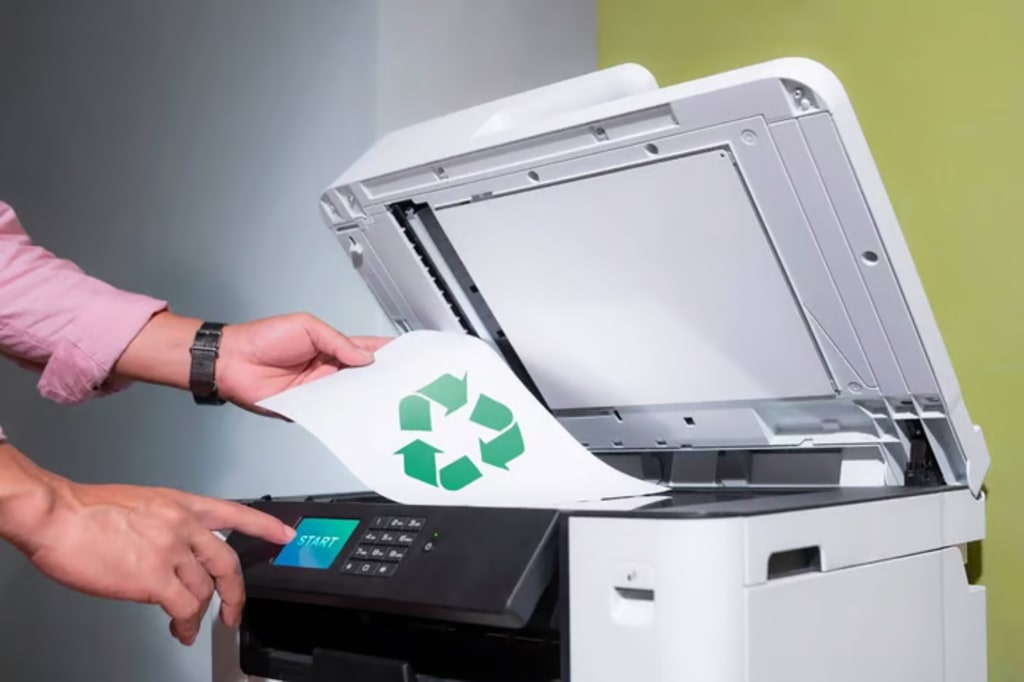
Printing isn't something most people think about until something goes wrong. Maybe you've run out of supplies halfway through an important document. Perhaps you've discovered a stack of pages sitting in the printer tray that nobody needed in the first place. Or maybe you've looked at your office recycling bin and wondered how so much paper ends up there every week.
The truth is that waste often creeps into our printing habits without us noticing. A few unnecessary pages here, a document printed twice there, and before long you're using more paper, power and supplies than you need to.
The good news is that creating a zero-waste printing setup doesn't require a complete overhaul. In most cases, it's about making a series of small, practical changes that add up over time.
Start With What You're Already Doing
Before investing in new equipment or changing the way your workspace operates, it's worth taking a closer look at your current habits. Most printing waste isn't caused by technology. It's caused by routine.
Documents are often printed out of habit rather than necessity. Drafts get printed multiple times. Emails end up on paper when they could have stayed on screen. Sometimes entire reports are reprinted because of a simple formatting error.
Taking a moment to question whether something actually needs to be printed can make a surprisingly big difference over time.
For businesses, encouraging employees to adopt the same mindset can help reduce waste across the entire workplace.
Choose Equipment That Matches Your Needs
Not every workspace prints the same way, which is why choosing the right printer matters. For many households and small businesses, inkjet printers provide the flexibility needed for everyday documents and occasional colour printing. Workplaces with heavier printing demands may benefit from laser printers, which are designed to handle larger workloads efficiently. If you're looking to save space and simplify your setup, all in one printer can be a practical solution by combining multiple functions into a single device.
The goal isn't to buy the biggest or most feature-packed machine available. It's to choose equipment that suits the way you actually work.
Create a Workspace That Supports Better Printing Decisions
A sustainable printing setup starts long before a document reaches the printer. Simple organisational changes can reduce waste almost immediately. Keeping digital files organised, using shared cloud storage and encouraging electronic approvals can all help minimise unnecessary printing.
When people can quickly find the documents they need online, they're far less likely to print multiple copies just to keep track of information.
The aim isn't to eliminate printing altogether. It's to reserve printing for situations where a hard copy genuinely adds value.
Make Every Page Work Harder
One of the easiest ways to reduce waste is to get more value from every sheet of paper.
Double-sided printing remains one of the most effective ways to cut paper use without affecting productivity. Many workplaces already have the capability but never change the default settings.
It's also worth reviewing documents before printing. Catching a formatting issue, an extra blank page or an incorrect page range before pressing print can prevent unnecessary waste and save time at the same time.
These may seem like small changes, but they're often the habits that deliver the biggest long-term results.
Don't Overlook Your Printing Supplies
When people think about printing waste, paper usually gets all the attention.
In reality, printing supplies can also contribute to unnecessary waste if they're not managed properly. Making the most of your ink cartridges before replacing them is one of the simplest ways to reduce waste and lower printing costs.
Many people swap cartridges the moment a warning message appears, even though there may still be usable ink remaining. Monitoring print quality and replacing cartridges only, when necessary, can help maximise their lifespan.
Just as importantly, empty cartridges shouldn't automatically end up in the rubbish bin. Recycling programs make it easier than ever to keep valuable materials out of landfill and support a more sustainable approach to printing.
Think Beyond Paper
A zero-waste printing setup isn't only about reducing paper consumption.
Energy use, equipment maintenance and purchasing decisions all play a role. Looking after your printer can help extend its lifespan and reduce the likelihood of unnecessary replacements. Choosing quality supplies can also help minimise misprints, paper jams and wasted resources.
Small decisions made consistently often have a greater impact than major changes made once and forgotten.
Build Habits That Last
The most effective low-waste workspaces aren't built around strict rules. They're built around good habits.
When thoughtful printing becomes part of the everyday routine, reducing waste feels less like an environmental initiative and more like common sense.
Over time, those small decisions add up to lower costs, less clutter and a more efficient way of working.
Final Thoughts
Building a zero-waste printing setup doesn't happen overnight, and it doesn't have to.
The best results usually come from simple changes that are easy to maintain. Printing more intentionally, making better use of resources and creating habits that support efficiency can all help reduce waste without disrupting the way you work.
Whether you're working from home or managing a busy office, a smarter approach to printing can benefit both your budget and the environment. And by properly using and recycling your ink cartridges, you'll be taking another practical step towards reducing everyday waste.
About the Creator
Enjoyed the story? Support the Creator.
Subscribe for free to receive all their stories in your feed.
Comments