
How Free AI Video Generation Is Transforming Content Creation in 2026
Free AI Video Generation

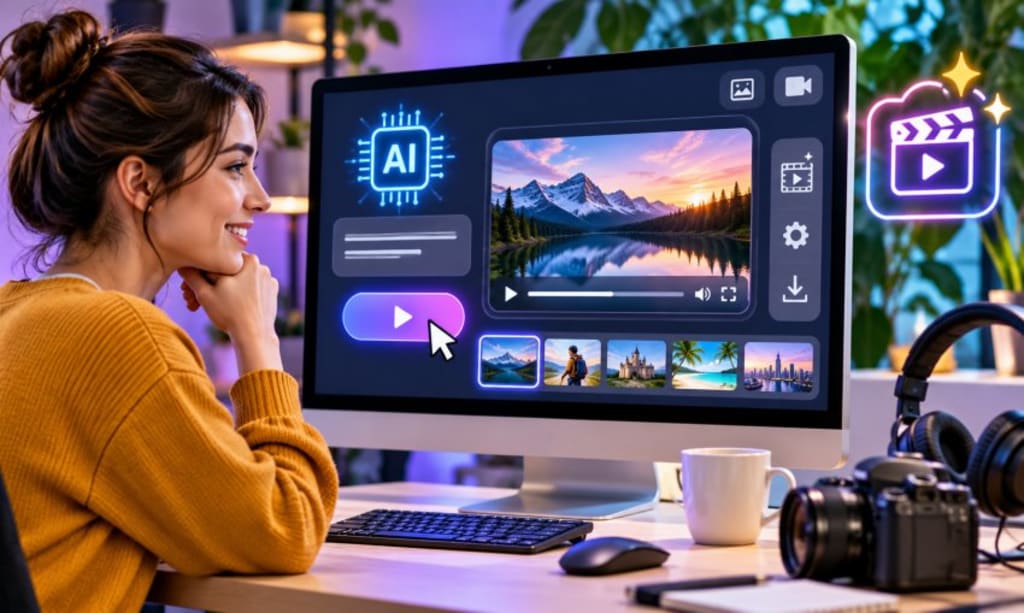
A good video does not always begin with a camera. Sometimes, it starts with a rough idea written in a notebook, a few lines in a document, or an image someone wants to bring to life. Turning that idea into something people can watch, however, has traditionally involved several steps. Finding suitable footage, arranging scenes, recording audio and editing everything into a coherent story can take considerably longer than expected.
That process is changing as artificial intelligence becomes part of everyday creative work. People who once avoided video production because of its technical demands can now experiment with visual content using relatively simple tools. Yet having access to an AI video generator does not mean every project will turn out well. The choice of platform, the quality of its free features and the amount of control it gives the user can all affect the final result.
Before beginning a project, I would pay attention to a few things that are easy to overlook. A platform might look impressive in a demonstration but prove less useful when it is time to produce an actual video. Knowing what to examine beforehand can save both time and unnecessary frustration.
Start With the Project, Not the Software
One mistake beginners often make is choosing a tool before deciding what they want to create. They explore different effects, experiment with prompts and generate random clips without having a clear purpose. Although this can be entertaining, it does not always lead to a finished project.
I prefer to approach video production in the opposite direction. First, identify the message and the intended audience. Then consider what kind of visuals would help communicate that message.
For example, a local restaurant might need a short video introducing a new menu. A teacher could be preparing a visual explanation of a scientific process, while a freelance marketer might need a concept video to present to a client. These projects have different requirements, even though all three involve video creation.
A restaurant may benefit from attractive product shots and readable text. An educational video needs clarity and accurate visual representation. A client presentation may require a particular colour scheme and consistent branding.
Once the purpose is clear, it becomes much easier to decide whether an AI video tool is suitable for the job. It also prevents users from spending time exploring features they are unlikely to need.
What I Would Examine Before Using a Free AI Video Tool
The word "free" can be appealing, especially to someone who is learning a new skill or working with a limited budget. However, free access does not always mean unrestricted access. Some platforms limit the number of generations, while others reserve particular editing features or export settings for paid users.
I would examine the following details before investing time in any platform.
Understand the Actual Limitations of the Free Version
The first thing I would check is what the free plan genuinely allows. A website may advertise an AI video generator without making its restrictions immediately obvious.
Look for information about generation credits, video duration, available templates, export quality and watermark policies. These details become important once a project moves beyond experimentation.
Imagine preparing a promotional video for a small business. You have written the script, developed several visual ideas and generated a few useful scenes. Then you discover that downloading the finished video requires an upgrade. That is not an ideal situation, particularly when you have already invested time in the project.
I would also check whether free credits expire and whether unsuccessful generations consume them. A platform that offers a reasonable number of attempts can be more useful than one that provides access to many features but allows very little experimentation.
Look Beyond the Preview
AI-generated videos can look impressive in a short demonstration. However, a carefully selected preview does not tell you everything about the platform's actual performance.
The best way to judge output quality is to run a small test using an idea related to your intended project. Pay attention to how accurately the tool interprets instructions and whether the resulting movement looks believable.
For instance, if you request a person walking through a busy city street, examine the movement of the person, surrounding vehicles, background objects and camera perspective. Small visual errors may become obvious when the clip is watched more than once.
I would also examine consistency. If the same character or object appears in several scenes, does it maintain a reasonably similar appearance? This matters when creating a video that tells a story rather than presenting unrelated clips.
No AI generator will produce perfect results every time. What matters is whether its output is good enough to provide a useful starting point for further editing.
Check How Much Control You Have Over the Results
A useful AI tool should give users some influence over what it creates. Entering a prompt and accepting whatever appears may work for casual experimentation, but serious projects usually require more control.
I would look for options to adjust the visual style, scene description, movement, framing and other available settings. The ability to revise a prompt and generate another version is particularly helpful.
Consider a business creating a video about a new product. The first generated scene might have the right subject but an unsuitable background. If the platform allows the user to refine the description, the result may become more relevant without starting the entire process again.
This flexibility also makes it easier to develop a consistent visual direction. Instead of accepting every generated clip as it appears, creators can gradually bring the material closer to their original concept.
Find Out Whether Editing Is Included
Generating footage and completing a video are two different tasks. Even a good collection of AI-generated scenes may need considerable work before it becomes suitable for publication.
The footage might require trimming, rearrangement, subtitles, background music, or a closing message. A platform with useful editing features can make these adjustments easier.
I would particularly value a straightforward timeline, basic transitions, text placement, audio controls and options for adjusting the video format. These features are useful because they allow creators to concentrate on the content rather than repeatedly moving between applications.
There is no need for every free tool to include a professional editing suite. However, the available features should be sufficient for the type of project being planned.
Pay Attention to Export Options
Export settings are another detail worth checking early. A video designed for a mobile audience may need a vertical layout, whereas a presentation or conventional YouTube video will usually work better in landscape format.
I would check whether the platform supports different aspect ratios, downloadable files and appropriate resolution options. It is also worth confirming whether the exported video maintains the quality seen in the editor.
These details might seem technical, but they have a direct effect on the finished content. A beautifully generated scene can lose its impact if important details are cropped or the final file looks noticeably compressed.
Where AI Video Generation Fits Into the Creative Process
AI is most useful when it addresses a particular production problem. It does not need to take over every stage of the work.
For example, someone producing a travel video might already have photographs and written descriptions but lack suitable footage to connect the different sections. An AI tool could help turn selected images into moving scenes or create additional visuals that support the story.
Similarly, a small business owner might use generated scenes to explore different approaches to a product advertisement before arranging an actual filming session.
For creators interested in free AI video generation, CapCut provides an option to explore AI-assisted video creation without making the process unnecessarily complicated. It can be considered as part of a wider creative workflow, where generated material is reviewed and refined before publication.
The important distinction is that AI-generated footage should support the message rather than become the message itself. A video with attractive effects but no clear purpose is unlikely to hold an audience's attention for long.
A Few Realistic Situations Where These Tools Can Help
The practical value of an AI video generator becomes easier to understand when looking at everyday creative tasks.
A Small Business Preparing Its First Promotional Video
A business owner may have a good product but no experience with filming or editing. Hiring a production team for a simple introductory video may not be financially sensible.
An AI tool can help the owner explore possible scenes, backgrounds and visual styles. The business can then add genuine product photographs, accurate descriptions and relevant contact information.
The final result still needs careful review. Generated footage should never suggest that a product has features or qualities it does not actually possess. But for an early marketing project, AI can help turn an idea into a presentable draft.
A Freelancer Developing a Concept for a Client
Freelancers often need to explain creative ideas before a client agrees to a full project. Describing a visual concept in writing can be difficult, particularly when the client has little experience with video production.
A short AI-generated example can make the proposal easier to understand. It might demonstrate the intended atmosphere, pacing, or general visual direction.
This does not mean the freelancer should present generated footage as a finished commercial product. Rather, it can serve as a working example that helps both parties discuss expectations before production begins.
An Educator Explaining a Difficult Subject
Some subjects are easier to understand when students can see what is being described. A teacher explaining the movement of planets, the stages of a natural process, or a historical setting might use generated scenes to support a lesson.
The advantage is not simply visual variety. It is the opportunity to present information in a way that encourages students to connect written explanations with visual examples.
However, educational content requires particular care. AI-generated scenes can contain inaccurate details, so teachers should verify the information and make sure the visuals do not create misunderstandings.
A Content Creator Working With Limited Time
Regular publishing can be demanding. Creators may have ideas ready but lack the footage needed to turn them into complete videos.
AI tools can help with supporting visuals, introductory sequences and creative experiments. They may also make it easier to test several approaches before deciding which one deserves more editing time.
Still, audiences generally respond to more than attractive visuals. Personal experience, useful information, humour and a recognisable voice are often what make a creator's content worth following.
Why Good Prompts Matter More Than Most Beginners Expect
The instructions provided to an AI video generator can have a significant effect on its output. A vague description leaves too much room for interpretation, which can produce scenes that are visually interesting but unrelated to the actual project.
I would write prompts as if I were explaining a scene to someone responsible for filming it.
Start with the subject. Explain where the scene takes place, what should happen and what the overall atmosphere should look like. If camera movement or lighting is important, mention that as well.
For example, a basic prompt might read:
"Create a video of a person walking through a park."
A more useful version could be:
"Show a person walking along a quiet park pathway early in the morning. Soft sunlight passes through the trees, the camera follows from behind and the atmosphere feels calm and natural."
The second description gives the generator a clearer creative direction. It does not guarantee a perfect result, but it provides more useful information.
I would also avoid putting too many unrelated ideas into one prompt. If a scene needs to show a product, a person, a city and several different actions, breaking the concept into separate scenes may produce a more manageable result.
Mistakes That Can Make an AI Video Look Unprofessional
Even when the software is capable, a few avoidable decisions can weaken the finished video.
One common mistake is accepting the first generation without reviewing it. A scene might look reasonable at first glance but contain strange movement, distorted objects, or details that do not match the rest of the project.
Another problem is using too many visual effects. Transitions, animations and dramatic movements can make a video feel busy when the subject actually needs a simple presentation. Every effect should have a reason for being there.
Audio deserves equal attention. Poorly balanced background music can make narration difficult to understand. Subtitles should be checked for spelling and timing, while voiceovers should sound appropriate for the intended audience.
There is also the question of originality. Generating a video does not automatically make its concept distinctive. Creators should bring their own perspective, examples and ideas to the project rather than relying entirely on familiar templates.
Finally, always check the rights associated with the material being used. Music, photographs, voice recordings, logos and other assets may have specific licensing conditions. These should be understood before a video is used commercially or published for a client.
A More Sensible Way to Begin Your First Project
Rather than attempting to produce a complete video immediately, I would start with a small test.
Choose one idea that can be explained in a few sentences. Prepare a short outline and identify the scenes needed to communicate it. Then test the platform using two or three different prompts.
Compare the results based on relevance, visual quality and consistency. If the generated footage is useful, move on to editing. If it misses the point, revise the instructions before spending more time on the project.
Once the basic footage is ready, arrange the scenes in a logical order. Add only the text and audio that genuinely improve the presentation. Watch the complete video several times, preferably on the device where the intended audience is likely to view it.
This small testing process can reveal problems before they become expensive or time-consuming. It also helps beginners understand what a particular tool does well and where its limitations become noticeable.
The Role of Human Creativity Is Not Disappearing
The growing availability of AI video tools has made certain production tasks easier, but it has not removed the need for creative decisions.
A generator can interpret a description and produce a visual result. It cannot automatically know whether the scene communicates the right emotion, whether a joke will make sense to a particular audience, or whether a business message accurately reflects a company's values.
Those decisions still require human judgment.
In many cases, the most effective videos will combine AI-generated material with original footage, carefully written scripts, personal commentary and thoughtful editing. Each element can contribute something different to the final result.
Creators who understand this distinction are less likely to become dependent on automated output. Instead, they can use the technology where it offers genuine value and rely on their own experience where human input matters most.
Final Thoughts
Free AI video tools have made it easier to experiment with video production, particularly for people who lack expensive equipment or professional editing experience. They offer practical ways to develop concepts, prepare visual drafts and support different types of digital content.
However, selecting a platform should involve more than looking at its advertised features. Free-plan restrictions, output quality, editing options, export settings and licensing conditions all deserve attention before a project begins.
My advice would be to start small, test the tool with a realistic example and judge the results according to the needs of the project. There is little benefit in choosing a platform simply because it offers the largest number of features.
Technology can make the process more accessible, but a worthwhile video still needs a clear idea, an understandable message and someone willing to pay attention to the details. Those qualities are what turn generated footage into content that people actually want to watch.
About the Creator
Mohammad Akhtar
Mohammad Akhtar is an SEO and SEM Expert with over 10 years of experience in digital marketing and search engine optimization. A 2013 graduate of The Islamia University of Bahawalpur, he has worked with various IT companies.
Enjoyed the story? Support the Creator.
Subscribe for free to receive all their stories in your feed. You could also become a paid subscriber, letting them know you appreciate their work.
Comments
There are no comments for this story
Be the first to respond and start the conversation.