
From HD to 4K: A Practical Guide to Improving Video Quality
HD to 4K

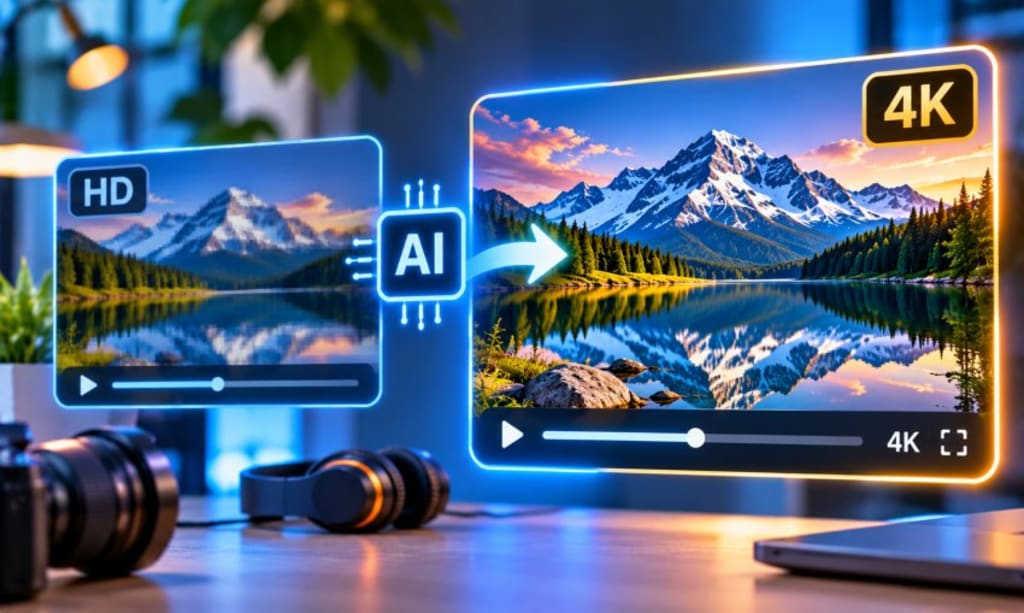
A video recorded five years ago can still have plenty of value. It might show a product launch, a family occasion, a memorable holiday, or the early days of a growing business. The problem usually appears when that footage is played on a modern screen. Details that once looked perfectly clear can seem soft, while textures and distant objects lose their definition. Starting the recording again is rarely an option. Fortunately, modern editing technology offers another route. A 4K video upscaler can help improve existing footage and prepare it for higher-resolution displays. However, the best results come from understanding the source video before making any changes.
Why Some HD Videos Look Tired on Modern Displays
The difference between watching a video on a small phone and viewing it on a large television can be surprisingly dramatic. On a compact screen, minor imperfections often go unnoticed. Enlarge the same image and soft edges, compression marks and missing details become much more apparent.
This happens frequently with footage recorded on older smartphones, webcams and entry-level cameras. Their recording capabilities were suitable for the screens available at the time. Today's displays, however, reveal weaknesses that viewers might never have noticed before.
The situation is especially familiar to businesses with older marketing material. A company may have a perfectly usable demonstration video, yet its appearance feels outdated beside recently produced content. Replacing the entire recording means arranging another shoot, finding the original products and repeating much of the production work.
Sometimes, improving the existing file is the more practical decision. The important thing is knowing whether the recording has enough visual information to benefit from enhancement.
A Higher Resolution Does Not Automatically Mean a Better Video
There is a reason professional editors pay attention to the original footage before discussing export settings. Resolution is only one part of image quality.
A 1080p recording contains fewer pixels than a standard 4K UHD video. Upscaling increases the pixel dimensions, allowing the footage to fit a higher-resolution format. Yet simply enlarging an image cannot guarantee sharper details.
This is where AI-based video upscaling becomes interesting. Instead of relying only on basic pixel enlargement, AI models analyse patterns, edges and textures. They estimate additional visual information that can make the enlarged image appear more detailed.
Think about a property video showing a kitchen. The original recording might capture the overall room clearly, but cabinet handles, tile patterns and smaller decorative features appear slightly soft. AI enhancement may improve their perceived definition.
Still, there is a distinction between estimated detail and information captured by the camera. AI cannot guarantee an exact recovery of missing details. Some results may even introduce textures that were not present in the original scene.
For this reason, a convincing 4K result depends on both the enhancement process and the condition of the source file.
Which Videos Are Actually Worth Upscaling?
Not every HD recording needs an upgrade. Some already look excellent, while others have problems that resolution enhancement cannot fix.
Videos with slightly soft details are often better candidates than recordings affected by severe motion blur. Similarly, a well-lit interview may respond more successfully than a night-time recording filled with visual noise.
The intended use also matters. A small business might want to reuse an older product demonstration on its website. A travel creator may want to include previous holiday footage in a new video. Someone managing a family archive might simply want old recordings to look better on a television.
Each situation has a different priority.
Before choosing an enhancement tool, watch the original video on a reasonably large screen. Look at faces, background objects, text and moving subjects. If the image contains recognizable details, there may be something worth improving.
Also, avoid using a copy downloaded from a social media platform when the original camera file is available. Platform compression can remove information that would otherwise help the enhancement process.
The Editing Decisions That Make the Biggest Difference
A good result rarely comes from selecting one setting and immediately exporting the entire project. Experienced editors usually examine the footage first, because different scenes can respond differently to processing.
Start with a short section containing a mixture of details. An interview, for example, provides skin textures, hair, clothing and background objects. A street recording offers moving vehicles, signs, buildings and changing light.
Process that section and compare it with the original. Do not concentrate exclusively on whether the enhanced version looks sharper. Check whether faces remain natural and whether fine details stay consistent during movement.
If the picture develops strange outlines or artificial textures, the enhancement may be too aggressive. A slightly softer result can sometimes look much more believable.
It is also worth keeping the original recording untouched. Create a separate working copy so you can experiment without risking an important file.
Once the upscaled footage looks satisfactory, consider whether it needs colour correction or stabilisation. These are separate editing tasks. Increasing resolution will not correct shaky camera movement and sharpening will not repair poor exposure.
Where a 4K Video Upscaler Fits Into a Modern Workflow
For creators who regularly work with existing footage, an online enhancement tool can save time. CapCut's AI video upscaler provides an option for people who want to improve video resolution without building a complicated editing setup.
It can be considered when preparing older recordings, repurposing previous projects, or improving footage for larger displays. The practical advantage is the ability to work with material that already exists instead of arranging another recording session.
However, choosing the tool is only one decision. The original footage still determines how much improvement is realistic. A clean HD recording gives the software a stronger starting point than a heavily compressed file with almost no visible detail.
After processing, review the output at normal playback speed. A frame that looks impressive when paused may reveal flickering or inconsistent textures once the video starts moving.
For business content, this final check is particularly important. Product details, logos and on-screen text should remain recognisable rather than becoming distorted through excessive enhancement.
Don't Let the 4K Label Distract You From Quality
It is easy to become focused on resolution numbers. Many creators assume that exporting at the highest available setting will automatically make their content look professional. Unfortunately, the results do not always support that assumption.
Consider two versions of the same video. One has a 4K resolution but contains artificial sharpening and strange textures. The other has a more natural appearance, with slightly softer details. Most viewers will find the second version easier to watch.
File size is another consideration. Higher-resolution videos can take longer to process, upload and store. If the final content is intended for a platform that displays it at a lower resolution, an unnecessarily large export may offer little practical benefit.
The sensible approach is to match the output to the purpose. A video intended for a large display deserves careful attention to detail. A short social media clip may need a different balance between quality and file size.
Give Existing Footage a Better Future
Older videos do not become useless simply because recording technology has moved forward. Many still contain valuable material that deserves another opportunity to be seen.
A thoughtful upscaling process can make suitable HD footage more comfortable to watch on modern screens. It can also help creators reuse existing material without repeating an entire production.
The difference lies in making informed choices. Start with the best original file, identify its actual weaknesses and test the enhancement before committing to a full export. Pay attention to natural textures and movement rather than chasing a resolution number.
Ultimately, good video enhancement is not about making every recording look brand new. It is about improving what is already there while preserving the details that made the footage worth keeping.
About the Creator
Mohammad Akhtar
Mohammad Akhtar is an SEO and SEM Expert with over 10 years of experience in digital marketing and search engine optimization. A 2013 graduate of The Islamia University of Bahawalpur, he has worked with various IT companies.
Enjoyed the story? Support the Creator.
Subscribe for free to receive all their stories in your feed. You could also become a paid subscriber, letting them know you appreciate their work.
Comments
There are no comments for this story
Be the first to respond and start the conversation.