
Choosing Narration for a Script-to-Video Project: A Guide to Creating Engaging Videos
A Guide to Creating Engaging Videos

Introduction
Creating a successful video involves more than combining attractive visuals, suitable background music, and well-written text. The way a story is narrated also plays an important role in determining how audiences understand and respond to the content. Narration provides structure, communicates important information, establishes the mood, and helps viewers connect with the message. Whether the project is an educational video, a product presentation, a business explainer, or a personal storytelling project, selecting the right narration style can significantly influence the final result.
As video production becomes more accessible, creators increasingly rely on script-to-video workflows to turn written ideas into visual content. These workflows can simplify production, but they also make narration decisions more important. A suitable voice must complement the script, match the intended audience, and work naturally with the visuals.
Choosing narration should therefore be treated as an essential part of the creative process rather than a finishing touch. Understanding different voice styles, delivery techniques, pacing, and recording options can help creators produce videos that feel coherent, professional, and enjoyable to watch.
Understanding the Role of Narration in Video Production
Narration is the spoken component that guides viewers through a video's message. It can explain what is happening on screen, introduce important ideas, provide context, and create an emotional connection with the audience.
In some projects, narration carries most of the information. For example, an educational video may depend on a narrator to explain complicated subjects step by step. In other cases, narration supports the visuals without becoming the main focus. A promotional video might use a short voiceover to highlight a product's benefits while allowing demonstrations and imagery to communicate the details.
Good narration serves several purposes:
Clarifies information: Spoken explanations make complex subjects easier to understand.
Creates continuity: A consistent voice connects individual scenes and transitions.
Establishes atmosphere: Tone and delivery influence whether a video feels serious, friendly, inspiring, or entertaining.
Maintains attention: A clear and engaging voice helps viewers follow the content.
Strengthens storytelling: Narration adds personality and perspective to otherwise unrelated visual elements.
The ideal narration style depends on the purpose of the project. A conversational voice may work well for a lifestyle video, while a more measured and authoritative delivery could be appropriate for professional training material.
Identify the Purpose of Your Video Before Choosing a Voice
Before selecting a narrator, determine what the video is expected to achieve. The same voice will not necessarily work for every type of content.
Educational and Instructional Videos
Educational videos require narration that prioritizes clarity and understanding. The speaker should explain concepts at a comfortable pace, pronounce technical terms correctly, and allow enough time for viewers to process new information.
A friendly, patient voice is often effective because it makes learning material feel more approachable. Avoid overly dramatic delivery, particularly when explaining subjects that require concentration.
Marketing and Promotional Videos
Marketing videos often need narration that communicates value while maintaining audience interest. The voice should reflect the brand's personality and the expectations of its target customers.
For example, a technology company might prefer a confident and modern delivery, whereas a small lifestyle brand may benefit from a relaxed and welcoming tone.
The narrator should sound convincing without making the message feel exaggerated. Clear explanations and natural enthusiasm generally work better than constant excitement.
Corporate and Business Presentations
Corporate videos usually require a balanced approach. The narration should sound professional, reliable, and easy to follow.
A calm and confident voice is suitable for company introductions, internal presentations, employee training, and business reports. The speaker should maintain consistent pronunciation and avoid unnecessary changes in tone.
Personal Stories and Documentary Projects
Personal storytelling requires a different approach. The narration should reflect the emotional character of the story without distracting from its message.
A reflective voice may suit a personal memory video, while a more energetic delivery could work for a travel documentary. Authenticity is particularly important in these projects because audiences often respond to genuine emotion and natural expression.
Explore Different Narration Styles
Once the video's purpose is clear, consider which narration style will communicate the message most effectively.
Conversational Narration
Conversational narration sounds similar to an everyday discussion. It is relaxed, approachable, and generally easy to understand.
This style works well for tutorials, social media videos, lifestyle content, and informal educational material. It can make a creator feel more relatable, especially when addressing viewers directly.
However, conversational delivery should not become careless. Clear pronunciation and a logical speaking rhythm are still necessary.
Professional Narration
Professional narration uses controlled pacing, consistent pronunciation, and a confident tone. It is commonly used in corporate presentations, business explainers, and instructional content.
The objective is to establish credibility while keeping the message accessible. A professional narrator does not need to sound overly formal. In many situations, a natural but polished delivery is more effective.
Expressive Narration
Expressive narration uses changes in tone, emphasis, and pacing to communicate emotions. It is particularly useful for storytelling, entertainment, promotional campaigns, and creative projects.
A narrator might slow down when introducing an important moment or use greater enthusiasm when describing an exciting development.
The key is moderation. Excessive emotional variation can make a video feel artificial, especially when the subject matter is straightforward.
Documentary-Style Narration
Documentary narration generally focuses on information, context, and storytelling. It often uses a steady, thoughtful delivery that allows viewers to absorb details.
This approach can work well for historical presentations, nature videos, research-based content, and educational documentaries.
The narrator should sound informed without making the material unnecessarily complicated.
Matching the Narrator's Voice to Your Target Audience
Audience expectations should influence narration decisions from the beginning. A voice that appeals to one group may not communicate effectively with another.
Consider the following factors:
Age group: Younger audiences may respond well to energetic and conversational narration, while professional or specialized audiences may prefer a more measured delivery.
Language and accent: Select a language and accent that your intended viewers can comfortably understand. For international audiences, clear pronunciation and familiar vocabulary are particularly important.
Cultural expectations: Expressions, humor, and communication styles can vary between regions. Narration should respect these differences.
Subject knowledge: Beginners may need slower explanations and simpler terminology. Experienced viewers may prefer a more direct approach that avoids unnecessary background information.
Viewing environment: People watching short videos on mobile devices may benefit from concise narration and clear audio. Longer educational presentations may require a more relaxed pace and carefully structured explanations.
It is also worth considering accessibility. Adding accurate captions alongside narration can help viewers who watch without sound or have hearing difficulties.
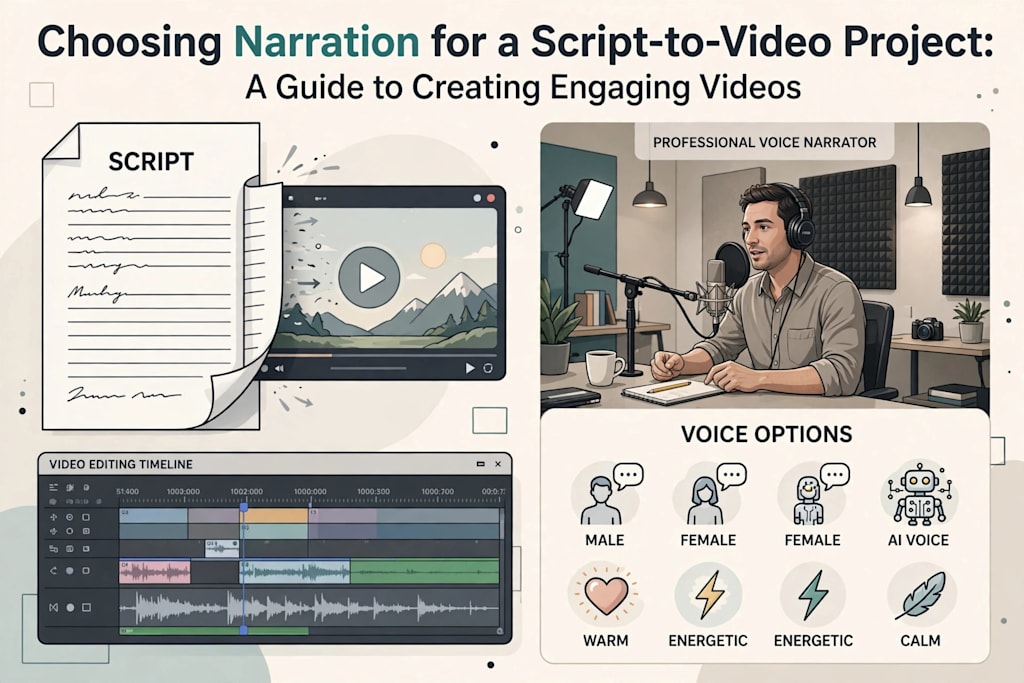
Human Voiceovers or AI-Generated Narration?
One of the most important decisions in modern video production is whether to use a human narrator or an AI-generated voice.
Both options have advantages, and the right choice depends on the project's requirements.
Human Narration
A human voiceover can communicate subtle emotions, natural pauses, and individual personality. Experienced voice artists can adjust their delivery according to the meaning of a sentence and the emotional direction of a scene.
Human narration is particularly useful for projects where authenticity and distinctive character are important.
However, recording human voiceovers may require additional time, equipment, editing, and coordination. Revisions can also become more complicated when the script changes after recording.
AI-Generated Narration
AI-generated narration provides an alternative for creators who need a practical and flexible production process.
Modern text-to-speech systems can convert written scripts into spoken audio using different voice characteristics and delivery styles. Depending on the platform, creators may be able to adjust pronunciation, pacing, and other voice settings.
AI narration can be useful for:
Producing regular social media content.
Creating instructional and educational videos.
Developing product demonstrations.
Testing different narration approaches.
Updating videos when scripts change.
Producing content in multiple languages.
Nevertheless, AI voices are not automatically suitable for every project. Some generated voices may sound unnatural when handling complicated sentences, emotional dialogue, or unusual names. Listening to the complete narration before publishing is essential.
Making the Right Choice
Rather than assuming one approach is always better, evaluate the needs of each project.
A personal documentary may benefit from a human narrator who can communicate genuine emotion. A series of short instructional videos may be easier to produce using AI narration, particularly when consistency and frequent updates are priorities.
Some projects can also combine both approaches. For example, a human introduction could establish a personal connection, while AI narration explains routine information throughout the remaining sections.
Writing Scripts That Sound Natural When Spoken
A well-written article or document does not necessarily make a good narration script. Written language often contains long sentences, complicated expressions, and structural details that are difficult to communicate naturally through speech.
When preparing a script, write for the listener rather than the reader.
Use Short and Clear Sentences
Long sentences can make narration difficult to follow. Break complicated explanations into smaller sections that communicate one idea at a time.
For example, instead of including several technical explanations in one sentence, introduce the main concept first and explain its individual components afterward.
Choose Familiar Vocabulary
Avoid unnecessary jargon, particularly when creating content for a general audience. If technical terms are essential, explain them in straightforward language.
The goal is not to remove important information but to make it accessible.
Include Natural Pauses
Punctuation helps organize spoken content. Commas can indicate brief pauses, while full stops provide opportunities for the narrator to finish one thought before beginning another.
For more expressive projects, consider adding notes about emphasis or delivery where necessary.
Read the Script Aloud
Reading a script aloud is one of the easiest ways to identify problems before production.
Pay attention to sentences that feel awkward, repeated words, difficult pronunciations, and sections that require too much effort to understand.
If a sentence sounds unnatural when spoken, rewrite it before generating or recording the narration.
How Narration Influences Video Pacing
Pacing refers to the speed and rhythm at which information and visual elements are presented. Narration and visual pacing should work together.
If the narrator speaks too quickly, viewers may struggle to understand important details. If the delivery is unnecessarily slow, the video may lose momentum.
The appropriate speed depends on the subject and audience.
For example, a tutorial explaining software settings may require a slower pace because viewers need time to follow individual instructions. A short promotional video may use a slightly faster delivery to maintain energy.
Consider these practical guidelines:
Slow down when introducing unfamiliar concepts.
Allow pauses after important statements.
Avoid placing too much information in a single scene.
Match scene transitions with the natural flow of narration.
Give viewers enough time to read any text displayed on screen.
A useful technique is to edit the visuals around the narration rather than forcing every sentence into a predetermined sequence of scenes.
Selecting Background Music and Sound Effects
Narration does not exist independently of the rest of the audio environment. Background music and sound effects can influence how viewers experience a video.
Music should support the message without competing with the narrator. A calm instrumental track may work for an educational presentation, while an energetic soundtrack may suit a promotional video.
Sound effects can also make transitions and demonstrations more engaging. However, unnecessary audio elements may distract viewers from the main content.
When mixing audio, pay attention to the following:
Volume balance: Narration should remain clearly audible above background music.
Music selection: Choose tracks that match the subject and emotional tone.
Consistency: Avoid sudden volume changes between scenes.
Silence: Do not be afraid to leave brief moments without music or narration when they improve the overall experience.
Also ensure that music and sound effects are properly licensed for the intended distribution platform.
Using Script-to-Video Tools Effectively
Script-to-video technology has changed how creators approach video production. Instead of building every scene manually, users can work from a written script and use software to help organize visual content, narration, and editing.
An AI script to video generator can be useful when transforming written ideas into video content through an automated workflow. Such tools can help creators explore how a script might work visually and reduce some of the repetitive steps involved in assembling a project.
However, automation does not remove the need for creative decisions.
Before using a script-to-video platform, consider the following:
Review the Script First
Check the script for clarity, accuracy, and logical structure. Automated systems can work with the text provided, but they cannot always recognize whether the original message is confusing or incomplete.
Choose Appropriate Visuals
Visual content should support the narration. A video explaining business technology, for instance, should use relevant demonstrations, diagrams, or workplace imagery rather than unrelated stock footage.
Evaluate Available Voice Options
If the platform offers generated narration, listen to available voices and consider how well they match the project's subject and audience.
Adjust Scene Timing
Automated scene generation may not always produce ideal timing. Review each section and make adjustments where narration and visuals feel disconnected.
Check the Final Result
Watch the complete video before publishing. Look for pronunciation issues, awkward transitions, missing information, and inconsistent audio levels.
The strongest results usually come from combining automated production features with human review and creative direction.
Common Narration Mistakes to Avoid
Even a well-planned video can feel unfinished when narration problems are overlooked.
Some common mistakes include:
Choosing a voice based only on personal preference: A voice may sound appealing but still be unsuitable for the audience or subject.
Speaking too quickly: Rushed delivery can reduce comprehension and make the video feel stressful.
Using excessive emotional expression: Dramatic narration does not suit every subject and can make factual content seem less credible.
Ignoring pronunciation: Mispronounced names, technical terms, and abbreviations can undermine an otherwise professional presentation.
Adding too much information: Narration should communicate the most important ideas rather than repeat every detail from the original source.
Neglecting audio quality: Background noise, inconsistent volume, and poor recording conditions can make content difficult to follow.
Failing to review generated audio: AI-generated voices can occasionally misinterpret sentence structure or pronunciation. Always listen before publishing.
Avoiding these problems can improve the overall viewing experience without requiring expensive production equipment.
Testing Different Narration Approaches
Choosing narration does not always have to be a one-time decision. Testing different approaches can help identify which delivery style communicates the message most effectively.
For example, create two versions of a short section using different narration styles. One might use a relaxed conversational voice, while the other uses a more formal presentation style.
Compare the results based on:
Clarity and pronunciation.
Naturalness of delivery.
Compatibility with the visuals.
Consistency with the video's purpose.
Suitability for the intended audience.
Overall listening experience.
If the video is intended for a particular audience, feedback from representative viewers can also be valuable.
Avoid relying entirely on personal preference. A voice that sounds impressive to the creator may not necessarily be the easiest for the intended audience to understand.
A Practical Narration Checklist Before Publishing
Before finalizing a script-to-video project, review the following points:
Does the narration match the video's main purpose?
Is the selected voice suitable for the target audience?
Are all words and technical terms pronounced correctly?
Does the speaking speed allow viewers to understand the message?
Are pauses placed naturally throughout the script?
Does the narration complement the visuals?
Is background music at an appropriate volume?
Are transitions smooth and consistent?
Have captions been checked for accuracy?
Has the complete video been reviewed from beginning to end?
This checklist provides a simple quality-control process that can prevent avoidable issues before a video goes public.
Conclusion
Choosing narration for a script-to-video project involves balancing several creative and practical considerations. The narrator's voice, delivery style, speaking speed, script structure, and audio environment all influence how effectively a video communicates its message.
The most suitable narration is not necessarily the most dramatic, sophisticated, or technically advanced. It is the one that supports the video's purpose and helps the intended audience understand and connect with its content.
Whether using a professional voice artist, recording narration independently, or experimenting with AI-generated voices, creators should prioritize clarity, consistency, and authenticity. Script-to-video tools can simplify production, but thoughtful editing and careful review remain essential.
By planning narration early, writing scripts for spoken delivery, testing different voice styles, and paying attention to the relationship between sound and visuals, creators can produce videos that feel more natural, informative, and engaging.
About the Creator
Gulshan
SEO Services, Guest Post & Content Writter.
Enjoyed the story? Support the Creator.
Subscribe for free to receive all their stories in your feed.
Comments
There are no comments for this story
Be the first to respond and start the conversation.