
Choosing Between HD and 4K for a Personal Video Project
Video project's

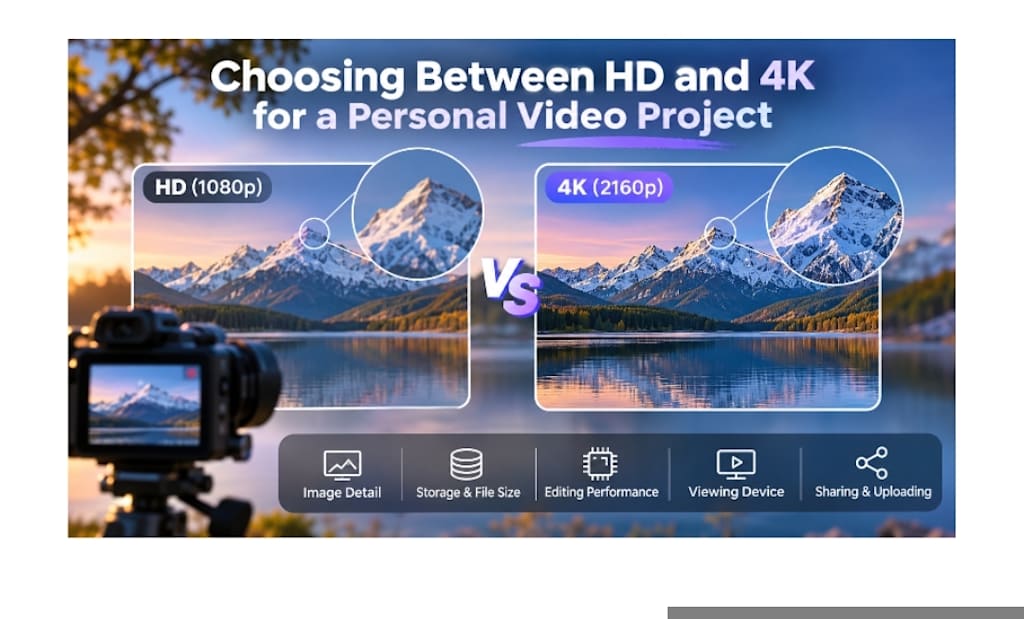
The video resolution of your personal video project can make a big difference in the quality of the video, how much space it will take up, how you edit the video and how you will view it. For the most part, creators are faced with a dilemma: HD or 4K?
4K might be an obvious choice at first, since it presents a higher resolution. But it's never the best approach to go with resolution that's higher than you need. The size of the files, editing hardware, storage capacity, internet speed, project length and viewing devices all play a role.
Whether you are making a family video, travel film, personal documentary, YouTube project, graduation video, or short film, understanding the pros and cons of both 4K and HD—and knowing when to use a video resolution enhancer—can help you make the right decision.
Understanding HD and 4K
The full HD (1080p) resolution is 1920 x 1080. This results in a bit more than 2 million pixels per frame.
Typically, 4K UHD is 3840 × 2160 pixels, which means that each frame has over 8 million pixels.
In other words, 4K has approximately 4 times the number of pixels as Full HD. This extra information can give landscapes, architecture, clothing, hair and other fine details a sharper look, particularly on large 4K televisions or monitors.
Resolution is just one aspect of video quality though. Final result may be impacted by lighting, focus, bitrate, camera sensor quality, compression, stabilization and color. A well captured HD video will look much better than a poorly taken 4K video.
Why HD is still a viable option
HD is one of the most useful project formats for personal projects, with a nice compromise between the quality of the images and ease of use.
The main benefit is that it will have smaller files. HD footage takes up less storage space, is quicker to transfer, and is much easier to edit. This is great for longer videos, interviews, school projects, social media videos, online courses and family videos.
Another advantage of editing HD is the less processing power required. If you're using an older laptop or mid-range computer, you'll likely find that 1080p footage is smoother to preview and easier to work with.
If you are looking for a simple workflow which is efficient, then HD might be the better option for you.
It is also large enough for most viewing applications. If most of your viewers are on phones, tablets, laptops or normal screens, it may not be that big of a difference between high quality HD and 4K.
When 4K Is Worth Using
4K becomes a valuable option when detail and flexibility are paramount.
It is especially good for nature videos, short films, cinematic montages, product footage, and travelling videos, as well as weddings.
It has a number of benefits, especially when you are able to crop footage when editing.
In an interview scenario, for instance, if you shoot 4K footage and finalize it to 1080p, you can zoom in to get a closer look at the image or crop a scene without losing quality.
This also enables the editors to generate digital camera movements from a static shot. A slow zoom or small repositioning can be added in the post-production process without compromising good output quality.
This is also useful for recordings that you might want to keep for many years. The extra detail is useful when it comes to weddings, graduations, family events, and special trips, as future displays might take better advantage of high resolution footage.
Think About the Final Viewing Device
The choice of the video should be heavily affected by the environment where it is to be seen.
HD can be more than sufficient for viewing on a smartphone. The 4K resolution provides more detail, but that detail is not necessarily apparent on a smaller screen.
However, it becomes more prominent when viewed on a large television, projector or 4K.
When it comes to travel films, 4K can offer a huge advantage to a film presented on a 65-inch television. There is not a short instructional video available, primarily distributed through social media.
Thus, the resolution of the image should be determined by the viewing environment and not just blindly picked from the highest resolution possible.
Storage Requirements Matter
4K video can fill up hard drives very rapidly.
The actual file size varies based on bitrate, frame rate, codec, camera parameters, etc., but 4K files tend to take up a lot of space as compared to HD files.
If it's a short video this shouldn't be an issue. With a project with a number of hours of footage, it can make a huge difference.
More than the original footage requires space as well. Typical editing workflows consist of backups, project files, audio, graphics, rendered previews, and final exports.
For those who have less space, HD might be more convenient.
The fact is that it's more beneficial to have good backup HD footage than to shoot everything in 4K and not have a place for backups.
Editing Hardware Can Affect the Decision
The 4K footage needs more processing power.
Color correction, stabilization, transitions, noise reduction and visual effects can be more challenging at higher resolutions.
Before selecting 4K, you should take into account your computer's processor, graphics capabilities, RAM, and storage speed.
While a quick SSD will help, it may not be enough for older computers to handle smooth 4K playback.
Many editing software packages have a proxy workflow to remove this issue. Proxy files are lower resolution versions of the original footage that are easier to edit. The software will re-link with the original high resolution files when the final video is exported.
This means that even less capable hardware can perform 4K Editing, albeit at an extra stage of the workflow.
Internet Speed, Sharing
The upload and sharing of large 4K files may also be slowed down. When your internet connection has a slow upload speed, exporting a very large file 4K file may cause unnecessary delays.
A good one to follow is to maintain a good 4k master copy and then send a smaller version of 1080p for posting online. This allows you to have a high resolution save, but not have to download or stream a larger file.
Improving Older or Lower-Resolution Footage
There are numerous personal video projects that mix footage from multiple cameras or multiple years.
For instance, a family documentary could contain new 4K footage and older footage with lower resolution and/or HD footage. Footage can be recorded by multiple devices for a travel compilation.
In these cases, enhancement tools can be used to achieve more uniformity.
Older material can be enhanced with basic sharpening, noise reduction, color correction, stabilization and careful scaling. Video resolution enhancement using AI can also be useful to boost the apparent quality of lower-resolution video clips before they are imported into a higher resolution video project.
But upscaling has its constraints! No software will be able to reproduce all of the detail lost by the original camera. Ideally the source footage should be reasonably clear to begin with, as this will make enhancement more effective.
Shooting at 4K and Exporting at HD.
One of the best compromises is recording in 4K and exporting the final product in 1080p.
The benefit of this method is that it gives the editor more flexibility for editing, while generating files that are not unnecessarily large.
You can cut, zoom and re-frame footage and not lose quality for an HD export.
This workflow is particularly beneficial for video projects such as short travels, interviews, documentaries, and film productions that require a certain amount of flexibility in the editing process.
Frame Rate Also Matters
You shouldn't only think about technical settings, such as resolution. Sometimes, frame rate is as critical.
Some cameras might be 4K at 30 fps, but 1080p at 60 fps or more. Higher frame rate HD could be more helpful than the low frame rate 4K when shooting sports, action or slow motion footage.
If you're shooting slowly or in the landscape or doing interviews, 4K detail might be more useful.
You should not pick the highest setting, use the setting that your project needs.
Lighting and Audio Are Often More Important
Resolution is not the only factor in producing a good-looking video.
It's better to get good lighting, stable video footage, accurate focus, correct exposure and thoughtful composition than to simply shoot from HD to 4K.
The audio quality is also a crucial factor. Even a great 4K interview can sound professional, if the interviewer talks in a way that is hard to understand or with too much background noise.
Even if you can't spend a ton of money on the images, a better light, stabilization or microphone will help you get a better image than just going for resolution.
When to Choose HD
When the option of HD is available, it is typically preferable when:
The project is long
There is limited space for storing.
You have a computer that is having trouble with 4K.
A majority of viewers will view on smaller screens
That's a vital point: that editing and uploading must be quick.
The video is predominantly made up of interviews or presentations.
Heavy cropping is not necessary.
Many personal projects are still perfectly acceptable for high quality 1080p footage.
When to Choose 4K
In situations where:
You are recording an important event
Detail is important in the image.
The video will be shown on big screens
Flexibility in cropping and reframing desired.
You're wanting to keep the footage for years.
You can adjust the size of your computer and storage to accommodate larger files.
You are producing video content or multimedia that are rich in images and video.
Final Thoughts
But it's not just about resolution, when deciding between HD and 4K. 4K offers greater detail and flexibility, and uses up more storage space, processing power and can take longer to upload.
It is easier to manage, more compatible, and can achieve great results for most personal projects, versus HD.
HD might be the best option for casual videos, interviews, presentations, and social media posts. In certain instances, 4K can offer value, such as for major events, cinematography, detailed travel films and long time archiving.
A hybrid workflow can be equally as good. Having important footage in 4k, while having the final project cut in HD, gives editing flexibility without having to create unnecessarily large files.
Resolution is not the most important factor in a successful video; having a good story, good audio, good lighting, good video quality, and good editing are more important.
About the Creator
Gulshan
SEO Services, Guest Post & Content Writter.
Enjoyed the story? Support the Creator.
Subscribe for free to receive all their stories in your feed.
Comments
There are no comments for this story
Be the first to respond and start the conversation.