
Barcode Scanners Australia: Which Type Does Your Business Need?
Different categories of Barcode Scanners

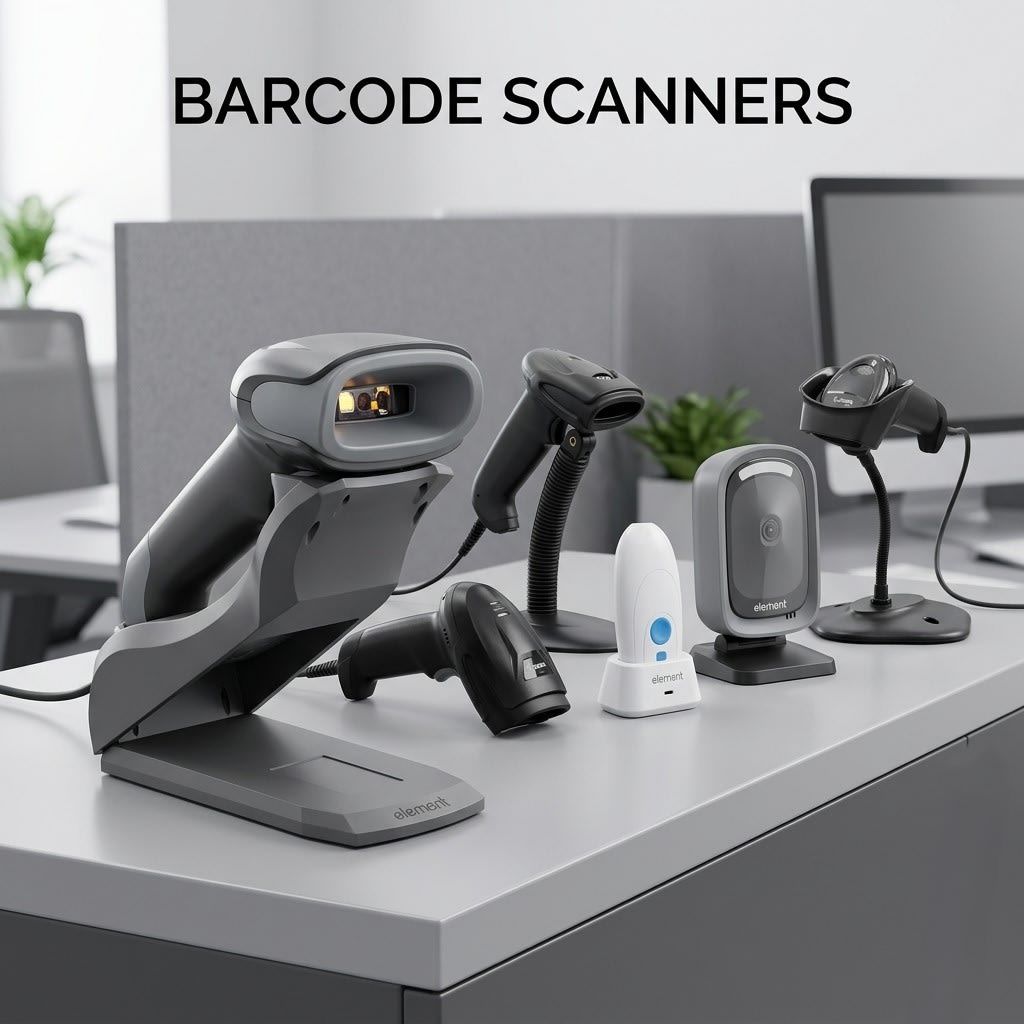
Walk into any busy retail store, warehouse, or hospital in Australia, and you'll spot someone holding one — that small, handheld device that reads product labels with a quick beep. Barcode scanners have become part of everyday business life, but a lot of people still aren't quite sure what sets one type apart from another, or how to figure out what actually suits their setup.
This guide breaks it all down in plain language — no technical jargon, just a straightforward look at what barcode scanners are, the different kinds available, and how to think about choosing one.
What Does a Barcode Scanner Actually Do?
At its core, a barcode scanner is a device that reads the pattern of lines (or squares, dots, and other shapes in newer formats) printed on product labels. Once scanned, the information stored in that barcode — like a product name, price, or serial number — is instantly sent to a connected computer or POS (point of sale) system.
Think of it as a translator. The barcode is a coded message, and the scanner decodes it in a split second so your system doesn't have to be updated manually. This speeds up checkout, reduces human error, and keeps stock counts accurate.
Types of Barcode Scanners You'll Come Across
Not all barcode scanners are made the same way, and different environments call for different tools. Here's a breakdown of the main types:
Handheld Barcode Scanner
The handheld barcode scanner is probably what most people picture — a pistol-grip device you pick up, point at a label, and press a trigger (or hover near a sensor). These are the workhorses of retail, libraries, pharmacies, and logistics operations across Australia.
They're popular for a reason. Handheld scanners are easy to use, comfortable to hold for extended periods, and work with most POS systems. Entry-level models are also quite affordable, making them a practical starting point for small businesses. Whether you're scanning groceries at a checkout counter or tracking parcels in a back room, this style gets the job done reliably.
The key thing to look for in a handheld model is the scan engine — some read only standard 1D barcodes (the traditional striped ones), while others handle both 1D and 2D formats. If your products use QR codes or data matrix codes, make sure your scanner supports those too.
Cordless Barcode Scanner
A cordless barcode scanner works the same way as a handheld one, except there's no cable tethering you to a base unit or computer. Instead, it connects via Bluetooth or wireless technology, giving you the freedom to move around without worrying about tripping over a cable or being limited by its length.
For businesses with larger floor areas — think warehouse floors, hardware stores, or large supermarkets — going cordless makes a genuine difference. Staff can scan items anywhere in the space and the data syncs back to the system automatically.
Most cordless models come with a charging cradle that also acts as a base receiver. Battery life varies between models, so if your team uses scanners through a full shift, it's worth checking how long a charge lasts and whether spare batteries are available.
2D Barcode Scanner
While standard 1D scanners read horizontal lines left-to-right, a 2D barcode scanner can read barcodes in multiple directions — and more importantly, it reads 2D codes like QR codes and data matrix symbols that carry far more information than a traditional barcode.
These are increasingly common across a range of industries. Hospitals use them to track patient wristbands and medication. Couriers use them to scan shipping labels with embedded tracking data. Retailers use them for digital receipts and loyalty programs. Even boarding passes at airports use 2D codes these days.
If your business handles a mix of old and new label formats, or if you ever need to scan barcodes from a phone screen (loyalty apps, digital vouchers), a 2D scanner handles all of it without missing a beat. Many modern 2D scanners are also backward-compatible, meaning they still read traditional 1D barcodes perfectly well.
How to Choose the Right One for Your Business
Here are a few questions worth thinking through before you decide:
Where will the scanner be used most? A fixed checkout counter calls for something different to a roaming warehouse picker. For stationary use, a corded model is perfectly fine. For moving around, cordless is more practical.
What kinds of barcodes does your inventory use? If everything in your system uses standard 1D barcodes, you don't necessarily need to spend more on a 2D model. But if you're planning to modernise your labelling or work with suppliers using newer formats, a 2D scanner is a smarter long-term investment.
How heavy is the daily workload? Entry-level scanners are fine for light use — a small boutique, a café with a few packaged products, or a small stockroom. For high-volume environments like a busy supermarket or a distribution centre, it's worth looking at mid-range or industrial-grade models with faster scan speeds and sturdier builds.
Does it need to work with your existing POS software? Most scanners connect via USB and work as plug-and-play devices with Windows and common POS platforms. That said, it's always worth confirming compatibility before purchasing, especially for wireless models.
Why Businesses Across Australia Are Upgrading Their Scanning Equipment
The shift away from manual data entry is well and truly happening across Australian businesses of all sizes. Scanning a barcode takes a fraction of a second compared to typing a product code by hand, and the accuracy rate is significantly higher. Over a full day of transactions, that adds up.
Beyond speed, modern barcode scanners are more durable and ergonomic than older models. Brands like Zebra, Honeywell, Datalogic, and others have invested heavily in making devices that can handle drops, dust, and long shifts without giving up.
There's also the matter of inventory accuracy. When staff scan items properly at every point of the supply chain — receiving, storage, checkout — stock counts stay reliable. That reduces the risk of over-ordering, stockouts, and the costly process of doing manual stocktakes.
Frequently Asked Questions
Q: Can a barcode scanner work with any POS software?
Most wired USB models are plug-and-play and work with virtually any POS software. Wireless models may need a quick setup step, but compatibility is generally broad.
Q: What's the difference between a 1D and 2D barcode scanner?
A 1D scanner reads traditional striped barcodes. A 2D scanner reads those plus QR codes and data matrix formats — handy if your business uses digital labels or loyalty apps.
Q: How long does a cordless scanner last on a single charge?
Most models offer 8 to 14 hours on a full charge, which covers a standard shift comfortably.
Q: Are barcode scanners hard to set up?
Not at all. Wired models are plug-and-play. Wireless ones take a few extra minutes, but most come with simple instructions and support if needed.
Barcode scanners are a small investment that can make a noticeable difference to how smoothly your day-to-day operations run. Whether you need a basic handheld model for a small shop or a fleet of cordless 2D scanners for a warehouse, understanding your options first means you're less likely to end up with something that doesn't quite fit.
About the Creator
poscentral
POS Central Australia is a prominent POS software and hardware product seller. The products that they sell include Cash Drawers, Receipt Printers, POS Keyboards, Barcode Scanners, POS Bundles. https://www.poscentral.com.au/
Enjoyed the story? Support the Creator.
Subscribe for free to receive all their stories in your feed.
Comments
There are no comments for this story
Be the first to respond and start the conversation.