
My Privacy-First Dev Setup
Why I Paired Windsurf with Local Qwen 3

We’ve all been there: you’re deep in the coding flow, leaning on cloud-based AI to help you refactor a tricky function or debug an error, when a nagging thought hits you. Should I really be pasting this proprietary codebase into a cloud API? How much is this subscription going to cost me next month? And what happens when my internet drops?
As developers, we want the superpowers of modern AI coding assistants, but we also value privacy, autonomy, and predictable costs.
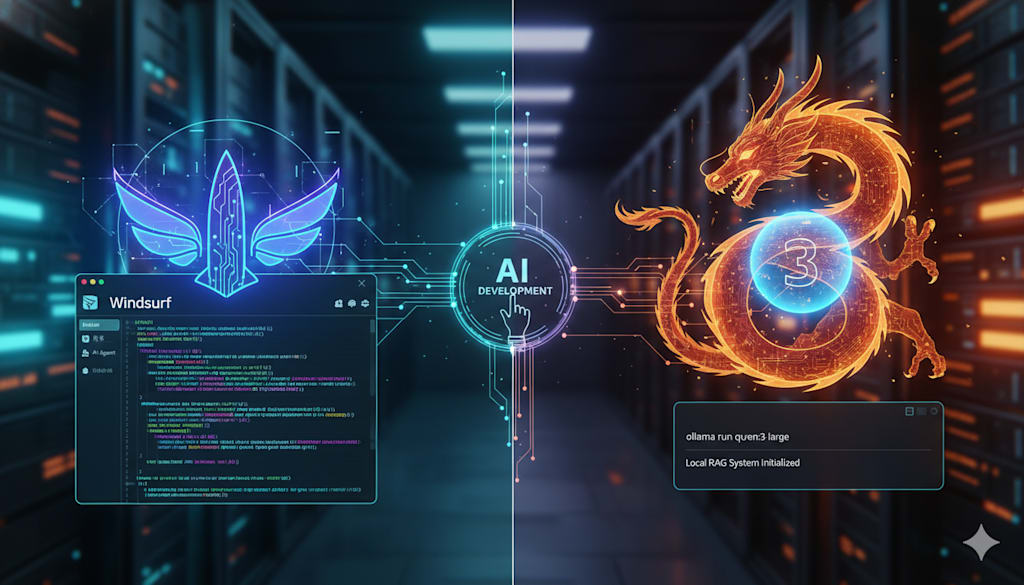
Lately, I’ve been experimenting with a setup that addresses these exact concerns without sacrificing performance. By pairing Windsurf, a highly capable AI-driven code editor, with Qwen 3, a formidable open-source model running locally on my machine, I’ve managed to build a fast, secure, and entirely private development workflow.
Here is a look at how these two tools work together and how you can set up a similar environment.
The Editor: Moving Beyond Autocomplete with Windsurf
If you’re still using basic autocomplete plugins, switching to a dedicated AI editor feels like a massive leap. Formerly known as Codeium, Windsurf has quickly become one of the most reliable environments for developers looking to collaborate closely with AI.
What sets Windsurf apart isn't just that it suggests code, but how it understands the entire context of what you are building. It does this primarily through its AI agent, Cascade.
Rather than treating every prompt as a blank slate, Cascade keeps track of your codebase structure, your active files, and even your past coding habits. It feels less like a search box and more like a helpful pair-programmer sitting next to you.
A few features in Windsurf have fundamentally changed my daily workflow:
Smart Context & Memory: Cascade maintains a running memory of your workspace. It adapts to how you write code, which means you spend less time explaining your setup and more time actually building.
Automatic Lint Fixing: Instead of manually hunting down minor syntax errors or formatting bugs, Windsurf catches and resolves linting issues quietly in the background.
The Model Context Protocol (MCP): This is a game-changer. Windsurf allows you to connect custom tools and APIs with a single click. Whether you need to pull design assets from Figma, check API endpoints, or send a quick notification to Slack, you can hook these services directly into your AI workflow.
Turbo Mode: When you need to iterate quickly, turning on Turbo Mode allows Cascade to safely run terminal commands and execute scripts on its own, keeping you in a continuous flow state.
Asset Handling: The interface is highly visual—you can drag and drop images or UI mockups directly into the chat to help the AI understand the design direction you are aiming for.
The Engine: Why I Run Qwen 3 Locally
While Windsurf handles the interface and context management, the real magic happens when you pair it with a strong local language model.
For a long time, running capable LLMs locally required compromise. The models were either too slow or too limited to be useful for complex programming tasks. That changed with Alibaba’s Qwen 3[1].
The Qwen 3 suite is incredibly efficient, offering everything from lightweight models that run comfortably on standard laptops to massive Mixture-of-Experts (MoE) architectures for heavy-duty workstations[1][2]. By running Qwen 3 locally, you gain three major advantages:
Total Data Privacy: Your code never leaves your local hardware. If you are working on sensitive projects or proprietary client work, this is non-negotiable.
Zero API Fees: You can prompt, test, and generate code all day long without worrying about token limits or monthly API bills.
Offline Reliability: Whether you’re on a flight, traveling, or dealing with spotty Wi-Fi, your AI assistant remains fully functional.
Setting Up Your Local AI Workflow
Getting a local LLM up and running used to be a headache of dependency issues and command-line errors. Today, the pipeline is remarkably straightforward. Here is how to get started:
1. Spin up Ollama
Ollama is the easiest bridge for running open-source models on your local machine[3]. Download and install it for your OS, and you can pull the model with a simple command in your terminal:
code
Bash
ollama run qwen3
2. Choose Your Model Size
Because Qwen 3 comes in various sizes, you can tailor it to your system’s hardware[1][2]:
Lightweight options (under 8B parameters): Ideal for standard laptops, offering rapid response times with low VRAM usage[1][2].
Mid-to-large options (14B to 32B+): Perfect for dedicated desktop GPUs, providing deep reasoning and highly accurate code generation[1][2].
3. Build a Local RAG System
To make your local model truly useful, you can implement a Retrieval-Augmented Generation (RAG) pipeline. By indexing your local documentation, technical guides, or project wikis, you allow Qwen 3 to reference your specific project rules and generate highly tailored, context-aware answers without needing an active internet connection.
4. Design Custom Agents
With Qwen 3’s strong support for tool calling, you can write simple Python scripts that act as local agents[4]. These agents can perform repetitive tasks—like scanning a directory, summarizing log files, or updating local markdown documentation—entirely offline.
A Few Practical Tips for Getting Started
If you’re ready to dive in and set up a local-first environment, here is some practical advice to keep in mind:
Be realistic about your hardware: Local models rely heavily on GPU memory (VRAM). Start with a smaller Qwen 3 model (like the 4B or 8B variant) to test your machine's performance[1][2]. If your system handles it easily, you can always scale up to a larger parameter model[1][2].
Take advantage of MCP integrations: Don’t let Windsurf exist in a vacuum. Connect it to the tools you already use daily. Automating simple tasks like drafting Slack updates or pulling GitHub issues directly into your editor saves a surprising amount of mental energy.
Join the open-source community: The local AI ecosystem is moving incredibly fast. Keeping an eye on communities around Ollama, Windsurf, and the Qwen repositories is the best way to discover new optimization techniques, system prompts, and custom agent configurations.
Moving Forward
The synergy between a modern, context-aware editor like Windsurf and a powerful local model like Qwen 3 represents a shift in how we think about software development. It proves that we don't have to choose between advanced AI capabilities and data sovereignty.
With a bit of setup, you can build a development environment that is secure, cost-effective, and entirely under your control. If you value your privacy and love to experiment, it is a setup well worth exploring.
About the Creator
Maxim Dudko
My perspective is Maximism: ensuring complexity's long-term survival vs. cosmic threats like Heat Death. It's about persistence against entropy, leveraging knowledge, energy, consciousness to unlock potential & overcome challenges. Join me.
Enjoyed the story? Support the Creator.
Subscribe for free to receive all their stories in your feed.
Comments
There are no comments for this story
Be the first to respond and start the conversation.