
The Ultimate Guide to Building a Dual Monitor Setup for Productivity and Performance
Dual Monitor Setup

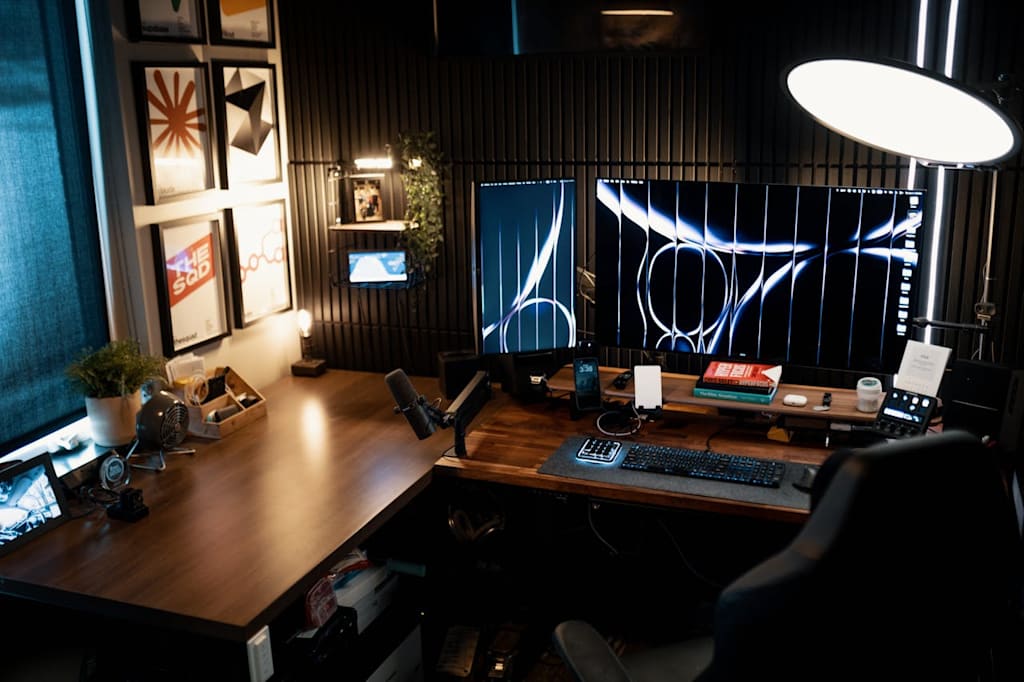
In today’s fast-paced digital world, productivity is everything. Whether you’re a professional working from home, a student managing multiple assignments, or a business owner running an online store, your workspace setup can significantly impact your efficiency. One of the most powerful upgrades you can make is switching to a dual monitor setup.
Dual monitors are no longer a luxury—they’ve become a necessity for anyone serious about improving workflow, multitasking, and overall performance. In this guide, we’ll explore everything you need to know about dual monitor setups, including their benefits, how to choose the right monitors, and why refurbished monitor bundles are a smart investment.
Why Dual Monitors Are a Game-Changer
A dual monitor setup allows you to use two screens simultaneously, effectively doubling your workspace. Instead of constantly switching between tabs or windows, you can view multiple applications at once.
Key Benefits:
1. Increased Productivity
Studies have shown that using dual monitors can boost productivity by up to 30–40%. You can keep emails open on one screen while working on documents or spreadsheets on the other.
2. Better Multitasking
With two screens, you can:
Compare documents side-by-side
Monitor analytics while managing tasks
Edit content while referencing research
3. Improved Workflow
No more Alt+Tab switching. Everything stays visible, making your workflow smoother and faster.
4. Enhanced Focus
A structured workspace reduces distractions and helps you stay focused on your tasks.
Who Should Use Dual Monitors?
Dual monitors are beneficial for almost everyone, but they’re especially useful for:
Office professionals
Programmers and developers
Graphic designers and video editors
Stock traders and analysts
Online business owners (like eCommerce sellers)
If you’re running an online store, managing listings, customer messages, and analytics becomes significantly easier with two screens.
Choosing the Right Dual Monitor Setup
Not all monitors are the same. Choosing the right combination is key to getting the best experience.
Screen Size Matters
The most common sizes for dual setups are:
22-inch monitors – Budget-friendly and compact
24-inch monitors – Perfect balance of size and usability
27-inch monitors – Ideal for immersive and professional work
Resolution
For sharper visuals, go for:
Full HD (1920x1080) – Standard and affordable
Quad HD (2560x1440) – Better clarity and workspace
Connectivity
Ensure your monitors support:
HDMI (most common)
DisplayPort
USB-C (for modern laptops)
Why Refurbished Monitors Are a Smart Choice
Many people think “refurbished” means low quality—but that’s not true.
Refurbished monitors are:
Professionally tested and cleaned
Fully functional
Much more affordable than brand-new models
Cost Savings
You can save up to 50% compared to new monitors, making it ideal for budget-conscious buyers.
Eco-Friendly
Buying refurbished helps reduce electronic waste and supports sustainability.
Reliable Performance
High-quality refurbished monitors from brands like Dell, HP, and Lenovo offer excellent durability and performance.
What Comes in a Dual Monitor Bundle?
A typical dual monitor bundle includes everything you need to get started:
2x matching monitors
Dual monitor stand (heavy-duty)
HDMI cables
Power cables
This makes setup easy—even if you’re not tech-savvy.
How to Set Up Dual Monitors (Step-by-Step)
Setting up dual monitors is simpler than you might think:
Step 1: Connect Both Monitors
Use HDMI or DisplayPort cables to connect your monitors to your PC or laptop.
Step 2: Adjust Display Settings
On Windows:
Right-click desktop
Select “Display Settings”
Choose “Extend Display”
Step 3: Arrange Screens
Drag and align monitors based on your physical setup.
Step 4: Optimise Resolution
Set both screens to their recommended resolution for the best clarity.
Best Uses for Dual Monitors
Here’s how you can maximise your setup:
Work & Office Tasks
One screen for emails
One for documents or spreadsheets
Trading & Analytics
Charts on one screen
Trading platform on the other
Gaming + Streaming
Game on one screen
Chat/stream controls on the other
eCommerce & Online Business
Product listings on one screen
Orders, messages, or ads on the other
Tips to Boost Your Productivity Even More
To get the most out of your dual monitor setup:
✔ Use a monitor stand to align screens properly
✔ Keep your main screen directly in front
✔ Use keyboard shortcuts to move windows quickly
✔ Maintain proper lighting to reduce eye strain
✔ Adjust brightness and contrast for comfort
Where to Buy the Best Dual Monitor Bundles
When buying dual monitors, always choose a trusted seller that offers:
Tested and certified refurbished products
Matching monitor sets
Warranty and return options
Fast delivery
Reliable IT suppliers often provide ready-to-use bundles, saving you time and effort.
Final Thoughts
A dual monitor setup is one of the smartest investments you can make for productivity, efficiency, and comfort. Whether you’re working, studying, or running a business, having two screens can completely transform the way you operate.
Instead of constantly switching between tasks, you can streamline your workflow, reduce stress, and get more done in less time.
If you’re looking for a cost-effective solution, refurbished dual monitor bundles are the perfect choice—offering high performance at a fraction of the price.
Note: This is an Ai Generated content but reviewed by human carefully.
About the Creator
Babar Mustafa
Babar Mustafa is the founder of Digital IT Store Ltd, a UK-based supplier of refurbished computers, monitors, and IT equipment. With years of experience in eCommerce solutions, he shares insights on productivity setups and IT solutions.
Enjoyed the story? Support the Creator.
Subscribe for free to receive all their stories in your feed.
Comments
There are no comments for this story
Be the first to respond and start the conversation.