
When a Prompt Is the Wrong Tool for AI Music
Most beginner guides to AI music stop at the same lesson: write a clearer sentence. Name the genre. Add a mood. Say who the track is for. That advice is true for an empty project. It is the wrong next step once you already have audio you want to keep.

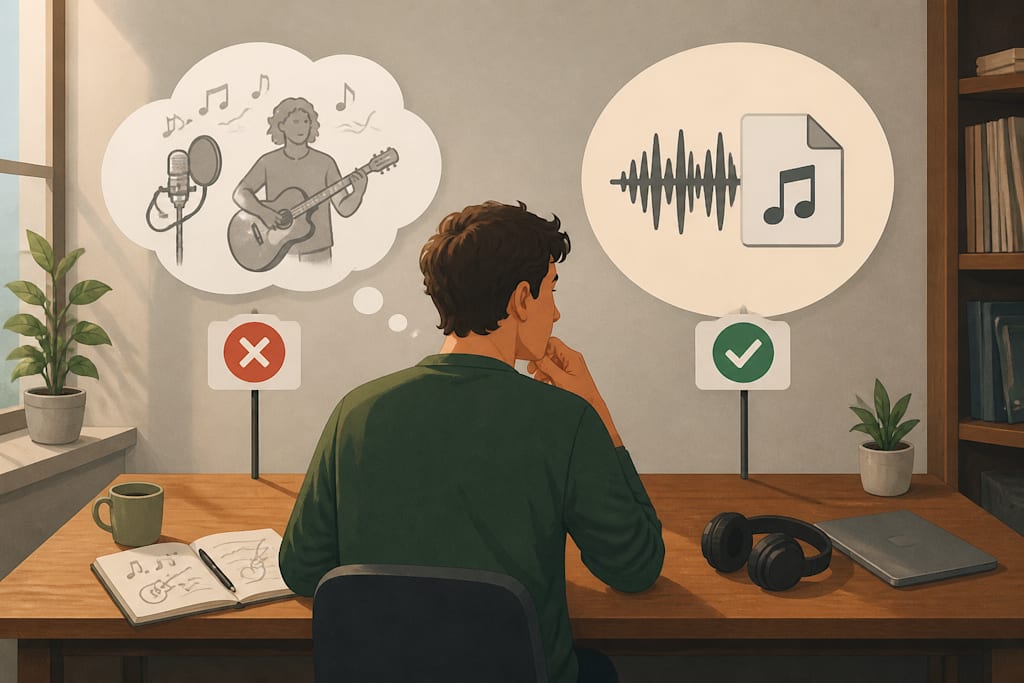
A prompt describes a song that does not exist yet. A file is a decision you already made. Those are different inputs, and a lot of “just prompt better” writing collapses them.
What a prompt can actually specify
Text is good at constraints a model can sample from: tempo range, instrumentation, era, and whether the track should sit under speech or stand in front of a picture. A useful empty-project prompt usually names four things and leaves the rest alone. What is the job of the track: bed under a voiceover, intro sting, or a song that has to stand by itself? What should stay out of the way: busy midrange, lyrics, or a drop that steals the first second? What era or genre is the floor, not the shopping list? How long does the use actually need?
Those details steer a first draft. They do not identify a recording. “Keep the same drums” does not point at a waveform. “Same energy as the last take” does not lock a kick pattern. The generator returns another arrangement that matches the adjectives.
That is why two people can paste the same paragraph and get two usable, unrelated tracks. Variability is a feature when you are hunting for a first draft. It is a defect when the job is to change one part of a recording you already approved.
Emotional words help only inside that first-draft job. “Uplifting” and “cinematic” steer intensity. They do not preserve a loop. If the useful object on disk is a two-minute instrumental, adding “with a female vocal, same beat” to the prompt usually produces a new beat wearing a familiar mood. The adjectives were satisfied. The file was not.
Conflicting adjectives make the same mistake in the other direction. “Calm, high-energy, dramatic” is three songs. The model will average them or pick one and ignore the rest. That is not a reason to write a longer paragraph. It is a reason to decide which job you are in before you type.
The job after the first generate
Once a take exists, the useful questions are mechanical.
Do you need a different section, or a different song? Do you have lyrics and no singer, or a singer and no arrangement? Are you trying to clear space for a voice, or replace the voice?
If the instrumental is the keeper, the input should be that file plus a lyric, not a longer sentence about the file. If the vocal is the keeper, the input should be the vocal plus a request for a bed. If both files exist, the job is mixing, not generation. Lining up a recorded vocal, carving space with EQ, and riding a chorus does not become easier because the beat came from a prompt. It also does not become a generate-again problem.
Prompt guides skip this split because it is less tidy than “add more adjectives.” It is also the point where beginners waste the afternoon: they regenerate the whole track to fix a missing topline, then wonder why the groove they liked disappeared.
A simple listen tells you which side you are on. Play the new output against the file you refused to throw away. If the kick moved, the chord changed, or the length jumped, you did not edit the take. You commissioned a cousin. Keep the original. Change the input type, not the wording.
Start from the file when the file is the point
Look for a tool that accepts the recording and the change, then returns the change on top of what you uploaded. LumiMusic is one place that can add a sung vocal to an existing beat from a lyric and the instrumental, instead of asking you to describe the drums again to get a singer. A DAW and a session vocal is the same category of work. The test is simple. After the new take, can you still hear the audio you refused to throw away?
If the output changes the harmony or replaces the kick, the tool treated your request as a new prompt. It made another first draft. Keep the file. Ask for the vocal again, or move the take into a session where the beat cannot be rewritten.
The same rule applies in reverse. A dry vocal you want to keep should not be uploaded into a “make a song” box that is free to invent a new singer. The missing piece is the arrangement under the performance, not a second topline stacked on silence.
Rights travel with the file. Generating a vocal onto a beat you cannot clear does not create a release. It creates a second unusable file. If the instrumental is a loop you do not own, stop before you spend the afternoon writing lyrics onto it. The prompt is not the legal problem. The source audio is.
Leave prompting to the empty project
Write a better prompt when there is nothing on the timeline yet. Specify mood, use, and what must stay out of the way of a voiceover. Generate two or three versions and pick one. Compare them as options, not as edits of each other. That is the beginner skill the other guides already cover, and it is still the right skill on day one of a project.
Switch inputs when the valuable thing is already a file. Freeze tempo and key before you ask for a voice, because a vocal written onto a moving target will sound like a moving target. Write the lyric against the loop so the title actually fits a bar. Then give the tool the recording, not a paragraph that tries to remember the recording.
The sentence is no longer the composition. The recording is.
About the Creator
Enjoyed the story? Support the Creator.
Subscribe for free to receive all their stories in your feed.
Comments
There are no comments for this story
Be the first to respond and start the conversation.