
What Is a Free Resume Builder? A Complete Guide for Job Seekers
A tool that reliable

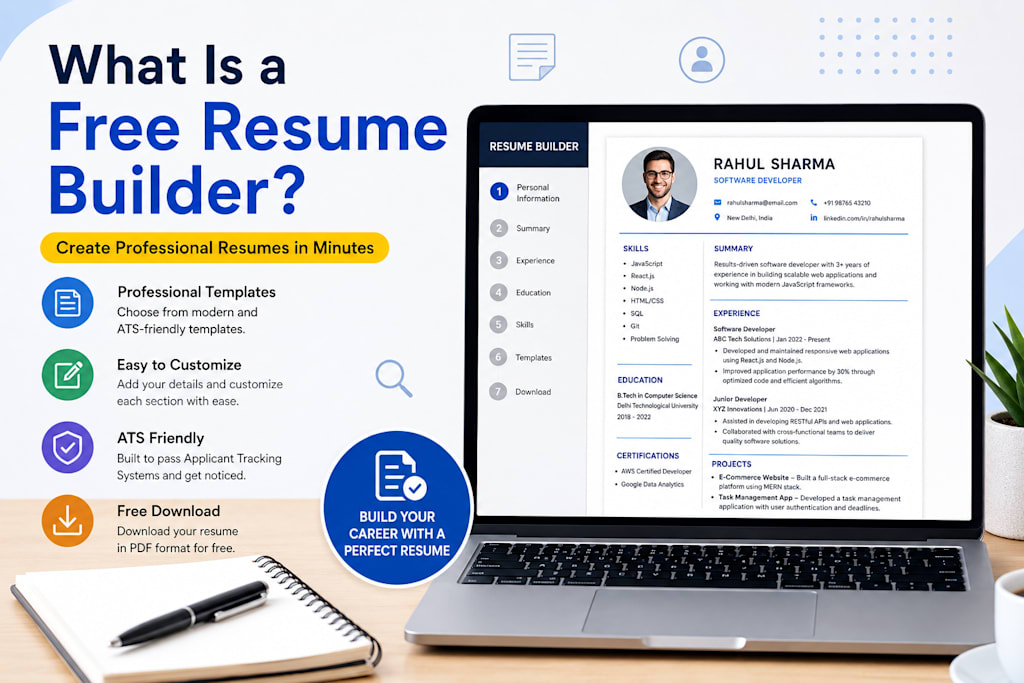
What Is a Free Resume Builder? A Complete Guide for Job Seekers
In today's competitive job market, having a professional and well-structured resume is more important than ever. Recruiters often spend only a few seconds reviewing each application before deciding whether a candidate deserves further consideration. Because of this, creating a strong resume can significantly improve your chances of getting interviews and job offers.
Many job seekers struggle with resume writing because they are unsure about formatting, design, content organization, or Applicant Tracking System (ATS) requirements. This is where a free resume builder becomes extremely useful.
In this guide, we will explain what a free resume builder is, how it works, its benefits, features to look for, and why it can help job seekers create better resumes quickly and efficiently.
What Is a Free Resume Builder?
A free resume builder is an online tool that helps users create professional resumes without needing advanced design or writing skills. Instead of manually creating a resume in software like Microsoft Word, users simply enter their information into predefined sections, and the builder automatically generates a professionally formatted resume.
Most resume builders guide users through essential resume sections such as:
- Personal Information
- Professional Summary
- Work Experience
- Education
- Skills
- Certifications
- Projects
- Languages
- Hobbies and Interests
Once all information is added, the resume builder formats everything into a clean and professional layout that can be downloaded and shared with employers.
Why Do People Use Resume Builders?
Many job seekers face challenges when creating resumes from scratch:
- Poor formatting
- Inconsistent design
- Missing important sections
- ATS compatibility issues
- Difficulty highlighting achievements
- Lack of resume writing experience
A resume builder solves these problems by providing ready-made templates and structured guidance throughout the resume creation process.
Instead of spending hours adjusting margins, fonts, and spacing, users can focus on presenting their qualifications and experience effectively.
How Does a Free Resume Builder Work?
Most free resume builders follow a simple step-by-step process:
Step 1: Enter Personal Details
Users provide basic information such as:
- Full Name
- Email Address
- Phone Number
- Location
- LinkedIn Profile
- Portfolio Website
Step 2: Add Professional Summary
A professional summary briefly introduces the candidate's background, skills, and career goals.
Example:
"Results-driven software developer with 3 years of experience building scalable web applications using React and Node.js."
Step 3: Add Work Experience
Users enter:
- Job Title
- Company Name
- Employment Dates
- Responsibilities
- Achievements
The builder organizes this information professionally.
Step 4: Add Education
Education details include:
- Degree
- Institution
- Graduation Year
- Relevant Coursework (optional)
Step 5: Add Skills
Common skills include:
- Communication
- Leadership
- Problem Solving
- JavaScript
- Python
- Project Management
Step 6: Choose a Template
Users can select from multiple resume designs based on industry requirements and personal preferences.
Step 7: Download Resume
The final resume is usually available in PDF format, ensuring consistent formatting across devices.
Key Features of a Good Free Resume Builder
Not all resume builders are equal. The best tools offer several important features.
ATS-Friendly Templates
Many companies use Applicant Tracking Systems (ATS) to filter resumes before a human recruiter reviews them.
An ATS-friendly resume builder creates layouts that:
- Use readable fonts
- Avoid complex graphics
- Maintain proper section headings
- Improve keyword recognition
This increases the likelihood of passing ATS screenings.
Professional Templates
A quality resume builder provides professionally designed templates suitable for:
- Freshers
- Experienced Professionals
- IT Professionals
- Marketing Specialists
- Designers
- Managers
Real-Time Preview
Users can instantly see how their resume will look while editing.
This eliminates guesswork and improves the overall experience.
Multiple Resume Sections
Advanced resume builders support:
- Projects
- Certifications
- Awards
- Publications
- Volunteer Experience
- Languages
These sections help candidates stand out from competitors.
PDF Download
PDF is the preferred format for job applications because formatting remains intact regardless of device or operating system.
Mobile-Friendly Access
Modern resume builders allow users to create and edit resumes directly from smartphones and tablets.
Benefits of Using a Free Resume Builder
Saves Time
Creating a resume manually can take several hours.
A resume builder can reduce this process to less than 30 minutes.
Professional Appearance
Even users without design experience can create polished resumes.
Professional formatting improves first impressions.
Reduces Errors
Resume builders maintain consistent:
- Font sizes
- Margins
- Alignment
- Section structure
This minimizes formatting mistakes.
Improves ATS Compatibility
ATS-friendly formatting increases visibility during automated screening processes.
Easy Updates
Users can quickly edit resumes whenever they gain:
- New skills
- Certifications
- Work experience
- Educational qualifications
Who Should Use a Free Resume Builder?
Students
Students often have limited experience creating professional resumes.
Resume builders provide a structured approach and reduce confusion.
Fresh Graduates
Recent graduates need resumes that effectively showcase:
- Education
- Projects
- Internships
- Skills
A resume builder helps highlight these strengths.
Experienced Professionals
Professionals seeking career advancement can use resume builders to create updated and polished resumes efficiently.
Career Changers
Individuals transitioning into new industries benefit from templates that emphasize transferable skills and relevant accomplishments.
Freelancers
Freelancers can showcase:
- Client Projects
- Technical Skills
- Portfolio Links
- Achievements
in a professional format.
Common Mistakes Resume Builders Help Avoid
Poor Formatting
Many manually created resumes suffer from inconsistent layouts.
Resume builders maintain a clean structure automatically.
Overcrowded Content
Professional templates improve readability by organizing information properly.
Missing Sections
Builders ensure important resume components are not overlooked.
ATS Problems
Advanced resume builders use ATS-friendly formatting standards.
Generic Presentation
Templates help users create resumes that appear modern and professional.
What Should You Include in Your Resume?
A strong resume typically contains:
Contact Information
Include:
- Name
- Phone Number
- LinkedIn Profile
Professional Summary
Provide a concise overview of your qualifications.
Work Experience
Focus on achievements rather than responsibilities.
Example:
Instead of:
"Responsible for managing social media accounts."
Use:
"Increased social media engagement by 40% within six months."
Skills
Include both technical and soft skills relevant to the target role.
Education
List degrees, certifications, and academic achievements.
Projects
Particularly important for students and IT professionals.
Certifications
Industry certifications strengthen credibility and demonstrate expertise.
Are Free Resume Builders Really Free?
Some resume builders are completely free, while others offer limited functionality before requiring payment.
When evaluating a resume builder, check whether it provides:
- Free PDF downloads
- ATS-friendly templates
- Unlimited editing
- Multiple resume sections
without hidden fees.
A truly free resume builder should allow users to create and download professional resumes without mandatory subscriptions.
Tips for Creating a Better Resume
Even with a resume builder, content quality remains important.
Tailor Each Resume
Customize your resume for every job application.
Use Keywords
Include relevant industry keywords that match the job description.
Quantify Achievements
Use numbers whenever possible.
Example:
- Increased sales by 25%
- Reduced costs by 15%
- Managed a team of 10 employees
Keep It Concise
Most resumes should be one or two pages.
Proofread Carefully
Grammar and spelling mistakes can reduce credibility.
Always review before submitting.
Conclusion
A free resume builder is one of the most effective tools for modern job seekers. It simplifies resume creation, saves time, improves formatting, and helps users build professional, ATS-friendly resumes without requiring design expertise.
Whether you are a student, fresher, experienced professional, freelancer, or career changer, a quality resume builder can help you create a polished resume that increases your chances of getting noticed by recruiters.
Instead of struggling with formatting and design, you can focus on showcasing your skills, achievements, and qualifications. With the right resume builder, creating a professional resume becomes faster, easier, and far more effective.
About the Creator
Shahrukh Mirza
my name is sharukh khan. and i am a content writer to resume and career advice .
i have a website to create resume for free
To create Resume online and abolutely Free:- https://resumeera.xyz
Enjoyed the story? Support the Creator.
Subscribe for free to receive all their stories in your feed.
Comments
There are no comments for this story
Be the first to respond and start the conversation.