
What Happens When You Press Play on Blooket — A Full Walkthrough
What Happens When You Press Play on Blooke
Most Blooket guides tell you where to click. This one tells you what is actually happening behind each click — why the platform is designed the way it is, what each screen is doing, and how understanding the full flow makes you a better host and a smarter player.
Whether you are a teacher setting up your first session or a student joining a game someone else is running, knowing what each step does changes how you use it.
Before the Game Starts — What the Host Is Actually Doing
When a teacher opens Blooket and clicks Host, they are making three decisions that determine the entire session experience. Most hosts make these decisions in under thirty seconds without realising how much each one matters.
The first decision is the question set. Blooket has over twenty million community-built sets covering almost every subject and grade level. Teachers can use any public set or build their own. The quality of the question set determines the quality of the retrieval practice — vague questions with tricky wording produce confusion rather than genuine recall.
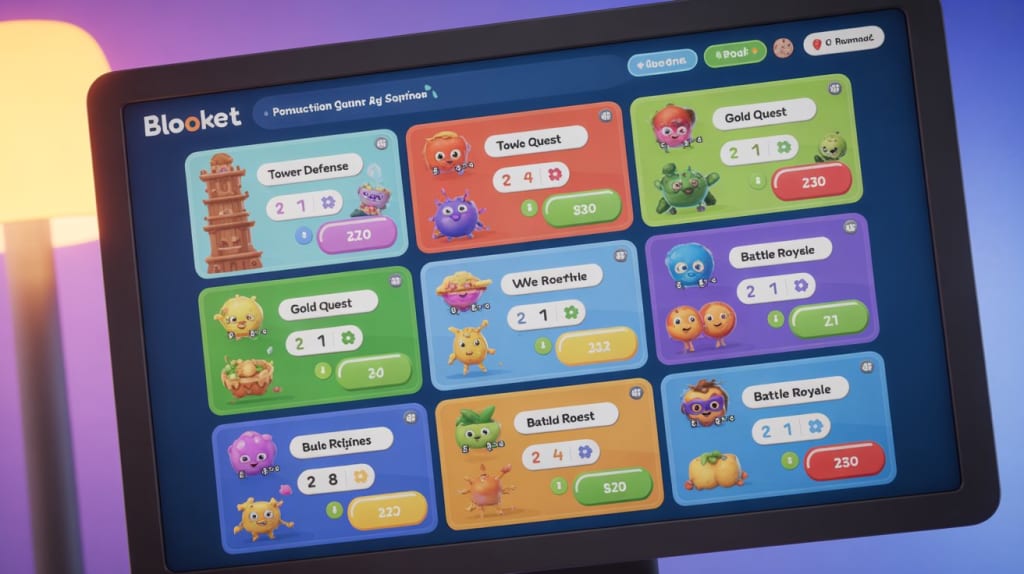
The second decision is the game mode. This is the most consequential choice. Different modes produce fundamentally different experiences with identical questions. A competitive steal-based mode like Gold Quest creates high energy and strategic thinking. A tower building mode like Tower Defense rewards sustained accuracy. A café management mode rewards steady progress without competitive pressure. Choosing the wrong mode for the class temperament is the most common host mistake.
The third decision is the settings — time limits, player caps, and whether to allow students to see the leaderboard during play. These settings are set-and-forget for most teachers, but adjusting them can meaningfully change session dynamics for specific classroom needs.
The Lobby — Why It Exists and How to Use the Wait Time
After a host starts a session, students see a join screen and the host sees the lobby. The lobby shows each student as they enter — their chosen display name and Blook character appearing one by one.
Most teachers treat the lobby as dead time. It is not. The lobby is the single best moment for setting behavioural expectations for the session. While students are entering, the host can explain the game mode mechanics, remind students which questions the session covers, and clarify the display name rules — school-appropriate names only, no blanks.
The lobby also reveals information about student tech access. Students who take longer than two minutes to join are usually on a slow network, a struggling device, or having trouble finding the join page. Identifying those students in the lobby rather than after the game starts means the issue gets resolved without interrupting gameplay.
When the host presses Start, the lobby closes. Students who have not joined by that point cannot enter the session — which is why giving students two to three minutes in the lobby before starting is standard practice for most teachers.
During the Game — What Students Are Actually Doing Cognitively
This is the part most guides skip entirely. What is happening in a student's brain during a Blooket session, and why does it produce better retention than reading the same content from notes?
Every question in a Blooket game requires a student to attempt an answer before seeing whether it is correct. That attempt — the effort to retrieve information from memory under mild time pressure — is the active retrieval event that produces the learning gain.
The time pressure matters. Without urgency, students can leisurely consider options until one feels right through recognition rather than retrieval. Mild time pressure forces genuine retrieval attempts. This is why game mechanics improve learning outcomes — not because games are inherently educational, but because they create the conditions under which genuine retrieval happens more reliably than in low-pressure review activities.
The immediate feedback after each answer matters equally. When a student answers incorrectly and immediately sees the correct answer, the contrast between their attempt and the correct response creates a stronger memory trace than reading the correct answer without a prior retrieval attempt. The error is not a failure — it is the most valuable learning event in the session.
After the Game — The Data Most Teachers Never Check
Every Blooket session generates a report automatically. The report shows individual student accuracy on each question, total questions answered, time spent, and which questions had the highest incorrect answer rate across the class.
That last metric is the most valuable piece of data the platform produces. Questions where the majority of students answered incorrectly identify the specific concepts that did not transfer from instruction to retrieval — which is exactly the gap that needs to be addressed in the next lesson.
Most teachers close the report without looking at it. The teachers who check it — even for two minutes after each session — know exactly what to address next lesson rather than guessing. Over a full term, that precision compounds dramatically.
The Blooket play guide at blooket.it.com covers the full post-game analytics dashboard, including how to export data and how to use question-level accuracy reports to plan follow-up sessions.
Common Mistakes During Live Sessions
Starting too quickly. Pressing Start before all students have joined means latecomers miss the session entirely. Two minutes of lobby time is the minimum — three is better for larger classes or slower networks.
Never changing the game mode. Running Gold Quest every session because students enjoy it produces habituation within four to six sessions. The engagement drops and the novelty effect that drives voluntary effort disappears. Rotating modes keeps both engagement and genuine effort high.
Ignoring students who stop answering. In most game modes, students who disengage simply stop answering without any visible disruption. The host dashboard shows real-time response rates — a student with zero recent responses needs a quiet check-in, not public intervention.
Ending the session too early. Teachers who end sessions when the top student finishes leave most of the class mid-game. Set an end time before starting and stick to it — this allows every player to complete a full arc, not just the fastest ones.
Playing Solo — The Feature Most Students Never Find
Solo mode does not require a host, a code, or any other player. Students log into blooket.com, find any question set — community-built or teacher-shared — select Solo, pick a game mode, and play immediately at their own pace.
The experience is identical to a live game in mechanics but completely self-directed in timing. Students who want to review material at 10pm the night before an exam, between classes, or during a study period can access any relevant question set without waiting for a teacher to host.
The 2026 update to solo mode added save states for three game modes — Tower Defense 2, Café, and Tower of Doom. Students can now pause mid-session and return to the exact point where they stopped. This makes solo mode genuinely viable for longer study sessions split across multiple sittings — a capability that significantly increases how useful it is for homework and independent exam preparation.
What Game Mode Should You Actually Choose?
The answer depends on two things: how long the session is running, and what the class energy level is on that particular day.
For sessions under fifteen minutes, Classic or Racing work best. The mechanics are simple, the pace is fast, and students can complete a full game arc without feeling rushed or cut off mid-session.
For sessions of fifteen to twenty-five minutes with high-energy classes, Gold Quest or Crypto Hack are consistently the strongest choices. The steal mechanic keeps every player engaged regardless of their position — even last place can flip the leaderboard in the final two minutes.
For sessions with anxious or mixed-ability classes, Café or Boss Battle remove the direct competition element while maintaining the retrieval mechanism. Café rewards steady accuracy without penalising slower players visibly. Boss Battle makes the entire class work cooperatively, which shifts the social dynamic from competition to shared effort.
For longer sessions or homework assignments, Tower Defense 2 with save states allows extended play without time pressure. Students can stop and resume, which makes it the only mode genuinely suited for study sessions that happen across multiple sittings.
FAQ
Q: What is the difference between play.blooket.com and blooket.com? blooket.com is the main platform — for account login, hosting games, building question sets, and accessing the dashboard. play.blooket.com is the student join page specifically — students enter a game code here without needing an account. New students frequently go to the wrong URL, which is the most common join failure.
Q: Can a teacher see which students are answering questions incorrectly during the live game? Yes. The host dashboard shows real-time response data during the session. Teachers can see which students have answered, how recently, and in some modes, the accuracy of recent responses. Full question-level accuracy per student appears in the post-game report.
Q: What happens if the internet drops during a live game? Students who lose connection during a live session drop from the game. When they reconnect and rejoin with the same name, they re-enter but their previous score is lost. Solo mode with save states is the more reliable option for environments with unstable connections.
Q: How many questions should a set have for a fifteen-minute session? Twenty to thirty questions is the optimal range for most game modes in a fifteen-minute session. Fewer than twenty and students cycle through the set repeatedly, which reduces the retrieval benefit of encountering each question. More than forty and most students will not reach the later questions before time runs out.
Q: Can parents play Blooket to help their children study at home? Yes. Any public question set is accessible through solo mode without a teacher or school account. Parents can search for relevant sets on blooket.com and play alongside their children as a study activity. No account is required to browse community sets.
Conclusion
Blooket is designed around one insight — that students who are genuinely motivated to answer questions correctly learn more than students who are merely present during a review session. Every design decision in the platform, from the lobby to the post-game report, serves that central goal.
Understanding what each element of the platform is doing — not just where to click but why each step exists — changes how teachers host and how students play. Better hosting decisions produce better retrieval conditions. Better retrieval conditions produce better test scores.
The flow from lobby to live game to post-game report is designed to be a complete learning cycle, not just an engagement activity. Use all three parts of it.
About the Creator
Backlinks Cart
Mohsin (CEO BacklinksCart Agency).
Our Backlinks Platform " Backlinkscart.com"
For any edits or link insertions. +92-309-1821105
Gmail: [email protected] OR
Enjoyed the story? Support the Creator.
Subscribe for free to receive all their stories in your feed.
Comments
There are no comments for this story
Be the first to respond and start the conversation.