product review
Product reviews for those who yearn to learn; a breakdown of the best back-to-school supplies, test prep manuals, online study tools and other resources for students and teachers alike.
Step-by-Step Guide to Safe and Sustainable Weight Loss
Introduction: Losing weight can be a challenging task, but it doesn't have to be impossible. With a few simple steps and a little bit of patience, you can achieve your weight loss goals in a safe and sustainable way. Here are some tips to help you get started:
By Oliver James4 years ago in Education
How to Use the Mental Time Travel System
Are you looking to gain a better understanding of the Mental Time Travel System? If so, you've come to the right place. This blog post will provide an introduction to the Mental Time Travel System and explain how it can be used to improve your life. We'll look at the concept of time travel, the different techniques you can use to time travel, and the benefits of the system. With this knowledge, you'll be able to start using the Mental Time Travel System and see the results for yourself. So, let's get started.
By ishtiak ali4 years ago in Education
Is ChatGPT - a hazard to Student's life?
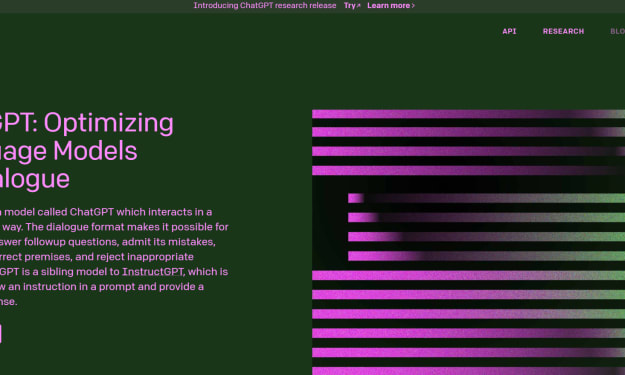
ChatGPT is a large language model developed by OpenAI. It is based on the transformer architecture and is trained on a massive dataset of conversational text, which allows it to generate human-like responses to various prompts.
By MADHAN KUMAR4 years ago in Education
Migrate Thunderbird to Outlook with Email, Address Book & Calendar?
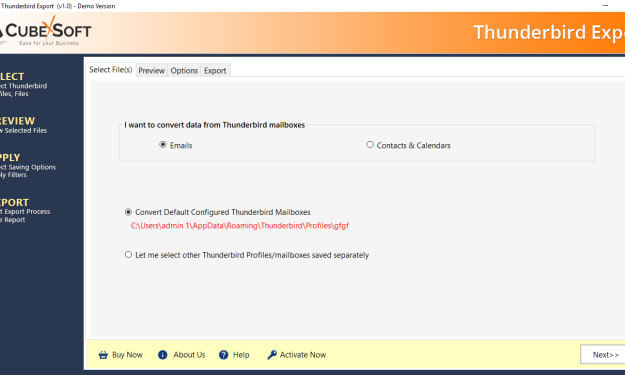
Are you facing challenges while migrating Thunderbird profile data into Outlook? That’s quite obvious, both Thunderbird and Outlook saves its files in different format and you cannot view or open messages without converting them. Thunderbird is an open source e-mail client with fantastic and useful uses, it’s developed by Mozilla group and it saves its emails as .MBOX format whereas Outlook email client comes with MS Office package and its saves its mailbox formats as .PST format and it’s an information manager application in-built with e-mail system. Microsoft Outlook allow users to work on MS Exchange and SharePoint servers in an organization.
By Joe Montello4 years ago in Education
History of keyboard
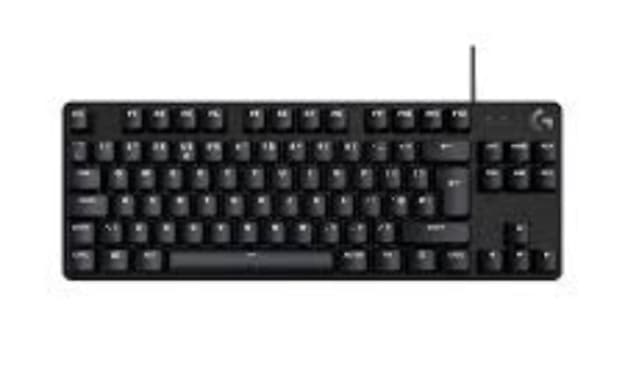
I. Introduction A. A keyboard is a peripheral device that is used for inputting text and other commands into a computer. It typically consists of a set of keys arranged in a standard layout, and is used in conjunction with a mouse or other pointing device. B. The keyboard is an essential input device for computers, as it allows users to input text, navigate through menus, and perform a wide range of other tasks. It is also used to control various functions and settings on the computer, such as adjusting the volume or launching applications. II. Types of Keyboards A. Mechanical keyboards use mechanical switches underneath each key, which provide a tactile and audible feedback when pressed. They are known for their durability and longevity, and are often preferred by gamers and typists. B. Membrane keyboards use a rubber or silicone membrane under the keys, which provides a softer and quieter typing experience. They are less expensive than mechanical keyboards and are commonly used in office and home settings. C. Scissor switch keyboards use a scissor mechanism under the keys, which provides a low profile and a shallow key travel. They are commonly used in laptops and other portable devices. III. Anatomy of a Keyboard A. Function keys are located at the top of the keyboard and are used to perform specific functions such as adjusting the volume or controlling the brightness of the screen. B. The numeric keypad is located on the right side of the keyboard and is used to input numbers. C. The arrow keys are located on the bottom-right corner of the keyboard and are used to navigate through text and documents. D. Special keys include multimedia keys, volume control, and other keys specific to the application or device. IV. Connection Types A. USB keyboards connect to a computer using a USB cable and are the most common type of keyboard. B. Bluetooth keyboards connect wirelessly to a computer using Bluetooth technology. C. Wireless keyboards connect to a computer using a wireless receiver that is connected to the computer via USB. V. Additional Features A. Backlighting is a feature that allows the keys to be illuminated, making it easier to type in low-light conditions. B. Gaming keyboards are designed specifically for gaming and often include additional keys and features such as programmable macro keys and customizable lighting. C. Ergonomic keyboards are designed to reduce strain and discomfort on the hands and wrists while typing. VI. Conclusion A. The versatility and wide range of keyboard options available, from mechanical to membrane, wired to wireless, and ergonomic to gaming, ensure that there is a keyboard that will suit everyone's needs. B. The continued evolution of keyboard technology is evident in the features such as backlighting, multimedia keys, and wireless connectivity. C. Despite the rise of alternative input methods such as touchscreens and voice recognition, the keyboard remains an essential input device for computers as it allows for efficient and precise input.The first keyboard-like device is believed to have been invented by the ancient Greeks around 300 BC, which was called the "hydraulic telegraph." The first mechanical keyboard was invented in the 1870s by Christopher Latham Sholes, a newspaper editor and printer who was looking for a faster way to input text. The keyboard as we know it today, with a standard layout of keys, was first introduced with the Remington No. 2 typewriter in 1878.
By Giridharan4 years ago in Education
The Future of AI: Insights from OpenAI's Research and Development
Introduction: Artificial intelligence (AI) is rapidly advancing and has the potential to change the way we live and work in the future. OpenAI, a leading AI research laboratory, is at the forefront of this revolution, conducting research and development in various areas of AI. In this blog post, we will explore the current state of AI, the future of AI and its potential impact on society, and the insights we can gain from OpenAI's research and development efforts.
By donald paul4 years ago in Education
Simplifying Java Web Development with Spring Boot
Java Spring Boot is a powerful framework for building web applications and microservices. It is based on the popular Spring Framework, and provides a simplified and more efficient way to create and run Java applications.
By Abhinav Singh4 years ago in Education
Earn through ChatGPT
I. Introduction A. Explanation of what ChatGPT is and how it works ChatGPT is a large language model developed by OpenAI that uses deep learning techniques to generate human-like text. It is trained on a massive dataset of text and uses this information to generate new text that is coherent and grammatically correct. The model is designed to understand the context of the input and generate a response that is relevant to the input.
By Gammu Tamilan4 years ago in Education