
Start Programming with Python:
A Basic Guide for Beginners
INTRODUCTION
Python is one of the most popular and accessible programming languages, especially for beginners. In this guide, I'll teach you the basics of Python, how to install it on your computer, and how to start writing your first programs. Whether you want to build websites, automate tasks, or analyze data, Python is a great tool to get started. Let's get started!
WHAT IS PYTHON?
Python is a high-level programming language, created by Guido van Rossum in the late 1980s and officially released in 1991. It is known for its simple and readable syntax, making it ideal for beginners. Despite its simplicity, Python is incredibly powerful and is used in a wide variety of fields, such as web development, data analysis, artificial intelligence, automation, and more. Additionally, Python has a large community of developers who constantly contribute to improving its capabilities.
PYTHON INSTALLATION
Before you start writing your first programs, we need to make sure Python is installed on your computer. Next, I explain how to do it on different operating systems.
En Windows:
1. Go to the official Python site at python.org.
2. Click "Download Python" and select the latest version.
3. During installation, make sure to check the "Add Python to PATH" option. This is important to be able to run Python from the terminal.
4. Once installed, open the terminal (you can search for "cmd" in the start menu), type python --version and press Enter to verify that the installation was successful.
En macOS:
1. Just like on Windows, visit python.org.
2. Download the installer for macOS and follow the installation instructions.
3. After installation, open the terminal and type python3 --version to verify that Python has been installed correctly.
En Linux:
1.Most Linux distributions already include Python pre-installed. To verify this, open the terminal and type python3 --version.
2. If you do not have Python installed, you can install it by running the following command:
- Ubuntu/Debian: sudo apt-get install python3
- Fedora: sudo dnf install python3
And that's it! Now that you have Python installed on your system, you are ready to start programming. In the next step, we are going to see how to write your first program.
FIRST STEPS WITH PYTHON (Basic Syntax)
Now that Python is installed on your computer, let's take our first steps writing code. In this section, we will explore some of the most basic features of Python, such as variables, data types, and operators.
- Variables and data types
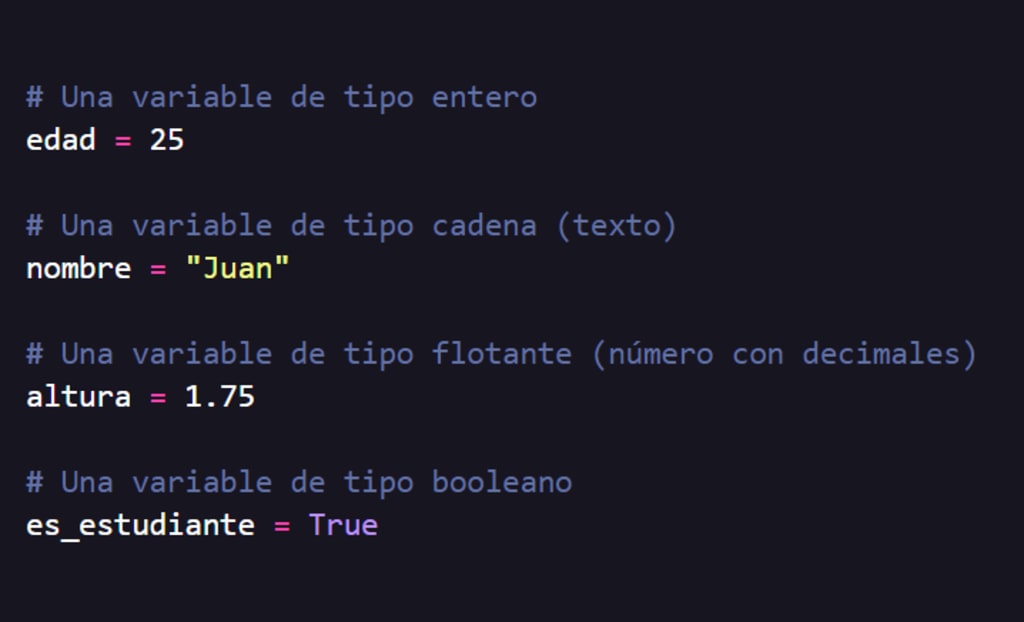
In Python, variables are created by simply assigning a value to a name. Here we show you some examples of the most common data types:
# A variable of type integer
age = 25
# A variable of type string (text)
name = "Juan"
# A variable of type float (number with decimals)
height = 1.75
# A variable of type boolean
is_student= True
In Python, you don't need to declare the type of variable before using it, Python automatically infers it based on the value you assign to it
- Basic operators
Operators allow calculations and comparisons between variables.
# Arithmetic operations
sum = 5 + 3 # Sum
subtraction = 10 - 4 # Subtraction
multiplication = 4 * 2 # Multiplication
division = 10 / 2 # Division
# Comparison operators
is_equal = (5 == 5) # Check if two values are equal
is_greater = (10 > 5) # Check if 10 is greater than 5
You can perform mathematical operations with Python very easily. Additionally, you can compare values to see if they are equal, greater, less, etc.
- Control structures (Conditional)
Conditional structures allow certain parts of code to be executed depending on whether a condition is true or false.
age = 18
if age >= 18:
print("You are of legal age")
else:
print("You are a minor")
In this case, if the age variable is greater than or equal to 18, Python will execute the code block within the if statement. If not, it will execute the block inside the else.
HOW TO WRITE AND RUN A PYHTON PROGRAM
We've already covered some Python basics, now let's write and run your first program. Don't worry, it's very simple. We will start with a program that prints a message on the screen
- Writing your first program
Create a Python file. You can do this with any text editor, such as VS Code, Sublime Text, or even a basic text editor.
- Create a new file called greeting.py.
- Write the following code in the file:
print("Hello, World!")
In Python, the print() function is used to display messages on the screen. In this case, the message will be 'Hello, World!'.
- Running your program
Now, let's see how to run your program. Depending on the operating system you are using, the steps are as follows:
Windows: Open the terminal (cmd), navigate to the folder where you saved your greeting.py file, and type:
- python greeting.py
macOS/Linux: Open the terminal, navigate to the folder where you saved your greeting.py file, and type:
- python3 greeting.py
Congratulations! You just wrote and ran your first Python program. Now that you have the basics, you can start experimenting for yourself, creating new programs and exploring more Python features.
CONCLUSION
Congratulations! You have taken your first steps in the world of Python. You have learned how to install Python, work with variables and operators, use conditional structures, and run your first program. These are just the basics, but with practice and dedication, you'll soon be able to create more complex projects.
If you liked this guide, I encourage you to continue exploring Python. There are many free resources available online, such as official Python documentation, YouTube tutorials, and developer communities where you can learn and resolve questions.
Remember: programming is a skill that improves with practice. Don't hesitate to experiment and try new ideas. Keep learning and building your path as a programmer!
About the Creator
Billy Pacheco Ramos
Estudiante de ingeniería de software apasionado por Python y el desarrollo backend. Comparto aprendizajes, proyectos y consejos mientras sigo mi camino como programador, explorando el mundo del código.
Enjoyed the story? Support the Creator.
Subscribe for free to receive all their stories in your feed.
Comments
There are no comments for this story
Be the first to respond and start the conversation.