
How to Finish Python Assignments Faster
Simple habits that save hours on every assignment.

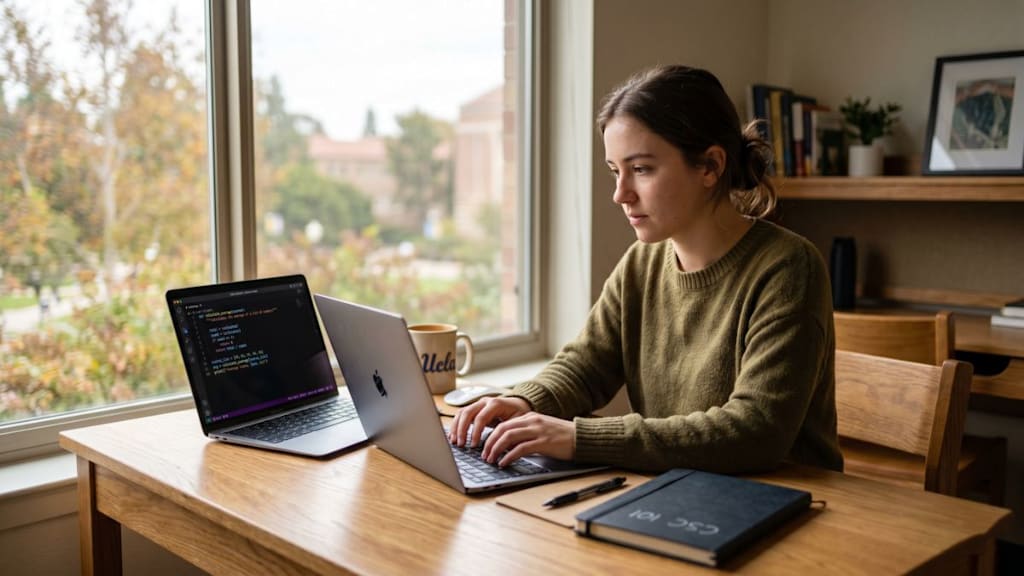
Python assignments have a reputation for taking longer than they should. Not because the problems are necessarily hard, but because most students don't have a reliable process before they start typing. They open the editor, stare at the prompt, and then spend the first hour going in circles. The fix isn't working harder it's working with a better approach from the start.
Read the Problem Twice Before Opening Your Editor
This sounds obvious, but most students skip it. Read the full problem once to understand the overall picture, then read it a second time specifically to extract the exact inputs, expected outputs, and any edge cases mentioned. Write these down in plain English before writing a single line of code. A large portion of time wasted on Python assignments comes from solving the wrong version of the problem either missing a constraint or misunderstanding what the output should look like.
Outline Your Functions Before Writing Logic
Before writing any actual logic, define your solution as a set of empty functions with clear, descriptive names. If the task is to analyze a dataset of student grades, your file might start like this:
python
def load_data(filename):
pass
def calculate_average(grades):
pass
def find_highest_score(grades):
pass
def display_summary(results):
pass
This structure forces you to think through the entire solution before committing to any implementation. Each function becomes a small, independently testable unit, and you always know exactly where you are in the problem. It also makes debugging far easier — if something breaks, you know which function to look at.
Debug as You Build, Not at the End
Add print statements after completing each function, not at the end of the entire script. Check what each function actually returns before moving on to the next one. Two minutes of checking now saves thirty minutes of untangling errors later. A common mistake is writing 80 lines of code and only then discovering that a variable was mishandled from line 10 onwards.
Keep a Personal Error Log
Every time you encounter a new error — `TypeError`, `IndexError`, `KeyError`, `IndentationError` — write it down with what caused it and how you fixed it. After a few assignments, this becomes your own quick-reference sheet. Most students hit the same errors repeatedly across different assignments. A personal log breaks that cycle and builds familiarity with Python's error messages faster than any tutorial.
Time-Box Each Section
Give yourself a fixed time limit per function or section — 20 to 25 minutes is a reasonable starting point. If you are stuck after that time, move on and flag it. Come back after completing the easier sections. The answer to a tricky problem often becomes obvious once you've made progress elsewhere and your mind has had a brief break from it. Staying stuck on one section for an hour is one of the most common ways assignments run over time.
Use Python's Built-In Help While Coding
Most students only search online when something breaks. Get into the habit of using `help()` and `dir()` directly inside your Python shell while building. Running `help(str)` shows every available string method. Running `dir(list)` shows everything you can do with a list. This cuts lookup time significantly during assignments when you can't remember the exact method name or syntax.
Reuse and Build on Your Own Code
Keep a personal snippets file. Every time you write a clean loop, a reliable file reader, or a sorting function that works well — save it. Python assignments across a semester frequently reuse similar patterns. Having your own tested snippets means you're building on proven, working code rather than rewriting from scratch each time. Over a semester, this compounds into significant time savings.
When You Are Genuinely Stuck
Sometimes an assignment combines multiple concepts in a way that genuinely blocks progress — especially when deadlines are close and there's no time to work through it methodically. In those situations, some students use reference platforms to see a fully worked solution and understand the logic before attempting their own version. AssignmentDude.com is one option students use for this you submit the task and get back a explained solution you can learn from, not just copy.
The goal with Python assignments is not speed for its own sake. It is reducing the friction between reading a problem and producing a clean, working solution. These habits do not require new tools or special software. They just change how you approach the work before, during, and after you write code — and that makes all the difference over time.
About the Creator
Python Homework Help
Need top-notch coursework support? Our expert Python Homework Help services offer tailored assistance for university or college projects. We provide meticulously researched, well-crafted content that meets academic standards.
Enjoyed the story? Support the Creator.
Subscribe for free to receive all their stories in your feed.
Comments
There are no comments for this story
Be the first to respond and start the conversation.