
Exploring the Benefits of Using CMS Tools for Web Development
web development courses
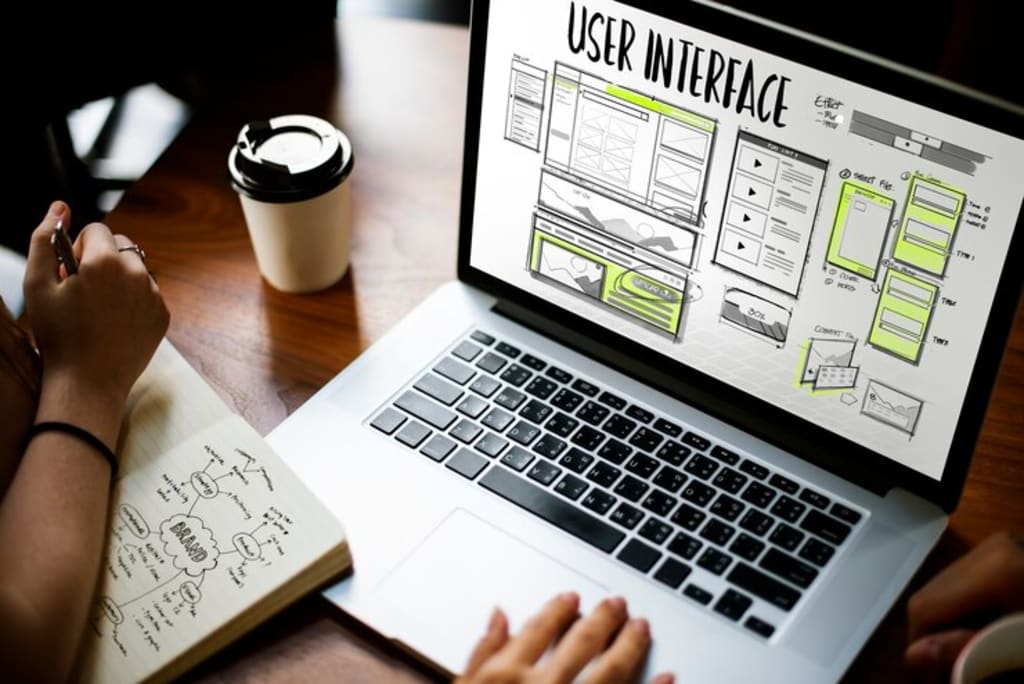
In today’s fast-paced digital landscape, web development has become an essential skill for businesses and individuals alike. As websites continue to serve as the face of brands and businesses, the demand for efficient and user-friendly website management has led to the widespread adoption of Content Management Systems (CMS). These tools have revolutionized the way websites are built, updated, and maintained, offering an accessible platform for both beginners and experienced developers. If you're pursuing web development courses, learning how to use CMS tools is an essential part of modern web development training. This article explores the benefits of using CMS tools for web development and how they can enhance your workflow.
What is a CMS?
A Content Management System (CMS) is a software application that allows users to create, manage, and modify digital content on a website without needing extensive coding knowledge. CMS tools typically include a user-friendly interface for content creation, a database for storing content, and templates for easy design implementation. Some popular CMS platforms include WordPress, Joomla, Drupal, and Magento, each with its unique strengths depending on the specific needs of the website.
The Benefits of Using CMS for Web Development
1. Simplified Web Development Process
One of the most significant benefits of using CMS tools for web development is the simplification of the development process. Traditionally, creating a website required extensive coding skills, as developers had to write custom code for every feature. However, with CMS platforms, much of this complexity is eliminated. Platforms like WordPress, Joomla, and Drupal offer pre-built templates, themes, and plugins that streamline the development process.
For those interested in web development courses, learning how to use CMS tools is a crucial part of modern web development training. These tools provide a more user-friendly approach, enabling developers to focus on customizing the design and functionality of a website rather than spending time on basic coding tasks. As a result, developers can work more efficiently, creating fully functional websites in less time.
2. Cost-Effective Solution
Building a website from scratch can be an expensive and time-consuming process, especially for small businesses and startups. Custom websites require significant investment in development time and resources, which may not always be feasible for those with limited budgets. CMS tools provide a cost-effective alternative by offering affordable subscription plans or even free versions with essential features.
For those pursuing web development courses, learning to work with CMS tools like WordPress or Wix allows developers to create websites quickly, without the need for extensive programming knowledge. This makes CMS platforms a practical choice for businesses that want to create a professional website without breaking the bank. By using pre-built templates and plugins, developers can reduce the overall cost of website development while still delivering a high-quality product.
3. User-Friendly Interface
Another advantage of CMS tools is their user-friendly interface, which allows individuals with little to no technical experience to manage and update their websites. Whether you're a business owner or a blogger, CMS platforms allow you to add, edit, and delete content without needing any coding knowledge. This ease of use is particularly helpful for users who want to manage their websites without relying on a developer for every update.
For developers who have completed web development courses, understanding how to use a CMS tool can be a valuable skill. Many businesses prefer to have their websites managed by internal teams rather than relying on external developers. By using a CMS, developers can create a system that empowers clients to make content changes on their own, reducing the need for frequent maintenance requests.
4. Scalability and Flexibility
As businesses grow, so too do their website needs. CMS platforms are designed to be scalable, allowing developers to easily add new features, pages, or even entire sections to a website as the business evolves. Whether you need to add an e-commerce store, a blog, or a gallery, CMS tools provide the flexibility to integrate these features without extensive coding.
For those enrolled in web development courses, understanding how to scale a website using CMS tools is a critical skill. As businesses expand, having the ability to quickly adjust and add new features to a website can help developers provide long-term solutions that meet the changing needs of their clients. With the wide variety of plugins and add-ons available for popular CMS platforms, developers can implement new functionality quickly and efficiently.
5. SEO-Friendly Features
Search engine optimization (SEO) is an integral part of web development, as it determines how visible a website is on search engines like Google. CMS tools are designed with SEO in mind, offering built-in features that help improve a website’s ranking. For example, platforms like WordPress come with plugins that allow developers to optimize page titles, meta descriptions, URL structures, and image alt texts with ease.
For those learning web development through web development courses, mastering SEO with a CMS can make a significant difference in the performance of a website. By optimizing a website’s content and structure, developers can increase its chances of ranking higher on search engines, attracting more traffic and improving its online presence.
6. Content Control and Collaboration
CMS tools allow for seamless content management and collaboration among multiple users. With a CMS, businesses can assign different user roles with varying levels of access to content. For example, administrators can grant content writers access to update blog posts, while designers may only be allowed to edit the website’s layout. This ensures that the right people have the right permissions to make updates without compromising the website’s integrity.
This feature is particularly useful for teams that collaborate on large websites, such as news outlets or corporate blogs. Developers who understand how to set up user roles and permissions in a CMS will find that it’s an essential skill for managing complex websites.
7. Security and Regular Updates
Security is a major concern for any website, especially when dealing with sensitive customer data or online transactions. CMS platforms frequently release updates that fix security vulnerabilities and improve overall system stability. By keeping the CMS and its plugins up to date, developers can ensure that their websites are protected from potential threats, such as hacking attempts, malware, and data breaches.
For those in web development courses, understanding the importance of maintaining the security of a CMS-powered website is a key takeaway. Learning how to implement security best practices, such as installing SSL certificates and setting up two-factor authentication, can help protect websites and their users from cyberattacks.
8. Mobile Responsiveness
With the rise of mobile internet usage, ensuring that websites are responsive and optimized for mobile devices is essential. Many CMS platforms offer responsive themes that automatically adjust to different screen sizes, ensuring a seamless user experience across desktops, tablets, and smartphones. This feature saves time for developers, as they don’t need to manually code for mobile responsiveness.
Web developers enrolled in web development courses will learn how to optimize websites for mobile devices, but CMS platforms make it easy by offering mobile-friendly templates and themes. These themes allow businesses to provide a great user experience, regardless of the device being used.
Conclusion
Using CMS tools for web development offers numerous benefits, including simplified workflows, cost-efficiency, ease of use, scalability, SEO optimization, and enhanced security. Whether you're a beginner or an experienced developer, mastering CMS tools can streamline the development process, allowing you to create dynamic websites that meet the needs of your clients. For those pursuing web development courses, learning to work with popular CMS platforms such as WordPress, Joomla, or Drupal is a valuable skill that will help you stay competitive in the industry. At easyshiksha.com, we offer comprehensive resources to help you build a successful career in web development by mastering these essential tools.
About the Creator
Enjoyed the story? Support the Creator.
Subscribe for free to receive all their stories in your feed.
Comments
There are no comments for this story
Be the first to respond and start the conversation.