
Best Free AI Tools for Content Creators
Create Better Videos, Designs, Captions, Scripts, and Social Media Content Without Spending Money

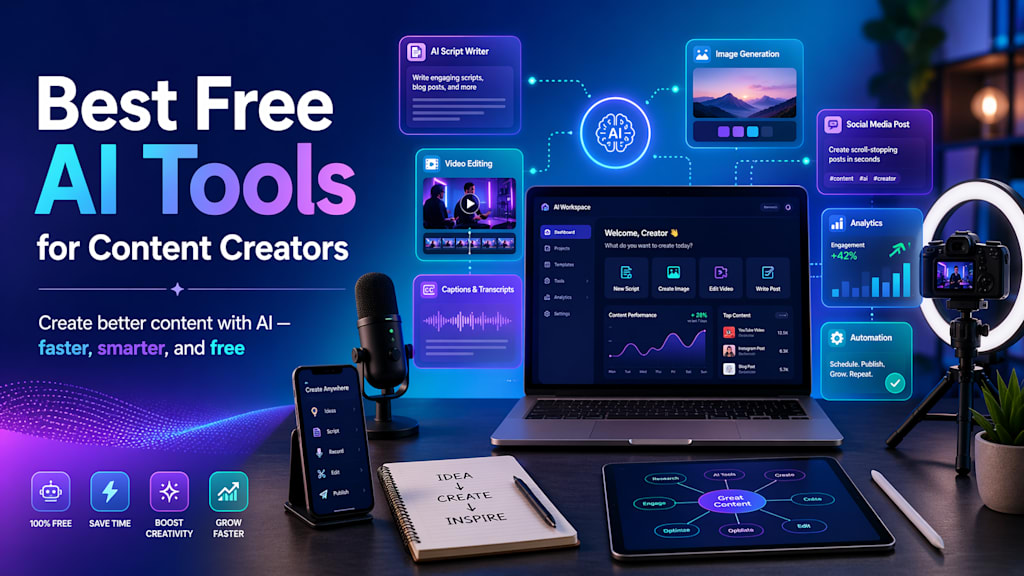
Content creation is growing very fast. Today, creators are not only making simple posts or videos; they are creating YouTube Shorts, Instagram Reels, TikTok videos, blogs, thumbnails, captions, voiceovers, and full content plans. Doing all of this manually can take a lot of time.
This is where AI tools are helpful. AI tools can help content creators write scripts, generate ideas, edit videos, design thumbnails, create social media posts, improve captions, and save hours of work.
The good thing is that many powerful AI tools also offer free plans or free features. In this blog, we will discuss the best free AI tools for content creators that beginners can use to create professional-looking content.
Why Content Creators Should Use AI Tools
AI tools do not replace creativity. They support creativity.
A content creator still needs ideas, style, editing sense, and audience understanding. But AI can make the work faster and easier.
For example, AI can help you:
- Generate video ideas
- Write YouTube scripts
- Create Instagram captions
- Design thumbnails
- Edit short videos
- Remove background from images
- Generate social media post designs
- Create AI images
- Improve grammar and writing
- Plan content calendars
So instead of spending hours on small tasks, creators can focus more on quality and consistency.
1. ChatGPT : Best for Ideas, Scripts, Captions, and Content Planning
ChatGPT is one of the most useful AI tools for content creators. It can help you brainstorm content ideas, write captions, create video scripts, rewrite text, summarize information, and plan content. OpenAI describes ChatGPT as a tool that can help users explore ideas, solve problems, write, brainstorm, edit, and learn faster.
Best uses for content creators
You can use ChatGPT for:
- YouTube video ideas
- YouTube Shorts scripts
- Blog outlines
- Instagram captions
- TikTok hook ideas
- Content calendars
- Product descriptions
- Email writing
- Hashtag ideas
Rewriting boring text into attractive text
Example prompt
- Give me 10 viral YouTube Shorts ideas about AI tools for students.
- Make the ideas simple, interesting, and beginner-friendly.
Why it is useful
ChatGPT is very helpful when you are stuck and do not know what to post. It can give you ideas quickly and help you write content in a clear way.
Free plan
ChatGPT has a free plan with regular quality and speed updates as models improve, according to OpenAI’s pricing page.
2. Canva AI : Best for Thumbnails, Posters, Logos, and Social Media Designs
Canva is one of the easiest design tools for beginners. It is very useful for creators who need thumbnails, Instagram posts, banners, logos, presentations, and short video designs.
Canva offers AI-powered tools for creating social posts, videos, presentations, and other designs, and it allows users to start designing for free. Canva’s Magic Design can auto-generate design templates from text or media, and Canva also offers an AI image generator for creating images from prompts.
Best uses for content creators
You can use Canva AI for:
- YouTube thumbnails
- Instagram posts
- Facebook posts
- YouTube banners
- Logo designs
- Presentation slides
- AI-generated images
- Short video templates
- Social media ads
Example prompt for Canva AI
- Create a modern YouTube thumbnail design for a video titled:
- Best Free AI Tools for Content Creators
Why it is useful
Canva is beginner-friendly. You do not need advanced graphic design skills. You can choose a template, edit text, add images, and create professional-looking designs quickly.
Best for
Canva AI is best for content creators who want attractive visuals without learning Photoshop or advanced design software.
3. CapCut AI : Best for Short Video Editing
CapCut is one of the best tools for creators who make YouTube Shorts, TikTok videos, Instagram Reels, and Facebook Reels. It has many AI-powered video editing features.
CapCut says its AI video editor helps users create and edit videos, and its AI video generator can support tasks like scriptwriting, AI voiceovers, scene generation, and editing. CapCut also describes its Video Studio as an all-in-one AI video maker that can generate scripts, images, avatars, clips, subtitles, and music.
Best uses for content creators
You can use CapCut AI for:
- Short video editing
- Auto captions
- Text-to-video
- AI voiceovers
- Video templates
- Background removal
- Subtitles
- Transitions
- Effects
- Reels and Shorts editing
Why it is useful
Short-form video content is very popular. But editing videos can take a lot of time. CapCut helps creators edit faster by offering templates, captions, effects, and AI features.
Best for
CapCut AI is best for YouTubers, TikTok creators, Instagram creators, and anyone making short videos.
4. Adobe Express AI : Best for Quick Social Media Content
Adobe Express is another great tool for creators. It is useful for making social media posts, videos, flyers, logos, images, and other creative content.
Adobe describes Adobe Express as an all-in-one design, photo, and video tool for creating social content, videos, logos, flyers, and more. Adobe also says Adobe Express can use AI to generate images, videos, social posts, and other content, and then users can customize the result.
Best uses for content creators
You can use Adobe Express AI for:
- Social media posts
- Posters
- Flyers
- Logos
- Video editing
- AI image generation
- Presentation designs
- Marketing content
Free plan
Adobe says Adobe Express offers a free plan that includes basic AI design tools, templates, and design assets.
Why it is useful
Adobe Express is good for creators who want quick and polished designs. It is especially useful for social media posts and branded content.
Best AI Tool Combination for Beginners
If you are a beginner content creator, you do not need to use every tool. Start with only a few tools.
A simple beginner setup can be:
For YouTube Shorts and Reels
- ChatGPT for ideas and scripts
- CapCut AI for editing
- Canva AI for thumbnails
- ElevenLabs for voiceover
For Instagram and Facebook Content
- ChatGPT for captions
- Canva AI for post designs
- Adobe Express for quick branded content
- Grammarly for clean writing
For Blogging
- ChatGPT for outlines and drafts
- Perplexity AI for research
- Grammarly for editing
- Canva AI for blog images
Tips for Using AI Tools Properly
AI tools are powerful, but you should not copy everything blindly. Always add your own creativity.
Here are some important tips:
- Check facts before publishing
- AI can make mistakes, so verify important information.
- Add your own style
- Do not make your content look fully robotic.
- Use AI for support, not full replacement
- Your personal experience and creativity matter.
- Keep content simple and helpful
- People like content that solves their problem quickly.
- Use free tools first
Do not buy paid plans until you understand your content needs.
FAQs
1. Can I use free AI tools for YouTube content?
Yes, you can use free AI tools for YouTube ideas, scripts, thumbnails, captions, editing, and voiceovers. But always check each tool’s usage rules, especially for commercial use.
2. Which AI tool is best for YouTube Shorts?
For YouTube Shorts, a good combination is ChatGPT for scripts, CapCut AI for editing, and Canva AI for thumbnails.
3. Which AI tool is best for Instagram posts?
Canva AI and Adobe Express AI are very good for Instagram posts because they provide templates, design tools, and AI-powered creative features.
4. Can AI tools help me grow faster?
AI tools can save time and improve quality, but growth still depends on consistency, good ideas, audience understanding, and strong content.
5. Are free AI tools enough for beginners?
Yes, free AI tools are enough for beginners. You can start with free plans and upgrade later only when you need more advanced features.
Conclusion
AI tools are now very helpful for content creators. They can save time, improve quality, and make the content creation process easier. Whether you are creating YouTube videos, Instagram posts, TikTok videos, blogs, or thumbnails, AI tools can support your work.
For beginners, the best free AI tools to start with are ChatGPT, Canva AI, CapCut AI, Adobe Express AI, Grammarly, and Perplexity AI.
Start simple. Use ChatGPT for ideas, Canva for designs, CapCut for videos, and Grammarly for writing. Once you become comfortable, you can explore more advanced tools like ElevenLabs, Leonardo AI, and Notion AI.
AI will not replace your creativity. It will help you create faster, better, and more consistently.
About the Creator
Enjoyed the story? Support the Creator.
Subscribe for free to receive all their stories in your feed.
Comments
There are no comments for this story
Be the first to respond and start the conversation.