
Best 5 3D Printing Slicer (Curated List)
Top 3D Printing Slicer

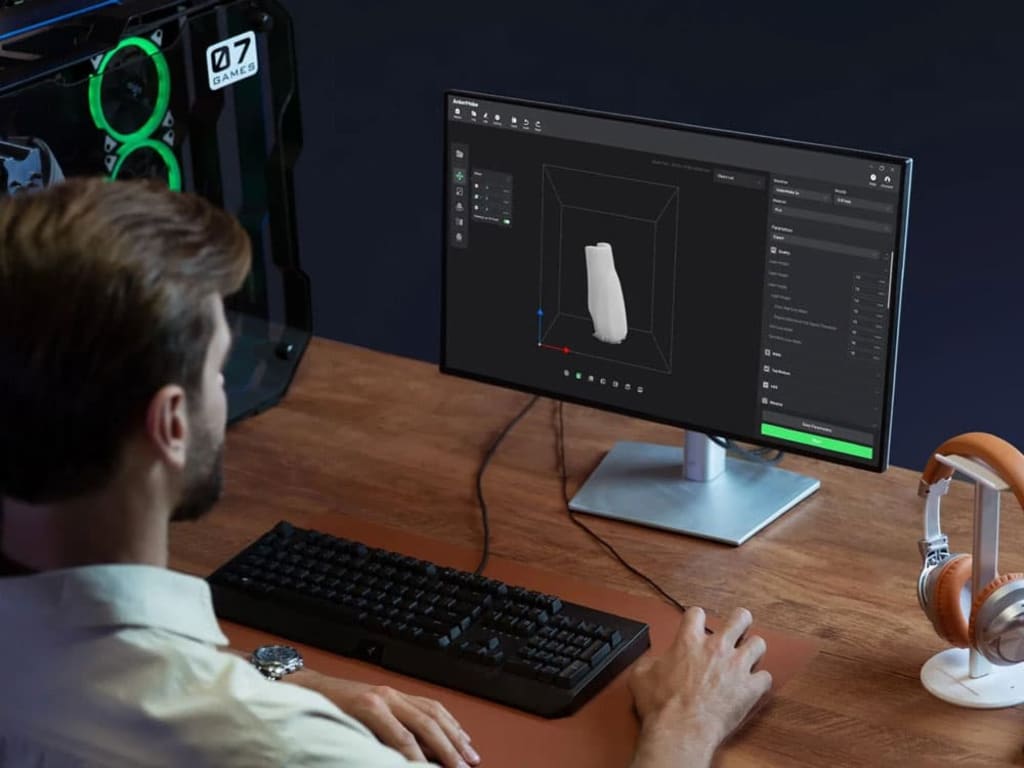
A 3D slicer is an application that turns a 3D model into a G-code file containing layers and instructions that a 3D printer can comprehend. Each slice represents a cross-section of the 3D object at a specified height in the Z-axis. The slicer lets you to change a variety of printing parameters, including layer height, print speed, infill density, support structures, and cooling settings.
Even if you have one of the top 3D printers, you'll need a good slicer to generate high-quality output and execute critical functions like scaling, rotating, and changing colours in your models. While each printer comes with its own program, which is typically a branded version of Ultimaker Cura, it is not necessarily the best option. We've compiled a list of the five greatest slicers so you can choose the one that's right for you. And we've got some steps to guide you through the fundamentals of each.
Best 3D Printing Slicer
1. Orca Slicer
Orca Slicer is an advanced slicing software created as a fork of Bambu Studio, which is based on PrusaSlicer, which is a fork of the original SliC3r software. It was made by a GitHub user named Softfever and was intended to improve the features and capabilities of its predecessor by including additional printer presets, detailed print settings, and a variety of other advanced tools that improve the overall 3D printing experience.
OrcaSlicer provides extra customisation possibilities, such as a variety of pre-configured printer profiles and the ability to add custom printers. It also has unique features such as Sandwich (inner-outer-inner) mode, which is an upgraded version of the External perimeters first option, Klipper firmware support, and a thorough calibration menu that allows customers to easily fine-tune their print settings.
2. PursaSlicer
PrusaSlicer was created by Prusa Research for Prusa 3D printers, but it also supports a variety of third-party models. If your 3D printer isn't on the list, you can easily add it. It offers an intuitive UI and allows multi-material 3D printing. PrusaSlicer is actively developed and updated; you will be prompted to upgrade it multiple times.
The software is absolutely free. To slice 3D models with PrusaSlicer, follow the procedures below.
3. Cura
Ultimaker developed Cura, a leading slicer software for 3D printing lovers ranging from beginners to specialists. It converts 3D model files (particularly STL, 3MF, or OBJ) to printable G-code, optimising the process with a powerful slicing engine for varied line widths. This function improves printing speed, durability, and accuracy.
Cura, founded on an open-source philosophy, is still free and is constantly updated by Ultimaker and its vibrant user community, which contributes to its development and adds profiles for many printers, including competitors. The software can not only repair files, but it also provides detailed estimates of toolpaths, printing time, and material consumption. Cura provides all users with a customisable and cutting-edge experience, including support for third-party plugins and an experimental section for the daring.
4. IdeaMaker
Raise3D, a 3D printer manufacturer, invented Ideamaker. The slicer is well-known for creating advanced supports and enables users to customise support structures for overhangs and complex geometries, resulting in improved print quality and reduced post-processing requirements.
IdeaMaker is more than just a 3D slicing software; it can also repair 3D objects. For example, you can delete duplicate and isolated faces, correct holes and orientation, and flip mesh orientation. It is free and enables multi-material 3D printing, such as PrusaSlicer. Follow the methods outlined below to slice your 3D models in IdeaMaker.
5. Slic3r
Slic3r is a free, open-source 3D slicing program that works with both FDM and resin 3D printers. It includes advanced capabilities such as a print spool queue option, which allows you to 3D print on many 3D printers at once. Visual toolpath previewing is also possible, as is batch generation of G-code files and 3D model repair. Follow the instructions below to slice your 3D objects.
Things to Keep in Mind Before Choosing a 3D Printing Slicing Software
Consider the 3D printer: The first step is to assess the type of 3D printer you own. Not all slicing software is compatible with every 3D printer. For example, if you have an FDM printer, you will want slicing software specifically built for FDM printing.
Consider your current skill level: If you are a beginner, you should select slicing software that is simple to use. Many free and open-source solutions exist, like Cura and Slic3r. If you have more skill, you might wish to use a more capable software with additional functionality, such as Simplify3D or PrusaSlicer.
Think about the characteristics you require: Different slicing software provides various functionality. Some features to examine are:
- Some slicing tools may automatically construct support structures for overhangs and bridges.
- Infill patterns: Different infill patterns might impact your model's strength, weight, and print time.
- Speed and quality settings: You may tailor the speed and quality of your prints to your specifications.
- Troubleshooting tools: Some slicing software includes tools to help you troubleshoot print issues.
Read reviews: After you've narrowed down your options, check reviews for various slicing software. This will help you understand the advantages and disadvantages of each software.
Final Thoughts
Your printing experience and the final result of your projects can be significantly impacted by selecting the appropriate 3D print slicer. Choosing from the best slicers on this list can give you the resources you need for fulfilling and effective 3D printing endeavours, regardless of your level of experience. Making sure your selection fits your unique printing needs and goals can be further ensured by taking particular needs into account and looking through FAQ.
About the Creator
Visakha
I am a tech geek having a keen interest in the latest happenings in the technology. I love to review different software and apps for my readers.
Enjoyed the story? Support the Creator.
Subscribe for free to receive all their stories in your feed.
Comments
There are no comments for this story
Be the first to respond and start the conversation.