
Apple Issues Major iOS 18.1 Warning
iPhone app development company break down everything you need
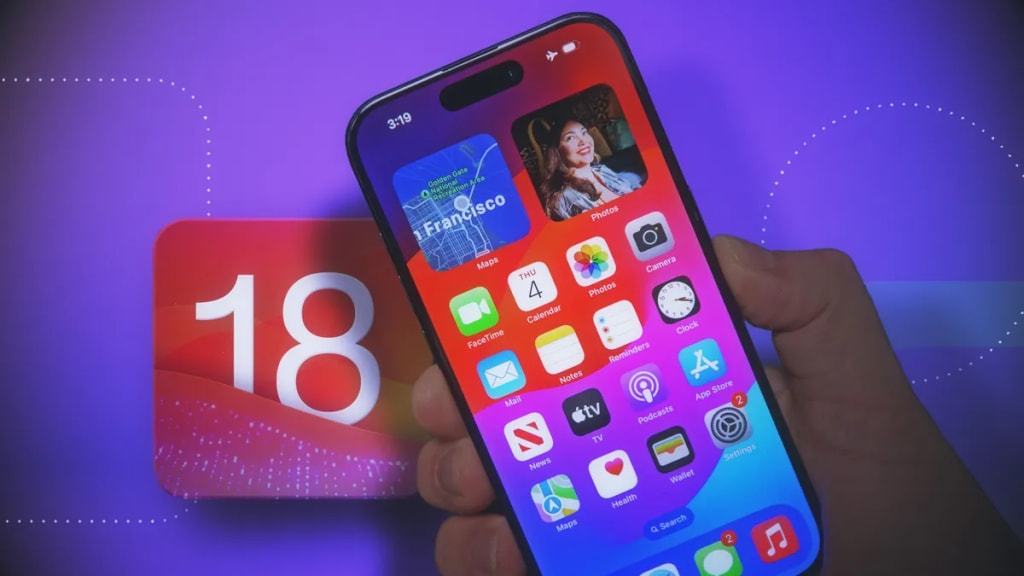
Apple has just released its newest operating system update for iPhones - iOS 18.1. This major update comes with some exciting new features as well as important security fixes that all iPhone users should be aware of.
In this post, the experts at our iPhone app development company break down everything you need to know about iOS 18.1.
What’s New in iOS 18.1
iOS 18.1 delivers some helpful new capabilities to iPhones beyond just security patches. Key updates include:
Apple Intelligence Capabilities (Beta)
iOS 18.1 offers iPhone users the chance to try out Apple’s new on-device intelligence feature (currently in beta). This uses advanced machine learning models run locally on your device to enable helpful capabilities like visual lookup, quick actions, and more.
To access, head to Settings > General > Software Update and join the waitlist. This exciting new feature shows Apple pushing the boundaries of on-device AI.
New Passwords Security App
iOS 18 now includes a dedicated Passwords app that stores all your saved passwords and helps generate secure ones. The app has a clean, user-friendly design that makes password management simpler.
You can easily add new passwords, scan nearby WiFi networks for saved passwords, and get alerts if any logins are compromised. For better security, all data is end-to-end encrypted.
Dynamic Island Customization
Dynamic Island debuted on the iPhone 14 Pro line to provide quick access to system alerts and background activities via an interactive pill-shaped cutout. iOS 18.1 lets all users customize Dynamic Island’s appearance and which alerts show up.
There are also new animations and interactions when using Apple Pay or Face ID with Dynamic Island. This update makes the much-hyped feature even more fun and personal.
Plus, the Usual Bug Fixes
Like any major iOS release, version 18.1 also squashes bugs reported by users over the past months. Key fixes resolve random restart issues plaguing some iPhone 14 models, as well as lags in CarPlay and bugs impacting widgets.
After updating, your iPhone should feel faster and more stable. But more importantly...
What Security Issues Does iOS 18.1 Address?
The headline feature of iOS 18.1 is a significant security upgrade. In total, the update patches 28 vulnerabilities spanning different iPhone components.
Here are some key security fixes you should know about:
Kernel Bug Leaks Sensitive Data
A high-severity flaw in the iOS kernel (CVE-2024-44239) could have allowed a malicious app to access sensitive system data. This data could then be exfiltrated and weaponized. The kernel is the central component controlling an iPhone’s most basic features, so this was a serious vulnerability.
WebKit Bugs Allow Lock Screen Bypasses
Two bugs patched in the WebKit browser engine could have let attackers get around security barriers. One flaw (CVE-2024-44261) gave access to restricted content from the lock screen. Another (CVE-2024-44244) could have stopped the Content Security Policy from being applied when downloading specially crafted web content.
Together, these WebKit bugs posed privacy issues and opened up potential attack vectors. Their fixes mean browsing the web on iOS 18.1 should be safer.
App Support and Siri Bugs Threaten Privacy
iOS 18.1 also fixes bugs in App Support and Siri that jeopardized user privacy:
● An App Support bug (CVE-2024-44255) could have allowed apps to run Shortcuts without asking for consent.
● Multiple Siri flaws could have enabled unauthorized access to sensitive personal data.
These are precisely the kinds of subtle privacy violations Apple wants to stamp out. The company takes pride in locking down permissions so users stay informed on what data apps can access.
Plus Sandbox Escapes, Unauthorized Actions, and More
On top of the above, iOS 18.1 includes patches for several other issues, like sandbox escapes in third-party apps, the ability to manipulate user actions without consent, and unauthorized access to OS functionality.
None of the 28 bugs seem to be actively exploited yet. But now is still the best time to update before any hackers or cybercriminals can take advantage.
Who Should Update to iOS 18.1?
Apple recommends all users update to iOS 18.1 for the latest features and security protections. Devices supported include:
● iPhone 8 and later
● 7th generation iPod Touch
● 2nd generation iPad Pro and later
● iPad Air 3 and later
● 5th generation iPad and later
● iPad mini 5 and later
Basically, if your iPhone, iPad, or iPod Touch supports iOS 18, you should install iOS 18.1.
For older devices still on iOS 17, Apple has also released iOS 17.7.1, which contains many (but not all) of the same security fixes. However, as an iPhone app development company adhering to the security and performance standards of the latest iOS versions, it’s important to upgrade your iPhone regularly to make sure your device has access to the latest features and security updates.
How to Update to iOS 18.1
Updating to the latest iOS version only takes a few minutes. Simply:
● Open the Settings app
● Tap General > Software Update
● iOS will automatically check for the newest update
● Tap Download and Install when version 18.1 shows up
Your iPhone will then download the update, verify it, and walk you through the installation process. For larger update files, make sure you're on a reliable WiFi network, and your device has at least 50% battery charge first.
The whole process requires little effort on your part. Just tap through the prompts agreeing to Apple’s terms, and your iPhone will handle the rest.
Before updating, we always recommend backing up your device either via iCloud or iTunes. That way, you have a rollback point in case anything goes wrong.
What’s the Difference Between iOS 18.1 and 17.7.1?
If your iPhone doesn’t support iOS 18 (namely older models like the iPhone 7/7 Plus and original iPhone SE), Apple is still issuing security patches for iOS 17. However, you’ll have to soon upgrade your device as every tech-forward iPhone app development company builds apps for the latest iOS versions.
Specifically, iOS 17.7.1 fixes many of the same bugs and vulnerabilities as iOS 18.1. However, the iOS 18 update contains a longer list of patched issues.
So, if your device can run iOS 18, updating to 18.1 is slightly more secure. It also gives you access to the latest features and design upgrades introduced in iOS 18.
However, iOS 17.7.1 still hardens your security considerably if you’re not ready to upgrade completely to iOS 18 yet. Down the road, as Apple issues fewer iOS 17 updates, you’ll eventually need to upgrade.
For now, though, you can buy yourself some more time on iOS 17 if you prefer. Just don’t put off those security patches for too long!
The Key Takeaway on iOS 18.1
That sums up the essential info you should know about Apple’s latest iOS update. To recap the key points:
● iOS 18.1 includes new intelligence capabilities, password management tools, Dynamic Island customization and bug fixes
● It patches 28 security vulnerabilities spanning the kernel, WebKit, App Support, Siri, and more
● All supported devices should update for the latest protections
● iOS 17.7.1 contains many of the same fixes if your device can't run iOS 18 yet
● Updating only takes a few minutes via Settings > General > Software Update.
With cool new features and vital security enhancements, iOS 18.1 is an update all iPhone owners should apply. As always, staying current on software updates ensures you get the latest tools, benefits, and protections from Apple's platforms.
So dive into those iOS 18.1 upgrades today! Let us know if you have any other questions down below. The experts at our iPhone app development company will love to answer your queries.
About the Creator
Enjoyed the story? Support the Creator.
Subscribe for free to receive all their stories in your feed.
Comments
There are no comments for this story
Be the first to respond and start the conversation.