
8 Smart Upgrades To Upscale Your i5 Processor Laptop For Less
Upgrade your i5 laptop with 8 affordable enhancements like adding RAM, an SSD, and optimizing software for improved performance.

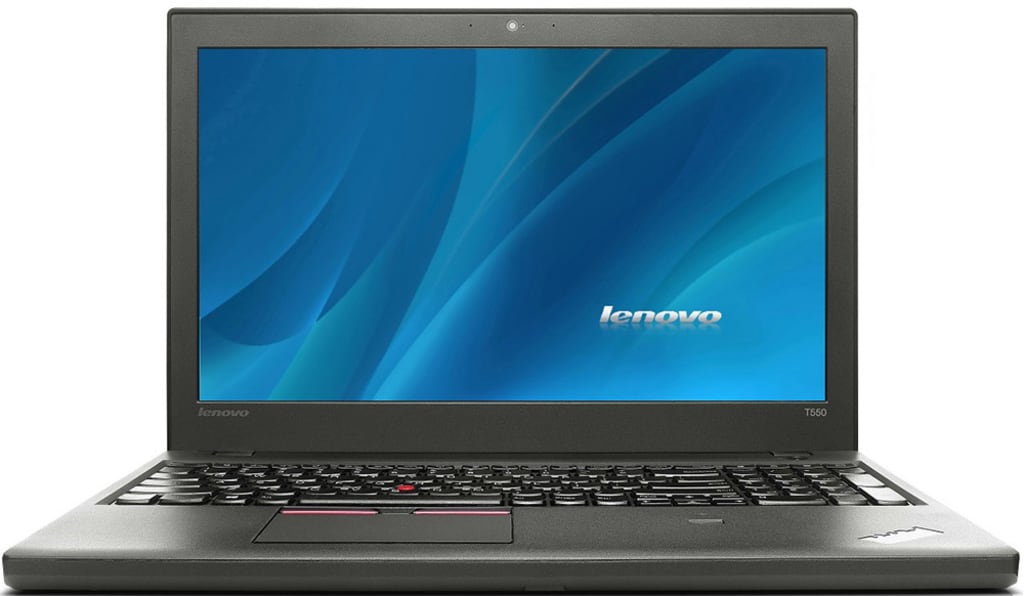
Upgrading your laptop doesn’t always mean looking out for the latest model. Fortunately, if you have an Intel i5 processor laptop, there are several smart ways to increase the performance and extend its lifespan:
- Upgrade your RAM for smooth multitasking.
- Swap out your HDD for an SSD.
- Make your battery last for longer usage.
- Improve cooling with a laptop cooler and so on.
You can rejuvenate your device's capabilities by strategically implementing the above mentioned methods. So, let’s elaborate on them one by one:
# 1. Upgrade Your RAM For Smoother Multitasking
One of the most impactful upgrades for an i5 processor laptop is increasing the amount of RAM. Modern applications and operating systems are memory-intensive, and having more RAM allows your laptop to handle multiple tasks simultaneously and easily.
If your laptop currently has 4GB or 8GB of RAM, upgrading it to 16GB can improve its performance. It’s more useful if you frequently use memory-heavy applications or run several programs simultaneously.
Why RAM Matters:
- Enhanced performance: More RAM allows your laptop to access data faster, reducing lag and improving overall speed.
- Better multitasking: With additional RAM, you can run more applications simultaneously without experiencing slowdowns.
Check your i5 processor laptop’s specifications to determine the maximum amount of RAM it can support and ensure compatibility before purchasing.
# 2: Swap Out Your HDD For An SSD
Replacing your traditional hard disk drive (HDD) with a solid-state drive (SSD) is one of the most effective upgrades you can make. SSDs provide you with quick data access speed compared to HDDs. It results in quick boot times, fast file transfers, and overall snappy system performance.
Benefits of an SSD:
- Improved boot times: SSDs can reduce boot times from minutes to seconds.
- Faster file access: Applications load quicker, making file transfers more efficient.
- Enhanced reliability: SSDs are less prone to physical damage compared to HDDs.
SSDs come in various storage capacities and price ranges, so you can select one that fits your needs and budget. Ensure that your laptop’s interface (SATA, NVMe) matches your chosen SSD.
# 3: Upgrade Your Battery For Long Usage
If your i5 processor laptop’s battery diminishes over time, replacing it with a new, high-capacity battery can make a big difference. A fresh battery will not only extend the time you can use your laptop on the go but also improve overall performance by reducing the need for constant recharging.
Choosing the Right Battery:
- Capacity: Look for a battery with a higher capacity rating (measured in milliampere-hours, mAh) for longer usage.
- Compatibility: Ensure that the replacement battery is compatible with your laptop’s model.
This upgrade is particularly useful if you frequently use your laptop away from power sources or need reliable daily performance.
# 4. Increase Device’s Cooling With A Laptop Cooler
Overheating can throttle your device’s performance and cause hardware damage over time. So, investing in a laptop cooler can help keep your system temperature in check. It also ensures that your i5 processor laptop runs at optimal speed.
Advantages of a Laptop Cooler:
- Reduced overheating: A cooler helps dissipate heat, preventing thermal throttling.
- Improved performance: Lower temperatures can maintain consistent performance levels.
When choosing a laptop cooler, look for one with adjustable fan speeds and a design that fits your laptop’s size.
#5. Upgrade Your Wireless Card For Better Connectivity
If your i5 processor laptop’s wireless performance seems sluggish, consider upgrading the wireless card. Newer wireless cards support faster Wi-Fi standards and improved connectivity, which can enhance your internet browsing, streaming, and online gaming experiences.
Benefits of a New Wireless Card:
- Faster speeds: Upgrade to a card that supports Wi-Fi 6 or the latest standard for improved speed and stability.
- Better range: Newer cards often offer enhanced signal reception and a broader range.
Ensure that your wireless card is compatible with your laptop’s hardware and operating system.
# 6. Replace Your Thermal Paste For Better Cooling
Over time, the thermal paste between your laptop’s CPU and its heat sink can dry out and become less effective. Replacing the thermal paste can improve heat transfer, reduce temperatures, and enhance performance.
Steps to Replace Thermal Paste:
- Clean the old paste: Use a high-purity isopropyl alcohol to remove the old thermal paste from the CPU and heat sink.
- Apply new paste: Apply a thin, even layer of thermal paste before reassembling your laptop.
This upgrade is more technical and requires careful handling, but it can make a noticeable difference in performance and temperature management.
# 7. Optimize Your Operating System and Software
Sometimes, optimizing your current i5 processor laptop is the best way to improve performance. This includes updating your operating system, removing unnecessary startup programs, and cleaning up your hard drive.
Optimization Tips:
- Update software: Ensure your operating system and drivers are updated with the latest performance improvements and security patches.
- Clean up: Use disk cleanup tools to remove temporary files and uninstall unused programs.
- Manage startup programs: Disable unnecessary startup programs to speed up boot times.
Regular maintenance and optimization can keep your laptop running smoothly and efficiently.
# 8. Upgrade Your Display With An External Monitor
If you want to enhance your productivity and overall computing experience, consider investing in an external monitor. While this doesn’t upgrade your i5 processor laptop directly, it provides a larger, higher-resolution display that can improve your workflow and reduce eye strain.
Benefits of an External Monitor:
- Increased screen real estate: A larger monitor allows for better multitasking and a more immersive experience.
- Enhanced resolution: Upgrading to a higher-resolution monitor can provide sharper visuals and more detailed images.
Choose a monitor that complements your laptop’s capabilities and supports your preferred resolution and features.
Conclusion
Upgrading your i5 processor laptop doesn’t have to be expensive or complicated. By focusing on key components such as RAM, storage, and cooling and optimizing your system software, you can significantly enhance your laptop’s performance and extend its lifespan. These smart upgrades improve speed and efficiency and ensure that your laptop remains a valuable tool for your daily tasks and activities.
Read more: What’s the Difference Between i5 and i7: A Comparative Analysis
About the Creator
James Davis
Meet John - a seasoned Digital Marketing Expert & Content Writer. With a passion for crafting compelling content & driving strategic marketing campaigns.
Enjoyed the story? Support the Creator.
Subscribe for free to receive all their stories in your feed.
Comments
There are no comments for this story
Be the first to respond and start the conversation.