
Your Old Mac Still Works. That Is Exactly the Problem.
Apple’s yearly macOS updates do not kill old computers. They make them slowly disappear from the software world.
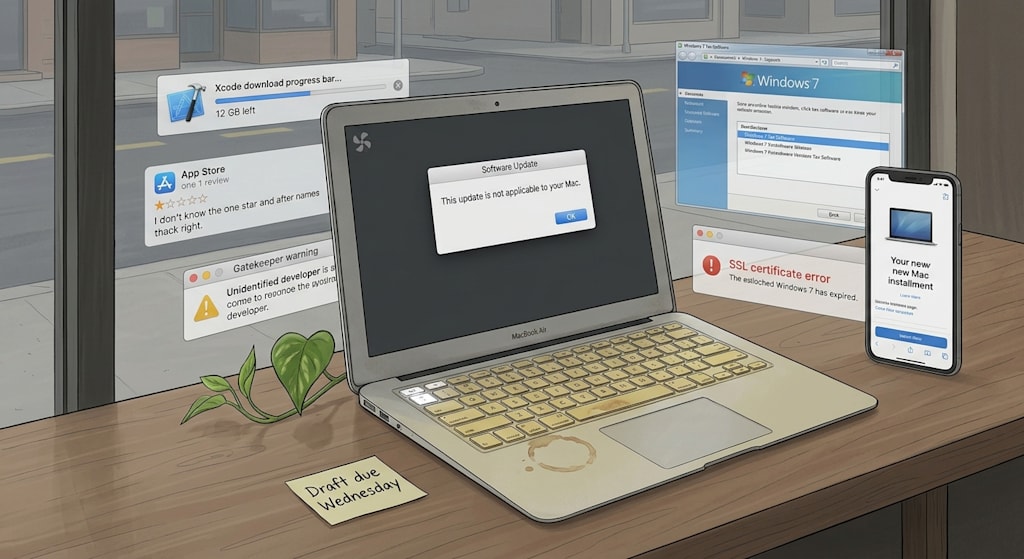
By the window in a coffee shop, a 2015 13-inch MacBook Air is still open. The edge of its keyboard cover has yellowed. The Esc key is worn shiny. A red 1 sits in the top-right corner. Click Software Update. The spinner turns twice. A line appears: “This update is not applicable to your Mac.” No button below it. Only “More Information.” The owner closes the window and goes back to email. The fan whirs once, like a throat being cleared.
The machine is not broken. It boots. It connects to Wi-Fi. It opens Pages. It plays online video. It has been removed from the support list for new system versions. Apple releases a new macOS every autumn. The version number moves forward one notch. The support list shrinks back one length. One year, the name of this Air disappears. No announcement. No funeral. Just that gray line in Software Update.
Start with the tempo. Apple updates iPhone, iPad, Mac, Watch, and TV box in the same season. Developers adapt in the same season. The media ask in the same season whether the new system is worth upgrading to. For Apple, this is a low-cost management tool. The supply chain knows when to stock up. Developers know when to submit builds. Users know when to watch the keynote. For an old Mac, the tempo is a countdown. Once a system reaches maturity, each year’s new features look more like a patch bundle. The settings panel moves a few items. Notes gets one more view. A privacy toggle gets one more line of explanation. The version number goes up. The support threshold goes up with it. Apple does not smash your computer. It stops compiling new systems for it.
Then there is the developer. An independent developer makes a note-taking app for the Mac. One day he gets an email from App Store Connect. Starting on a certain date, apps submitted to the App Store must be built with a newer Xcode. He opens his 2019 Intel MacBook Pro. The fan spins up. Xcode is halfway through downloading. Only 12 GB of disk space remains. The new Xcode requires a new macOS. The new macOS can be installed on this Pro. After installation, memory pressure in Activity Monitor turns yellow. Switching between Xcode and the simulator takes three seconds. He does the math. Supporting old systems means maintaining an old toolchain, old SDKs, and a test matrix across old architectures. Raising the minimum system version to macOS 14 means testing two fewer machines and writing fewer compatibility branches. He changes LSMinimumSystemVersion. Three days later, a one-star review appears: “After the update it does not support my 2017 iMac. What happened to the developer’s conscience?” He does not reply. He has moved a piece forward one square on the chessboard Apple has drawn.
Then signing and notarization. A user double-clicks an old compression app downloaded three years ago. A dialog appears: “‘Keka’ cannot be opened because Apple cannot check it for malicious software.” Two buttons: “Move to Trash” and “Cancel.” The user clicks Cancel. Right-click. Open. The system asks again. He opens System Settings > Privacy & Security. Scrolls to the bottom. Sees “Open Anyway.” Clicks it. Enters his password. The app launches. After the next system update, this entry point may move. It may no longer appear. In the command line, xattr -d com.apple.quarantine removes the quarantine flag. spctl --master-disable turns off assessment. For developers, this is debugging. For ordinary users, it is a door without a manual. Behind the door are Gatekeeper, notarization, Hardened Runtime, and entitlements. Every layer has a security rationale. Every layer adds a hurdle for old software.
Quieter still: root certificates. One morning, a Mac still running an old version of macOS opens the company intranet. Safari says “This Connection Is Not Private.” Click View Certificate. The expiration date has passed. On the same machine, an old sync tool reports: SSL certificate problem: certificate has expired. The user assumes a network problem. Restarts the router. Changes DNS. Turns Wi-Fi off and on. In the afternoon, another old app’s built-in updater fails. The system does not pop up “Your macOS is too old.” It lets some network connections break, bit by bit. New systems receive an updated root certificate list through updates. Old systems are outside the coverage. The security team has a reason. Continuing to trust an expired root certificate is itself a risk. The problem is that Apple ties root certificate maintenance and major-version support to the same lifecycle. The old system is not killed with one blow. It loses functionality, little by little, in the connected world.
Put macOS and Windows side by side and you see two ledgers. The Windows 7 machine in the finance office still runs 2008 tax software. The interface is gray and dull. A row of plugins. Every mouse click takes two seconds. It still works because Microsoft treats backward compatibility as a hard requirement. It carries old APIs, old drivers, and old runtimes layer upon layer. The cost is a complex system, slow low-level innovation, and security patches that must cover too many historical corners. macOS’s ledger is the opposite. Hardware models are controllable. The ecosystem is relatively closed. Apple can cut out old technology in whole blocks at regular intervals. 32-bit apps stop being supported when Apple says so. The Intel-to-Apple-Silicon transition accelerates when Apple says so. Old devices are abandoned earlier. New architectures land faster. Both choices have bills. One puts the cost in compatibility. The other puts it in the speed of obsolescence.
The ordinary user has three narrow paths. The first is to upgrade. The old machine can install the new system. Afterward the fan runs more often. Memory pressure is higher. The battery drains faster. The App Store still works. New software can still be installed. The second is to stay on the old system. Software gradually stops updating. New apps say “requires a newer version of macOS.” One day an old app starts throwing certificate errors. The third is to buy a new machine. That is the path Apple is waiting for. Bypassing signature checks from the command line, disabling quarantine flags, keeping old software alive with open-source certificates: these operations exist. They tear open the system’s security defenses. They do not guarantee that old software will still work properly. For most people who use a Mac as a productivity tool, upgrading is the only exit designed for them.
That 2015 Air is still by the coffee-shop window. The owner closes the lid. A coffee stain sits on the keyboard cover. The small pothos in the corner has put out a new leaf. Under the pot is a sticky note: “Draft due Wednesday.” He has not bought a new computer. He picks up his phone. Glances at the installment page for a new Mac. Locks the screen. The screen goes dark and reflects that gray line: “This update is not applicable to your Mac.”
About the Creator
Jin
Writer of reamstories
https://reamstories.com/jin
Enjoyed the story? Support the Creator.
Subscribe for free to receive all their stories in your feed. You could also become a paid subscriber, letting them know you appreciate their work.
Comments
There are no comments for this story
Be the first to respond and start the conversation.