
X Face Search: Can You Find an X Account From a Screenshot?
X Face

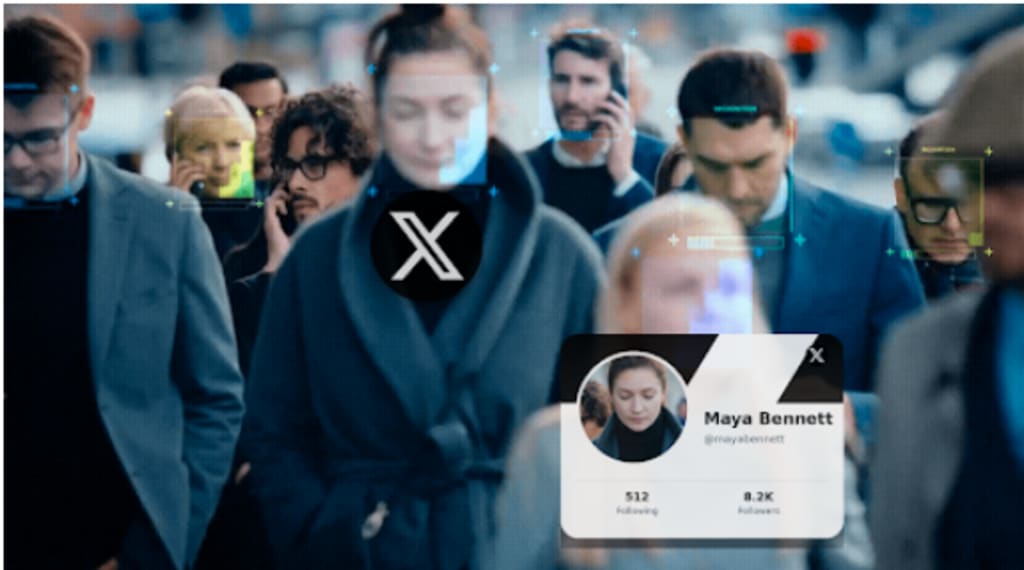
X Face Search: Can You Find an X Account From a Screenshot?
The screenshot had everything except the one detail I needed.
There was a photograph of a person, part of a post, and a few lines of text. But the top of the screenshot had been cropped, taking the account name and @handle with it.
I had saved it after seeing the image reposted elsewhere, and now I wanted to find the original account on X.
At first, this seemed easier than searching from a standalone photo. I had text. Surely I could search a sentence from the post and work backward.
That worked - just not in the way I expected.
By the end, the most useful clue wasn't the text at all. It was the face.
The Screenshot Looked More Searchable Than It Was
I started with the sentence that was still visible beneath the photo.
I copied the most distinctive part and searched it in quotation marks. Several results appeared, including posts on X and screenshots shared elsewhere.
The problem was that none clearly looked like the source.
The wording had been copied. Some posts shortened it. Others added commentary. One screenshot appeared inside another post without attribution.
This is one of the difficulties with tracing content on X: text travels separately from its author.
A distinctive phrase can help you find conversations around a post, but it doesn't necessarily identify who posted it first.
So I tried searching directly on X.
X Search Needed Information I Didn't Have
X's search tools are much more useful when you know something about the post.
You can search words and phrases, filter results, or use operators to narrow a query. If you know the account, date range, hashtag, or another distinctive detail, the search becomes considerably more precise.
I had none of those.
I knew approximately when I'd saved the screenshot, but that didn't tell me when the original post had been published.
I tried different combinations of the visible text. That produced more versions of the same claim, but still no convincing original account.
At that point I had exhausted the most searchable part of the screenshot.
Except for the photograph.
What an X Face Search Changes
A normal X search treats the image as something attached to a post.
An X face search approaches it differently: the face itself becomes the query.
That matters when usernames, captions, and other identifying information have disappeared but the person remains clearly visible.
Before trying facial search, I ran the cropped photograph through a conventional reverse image search. I wanted to know whether the same image had appeared somewhere else with a name attached.
It returned visually related results, but nothing that clearly connected the photograph to the X account I was looking for.
This was an important distinction.
An image search can be excellent at tracing a particular photograph. But the account I wanted might use a completely different profile image, and the person in the screenshot might appear in other photos elsewhere.
I didn't need another copy of the screenshot.
I needed another appearance of the face.
I Used Face2social With Just the Face
For the next attempt, I cropped out the remaining post text and interface elements and kept the clearest possible version of the person's face.
Then I uploaded that image to Face2social.
Face2social uses facial characteristics to search for potential social-profile matches across Facebook, Instagram, TikTok, including profiles on X. In other words, it doesn't depend on the same photograph being reused as a profile picture.
That made it useful for this particular problem.
The X face search returned several potential matches rather than a single definitive answer.
That was actually where the investigation became easier.
I now had usernames.
And usernames were something I could search.
A Potential Match Gave Me a New Search Query
One of the returned profiles looked particularly relevant.
The face appeared consistent across multiple photographs, but I didn't want to rely on appearance alone. Instead, I took the username from the potential match and went back to the information in my original screenshot.
This time, I could combine the two.
I searched the account together with a distinctive phrase from the screenshot.
That was far more useful than either clue on its own.
The account had posted about the same subject, and its broader public activity made sense in the context of the screenshot.
More importantly, I could now compare the actual X profile against what remained visible in my saved image.
The facial match hadn't independently identified the source.
It had supplied the missing search term.
That turned out to be the most useful role for it.
Searching a Face Is Different From Ide
ntifying a Person
There's an important limitation here.
A potential facial match isn't confirmation that two images show the same person.
People can look alike. Profile photographs can be old. Image quality can be poor. A screenshot taken from a video may capture an unusual expression or angle.
So I treated every Face2social result as a hypothesis.
The next question wasn't:
“Does this look like the same person?”
It was:
“What else can I independently verify?”
In my case, the original text helped.
In another search, it could be a location, profession, organization, topic the account frequently discusses, or another public social profile.
An X face search can reduce the number of possibilities. The rest of the information helps determine whether any of those possibilities actually make sense.
X's Own Search Became Much Better After I Had a Username
This was probably the most surprising part of the process.
At the beginning, X search hadn't been particularly useful because my query was too broad.
After facial search surfaced a possible account, the same search tools suddenly became much more effective.
With a username, I could search for posts from that specific account containing words from the screenshot. I could look at related posts and compare dates. I could check whether the account regularly discussed the same topic.
X documents a number of search operators that can narrow results by account and other criteria, which becomes much more useful once you have a candidate username rather than an anonymous screenshot.
This changed how I thought about the tools.
Face2social wasn't replacing X search.
It was giving X search the piece of information it had been missing.
The Screenshot Had Three Different Types of Clues
Looking back, I had initially treated the screenshot as one searchable object.
It was more useful to separate it into three parts.
The text could be searched for exact phrases and reposts.
The image could be checked to see whether the same photograph appeared elsewhere.
The face could be used to look for potential profiles even if those profiles used different photographs.
Each route answered a different question.
This also explains why trying one method and getting no result doesn't necessarily tell you much.
If reverse image search can't find the photograph, that doesn't mean the person has no public X profile.
If searching the visible text doesn't reveal the original post, that doesn't mean the screenshot is impossible to trace.
Sometimes you're simply searching the wrong component.
When X Face Search Is Most Useful
After this experiment, I wouldn't use facial search for every screenshot from X.
If the @handle is visible, there's obviously no need.
If the post contains a distinctive phrase, a regular search may find the account immediately.
If the exact photograph has been widely published, reverse image search may provide the answer faster.
An X face search becomes more interesting when those easier identifiers are missing.
A cropped screenshot is a good example. So is an image reposted without attribution, or a photograph of a creator whose X username you don't know.
The clearer the face, the more useful it can be as an additional clue.
But I'd still want another piece of information before treating a potential profile as relevant.
What I Would Do With a Cropped X Screenshot Now
If I encountered the same situation again, I wouldn't start by searching everything at once.
I'd separate the clues.
First, search any distinctive text that survived the crop.
Then check the full image with conventional reverse image search to see whether an earlier or attributed copy exists.
If those routes fail and a person is clearly visible, I'd crop the face and use Face2social to look for potential X profiles.
Then I'd take any promising username back to X and search within that account for the text, topic, date, or other details from the original screenshot.
That final step is important.
The facial result creates a candidate.
The platform history helps test it.
The Missing Username Wasn't Really Missing
At the start, the cropped @handle seemed like the end of the trail.
It wasn't.
The screenshot still contained several independent clues - I just needed to stop treating them as if they were interchangeable.
Text helped locate copies of the post.
Reverse image search tested whether the photograph had an obvious history elsewhere.
Face2social turned the face into potential usernames.
And once I had a plausible username, X's own search became useful again.
That's what I took away from trying an X face search: facial search works best as one stage in a larger search, not as a button that declares someone's identity.
Sometimes it doesn't give you the final answer.
It gives you the missing query that lets you find it yourself.
About the Creator
Gulshan
SEO Services, Guest Post & Content Writter.
Enjoyed the story? Support the Creator.
Subscribe for free to receive all their stories in your feed.
Comments
There are no comments for this story
Be the first to respond and start the conversation.