
watchOS 27 is a small update that changes how the Apple Watch feels
The new app grid, Smart Stack suggestions, and pinch gestures do more than the version number suggests.
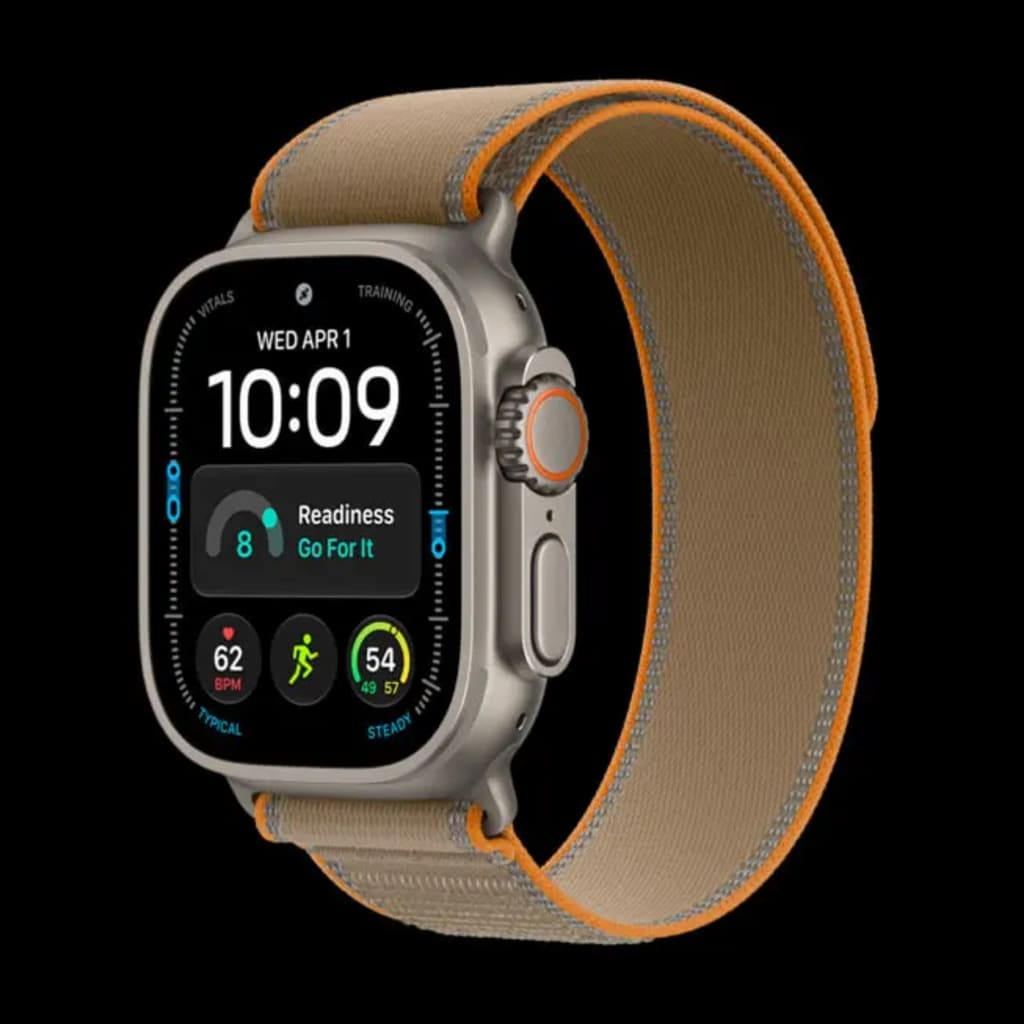
watchOS 27: what actually changes on your wrist
Apple released watchOS 27 on September 15, alongside iOS 27, iPadOS 27, and macOS 27 Golden Gate. The update makes small changes to design and performance. It also adds a dynamic app grid, more context-aware Smart Stack suggestions, and new gesture controls.
This guide covers the main features. It also explains which Apple Watch models can run the update.
Compatibility first. watchOS 27 runs on Apple Watch Series 9 (2023) and later. It also needs an iPhone 11 or later running iOS 27.
Liquid Glass gets another pass
Apple introduced Liquid Glass in watchOS 26. In watchOS 27, Apple says the material has more even refraction and better contrast. That matches how Apple describes the iOS 27 version.
On the watch, buttons have more depth. They look more three-dimensional. On light backgrounds, buttons also gain contrast, which makes them easier to see. The highlight outline now runs along the top and bottom edges, the same approach used in iOS. The glass look stays, but text and icons are easier to read.
Glass controls also blur more. Behind small buttons, background details almost disappear. You see a soft glass surface instead. Under the walking distance widget, the three-ring complication keeps only a faint color outline. The details do not show through.
One thing is missing. iOS has a slider for adjusting Liquid Glass. watchOS does not. The effect on the watch is fixed at roughly the default iOS level.
Dynamic app grid
Press the Digital Crown in watchOS 27. You land on the new dynamic app grid first. The screen combines the app grid with Siri suggestions. watchOS puts apps you use often and content it thinks you may want in more visible spots.
The icons are larger here. They are easier to tap. The layout fits a small screen better than the old grid of tiny icons. You can tap the icon below the grid, or keep turning the Digital Crown, to switch to the traditional app grid.
Siri AI is not available in China yet. The new Siri icon does not appear there.
Smart Stack gets more context
The old Smart Stack worked like a widget list. You swiped to the card you wanted. watchOS 27 moves cards around based on time, place, and what you are doing.
Apple gives a few examples. The Smart Stack can remind you to wish a contact a happy birthday. It can navigate you to your parked car. It can suggest changing your wake-up alarm before a holiday. It can pin a transit card so you can check the balance. In use, the Smart Stack often shows calendar events, reminders, hourly rain forecasts, frequent iMessage contacts, and workout recaps after exercise.
New pinch gesture
watchOS 27 adds a single-finger pinch to the Smart Stack. Pinch once to open the selected widget. If you entered the Smart Stack with a two-finger pinch, the current widget gets a silver outline. That tells you it is selected. Pinch again to open it.
The gesture makes one-handed use more complete. A two-finger double pinch moves to the next item. A single pinch confirms and opens the current item. Before, you could only view the Smart Stack one-handed. Now you can open the Smart Stack, choose an item, enter it, and browse inside the app without touching the screen.
Double-tap to open a Smart Stack widget. Single-tap to select. Double-tap to turn the page. Flip back twice. The whole flow works with gestures.
The gesture has limits. It only selects widgets already in the Smart Stack. It does not work in other interfaces. The two-finger pinch still turns pages in Settings and the app grid, so it is more general.
Find My gets one app
Find My on Apple Watch used to be three apps: devices, contacts, and items. watchOS 27 merges them into one app with a map background. Tap the icon in the upper-left corner to switch categories. Use a two-finger pinch or turn the Digital Crown to move between objects and see their locations. The new app supports Precision Finding for iPhone, second-generation AirTag, AirPods Pro 3, and other devices.
AI features you may not get yet
These features are not available in China yet. Here is what Apple has announced for Apple Watch.
Siri AI arrives on the watch as part of iOS 27. Apple shortened the conversations for the watch. It supports back-and-forth dialogue and open questions. Apple says Siri AI on watchOS fits tasks like brainstorming a training plan or checking ferry times while out.
watchOS 27 adds a separate Siri AI app. You can start a question on iPhone, then raise your wrist and continue on Apple Watch. You can pin frequent conversations for quick access.
Siri AI can also pull personal data from apps. It can find a driver's license number, an access code in rental details, or notes in the Notes app. It can send flight details to family, play a song a coach recommended, or adjust Activity ring goals.
Workout Buddy no longer needs an iPhone nearby. You can hear live voice encouragement during a workout. Workout Buddy now compares pace, distance, and workout duration. It also pulls your fitness history for long-term comparisons.
Other changes
Menstrual tracking now covers perimenopause and menopause. It can send a reminder when signs of perimenopause appear based on recorded cycle patterns.
Set Up Apple Watch for Your Kids has a new setup flow for child accounts. It also adds child safety features.
Apple Music starts faster on Apple Watch.
Step counting in the Workout app now syncs with the Health app.
Indoor running and walking distance tracking is more accurate. The motion algorithm estimates treadmill distance better.
The system may suggest battery optimizations. One field found so far suggests turning off Gestures if you rarely use them.
Page loading is faster. Buttons respond faster. Battery life also improved in use.
Water detection has a new algorithm. Water Lock and water ejection work better.
Wi-Fi connections perform better.
App extensions on Apple Watch, such as widgets and watch face complications, launch faster.
The Watch app on iPhone has a redesigned settings page. Long app lists are now in a separate subpage.
Sleep mode supports time zone changes. Alarms no longer get confused when you travel across time zones.
There is a new Siri module watch face. It shows the Smart Stack item Siri considers most important in the center. Ultra models get an exclusive font.
Wallet adds visitor keys.
Summary
watchOS 27 is not a large update. It still adds useful features. The dynamic app grid makes icons bigger and easier to tap. The Smart Stack moves cards based on time, place, and context. The single-finger pinch completes the one-handed controls. Find My puts three tools in one map.
The main drawback is compatibility. watchOS 27 only runs on Series 9, Series 10, Series 11, Ultra 2, Ultra 3, and Apple Watch SE 3. Older Apple Watch models miss these changes.
If you have a supported watch and an iPhone 11 or later on iOS 27, you can install watchOS 27. The update changes how the watch feels in small, practical ways.
About the Creator
Jin
Writer of reamstories
https://reamstories.com/jin
Enjoyed the story? Support the Creator.
Subscribe for free to receive all their stories in your feed. You could also become a paid subscriber, letting them know you appreciate their work.
Comments
There are no comments for this story
Be the first to respond and start the conversation.