
Using ChatGPT to Plan Videos From Travel Footage
Hours of travel clips and no plan? Here's how I use ChatGPT to log footage, find the story, and sketch the edit before opening an editor.

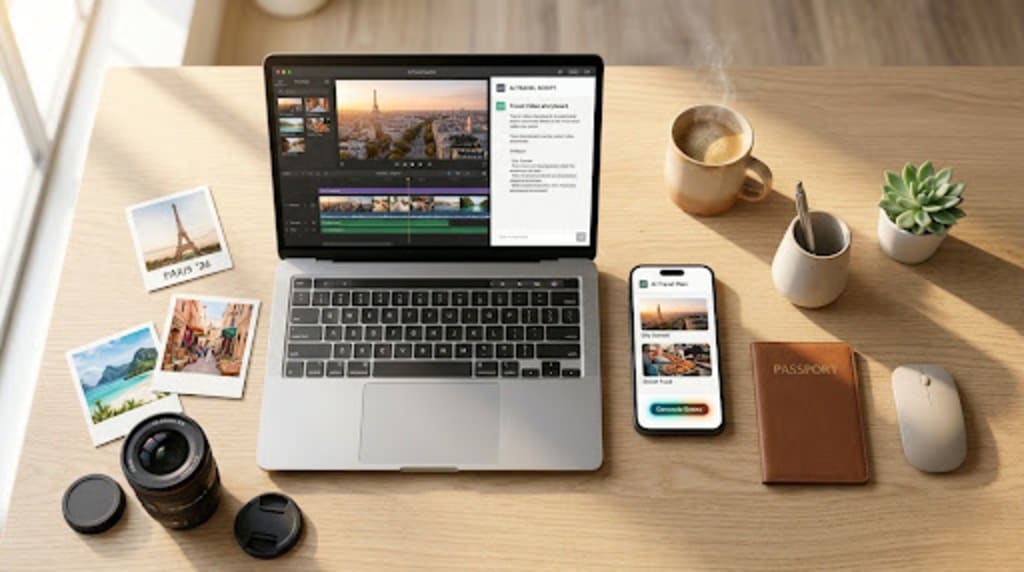
Last October I got home from ten days in northern Japan with 214 clips on my phone and a camera card I was afraid to open. My sister asked when she'd see the video. I said soon. That was a month ago.
The footage wasn't the problem. I'd filmed plenty. What stopped me was the first hour in the editor, where every clip looked equally important and I couldn't pick an opener. I'd drag one in, hate it, drag it out, and go make tea.
What finally worked was dull. I stopped editing and started writing. I used ChatGPT as a sounding board to sort what I had, argue about the story, and put a plan on paper. When I went back to the editor, the cutting took a single evening. This is how that went, and what I'd change next time.
The plan matters more than the cut
Editing is a long string of small calls. Keep or cut. Long or short. Music or street noise. If you make each one cold, with no idea what the whole video is about, you'll be worn out by clip forty.
A plan turns most of those calls into lookups. The sequence says the ropeway shot goes third, so you find it, trim it, and move on. You still make creative choices. You just make them inside a frame you already agreed to.
One thing to get straight early: ChatGPT can't watch your clips. Everything it knows about your trip comes from what you type. Vague notes get you vague suggestions. Specific notes get you something you can actually use.
Write down what you shot
Scroll through your clips once, fast, and jot a line for each. Don't trim anything. Don't delete anything. I did mine in a notes app while the kettle boiled, and it took about forty minutes for 214 clips. That sounds like a lot until you picture the alternative.
Good notes are specific and a bit messy. Mine looked like this:
Kyoto, dawn on the river, mist, slow pan, a heron lands near the end. Great.
Kyoto, bike through the market, shaky, very loud. Maybe.
Hakodate, ropeway at dusk, city lights coming on, 40 sec. Great, but long.
Place, rough length, what's happening, one-word verdict. Mention sound when it matters, because a good ambient noise can carry a whole scene. You'll be tempted to write "nice view." Resist that. Nobody, including a chatbot, can do anything with "nice view."
Let it ask you questions first
Before I asked for any structure, I pasted the full log in and wrote something like this: "This is footage from a ten-day trip to Japan. I'm making a video for my family. Before you suggest anything, ask me whatever you need to know."
The questions were good. How long should it run? Is there one moment from the trip that matters most to the people watching? Do I want it in order, or grouped by mood?
That last one stopped me. I'd assumed chronological, because that's what everyone does. Answering it made me see that the trip had a quiet, slow side and a loud, chaotic side, and I liked the contrast better than the calendar. Ten minutes of back and forth, and the whole video had a different shape.
Find the one-sentence version
Every travel video I've enjoyed has a sentence underneath it, even if nobody says it aloud. "Ten days of trying not to hurry." "The trip where it rained every afternoon and we loved it anyway." If you can't write yours, the edit will wander.
Ask for five candidate sentences based on your log. Then ignore four of them. Or ignore all five and let them push you toward your own. Mine ended up as "slow mornings, loud nights," which wasn't on any list. It came from arguing with the list.
Sketch the order on paper
With the sentence settled, I asked for a rough sequence: about three minutes, around thirty-five clips, and only clips from my log, referred to by name. Then I did what I'd suggest to anyone. I changed about a third of it.
It put a market scene far too early. It missed that my best shot, the heron, belonged near the end, because the stillness was the whole point. It also kept leaning on clips I'd marked "maybe." None of that is a failure. A draft you can disagree with beats a blank page every time.
Ask it to flag gaps too. Mine pointed out that I had no wide shot establishing Hakodate, and that three clips in a row were all food. I couldn't go back and film more. But I had a photo from the hotel window, and it became the opening card. Problem handled.
Prompts that worked for me
I don't keep a fancy prompt library. These three did most of the work, and I'd just swap in the details:
"Here's my clip log. Suggest three ways to structure a three-minute video for [who it's for], and tell me what's missing from each."
"Using only clips from the log, draft a sequence with about 35 clips. Keep any clip marked Poor out unless there's no alternative."
"Which parts of this sequence feel repetitive or too long? Suggest what to cut and say why."
Notice what's missing: instructions to write the whole thing for me. I get better results asking it to question, sort, and critique than asking it to produce a finished product.
Where the automated tools fit
At some point you'll run into apps that promise to create videos with ChatGPT from start to finish. You paste a script, they pull visuals, add a voice, and hand back a cut. I've tried a few. For a quick teaser, or a first pass to test whether your structure holds up, they can be handy.
For personal footage, though, they miss something. They don't know the blurry ferry shot is the only one where your sister is laughing. You do. So if I use them at all, it's for a rough layout, and then I rebuild the real thing from my own clips.
Narration, and the facts you need to check
If you're adding a voiceover, the best lines tell people what the picture can't. What the air smelled like. The thing you got wrong. The lesson you'd pass on. A line that describes the shot ("here we see a temple") is wasted breath.
ChatGPT can draft narration, and it does better when you paste in a few paragraphs you've written yourself, so it picks up your voice. Expect to rewrite most of it. Read every line out loud. If you trip over a sentence, a viewer will feel it.
Facts need more care. It will happily state when a temple was built or when a ropeway stops running, and sound completely sure. I've caught it being wrong about opening hours and ticket prices more than once. Check anything specific against an official source. Or cut it and say what you actually saw and felt. That's safer, and it's usually better anyway.
Two small notes on people. Some places restrict filming or tripods, and temples and museums can be strict about it. And if a clip shows strangers clearly, ask yourself whether you'd be happy to appear in somebody else's public video. If the answer is no, cut it or blur faces.
Cut harder than feels comfortable
My first sequence had thirty-five clips and ran four and a half minutes. Too long. Travel footage works like holiday photos: you love every one, and everyone else wants about ten. I asked ChatGPT what to drop and why, then I dropped more than it suggested.
A few rules I've settled on:
Most shots earn three to six seconds. Hold longer only when something actually happens.
Never put two similar shots back to back.
Let sound do some of the work. A market's noise can replace a line of narration.
End on a quiet moment, not a fade into nothing.
One trip, more than one video
Once the log exists, you can reuse it. The same clips that made my three-minute family cut also gave me a forty-second vertical version for social media. The plan for that one was totally different. One idea, strongest shot first, captions on screen, no slow build.
I gave ChatGPT the same log and asked for a structure for a short vertical clip about the Hakodate night market only. It suggested six clips and a hook line in about a minute. I'd never have spent the time planning a second video from scratch. Because the notes were already written, it cost me almost nothing.
Music is worth a thought at this stage too. Pick a track whose mood matches your one-sentence version, and check that you're allowed to use it on the platform where you'll post. A free track isn't always free for every use.
What I'd do differently
Log the clips while you're still traveling. Ten minutes a night in the hotel beats forty minutes a month later, and the details are still fresh. I'd also record a few voice memos on the trip, just describing what I was feeling. They sound better than any narration I wrote afterward.
I'd also hold the plan loosely. My finished video drifted from the written one in a dozen places, and it was better for it. The plan gets you moving. It doesn't need to be obeyed.
If you want a simple schedule, try this. Saturday morning, log your clips. Saturday afternoon, talk through the story and sketch the order. Sunday, edit. Get the log done and the rest tends to follow.
So pick the trip that's been sitting on your phone the longest, and start with the notes. You'll probably find that half the video is already in them.
About the Creator
Enjoyed the story? Support the Creator.
Subscribe for free to receive all their stories in your feed.
Comments
There are no comments for this story
Be the first to respond and start the conversation.