
Understanding JavaScript Algorithms and Data Structures
JavaScript Algorithms
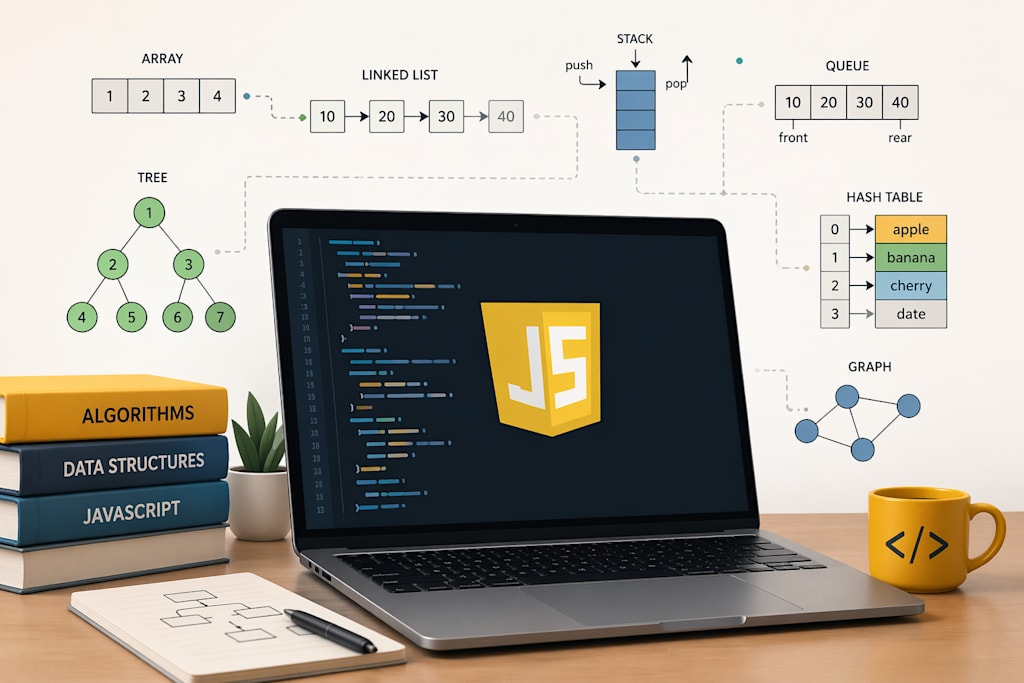
Most JavaScript tutorials skip this stuff. You learn the syntax, you learn the DOM, you build a todo app, and you're off. Nobody sits you down and explains why your to-do app starts chugging once you have a few thousand items in it.
That's the gap this piece is about.
What a JavaScript Algorithm Actually Is
Strip away the academic language, and an algorithm is a sequence of steps that turns an input into an output. That's the whole thing. "Find the largest number in this array." Steps to do it. Done. The interesting part isn't the definition. It's that the same problem can be solved ten different ways, and nine of them will be wrong in the sense that they'll still technically work but burn through your user's battery.
Take finding a number in a list. You could check every item until you find it. Fine for ten items. Genuinely painful at ten million. Or you could sort the list once and use binary search, which keeps halving the search space until you land on it. Same problem, wildly different feel when the data gets big. That's the part JavaScript algorithms courses are really trying to teach. Not how to write a loop. How to pick the right loop.
Why This Still Matters When AI Writes Half Your Code
You might be thinking: why bother, when Copilot or Claude can write this for me?
Fair question. JavaScript is still the most-used language, with 66% of developers writing it in the past year, according to the 2025 Stack Overflow Developer Survey. A lot of that code is now AI-assisted.
Here's the catch. AI tools are very good at writing code. They're not reliably good at explaining why your app is slow. When a generated function quietly uses .includes() inside a loop and ships an O(n²) bug to production, the model isn't going to raise its hand. That’s exactly why companies still choose to hire JavaScript developer who can go beyond generated output and actually understand the logic behind it. Tools can speed things up, but they can’t replace judgment. Understanding JavaScript algorithms is what lets you look at a generated solution and catch that. Without it, you're trusting the output blindly.
The JavaScript Data Structures That Actually Show Up
Arrays: The one you already know. Worth noting: .push() and .pop() are fast, but .shift() and .unshift() are slow because every other index has to shift over. I've debugged more than one production slowdown that turned out to be .unshift() inside a frequently-called function.
Maps and objects: For key-value lookups. Plain objects are fine for simple cases. A map is better when your keys aren't strings, or when you need guaranteed insertion order, or when you're adding and removing keys a lot. Either way, lookups are constant-time, which is the speed you want for anything that runs on user input.
Sets: The most underused one. The instant you write if (array.includes(x)) inside a loop, you've created a performance trap. Convert the array to a Set once, then .has() replaces .includes() at a fraction of the cost. This one swap has fixed real bugs for me more times than I can count.
Stacks and queues: You build these out of arrays. Stacks for undo history, parser state, and depth-first traversal. Queues for anything that processes tasks in the order they arrived.
Linked lists, trees, tries, graphs, all real and occasionally useful. But they're not where you start.
The Algorithms That Are Worth Your Time
Binary search: For any time you're looking something up in sorted data. Writing a clean binary search by hand is a surprisingly useful small skill.
Sorting gotchas: You won't implement quicksort in production. Array.prototype.sort() already exists. But you do need to know its default comparator converts everything to strings, which is why [10, 2, 1].sort() gives you [1, 10, 2]. That specific bug has shipped more times than it should.
Tree traversal: The DOM is a tree. Nested JSON is a tree. Component hierarchies in React and Vue are trees. Depth-first and breadth-first traversal show up in filtering, rendering, and search logic constantly.
Sliding window and two pointers: Pattern recognition beats memorization here. Once you can spot a sliding-window problem, you've unlocked a huge chunk of practical JavaScript algorithms questions everything from "longest substring without repeats" to debounce logic to form validators.
The Mistake Most Self-Taught Devs Make
They try to memorize specific problems. Three hundred LeetCode solutions, each one held in short-term memory, none of them remembered six months later. The thing you actually want is pattern recognition. "This smells like a hashmap problem." "This looks like a two-pointer setup." Fifty problems solved with that mindset will take you further than five hundred solved by pattern-matching to YouTube walkthroughs.
Where You Feel This in Real Code
Some concrete places where JavaScript algorithms and data structures stop being abstract:
- A search bar that lags when you type fast. Usually, a sign that someone's doing an O(n) filter on every keystroke over a huge list.
- An infinite scroll that gets slower as you scroll further. Usually, a sign that new items are being added to the wrong end of an array.
- A form validator that freezes the tab. Usually, a nested loop that could have been a Set lookup.
None of these problems announce themselves as an algorithm problem. They show up as "the app feels janky." But that's what the topic really is: the quiet difference between code that scales and code that starts falling apart the moment real data hits it.
Wrapping Up
You don't need to become a competitive programmer. You need enough fluency in JavaScript algorithms and data structures to recognize when a piece of code is about to bite you, and enough working vocabulary to fix it when it does.
Learn the four data structures that matter. Learn the handful of algorithmic patterns that keep showing up. Skip the rest until a real problem makes you need it. That's the honest minimum, and it's more than most JavaScript developers ever bother with, which is exactly why the ones who do stand out. In fact, this is how a reliable JavaScript development company typically works. The goal isn’t to chase every advanced concept, but to apply the right ones at the right time to build efficient, maintainable applications.
About the Creator
Maitrii
Tech writer covering AI, software, tools and technology, digital trends, and breakthrough innovations shaping the modern tech world.
Enjoyed the story? Support the Creator.
Subscribe for free to receive all their stories in your feed.
Comments
There are no comments for this story
Be the first to respond and start the conversation.