
Turning Personal Memories Into a Narrated Video: A Meaningful Way to Preserve Life's Special Moments
Personal Memories Into a Narrated Video

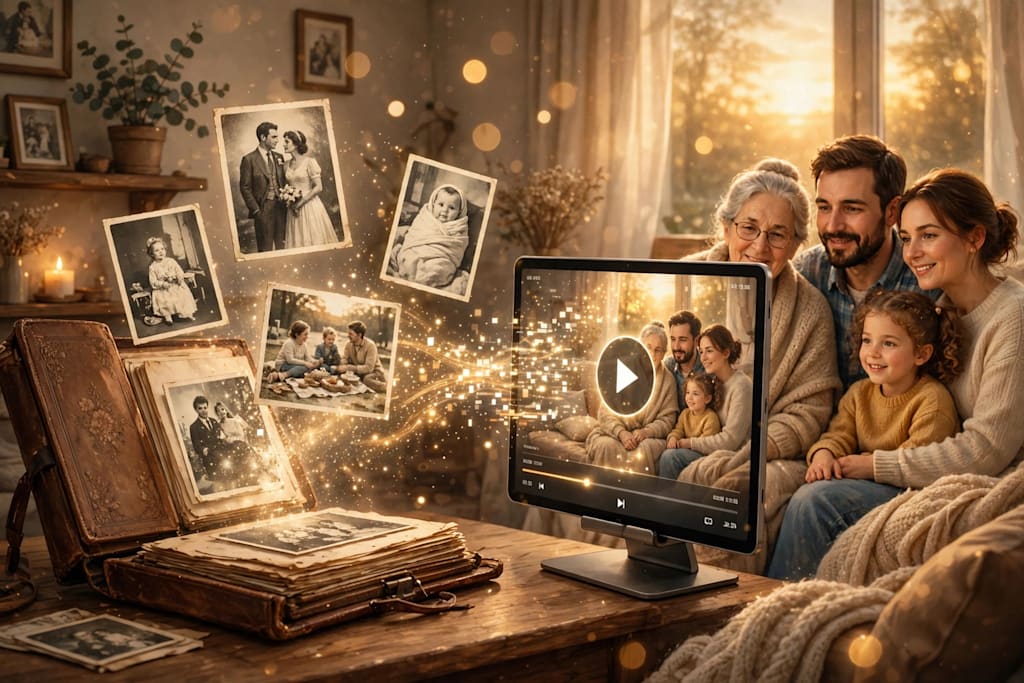
Personal memories are among the most valuable things people carry throughout their lives. A childhood birthday, a family holiday, a graduation ceremony, a wedding celebration, or an ordinary afternoon spent with loved ones can become a treasured part of someone's personal history. Although photographs and written notes help preserve these experiences, they do not always communicate the emotions, atmosphere, and stories behind them.
Narrated videos offer another way to bring personal memories to life. By combining photographs, video clips, background music, captions, and spoken storytelling, people can create meaningful visual records of important experiences. Rather than simply displaying a collection of images, a narrated video gives those moments context and connects them through a story.
The process does not necessarily require professional filming equipment or advanced editing skills. With thoughtful preparation and accessible video editing tools, almost anyone can turn personal memories into a short documentary-style presentation, family tribute, or digital keepsake.
Why Narrated Videos Make Personal Memories More Meaningful
A photograph can capture a particular moment, but it may not explain what happened before or after the picture was taken. A narrated video provides an opportunity to fill in those details.
For example, a photograph from a family vacation might show everyone standing together near a beach. A voice-over can explain why the family chose that destination, describe an amusing incident during the journey, or recall how everyone felt when they first arrived.
This combination of visual material and personal storytelling creates a more complete experience.
Narration also gives creators the freedom to include details that might otherwise disappear from memory. Names, dates, locations, personal reflections, and small anecdotes can all become part of the final presentation.
There are several reasons why this format works particularly well for preserving personal experiences:
Emotional connection: A familiar voice can make photographs and recordings feel more personal.
Additional context: Narration explains the background behind important moments.
Better storytelling: Images can be arranged into a meaningful beginning, middle, and conclusion.
Long-term preservation: A digital video can be stored, copied, and shared with family members.
Creative flexibility: Music, transitions, subtitles, and visual effects help communicate the atmosphere of an experience.
Unlike a traditional photo album, a narrated video can combine several types of media into one continuous story.
Start by Choosing a Story Worth Telling
The first step is deciding which memories should become part of the video. Trying to include every photograph or experience can make the project unnecessarily long and difficult to organize.
A stronger approach is to focus on one particular theme, event, or period of life.
For instance, someone creating a video about childhood memories might concentrate on family gatherings, school experiences, holidays, and friendships. Another person might document a wedding anniversary by revisiting photographs from the wedding day and highlighting important moments from the years that followed.
Some popular themes include:
Childhood and Family Memories
Family videos can preserve experiences that younger generations may not remember themselves. Old photographs, birthday celebrations, school pictures, and recordings of family gatherings can help communicate what everyday life looked like in earlier years.
Adding short personal stories from parents, grandparents, or other relatives can make these videos especially meaningful.
Travel and Adventure Experiences
Travel memories are particularly suitable for narrated videos because they naturally follow a sequence of events. Creators can introduce the destination, describe the journey, highlight interesting places, and conclude with their favorite experiences.
Even a small collection of holiday photographs can become an engaging travel story when supported by relevant narration.
Weddings and Special Celebrations
Weddings, graduations, anniversaries, and milestone birthdays often involve several emotional moments. A narrated video can bring together preparation photographs, ceremony footage, family messages, and memories from the celebration.
Such videos can also become thoughtful gifts for relatives and friends.
Personal Growth and Life Journeys
Some people prefer to create videos that document their personal development over time. These projects might include photographs from different stages of life, professional achievements, educational milestones, and important decisions.
Narration helps explain how experiences influenced personal goals and changed perspectives.
Organizing Photographs and Video Clips Before Editing
Once the topic has been selected, the next task is gathering the necessary visual material.
Many people already have enough content to create a meaningful video without recording anything new. Photographs may be stored on smartphones, computers, external hard drives, cloud storage platforms, or old memory cards.
Start by collecting the most relevant files in one location. This makes it easier to review the material and prevents unnecessary interruptions during editing.
It is also helpful to organize the files according to their dates, events, or subjects.
For example, a family history video could be divided into folders such as:
Early childhood photographs
School and university experiences
Family holidays
Important celebrations
Recent family gatherings
After organizing the material, select images that contribute to the story rather than choosing everything available.
A photograph does not need to be technically perfect to deserve a place in the video. Sometimes an old, slightly faded picture carries more emotional significance than a professionally captured image.
However, creators should pay attention to image quality, particularly when working with older photographs. Scanning printed images at a reasonable resolution can help preserve their details.
It is also important to keep backup copies of original photographs and recordings before making any edits.
Writing a Narration Script That Feels Natural
A narrated video becomes more engaging when the spoken content sounds like a real person sharing a story rather than someone reading a formal report.
Before recording, prepare a simple script that explains the most important moments in the selected memories.
The script should provide enough information to connect the visuals without describing every detail that viewers can already see.
For example, instead of saying, "This is a photograph of our family at the beach," a more personal narration might explain:
"We took this trip during the summer of 2015. It was the first time everyone had managed to take a holiday together in several years. We spent most of the afternoon near the water, taking photographs and enjoying the time away from our usual routines."
The second version gives viewers a better understanding of the experience.
Create a Beginning, Middle, and Ending
A simple narrative structure makes the video easier to follow.
Beginning: Introduce the subject, explain why the memories are important, and establish the setting.
Middle: Present the main events in a logical order. Include interesting details, personal reflections, and memorable experiences.
Ending: Conclude with a meaningful thought, a message of appreciation, or a reflection on how those experiences influenced the present.
This structure works for many different types of personal videos, from short family tributes to longer life-history projects.
Keep the Language Conversational
Personal storytelling generally works best when the language feels natural. Avoid complicated expressions, unnecessary descriptions, and overly dramatic statements.
If the video is intended for family members, use familiar names and expressions that help establish a personal connection.
It is also perfectly acceptable to include humor. Small, funny incidents can make a memory video feel authentic and enjoyable.
Keep the Narration Concise
The length of the script should reflect the amount of visual material available.
A short video does not need several pages of narration. Instead, focus on the most important information and leave enough room for viewers to appreciate the photographs.
Reading the script aloud before recording is a useful way to identify sentences that sound unnatural or unnecessarily long.
Using AI Tools to Transform Written Stories Into Videos
Creating a narrated video traditionally involves several separate activities: writing a script, collecting visual assets, recording audio, arranging clips, and editing the final presentation.
Modern AI-powered tools can simplify some of these steps.
For example, script-to-video technology can help transform written ideas into visual presentations. Instead of manually building every scene from the beginning, creators can use their written material as a starting point for generating video content.
This approach can be particularly helpful for people who have a clear story in mind but limited experience with video editing.
A creator can first prepare a written account of a family event or personal experience and then explore tools that convert text into video scenes.
For those interested in experimenting with this workflow, tools that turn a script into a video can provide a convenient starting point for developing visual content from written material.
The resulting video should still be reviewed carefully. Automatically generated scenes may not always match the specific people, locations, or events described in a personal story.
For this reason, creators should consider replacing generic visuals with their own photographs and recordings wherever possible.
AI assistance is most useful when it supports the storytelling process rather than replacing the personal details that make a memory special.
Recording Clear and Comfortable Voice Narration
The voice-over is one of the most important elements of a narrated memory video. It communicates the creator's personality and helps establish an emotional connection with viewers.
A professional recording studio is not essential. A quiet room, a smartphone, or a basic microphone can be sufficient for many personal projects.
Before recording, consider the following practical suggestions.
Choose a Quiet Recording Environment
Background noise can make narration difficult to understand. Turn off unnecessary appliances, close windows, and choose a location away from busy areas.
Soft furnishings, curtains, and carpets can also help reduce unwanted echoes.
Speak at a Natural Pace
Speaking too quickly can make the narration difficult to follow. On the other hand, speaking too slowly may make the video feel unnecessarily long.
Read the script at a comfortable pace and pause briefly between important thoughts.
Maintain a Consistent Volume
Try to keep the microphone at a consistent distance throughout the recording. Large changes in volume can make the final audio sound uneven.
If a sentence is recorded incorrectly, repeat it rather than trying to continue while feeling uncomfortable.
Consider Different Voices
A memory video does not always need a single narrator. Family members can contribute short recordings about shared experiences.
For example, a video about a family holiday could include comments from parents, children, and grandparents. Hearing different perspectives can add variety and make the final presentation more personal.
Combining Images, Music, and Narration
After preparing the visual material and voice recording, the next stage is assembling everything into a coherent video.
The objective is not to add as many effects as possible. Instead, each element should support the story.
Arrange Visuals in a Logical Sequence
The simplest approach is to organize images chronologically.
A video about a person's life might begin with childhood photographs, move through education and early professional experiences, and finish with recent family moments.
For a specific event, such as a wedding or holiday, arrange the visuals according to the actual sequence of activities.
The order does not always have to be chronological, however. Sometimes beginning with a particularly meaningful moment creates a stronger introduction.
Choose Background Music Carefully
Music can influence how viewers experience a narrated video.
Soft instrumental music may work well for family tributes, while more energetic tracks can complement travel adventures or celebrations.
However, background music should never overpower the spoken narration.
Keep the music at a lower volume during voice-over sections. Also, make sure the selected audio is properly licensed or otherwise permitted for the intended use, especially if the video will be published publicly.
Use Transitions With Restraint
Transitions help connect different scenes, but excessive visual effects can distract viewers from the story.
Simple fades, gentle dissolves, and straightforward cuts are usually sufficient for personal memory videos.
The editing style should remain consistent throughout the presentation.
Add Captions and Dates
Captions can provide useful information, particularly when viewers are unfamiliar with the people or locations shown.
A short date, place name, or description can help explain the significance of an image.
Subtitles are also valuable for accessibility. They allow viewers to follow the narration when watching without sound or when audio is difficult to understand.
Making the Video Emotionally Engaging Without Overediting
A common mistake when creating personal videos is assuming that more effects will automatically produce a better result.
In reality, the most memorable videos often rely on relatively simple editing.
A photograph displayed for a few seconds alongside a genuine personal story can communicate more than a complicated animation.
Creators should allow important moments enough time to make an impression. If a photograph shows a meaningful family gathering, viewers may appreciate having a little extra time to observe the people and details.
The narration should also leave occasional pauses. Not every second needs spoken commentary.
Silence, gentle background music, and uninterrupted visuals can create a natural rhythm.
Another useful technique is including small details that might otherwise be overlooked. An old family home, a handwritten birthday card, a childhood toy, or a familiar location can make the video feel more authentic.
These details help distinguish a personal memory video from a generic slideshow.
Protecting Personal Privacy When Sharing Memory Videos
Personal memories often include information about other people, so privacy should be considered before sharing a finished video online.
Not everyone appearing in a photograph or recording may be comfortable with public distribution.
If the video includes children, family members, private conversations, or identifiable locations, consider whether permission is needed before publishing it.
Creators should also review photographs for sensitive details such as home addresses, identification documents, school information, or private messages that may appear in the background.
For videos intended only for close relatives, private sharing methods may be more appropriate than public social media platforms.
It is equally important to preserve the original media files. Keep copies of photographs, recordings, scripts, and final video exports in secure storage.
Using more than one backup location can reduce the risk of losing important material if a device becomes damaged or unavailable.
Common Mistakes to Avoid When Creating a Narrated Memory Video
Even a simple project can become difficult when the planning and editing process is not properly managed.
Avoiding a few common mistakes can make the experience much easier.
Including too many photographs: A large collection of images can make the video feel repetitive. Select photographs that contribute to the overall narrative.
Writing an overly detailed script: Long descriptions can reduce the time viewers have to appreciate the visuals. Focus on meaningful details.
Using unsuitable music: Music that is too loud or emotionally inconsistent can weaken the presentation.
Ignoring audio quality: Background noise, uneven volume, and unclear pronunciation can make an otherwise attractive video difficult to enjoy.
Overusing transitions: Too many effects can make the presentation feel distracting and inconsistent.
Forgetting backups: Always preserve original photographs and recordings separately from edited project files.
Publishing without reviewing: Watch the complete video before sharing it. Check spelling, narration timing, image quality, transitions, and audio levels.
A final review can identify small problems that are easy to overlook during editing.
Preserving Personal Stories for Future Generations
One of the greatest benefits of narrated memory videos is their ability to preserve personal experiences beyond the people who originally lived them.
A grandparent's childhood stories, a parent's recollections of family traditions, or a couple's account of their early years together can become valuable family records.
Future generations may not have the opportunity to experience those moments directly, but photographs and narration can help them understand the people, places, and circumstances that shaped their family history.
These videos can also encourage conversations between generations. Younger family members may become interested in asking questions about old photographs, family traditions, or important historical events.
For this reason, creating a narrated memory video can be more than a creative editing project. It can become an opportunity to collect stories, strengthen family connections, and preserve experiences that might otherwise be forgotten.
Final Thoughts
Turning personal memories into a narrated video is a practical and creative way to preserve meaningful experiences. By combining photographs, recordings, written stories, and voice narration, creators can transform scattered memories into a connected visual journey.
The most important part of the process is not the software or the number of editing effects used. It is the story behind the images.
Start with a meaningful subject, organize the available material, prepare a natural script, and choose visuals and music that support the narrative. Pay attention to audio quality, respect the privacy of people featured in the video, and preserve backup copies of the original files.
Whether the final result is a short family tribute, a travel documentary, or a personal life story, a thoughtfully narrated video can become a lasting reminder of experiences worth remembering.
About the Creator
Gulshan
SEO Services, Guest Post & Content Writter.
Enjoyed the story? Support the Creator.
Subscribe for free to receive all their stories in your feed.
Comments
There are no comments for this story
Be the first to respond and start the conversation.