
The Ultimate Guide to Broadcast Software: Types, Features, and Benefits
Introduction
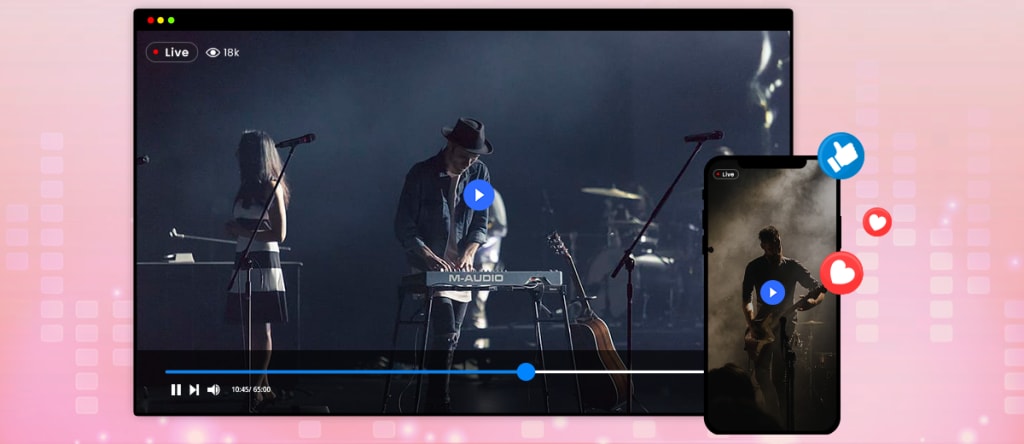
Broadcast software is an essential tool for creating, editing, and delivering video content. It is used by broadcasters, media companies, and other professionals in the industry to produce high-quality content for television, radio, and other platforms.
Definition of Broadcast Software
Broadcast software refers to a set of tools and applications that are designed to facilitate the creation, editing, and delivery of video content. It encompasses a wide range of software applications that perform different tasks such as playout, automation, character generation, video editing, and master control.
Importance of Broadcast Software
Broadcast software plays a critical role in the broadcast industry as it allows professionals to create and deliver high-quality content efficiently. With the right broadcast software, broadcasters can streamline their workflow, reduce production costs, and improve the quality of their content.
Overview of the Guide
This guide aims to provide an in-depth look at broadcast software, its different types, features, and benefits. We will cover the following:
- Types of Broadcast Software
- Playout Software
- Automation Software
- Character Generator Software
- Video Editing Software
- Master Control Software
Types of Broadcast Software
There are several types of broadcast software available in the market today. Each type serves a specific purpose and has unique features and benefits.
Playout Software
Playout software is used to play out pre-recorded content on-air. It is commonly used in television broadcasting to ensure that the content is played out at the right time, in the right format, and with the correct video and audio synchronization. Playout software can also be used to automate the scheduling of content, manage commercials, and ensure smooth transitions between different content segments.
Automation Software
Automation software is used to automate the entire broadcasting process, from scheduling content to playout. It is designed to streamline workflow and reduce the need for manual intervention. Automation software can be used to manage content, schedule commercials, monitor and control broadcast equipment, and handle emergency situations such as signal loss or technical glitches.
Character Generator Software
Character generator software is used to create on-screen graphics such as lower thirds, logos, and captions. It allows broadcasters to add text and graphics to their content quickly and easily. Character generator software can also be used to animate graphics, create transitions, and generate virtual sets.
Video Editing Software
Video editing software is used to edit and post-produce video content. It allows broadcasters to trim, cut, and splice footage, add transitions, effects, and audio, and export the final product in different formats. Video editing software can also be used to create trailers, teasers, and promotional material for broadcast content.
Master Control Software
Master control software is used to manage the entire broadcasting process, from content acquisition to distribution. It is designed to handle complex workflows and ensure that content is delivered to the right audience at the right time. Master control software can be used to manage multiple channels, monitor and control broadcast equipment, and ensure compliance with broadcasting regulations.
Features of Broadcast Software
Live Streaming
One of the essential features of broadcast software is live streaming. Live streaming allows you to broadcast your content in real-time, giving your audience a sense of immediacy and interactivity. With live streaming, you can reach a wider audience and create a sense of community around your content. Some of the popular live streaming platforms are YouTube, Facebook Live, Twitch, and Instagram Live.
Multi-camera Support
Multi-camera support is another critical feature of broadcast software. It allows you to switch between different camera angles seamlessly, giving your viewers a better viewing experience. With multi-camera support, you can create a professional-looking video that captures different perspectives and angles. This feature is especially important for live events such as sports, concerts, and conferences.
Audio Mixing
Audio is an essential component of video content, and broadcast software should have audio mixing capabilities. Audio mixing allows you to adjust the volume, balance, and quality of your audio sources. With audio mixing, you can ensure that your viewers can hear the audio clearly and that the audio is in sync with the video.
Graphics and Effects
Graphics and effects can enhance the visual appeal of your video content. Broadcast software should have a library of graphics and effects that you can use to add titles, lower-thirds, transitions, and animations to your video. Graphics and effects can also help you convey information more effectively and make your video content more engaging.
Transcoding and Encoding
Transcoding and encoding are critical features of broadcast software that ensure that your video content is compatible with different devices and platforms. Transcoding is the process of converting your video files into different formats and resolutions, while encoding is the process of compressing your video files for efficient storage and streaming.
Closed Captioning
Closed captioning is a feature that allows you to add text captions to your video content. Closed captioning makes your video content more accessible to viewers who are deaf or hard of hearing. It also improves the overall viewing experience by providing additional context and clarity.
Factors to Consider When Choosing Broadcast Software
Budget
Budget is an essential factor to consider when choosing broadcast software. Broadcast software can range from free to thousands of dollars, and you need to choose one that fits your budget. Free broadcast software such as OBS Studio and Streamlabs OBS are excellent options for beginners, while professional-grade software such as Wirecast and vMix are more expensive but offer more advanced features.
Compatibility
Compatibility is another critical factor to consider when choosing broadcast software. You need to choose software that is compatible with your hardware and operating system. Make sure to check the software's system requirements and compatibility before making a purchase.
Scalability
Scalability is a factor to consider if you plan to expand your video production in the future. You need to choose software that can grow with your needs. Scalable software should have features that allow you to add more cameras, audio sources, and effects as your production needs change.
Ease of Use
Ease of use is another critical factor to consider when choosing broadcast software. The software should be easy to set up and use, even for beginners. Look for software with a user-friendly interface, clear documentation, and tutorials.
Technical Support
Technical support is essential when choosing broadcast software. Look for software vendors that offer technical support, either through email, phone, or live chat. Make sure that the software vendor provides timely and helpful technical support, especially if you run into any issues with the software.
Flicknexs
Flicknexs is a powerful streaming and broadcasting software that is designed to be user-friendly. It is an all-in-one solution that includes live streaming, video-on-demand (VOD), and over-the-top (OTT) capabilities. Flicknexs is known for its ease of use, affordability, and flexibility.
Popular Broadcast Software Options
Features
Live streaming: Flicknexs provides a variety of options for live streaming, including multi-camera support, adaptive bitrate streaming, and customizable video players.
Video-on-demand: Flicknexs includes robust VOD capabilities, including customizable templates, payment gateways, and analytics.
OTT: Flicknexs allows users to create their own over-the-top streaming service with customizable branding, content delivery, and subscription management.
webnexs VOD
webnexs VOD is a feature-rich video-on-demand platform that allows users to create their own streaming service. It includes a range of customizable options, including branding, payment gateways, and analytics. webnexs VOD is known for its flexibility, scalability, and security.
Features
Customizable templates: webnexs VOD includes several customizable templates for your streaming service, including subscription options and payment gateways.
Analytics: webnexs VOD provides detailed analytics on viewer behavior, engagement, and retention.
Security: webnexs VOD includes robust security features, including DRM, watermarking, and secure streaming.
Wirecast
Wirecast is a live streaming and production software that is designed for a range of uses, from live events to online learning. It includes a range of features, including live switching, graphics, and multi-camera support. Wirecast is known for its reliability, ease of use, and versatility.
Features
Live production: Wirecast provides a range of tools for live production, including virtual sets, titling, and chroma key.
Multi-camera support: Wirecast can handle multiple cameras and inputs, allowing for complex productions.
Streaming to multiple platforms: Wirecast can stream to multiple platforms simultaneously, including Facebook, YouTube, and Twitter.
vMix
vMix is a live streaming and production software that is designed for professional use. It includes a wide range of features, making it a powerful tool for creating high-quality productions. vMix is known for its reliability and customization options, making it a popular choice for professional broadcasters.
Features
Live production: vMix provides a variety of tools for live production, including virtual sets, chroma key, and titling.
Multi-camera support: vMix can handle multiple cameras and inputs, allowing for complex productions.
Stream to multiple platforms: vMix can stream to multiple platforms simultaneously, including Facebook, YouTube, and Twitch.
How to Set Up and Use Broadcast Software
To get started with broadcast software, you need to make sure that your system meets the minimum requirements. Most broadcast software requires a modern CPU, at least 4 GB of RAM, and a dedicated graphics card for best performance.
Once you have confirmed that your system meets the requirements, you can download and install the software. Follow the installation process and configure the settings to your liking. Most broadcast software allows you to customize settings such as resolution, bit rate, and frame rate.
To start live streaming or recording, you need to set up your sources. These can include camera feeds, audio inputs, graphics, and effects. Arrange your sources and add transitions between them as needed.
When broadcasting, it is important to follow best practices for quality output. This includes optimizing your settings for the type of content you are broadcasting, ensuring that your audio levels are balanced, and monitoring your stream for any issues or errors.
Tips for Optimizing Broadcast Software Performance
To ensure optimal performance while using broadcast software, it is important to monitor your CPU and memory usage. Keep an eye on your system resources and close any unnecessary applications or processes that may be hogging resources.
Additionally, you can optimize your network settings to reduce latency and improve performance. Use a wired connection instead of Wi-Fi whenever possible and make sure that your network is properly configured for streaming.
Using hardware acceleration can also significantly improve performance. Most broadcast software supports hardware acceleration for encoding and decoding video, which can help reduce the load on your CPU.
Finally, reducing input lag can also improve performance. Make sure that your sources are properly synchronized and that there is minimal delay between what is happening in real-time and what is being broadcasted
Common Challenges When Using Broadcast Software
While broadcast software can greatly enhance the quality of your live streaming or recording, it can also present some challenges. Some common issues include audio/video sync issues, stream quality problems, system crashes and freezes, and incompatibility with hardware.
Audio/video sync issues can occur when the audio and video sources are not properly synchronized. This can lead to a delay between what is happening in real-time and what is being broadcasted. Stream quality problems can include issues such as buffering, low frame rates, and poor resolution.
System crashes and freezes can occur due to issues such as high CPU or memory usage, software conflicts, or outdated drivers. Incompatibility with hardware can occur when the broadcast software is not compatible with the hardware components of your system.
Troubleshooting Tips for Broadcast Software
If you encounter any of these issues while using broadcast software, there are several troubleshooting tips that you can try.
First, make sure that your system meets the minimum requirements for the software. Check that your CPU, RAM, and graphics card are all up to par.
Next, update your drivers and software to the latest versions. This can often fix issues related to incompatibility or outdated software.
Adjusting your settings can also help resolve some issues. For example, lowering your bit rate or resolution can help improve stream quality if you are experiencing buffering or low frame rates.
Finally, if you are experiencing issues with high CPU or memory usage, you can use the task manager to end any unnecessary tasks or applications that may be running in the background.
Conclusion
In conclusion, broadcast software is a powerful tool for live streaming and recording that can greatly enhance the quality of your content. By understanding the different types of broadcast software available, the features they offer, and the factors to consider when choosing the right software for your needs, you can make informed decisions and achieve the best results.
Furthermore, setting up and using broadcast software requires a certain level of technical knowledge, but by following best practices and optimizing performance, you can ensure that your broadcasts are of high quality and run smoothly.
While challenges may arise when using broadcast software, troubleshooting tips can help you overcome them and get back on track. By taking the time to understand and utilize broadcast software to its full potential, you can elevate your content and engage with your audience in new and exciting ways.
About the Creator
Enjoyed the story? Support the Creator.
Subscribe for free to receive all their stories in your feed.
Comments
There are no comments for this story
Be the first to respond and start the conversation.