
The Freelancer’s First-Month Admin Checklist
Social Media clCheck list

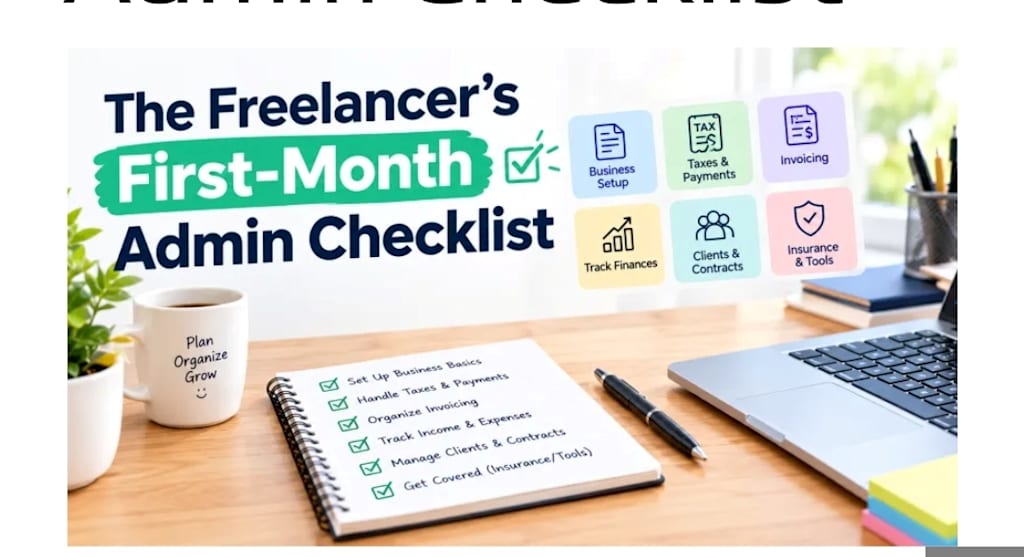
Nobody warns you about the boring part of freelancing. The work itself is the fun bit: writing, designing, coding, whatever you do. Then your first client sends a contract, asks for your details, and wants to pay you, and suddenly you’re running a small business with no manual.
I’ve seen plenty of new freelancers lose days to paperwork problems that were easy to prevent. This checklist covers three areas that cause the most stress in the first month: signing documents, protecting your accounts, and keeping your money in order. You can handle all of them without spending anything.
1. Get ready to sign documents quickly
Clients move fast. A contract lands in your inbox on Monday, and they’d like it back by Tuesday. If you don’t have a signature ready, you end up printing, signing, scanning, and emailing, which is a lot of effort for one page.
A cleaner approach is to prepare a digital signature file once and reuse it.
How to do it well:
Create a signature image with a transparent or plain white background so it sits cleanly on any document.
Keep it simple and readable. An overly stylized signature looks messy when scaled down.
Save it as a PNG in a folder you can reach easily.
Keep the file small so it doesn’t slow down emails or bulky PDFs.
If you don’t have a scanner or a drawing tablet, a browser-based option like a handwritten signature generator lets you create a signature image in a few clicks and download it for use in documents.
One honest caution: an image of your signature is fine for many everyday agreements, but rules about what counts as a legally binding electronic signature differ from country to country and by document type. For high-value contracts, check what the client requires, since some will ask you to use a specific e-signature service.
2. Lock down your accounts before the work piles up
As a freelancer, your email, invoicing tools, cloud storage, and payment accounts all hold client information and your income. One compromised account can cost you work, money, and trust.
The good news is that a few habits cover most of the risk.
Use long, unique passwords. Length matters more than clever substitutions. A long random password is far harder to crack than a short complicated one, and reusing one password across sites means one leak exposes everything.
Let a tool generate them. Humans are bad at randomness. We pick birthdays, pet names, and keyboard patterns. A generator such as the 15-character password generator on Daily Life Calculators produces random strings using familiar words so you aren’t relying on your own imagination.
Store them in a password manager. You can’t memorize dozens of long passwords, and you shouldn’t try. A reputable password manager remembers them for you, so you only need one strong master password.
Turn on two-step verification. Add it to your email first, since a hacked email account lets someone reset everything else. Then add it to payment and cloud accounts.
Keep client files tidy. Don’t leave sensitive documents in your downloads folder or on a shared computer. Put them in a protected folder and delete what you no longer need.
3. Keep an eye on money from day one
Freelance income arrives unevenly. A great month can be followed by a quiet one, and that gap is where people reach for credit cards.
Credit isn’t automatically bad. Used carefully it can smooth a late payment. The trouble comes when you don’t know what the balance really costs you.
See the real cost of carrying a balance. Credit card interest compounds, so a debt grows faster than it feels like it should. As a rough example, a $2,000 balance at a 24% annual rate costs about 2% per month, which is around $40 in interest before you’ve paid anything down. If you only make small payments, the total adds up quickly.
Rather than guess, you can run your own numbers through a tool such as an online credit card interest calculator . Enter your balance, rate, and monthly payment to see how long repayment takes and how much interest you’ll pay.
A few habits that help:
Keep a simple record of income and expenses, even in a basic spreadsheet.
Set aside part of every payment for taxes. The amount depends on where you live, so check your local rules.
Build a small buffer, even a modest one, so one late invoice doesn’t force you onto credit.
Send invoices promptly and state clear payment terms.
Pay more than the minimum on any card balance when you can.
Your first-month checklist
Here’s everything in one place, so you can work through it over a weekend:
Create a clean signature image and save it where you can find it.
Replace weak or reused passwords with long, unique ones.
Set up a password manager.
Turn on two-step verification for email, payment, and storage accounts.
Create a folder system for contracts, invoices, and client files.
Start a simple income and expense record.
Work out the true cost of any card balance you’re carrying.
Decide on a regular day each month to review all of the above.
Common mistakes new freelancers make
Starting work before a contract or written agreement is in place
Using the same password for email and every other account
Mixing personal and business money until it becomes impossible to untangle
Ignoring the cost of credit until it’s already a problem
Leaving admin until a deadline forces it
Assuming a signature image is legally enough for every contract
Frequently asked questions
Is an image of my signature legally valid?
It depends on the country, the document, and the client. For informal agreements it’s often accepted, but important contracts may require a recognized e-signature service. Ask the client what they need.
How long should a password be?
Longer is better. Many security guides suggest at least 12 to 16 characters, and a random 15-character password is a solid starting point when paired with a password manager.
Do I really need a password manager?
It’s the most practical way to use a different strong password for every account. Without one, most people end up reusing passwords or writing them somewhere unsafe.
Should freelancers avoid credit cards?
Not necessarily. They can help with cash flow when used carefully. The key is knowing the interest rate and having a plan to repay the balance.
How much should I save for taxes?
It varies by country and income level, so check your local tax authority or speak to an accountant. Setting money aside with every payment makes it much less painful.
How often should I review my admin setup?
Once a month is enough for most freelancers. A short, regular check keeps small problems from becoming big ones.
Final thoughts
Freelancing becomes much easier once the dull parts run quietly in the background. A ready signature, strong passwords, and a clear view of your money won’t win you clients, but they will stop you from losing time, work, or income. Spend one weekend on the checklist above, and you’ll sta
rt your next client project with one less thing to worry about.
About the Creator
Gulshan
SEO Services, Guest Post & Content Writter.
Enjoyed the story? Support the Creator.
Subscribe for free to receive all their stories in your feed.
Comments
There are no comments for this story
Be the first to respond and start the conversation.