
The Bash Killer Is Here (Again)
We put Fish, Nushell, Elvish, and PowerShell through the wringer to find out which one actually deserves your terminal.
Introduction
In 1977, Stephen Bourne wrote the first lines of the Bourne Shell. He could not have guessed it would dominate terminals for four decades. Nor could he have foreseen that cloud‑native and big‑data workflows would eventually expose the cracks in Bash's "text‑stream" philosophy.
The problem is simple. When you need to extract the peak memory usage of a specific Kubernetes pod over the last three hours from a log file, you chain grep, awk, sort, and head. This pipeline works like a carpenter's tool held together with twine. Every stage manipulates strings, every stage re‑cuts the data, and a single stray space can break the entire contraption.
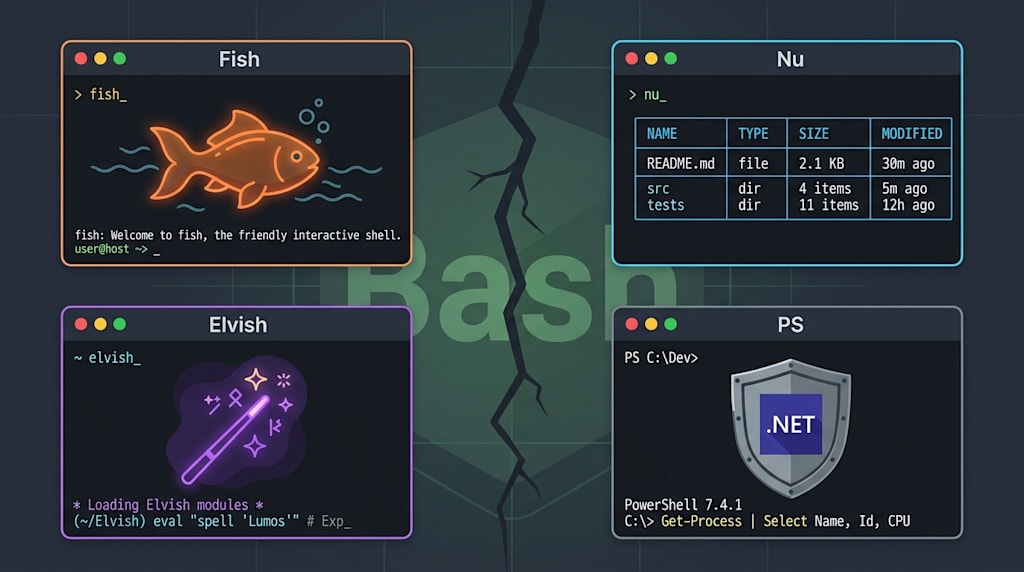
Fish, Nushell, Elvish, and PowerShell take different approaches. None of them try to patch Bash with band‑aids while respecting POSIX heritage. Instead, they tear down the old house and rebuild from the ground up. This article does not offer a simplistic "which is best" verdict. Instead, it takes each shell apart, examines its joints, reveals the pain points it solves, and honestly admits when it will make you want to throw your keyboard across the room.
Chapter 1: Fish – The Interactive Ideal
The first time you open a terminal after installing Fish, you pause.
You type cd /u. Before you hit Enter, /usr/ is already autosuggested. Directories appear in blue, files in white, executables in cyan. You do not need to know regular expressions to understand what each item is.
This is Fish's core design principle: interactive experience takes priority over everything else. When you type git stat, it suggests status at the sta stage and even previews the first three lines of the output that git status would produce. In other words, it shows you what you are about to do before you commit to it.
Its web‑based configuration interface is another oddity. Open localhost:8000 in your browser, and you can tweak colour schemes, auto‑completion behaviour, and loaded functions with a mouse. No digging through .config folders, no memorising obscure shortcuts.
The price?
You cannot source ~/.bashrc directly in Fish. You cannot run a standard Bash script without temporarily switching back to Bash. The Fish repository has a long‑standing issue titled "How to set environment variables for Conda in Fish", with over two hundred replies. The consensus: use the bass plugin, but it slows down startup.
So the usage strategy is clear. Keep your login shell as Bash, and configure your terminal to launch Fish manually when you want an interactive session. Do your daily command‑line work inside Fish. When you need to run a project's build.sh, type bash build.sh. The two worlds coexist without interfering.
Chapter 2: Nushell – Restructuring the Pipeline with Tables
If Fish patches the old "text‑stream" house with better colours and autocompletion, Nushell bulldozes it and pours a new foundation.
In Nushell, ls does not output three columns of filenames with permissions. It outputs a table:
╭────┬──────────────┬──────┬───────────┬──────────────╮
│ #  │     name     │ type │   size   │  modified    │
├────┼──────────────┼──────┼───────────┼──────────────┤
│  0  │ Cargo.toml  │ file │  1.2 KB  │ 3 days ago   │
│  1  │ src         │ dir  │  0 B     │ 2 hours ago  │
╰────┴──────────────┴──────┴───────────┴──────────────╯
To find files modified yesterday, larger than 50 MB, with log in the name, you do not wrestle with find and xargs. You write:
ls **/*log | where size > 50mb and modified > (date now) - 1dayThis line takes five minutes to learn. It feels like SQL, or more precisely, it feels like your intuition when working with an Excel spreadsheet. Native support for multiple data formats means you can open data.json and immediately start filtering with where, projecting with select, and aggregating with group‑by — no jq, no yq, no external tools.
But moving to this new world requires a mental shift. You can no longer think of pipes as conveyor belts that shove the left‑hand output into the right‑hand input. You must see them as a stream of structured data passing through a series of filters. When you need to activate a Python virtual environment in Nushell, you discover that source venv/bin/activate does not work because Nushell's source only understands .nu files. You have to write a wrapper script that re‑implements the PATH modifications in Nu syntax.
Nushell's community is growing fast, but there is still no unified package manager. If you want to install plugins, your only option is to hunt down individually maintained repositories on GitHub, each with its own installation ritual.
Chapter 3: Elvish – The Programmer's Shell as a Language
Elvish's ambitions are entirely different. Fish targets interactivity, Nushell targets data, but Elvish aims to make shell scripting a modern programming language.
You can write code like this in Elvish:
fn complex-process [arg]{
    let data = (cat $arg | from-json)
    each {|item| put $item[score] } $data | math sum
}
It has namespaces, closures, exception handling, and type annotations. If you have ever tried to write a recursive script with proper error propagation in Bash, you will appreciate what Elvish's designers have done. They packed Python‑ and Ruby‑like expressiveness into a shell.
But when you open Elvish's interactive interface, the mood shifts. Its autocompletion is not as sharp as Fish's. Its built‑in file navigator (a sidebar summoned by Ctrl‑N for directory browsing) is interesting, but in Fish you can achieve the same result faster with z and fzf.
More practically, 99% of the problems you encounter at work have already been solved by someone in Fish or Nushell, with well‑documented answers. Elvish has over 8,000 stars on GitHub, but the total number of technical Q&A about it on the entire internet is less than a tenth of what Fish enjoys.
Chapter 4: PowerShell – The Misunderstood Heavy Armour
PowerShell has attracted a long list of complaints.
Startup takes five seconds — long enough to stand up and refill your water. curl in PowerShell is not the real curl; it is an alias that invokes Invoke‑WebRequest, whose parameters are completely incompatible with the standard tool. Get‑Help outputs something closer to "a snippet of Microsoft's official documentation" than a concise man page. Command names read like full sentences — Get‑ChildItem, Set‑ExecutionPolicy, Invoke‑Command.
All of these complaints are valid.
But if you dismiss PowerShell because of them, you miss its essential design: it deals with objects, not strings.
When you run Get‑Process in PowerShell, you do not get a list of text lines. You get a collection of .NET objects, each with properties like Handles, CPU, WorkingSet, and ProcessName. To filter for processes using more than 500 MB of memory, you write Get‑Process | Where‑Object { $_.WorkingSet -gt 500mb }. You do not need awk to slice the fifth column because there are no columns — only properties.
This object model makes PowerShell unbeatable in Windows system administration. Want to modify the registry? There is Set‑ItemProperty. Query Active Directory groups? Get‑ADGroupMember. Manage IIS application pools? Get‑IISAppPool. These cmdlets are not community‑built add‑ons. They are baked into the OS by Microsoft engineers, deeply coupled with the system's management interfaces.
Startup is slow because PowerShell loads the .NET CLR every time — it is effectively launching a small virtual machine. Commands are verbose because they adhere to a strict "Verb‑Noun" naming convention. Every command falls under Get, Set, Invoke, Test, and so on. This convention gives PowerShell scripts strong self‑documentation — you can usually guess what a command does just from its name. The price is a lot of typing.
Chapter 5: Choosing a Default Shell – Strategy, Not Verdict
Now that we have laid out the skeletons of the four shells, we must answer the practical question: which one should I set as my default?
First, a consensus. The term "default shell" needs to be redefined in modern development environments. Do not use chsh to make Fish or Nushell your login shell. System scripts on macOS and most Linux distributions (/etc/profile, crontab's default executor, your IDE's integrated command environment) assume that the underlying shell is POSIX‑compatible. If you replace it with Fish, many of these scripts will break catastrophically.
The correct practice: keep Bash or Zsh as your login shell, and configure your terminal to automatically drop into Fish or Nushell for interactive sessions.
Given that, the decision tree becomes clear.
For daily development — frequent cd, log inspection, service starts, and heavy use of git and docker — choose Fish. Its autocompletion and syntax highlighting save measurable fractions of a second across hundreds of commands per day. When you encounter a project's ./build.sh, type bash ./build.sh — it costs one second.
If your workflow heavily involves JSON, YAML, CSV, or API responses — choose Nushell. Data engineers, SREs, and backend developers dealing with Kubernetes logs or Prometheus queries will find Nu's table operations eliminate 80% of their ad‑hoc Python scripting. But be prepared to spend a week rewiring your intuition about pipes as structured data flows.
If your machine runs Windows and you regularly manage Active Directory, Exchange, or Azure resources — stop hesitating. PowerShell is your only rational choice. No other shell provides native interfaces for these tasks. You would either be left without tools or forced to write C# to call .NET libraries.
As for Elvish — keep it as an experimental curiosity in a VM, or skip it altogether. Using it for daily work is an exercise in self‑inflicted frustration. Its value lies in language design and academia, not production.
Final Chapter
One detail is worth pointing out.
Fish's repository contains a file named fish_tests.rs. Over the past three years, a significant portion of its core logic has been rewritten in Rust, cutting startup time by 40%. Nushell has been written in Rust from day one, carrying no C‑language historical baggage. PowerShell's codebase, meanwhile, still contains compatibility layers written in C# back in 2008, kept solely for backward compatibility with Windows 7 APIs.
These technical choices, visible in the commit history, speak louder than any feature list about each shell's true identity. Fish is an elegant facade for the terminal power‑user. Nushell is a specialised workbench for data workers. PowerShell is Microsoft's heavy‑duty armour for system administrators. Elvish is an unfinished sculpture by a language designer.
None of them is universally better. Each is better for the specific task you have at hand today.
Your terminal configuration can accommodate all four. Add two lines to your .bashrc:
alias f='fish'
alias n='nu'
Let them each do what they do best, without fighting for the title of "default." That approach — embracing diversity rather than pledging allegiance to a single shell — is the mature way to navigate today's complex toolkit.
About the Creator
Jin
Writer of reamstories
https://reamstories.com/jin
Enjoyed the story? Support the Creator.
Subscribe for free to receive all their stories in your feed. You could also become a paid subscriber, letting them know you appreciate their work.
Comments
There are no comments for this story
Be the first to respond and start the conversation.