
The 19,106‑Row Silent Partner: What Happened When an Engineer Let the Model Do the Typing
A story about what engineering becomes when the agent writes the script — and the human still has to know when the script is wrong.
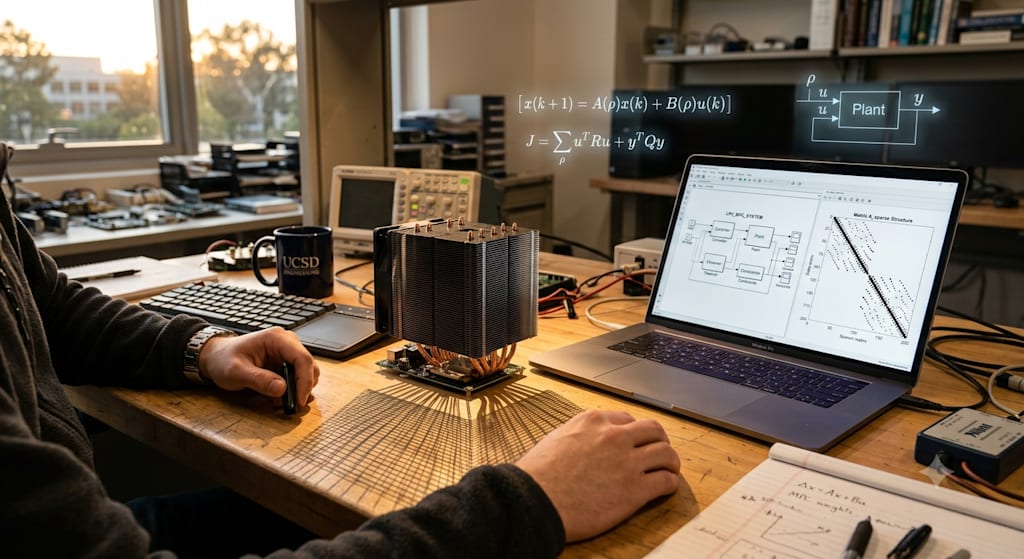
James Carter and Athena’s Thermal Control Odyssey
Location: MathWorks Campus, Natick, Massachusetts, Building C, 3rd Floor Engineering Lab
Time: Tuesday, 9:00 a.m. The coffee machine still gurgled in the corner.
Characters:
James Carter, control systems engineer, thirty‑five, with a habit of tapping the table with the cap of his pen.
Athena, an engineering agent deployed on the MATLAB/Simulink Agentic Toolkit. Her voice was calm, and she never volunteered “I think.”
Task one: Making sense of the opaque finite‑element heatsink model
James swiveled his laptop toward himself. On the screen lay a subsystem model, HeatSinkSubsys.slx, and beside it the initialization script heat_sin_defs.m. On the corner of his desk rested a real CPU heatsink; its aluminum fins glinted cold under the fluorescent lights.
“Athena, help me look at the inputs and outputs of this subsystem.” He typed his first natural‑language command. “Then use the FE matrices in FEMexportedMatrix.mat to assemble the parameters the Descriptor State Space block needs. Explain the physical meaning of each matrix — no textbook jargon.”
In under twelve seconds, Athena returned:
The subsystem has three inputs: CPU heat source Q (scalar), ambient temperature T∞, and air mass flow rate mdot. The output is the scalar temperature T at the sensor location.
FE matrices parsed: 19106×19106 sparse structure.
E: thermal capacitance matrix. Governs the inertia of temperature change, the “thermal mass” of the system.
A(mdot): contains conduction and convection boundary terms. mdot alters the main diagonal block of A through the forced convection coefficient, so A is a function of the scheduling parameter.
B: maps the heat source Q into the power injection vector at each node.
f(mdot): input coefficient vector for ambient temperature T∞; appears only where convection boundaries exist.
C: extracts the temperature at the sensor location from the full field — a row of zeros except for a single 1 at the column corresponding to that node.
Mapping to Descriptor State Space: E remains unchanged; A matrix is looked up from the current mdot; B is taken directly; f(mdot)×T∞ is fed in as an additional input; C is assigned as is. setup_heat_sink_dss.m has been generated and can be run to load the workspace.
James scrolled through the spy plot of the sparse matrices, his knuckles tapping the table twice without thinking. “Thermal capacitance and conduction separated cleanly. Good.” He sketched the mapping on the whiteboard and dragged setup_heat_sink_dss.m into the project.
Task two: Reducing the nonlinear beast into an LPV racehorse
The full‑order model had 19,106 degrees of freedom. The simulation could barely take three breaths per second. James needed a lightweight model that a controller could run on. He created a top‑level model, HeatSinkLinearize.slx, and dropped HeatSinkSubsys into it via a Subsystem Reference. Seven operating points for mass flow rate were lined up from 0.005 to 0.025 kg/s; the heat source and ambient temperature were fed by Constant blocks.
“Athena, the model is assembled. Don’t simulate — just check if the structure is correct. Generate a linearization setup script. Scheduling variable is mdot, control inputs are Q and T∞, output is the scalar temperature from the subsystem.”
Athena produced setup_linearization_HeatSink.m: an operspec defining a uniform temperature field of 323.15 K, linio placing the I/O analysis points, and a skeleton loop for findop and linearize left ready. James scanned it, manually changed the operating points into a struct array, and switched linearize to its vectorized overload. The batch linearization ran in just 63.5 seconds, yielding seven sparse state‑space models stored as spsys.
“Now reduce the order.” James pushed spsys to Athena. “Use sparse balanced truncation on the middle mass‑flow operating point. Plot the Hankel singular values and compute the error bounds.”
Athena initially laid down her own low‑level SVD routines. James shook his head. “Use reducespec and getrom. Built‑in functions first.” Athena corrected herself immediately. A bar chart of Hankel singular values popped up; order five already captured the dominant energy. She extracted the projection matrices TL and TR, then projected the other six operating points into the same subspace, yielding seven 5th‑order state‑space models.
James had Athena eliminate the E matrix to get explicit form, and convert the ambient temperature input into a derivative offset, so that each local model retained only the heat source Q as its input. Next, he arranged the seven 5th‑order ss objects into an array, assigned the mdot vector to the SamplingGrid property, and stuffed them into an LPV System block. HeatSinkLPV.slx was born.
Verification scenario: after five seconds, inject Q = 20 W; the fan first races to full speed, then slows back down. The full‑order results already sat in simResults.mat. The LPV simulation ran, and James overlaid the two temperature curves. The maximum deviation was under 0.3 K. “Fine. The speed gain is worth that error.”
Task three: Welding the fan and sensor into the open loop, ready for PI tuning
“The controller can’t just stare at the heatsink. It needs to twist voltage and read the sensor signal.” James sketched the loop on scratch paper: voltage into the fan, fan outputs mass flow rate, flow into the heatsink, temperature to the sensor, sensor output to the controller. He told Athena:
“Create PIDControlOL.slx. Connect HeatSinkLPV, FanSubsys, and SensorSubsys using Subsystem References. Inputs: heat Q and voltage V. Output: sensor temperature Ts.”
Athena’s first attempt copied the models; some reference chains broke, and the fan’s lookup table breakpoints didn’t match. James moved his mouse over the subsystem block and gave a voice command: “Use Subsystem Reference, don’t copy.” After rebuilding, the fan’s first‑order dynamics at 0.2192 seconds and the sensor’s time constant of 1 second were fully integrated.
Next came the array of linear plant models. Five operating voltages: 2, 4, 6, 8, 10 V, with the equilibrium temperature fixed at 323.15 K. For each voltage, findop solved for the heat Q that kept the sensor temperature steady at the target. Then linearize extracted five local linear models in one batch, each 7th‑order, with all poles in the left half‑plane. Athena automatically plotted the Bode diagrams: the DC gain dropped as voltage rose, and the phase lagged gently at high frequencies, physically sensible.
Task four: Tuning the PI, pinning the temperature at 50°C
James fed the second local model (the 4 V operating point) into pidtune. Target response time: 5 seconds, which mapped to a crossover frequency of roughly 0.2 rad/s. pidtuneOptions threw all the weight onto disturbance rejection. Because the feedback structure subtracted the actual temperature from the setpoint while the PI needed negative feedback, James had Athena multiply the plant by –1.
Athena spat out: Kp = 2.5852, Ki = 0.2561. The Bode plot showed 65 degrees of phase margin. The step response overshoot was under 10%, and it pulled back to zero within five seconds.
Nonlinear verification: inside the closed‑loop model PIDControlCL.slx, a saturation block of [0, 12] V sat after the PI controller, with anti‑windup. The scenario was a 300‑second simulation. At t = 100 s, a 30 W heat step was thrown in and held for 200 seconds. The fan voltage instantly jumped to the 12 V rail and saturated; the CPU temperature peaked at 63.8°C, the physical limit. Once the heat was removed, the PI pulled the temperature smoothly back to 50°C. Steady‑state error was under 0.2 K. Athena streamed the simulation data line by line into the command window. James watched the temperature curve settle back into place, and set his pen cap down on the desk.
“Physical limits are physical limits. The controller isn’t lying.”
Close
The sunlight outside had shifted to the west. James packed the final models into the project library. All morning, Athena had functioned like a high‑level interactive help document, but one that did more than look up manual pages: she parsed the physical structure of a 19,106th‑order sparse matrix, executed batch linearization and balanced truncation, built an LPV model, tuned PI gains, integrated the closed‑loop, and ran the simulation. She had misconfigured the parameters on getrom, missed the yOffset in the LPV bias, and stumbled over the units in pidtune, yet each time James pointed it out, she redid it with the correct built‑in function or logic, and never repeated the same mistake.
The engineer’s critical role had not been replaced; it had shifted: from typing every line of script by hand to defining the problem, choosing operating points, judging numerical validity, deciding when to vectorize rather than loop, and manually correcting any module bias the AI couldn’t untangle. The Simulink Agentic Toolkit welded engineering rigor and the agility of a language model together, and James knew he was standing right on the weld seam.
He put his coffee mug in the sink, walked back to his desk, and sent Athena one last sentence for the day:
“Package that LPV reduction workflow into a Skill. Parameterize the order and the number of operating points. I’ll use it directly next time.”
Athena replied: “Saved as heat_sink_lpv_reduction.skill in the current project skill library. See you tomorrow, James.”
The screen dimmed. The fins on the heatsink cast fine shadows in the late afternoon light, like an unfolded finite‑element mesh.
About the Creator
Jin
Writer of reamstories
https://reamstories.com/jin
Enjoyed the story? Support the Creator.
Subscribe for free to receive all their stories in your feed. You could also become a paid subscriber, letting them know you appreciate their work.
Comments
There are no comments for this story
Be the first to respond and start the conversation.