
RapVid Review: Write The Verse Before The Beat
Stop chasing the beat. Write the verse first — and let the beat follow your story.


Finished bars are the part that took the night, and a new hook can wipe them out. An AI Rap Video Generator should keep that verse in the prompt instead of replacing the audio.
The decision is which mode is holding the words. A trending template follows a clip people already know and brings that clip's audio with it. That trade is fine when the joke is the trend. It is a bad trade when the verse is already finished, because the bars are the thing you cannot afford to throw away. The review below stays on the mode that asks you to write first.
How The Prompt Holds A Finished Verse
Opening Make Your Own puts a single box on the page, labeled Rap Lyrics, Scene & Wardrobe Prompt. The hint under that label asks for custom lyrics, a scene, or a topic, and the example in the box is shaped the same way: a place, then what the people are wearing, then the lines. One field is doing the work that used to be split across a notes app, a costume text, and a separate lyric sheet. You can see the shape before you replace a word.
On this open, the box was not empty. A sample scene was already sitting in it, with clothes named and two lines of a verse underneath. That sample is a demonstration of the format, not your song. If you leave it, you will render the sample. The point of the box is that your lines can occupy the same place. RAPVID treats that box as the script, so a finished verse has somewhere to go before a beat is chosen.
Scene And Clothes Share That Box
Writers often treat the location and the outfit as someone else's problem. Here they sit in the same prompt as the bars, so a line about a kitchen does not get filmed on a rooftop you forgot to delete. Read the scene sentence out loud next to the verse. If the verse says a small room and the scene says a stadium, the picture will argue with the words. Fix the sentence before you touch a photo.
Wardrobe belongs in that same pass. A gold chain or a plain shirt changes how the body reads, and it is cheaper to type it than to discover it after the faces are in. Keep the clothes clause short. The verse is the part that should take the room in the box.
Inspire Me Sits Beside A Filled Sample
Two controls sit on the box: Inspire Me, and Clear. Clear is the one a finished verse actually needs. It empties the sample so your bars are not sharing a paragraph with a demo couplet. Inspire Me is the other direction, a fill when you do not have lines yet. Using it on a night when you do have lines is how the sample sneaks back in. The order is dull and worth keeping: Clear, paste the verse, then add one scene sentence and one clothing clause.
Pick One Beat That Fits The Bars
The panel says there are five beat styles, and the menu text names them. Hard Trap was the one already selected, described as hard 808s and a triplet flow. The same menu carries Classic Boom-Bap, Melodic Club, Epic Drill, and West Coast. You are not asked to upload a beat. You pick one of those five, then the portraits ride it. That is a smaller choice than it looks, and it should follow the verse, not lead it.
Hard Trap pairs a heavy 808 with a triplet flow, so short stacked lines have somewhere to land.
Classic Boom-Bap is kick, snare, and room for multisyllables, which suits a verse that needs air.
Melodic Club leans on a catchy line and a party bounce.
Epic Drill uses gliding 808s and a faster delivery.
West Coast sits on a funk bass and a slower swagger.
If the bars are long and the internal rhymes are doing the work, Boom-Bap is the honest pick because the description itself mentions multisyllabic flow. If the lines are short and you want them to snap, Trap or Drill matches that pressure. Picking a club beat for a quiet verse, because the name sounds current, is how a good line starts to sound late to its own music. RAPVID is stronger on this night when the beat is chosen to fit the bars you already wrote, not the other way around.
Boom-Bap Leaves Room In The Line
A verse with inner rhymes needs space between the kicks. Classic Boom-Bap, as the menu describes it, is punchy kick and snare with room for those syllables. That is the practical test. Read the longest bar you wrote. If it has two stresses fighting inside one breath, the busier beat will step on the second one. Boom-Bap is the pick that lets the second stress land. You can still be wrong. The check is to say the bar once against the description before you lock the menu.
Trap And Drill Push The Delivery
Hard Trap and Epic Drill are the opposite pressure. Triplet flow and a fast glide want lines that turn over quickly. A paragraph-shaped bar will feel crowded there, because the beat is already speaking in short groups. Cut the line or pick the roomier beat. Keeping both, and hoping the portrait hides the pile-up, just puts the timing problem on the face. The beat you picked is what the line has to fit.
Split A Duo Into First And Second Half
Person count is a switch: 1P, 2P, or 3P. The open panel had 2P selected, and the upload slots changed their names to match a split verse. The left slot read Lead Rapper, left side, first half. The right slot read Co-Star Rapper, right side, second half. That is a writing decision hiding inside a photo form. If two people share the verse, decide who has the first half before you drop a face into either box.
Say the verse in two breaths before you assign the photos. The first breath is the setup, the second is the turn. If the turn is the line people came to hear, that breath belongs on the right, because the slot is labeled second half. Swapping the breaths after the faces are in means the punchline comes out of the wrong mouth. Mark the split on the verse itself, line by line, so the upload is just casting.
Each slot still wants one clear portrait, JPG or PNG, one person, face visible. A phone QR sits on the slot when the photo is not on the computer. The permission line is the same as everywhere else on the studio: only upload a face you are allowed to use. None of that replaces the split. A perfect portrait on the wrong half means the second voice is saying the first voice's bars.
RapVid shows the recommended engine for this mode as Seedance 2.0 Pro, marked Best Match, with the button at $4.99 for the 720p, 5s, 9:16 setting that was selected. A Fast option at $1.99 was visible beside the single pass. RAPVID is not asking you to ignore that gap. The Pro chip is the match it recommends once you are writing your own prompt. The Fast price is the cheaper pass if the draft does not need that recommendation. Read which one the button is actually charging before you treat $4.99 as inevitable. This check did not generate a video. The preview still asked for the two portraits.
That price is a different question from the verse. Pay it, or switch to the Fast pass, only after the bars, the beat, and the halves are settled. Spending the higher number to discover that the sample lyric was still in the box is the waste to avoid. Clear the sample first. The dollars can wait for the second look.
Where A Template Still Needs The Verse
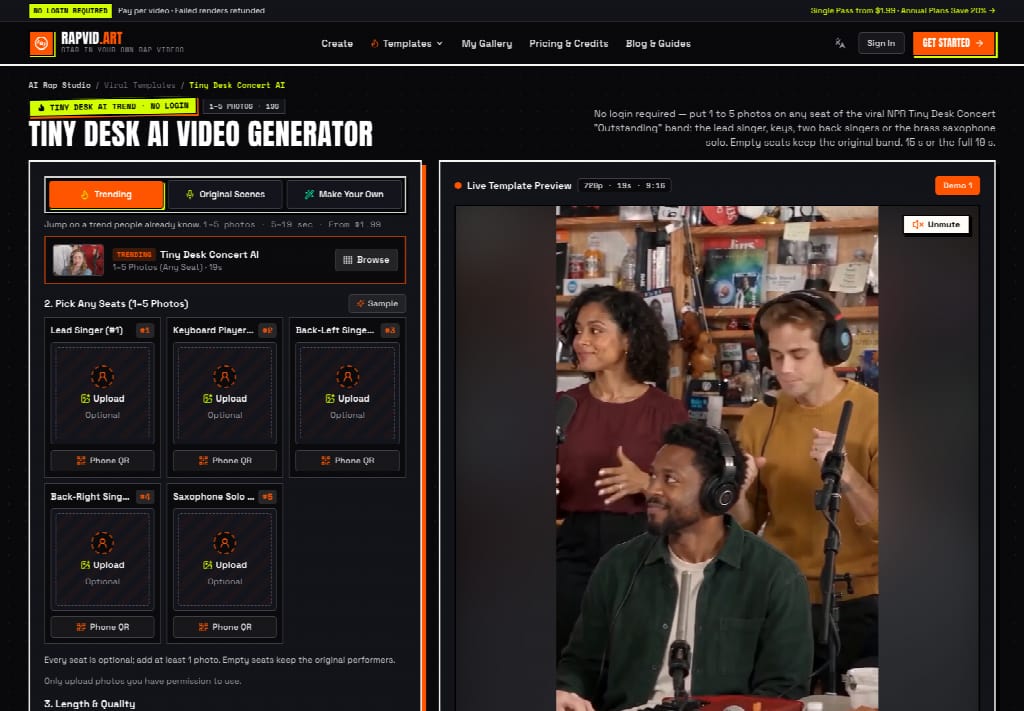
Trending templates follow a popular clip's motion and camera, and they use that clip's audio. Use one when the trend is the joke. Do not use one when the verse is already finished, because the template audio replaces the bars. The prompt box is where those bars stay. A blocked mouth still needs a clearer photo, and no beat name repairs it.
Let The Finished Verse Wear The Beat
Writers who already have the bars are the people this mode fits. Put the verse in the box, pick the beat that leaves those syllables intact, then assign the first half and the second half. RAPVID is the stronger desk for that order, because the words are an input instead of a leftover.
Someone who wants the audio from a trend, and does not have a verse, should stay on the template. That is a different night. For the page that already holds a finished sixteen, the clip should start from the lines, not from a hook you did not write.
About the Creator
Gulshan
SEO Services, Guest Post & Content Writter.
Enjoyed the story? Support the Creator.
Subscribe for free to receive all their stories in your feed.
Comments
There are no comments for this story
Be the first to respond and start the conversation.