
Mobile Learning Platform Development
Learn how mobile learning platform development works, including architecture, features, and steps to build scalable mobile eLearning applications.

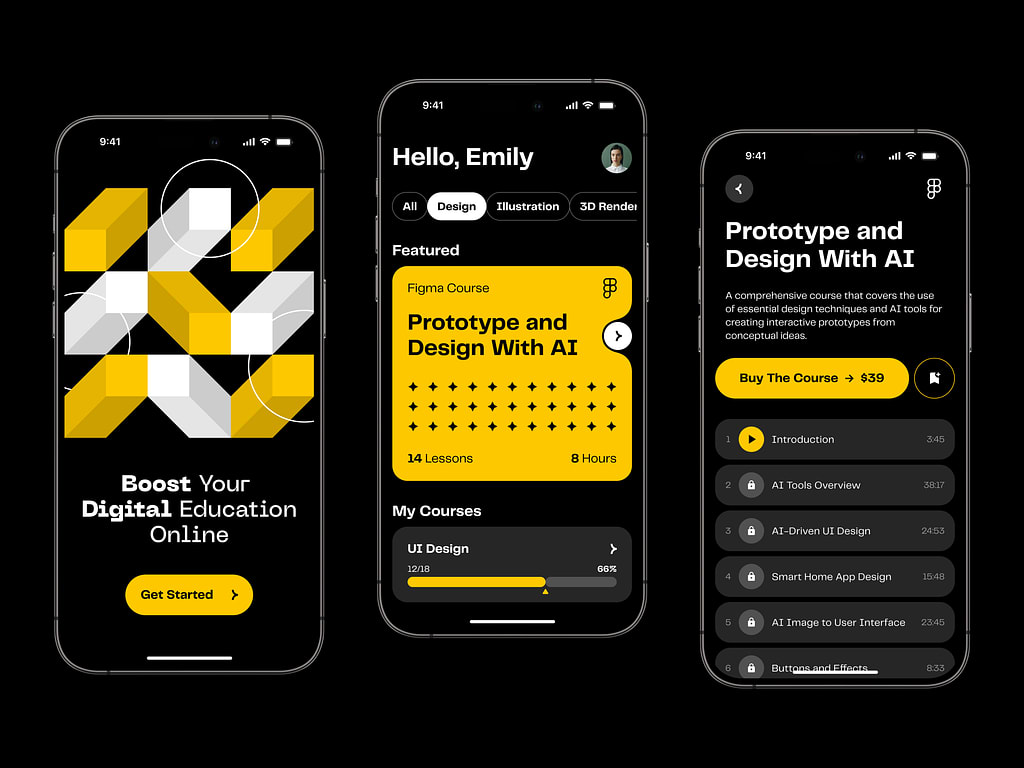
Successful ventures in the ed-tech space rarely begin with a focus on code or hardware. Instead, they originate from specific inquiries regarding user friction. For instance, why do students disengage after the initial modules? Why does high-quality material underperform on handheld devices? Why do completion metrics remain sluggish despite the evident value of the training? What causes users to delay their studies even when they are already logged into the application?
Frequently, the root cause lies not in the educational content, but in the surrounding product experience. If an application is sluggish, disjointed, or poorly optimized for brief interactions, users will abandon it rapidly. Consequently, organizations frequently seek development partners who possess dual expertise in educational technology and scalable Software-as-a-Service (SaaS) infrastructure. As these solutions mature, they often merge with Learning Management Systems (LMS), integrating content distribution with features like progress monitoring, automated alerts, data analytics, and account administration.
This guide explores the mechanics of mobile learning ecosystems, highlighting critical architectural components, standard development workflows, and the typical hurdles teams face when constructing robust, scalable mobile education applications.
Defining Mobile Learning Platforms
A mobile learning platform is a digital tool designed for studying via smartphones or tablets. It consolidates instructional materials—such as videos, readings, assessments, and tracking metrics—into a mobile-friendly interface, eliminating the need for users to wait until they can access a desktop computer.
This approach is vital because mobile education typically occurs in sporadic bursts. A user might engage with the app for ten minutes, complete a single module, and return later, expecting the system to seamlessly retain their place. Therefore, these products are engineered to support micro-learning, concise lesson structures, and offline functionality to accommodate unstable or absent internet connections.
Generally, mobile learning solutions fall into two primary categories:
1. Dedicated Learning Applications
These are independent mobile products constructed exclusively for educational purposes. The entire user journey—including content consumption, testing, progress monitoring, notifications, and navigation—is contained within the app. This model is ideal when mobile is the primary delivery channel and the product is designed with a "mobile-first" philosophy from inception.
2. Mobile Extensions of LMS
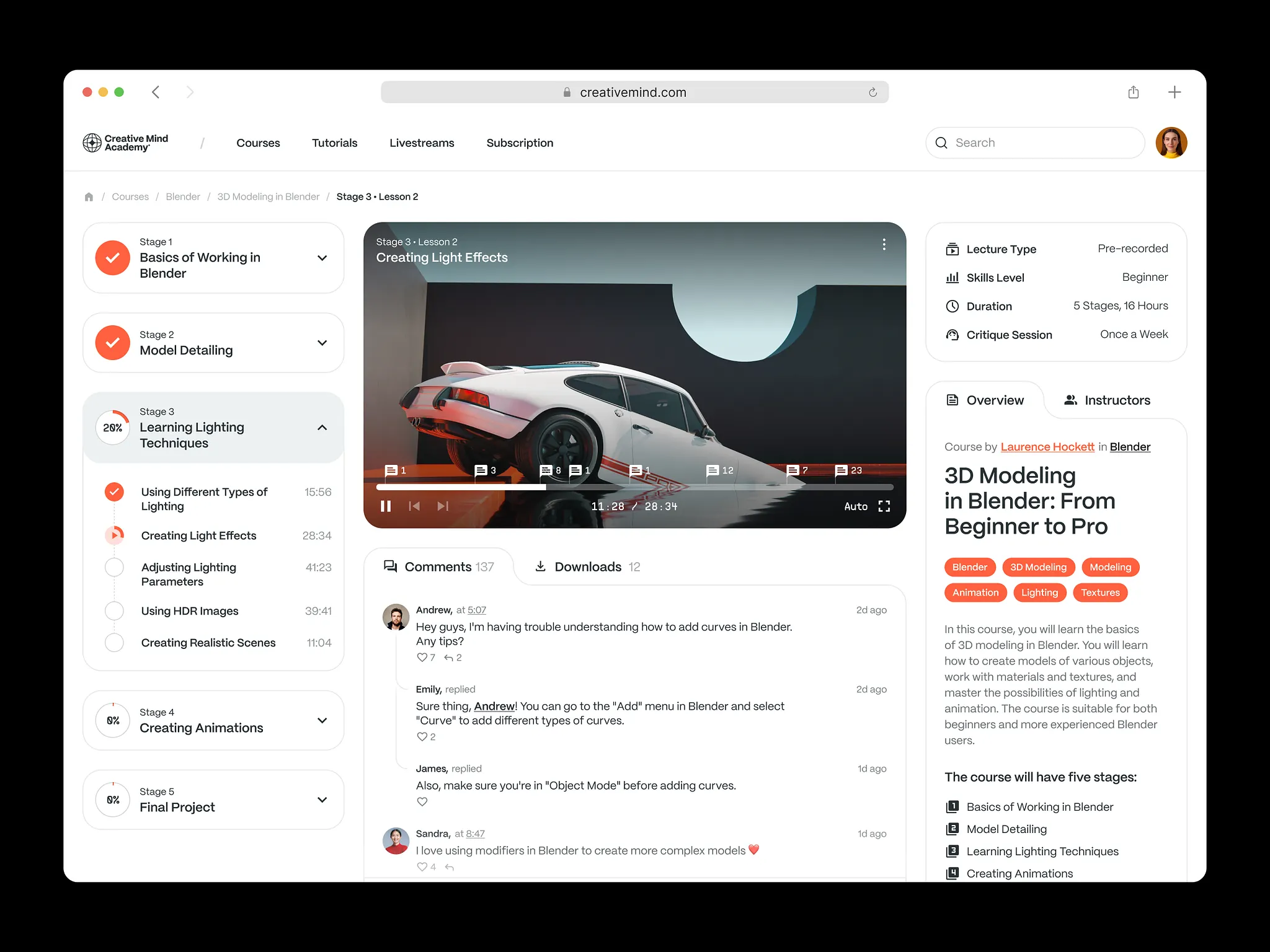
These applications serve as the mobile interface for comprehensive Learning Management Systems. In this scenario, the app is one component of a broader ecosystem that likely includes web portals, administrative dashboards, reporting tools, and content creation suites. This structure is prevalent in corporate environments and large-scale educational institutions where mobile accessibility must remain synchronized with the central system.
3. Corporate Training Solutions
A distinct subset of mobile learning tools is designed specifically for internal business use. These corporate training apps facilitate employee onboarding, compliance training, and continuous professional development. In practice, they often integrate into larger enterprise training frameworks, linking educational activities to organizational structures, reporting requirements, and internal workflows.
This context significantly influences product design. While public-facing learning apps primarily cater to the individual student, corporate solutions must also satisfy the needs of managers, human resources professionals, and administrators. They require capabilities for assigning coursework, monitoring completion rates, segmenting employees by role or department, and identifying performance gaps across the workforce.

Essential Architecture
Although a mobile learning app may appear minimalist on the surface, it is typically supported by a complex underlying infrastructure.
The Client-Side Application
This is the interface visible to the learner. It serves as the hub for accessing lessons, streaming video content, completing assessments, receiving alerts, and resuming studies from the last saved point. Depending on the strategy, this layer may be developed for iOS, Android, or both platforms simultaneously.
The Backend Infrastructure
Operating behind the scenes, the backend manages critical functions such as user data storage, progress synchronization, access control, and the core business logic that powers the application’s daily operations.
Content Distribution Network
Efficient delivery of educational materials is paramount. The system must reliably serve videos, texts, quizzes, and files across various devices and network conditions, ensuring a seamless experience regardless of connection speed.
Data Analytics Engine
Insight into user behavior is crucial. Development teams require visibility into key metrics: retention rates, drop-off points, module completion statistics, and engagement levels with specific content types. This data drives informed product improvements.
System Integrations
Modern learning platforms rarely operate in isolation. They often need to interface with external systems, including Human Resources Information Systems (HRIS), Customer Relationship Management (CRM) tools, video hosting services, and proprietary corporate databases.
Consequently, developing a mobile learning solution is less about designing individual screens and more about orchestrating the seamless interaction of these diverse components.
Critical Features for Mobile Learning
Mobile-Optimized User Experience (UX/UI)
The success of an e-learning app hinges on its usability on small screens. Cluttered interfaces, poorly placed controls, or excessive navigation steps can lead to rapid user abandonment. Effective mobile-first design prioritizes clarity, intuitive navigation, legible typography, and responsive interactions that minimize friction for the learner.
Technical execution is equally vital. A polished user experience relies not just on visual design but on robust frontend engineering—often utilizing frameworks like React—to ensure consistent performance and speed across different devices.
Offline Accessibility
The ability to learn without an internet connection is a defining feature of effective mobile learning. Users frequently encounter situations with poor or no connectivity, such during travel or in remote areas.
To address this, platforms typically allow users to download content beforehand. Once connectivity is restored, the app synchronizes progress, quiz results, and other activities with the central server. Without this capability, the utility of the mobile platform is significantly diminished.
Microlearning and Bite-Sized Content
Mobile learning aligns best with habitual phone usage patterns. Most users do not engage in hour-long study sessions on their phones; instead, they prefer short, focused interactions.
Therefore, content is often structured into concise lessons and quick assessments. This format not only improves completion rates and memory retention but also facilitates personalized learning paths, allowing the system to adapt recommendations in manageable increments.
Engagement via Notifications and Gamification
Retaining users is a common challenge in ed-tech. Push notifications can effectively re-engage learners by reminding them to continue unfinished tasks, provided they are used sparingly to avoid becoming intrusive.
Additionally many platforms incorporate gamification elements—such as streaks, badges, points, and progress bars—to maintain momentum. While these features are supplementary, they play a significant role in sustaining motivation, particularly for apps designed for intermittent, long-term use.
Comprehensive Analytics and Tracking
Beyond simple completion status, platforms must provide deep insights into learner behavior. Teams need to understand navigation paths, identify bottlenecks where users stall, and track performance trends over time.
Advanced analytics systems bridge the gap between raw user activity and strategic product decisions. For example, if data reveals a consistent drop-off at a specific module, developers can investigate and refine that section. Without this analytical layer, improving the product becomes a process of guesswork rather than evidence-based optimization.
The Development Lifecycle
1. Strategic Planning and Use Case Definition
Development begins with clarifying the product’s purpose. While various learning apps may look similar, their underlying mechanics differ based on the target audience.
Teams typically define three core aspects early on:
- Target Audience: Is the app for employees, students, customers, or subscribers? This determines both the functional logic and the tone of the content.
- Learning Format: Will the app focus on micro-lessons and quick quizzes, or does it require longer modules, certifications, and live interactions? The format must align with mobile usage habits.
- Retention Strategy: What motivates users to return? Whether through reminders, gamified goals, or compelling content structures, a clear engagement strategy is essential to prevent early churn.
2. Mobile-Centric UX/UI Design
Once the strategy is set, the focus shifts to interface design. This phase determines whether the app feels intuitive or frustrating. Mobile users have limited patience; they expect to open the app, locate their current lesson, and resume learning with minimal effort.
Effective mobile UX emphasizes simplicity: clean layouts, standard navigation patterns, high readability, and obvious interactive elements. The design must account for real-world usage scenarios where users may be distracted, hurried, or multitasking. The goal is not emptiness, but clarity.
If the ecosystem includes web-based components, such as administrative dashboards, leveraging consistent technologies like React ensures a unified experience across all platforms.
3. Selecting the Technology Stack
There is no universal "best" technology stack for educational platforms; the ideal choice depends on current requirements and anticipated growth trajectories.
Teams generally choose between two primary paths:
- Native Development: Building separate applications for iOS (using Swift) and Android (using Kotlin). This approach offers superior performance and deeper access to device-specific features but requires maintaining two distinct codebases.
- Cross-Platform Frameworks: Using a shared codebase (such as React Native or Flutter) to deploy on both platforms simultaneously. This method accelerates development and reduces costs, though it may limit access to certain native capabilities.
The decision hinges on factors like budget, timeline, feature complexity, and the need for platform-specific behaviors.
Backend selection is typically driven by practicality. Node.js and Python are industry standards. For Python-based backends, FastAPI is frequently chosen for its efficiency in building lightweight, high-performance APIs without unnecessary overhead.
Relational Databases (e.g., PostgreSQL) are ideal for structured data, which is common in learning platforms where relationships between users, roles, courses, progress tracking, and permissions are well-defined.
NoSQL Databases (e.g., MongoDB) are better suited for flexible, evolving data models that may change frequently during development.
Containerization (Docker) is widely adopted early in development to ensure consistent environments and simplify service packaging.
Orchestration (Kubernetes) is typically introduced later as the platform scales. While powerful for managing complex deployments, it is often unnecessary for initial launches.
Since mobile apps rarely operate in isolation, web development remains a critical component. Most platforms require browser-based interfaces for administrative tasks, content management, and detailed reporting. The technology stack should serve the product’s functional needs rather than serving as a superficial addition.
4. Backend and API Architecture
The backend serves as the operational backbone of the platform, handling user authentication, progress persistence, access control, assessment scoring, and notification delivery. If this layer is unstable, the mobile experience will feel broken regardless of the frontend’s visual quality.
Application Programming Interfaces (APIs) act as the bridge between the mobile client and the backend server. Every action—resuming a lesson, syncing progress, or fetching new content relies on API calls. While these interactions should appear seamless to the user, they require rigorous architectural planning from a development perspective, as the app’s functionality is entirely dependent on their reliability.
Mobile learning platforms often mirror the complexity of standard SaaS systems. They must manage substantial state information, including user hieraries, content permissions, and real-time tracking data, requiring robust backend logic to handle these concurrent processes efficiently.
5. Integrations and Data Synchronization
Learning platforms are rarely standalone entities; they usually need to integrate with external ecosystems.
Integrations may include Learning Management Systems (LMS), third-party analytics tools, content delivery networks (CDNs), or internal corporate software. In some cases, these connections are secondary features; in others, particularly in enterprise settings, the platform must seamlessly embed into existing infrastructure rather than replacing it.
Seam synchronization is critical for user continuity. Learners often switch between devices or encounter connectivity issues. The platform must accurately sync progress, completed modules, quiz results, and downloaded content across all endpoints. Without reliable synchronization, users face confusion and data loss.
This is especially vital for video-heavy platforms, where playback status and lesson completion must remain consistent across different sessions and devices to maintain a coherent learning journey.
6. Testing and Performance Optimization
Visual completion does not equate to readiness. Rigorous testing is essential to ensure stability across diverse conditions.
The app must be validated on various hardware configurations, screen sizes, operating system versions, and network speeds. Performance issues that are negligible on high-end devices can become critical barriers on older hardware or slower connections.
Performance directly impacts retention. Slow load times, delayed progress updates, or laggy interactions can frustrate users enough to cause abandonment. In the context of learning, even minor friction points can disrupt the educational flow and lead to churn.
The goal of this phase is not abstract perfection, but practical stability: ensuring the app is responsive, predictable, and robust under real-world conditions.
7. Deployment and Scalability
Launch marks the transition from theoretical testing to live operation.
Upon release, the platform faces real-world pressures: increased traffic, diverse user behaviors, and unexpected edge cases. The backend infrastructure must be prepared to handle this load. While immediate massive scale may not be necessary, the architecture should be designed to scale smoothly as user adoption grows, preventing technical bottlenecks during periods of traction.
Development does not end at launch. Mobile products require continuous monitoring, regular updates, bug fixes, and performance tuning. Support services are integral to the lifecycle, ensuring the platform remains secure, functional, and aligned with user needs. Release is merely the beginning of ongoing operational management.
Key Hurdles in Mobile Learning Development
Sustaining User Engagement
Perhaps the most significant obstacle in developing mobile training applications is maintaining user interest beyond the initial onboarding phase. While acquiring installs is a measurable metric, ensuring consistent return visits and course completion is far more complex. Mobile users operate in an environment saturated with distractions and limited attention spans. Even highly valuable educational content can fail if the user experience feels cumbersome or if the design inadvertently encourages procrastination.
The Complexity of Offline Access
Users expect seamless access to educational content regardless of their connectivity status. However, implementing robust offline functionality is technically demanding rather than a simple add-on. The application must efficiently cache materials locally, accurately track user progress without an internet connection, and reliably synchronize this data once connectivity is restored. Poor execution in this area leads to data discrepancies and user confusion, undermining the convenience the feature is meant to provide.
Device Fragmentation and Compatibility
Ensuring a consistent experience across the vast array of mobile devices is a frequent source of development friction. An interface that appears polished on one device may function poorly on another due to variations in screen dimensions, operating system versions, and hardware performance capabilities. These differences can impact video playback quality, load times, and overall interface responsiveness. Consequently, rigorous testing on physical devices is essential to identify and resolve these inconsistencies, though it is often under-prioritized.
Performance and Responsiveness
Performance issues are directly linked to user retention. Latency in loading screens, application freezes, excessive battery consumption, or delayed progress updates are immediately noticeable to users. In the context of learning, such friction disrupts the cognitive flow and diminishes the perceived value of the product. Users rarely provide detailed feedback on performance issues; instead, they typically abandon the application silently.
Balancing Simplicity with Complexity
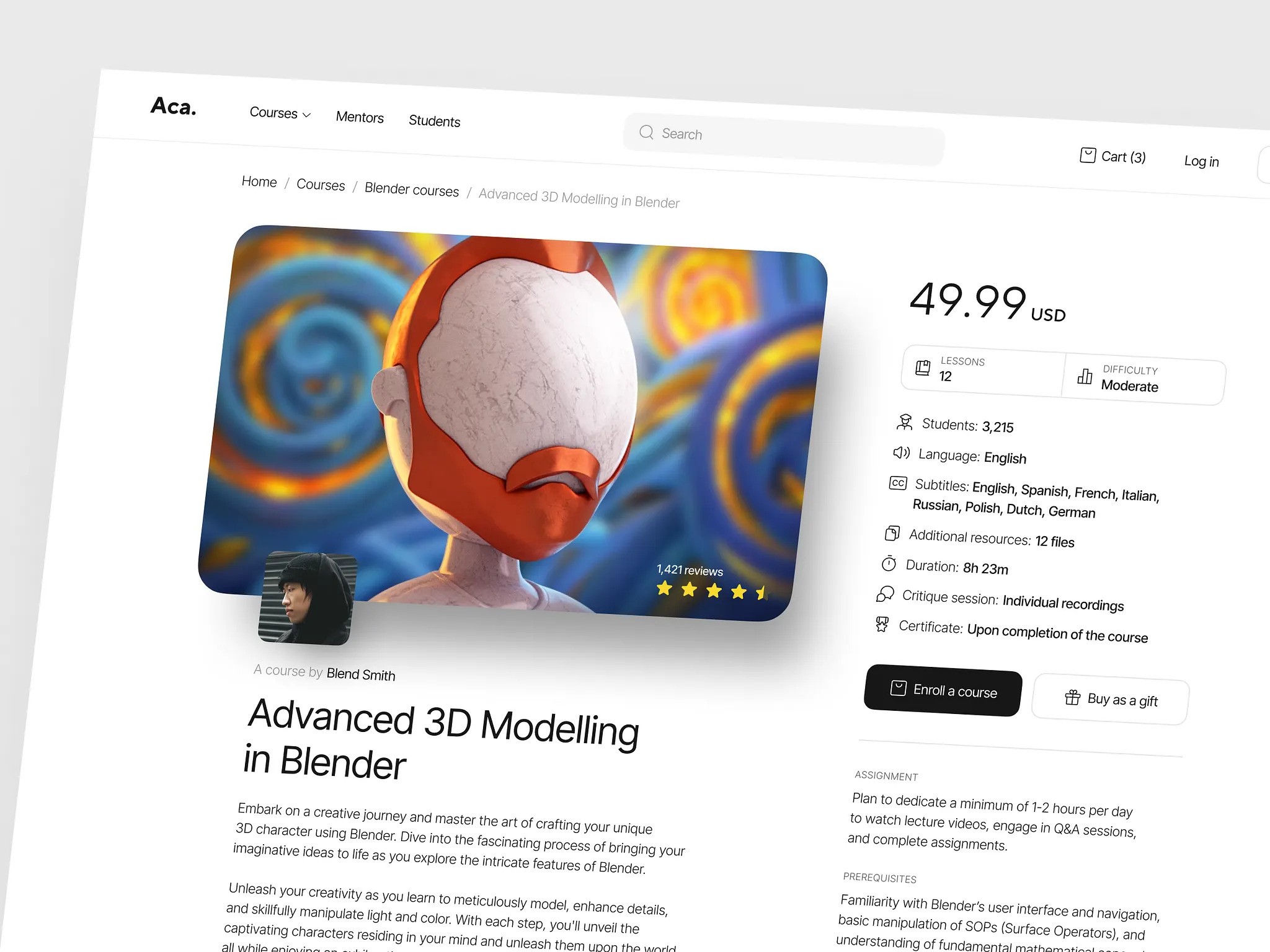
These challenges are not unique to dedicated learning apps; they also affect broader educational marketplaces where platforms must juggle content delivery, user interaction, and system stability. The core objective in mobile learning development remains constant: abstracting the underlying technical complexity to present a streamlined, intuitive, and stable interface for the learner.
The Value of Specialized Development Partners
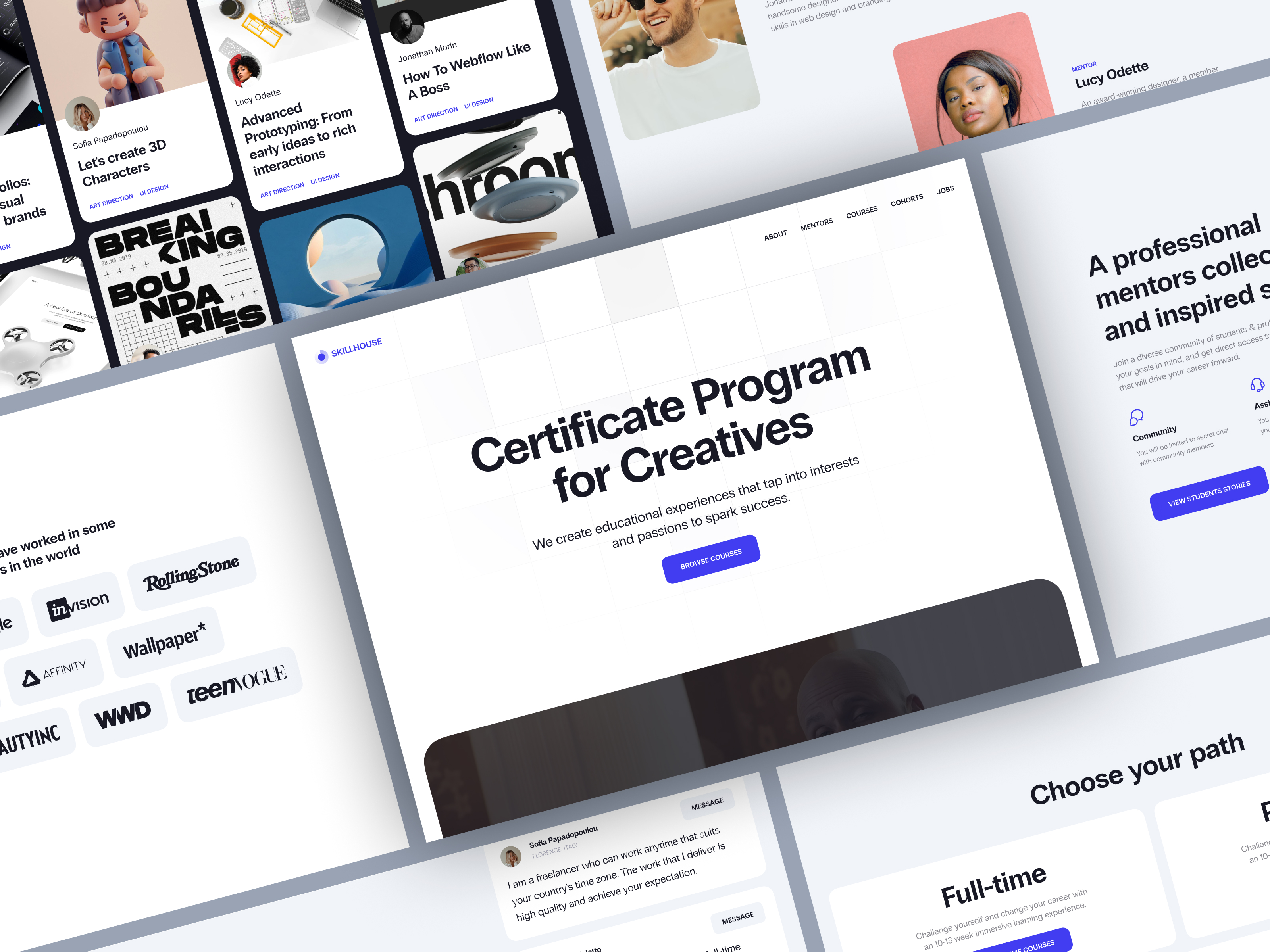
At first glance, a mobile learning product might appear to be a straightforward application featuring lessons, assessments, reminders, and progress tracking. However, the reality is far more complex. The platform must deliver a seamless experience on compact screens, maintain stability across diverse devices, ensure rapid load times, manage content efficiently, and support scalable growth without descending into technical disarray over time.
This complexity underscores the importance of specialized mobile expertise. Generalist software developers may possess strong coding skills but often make suboptimal decisions when applied to the unique constraints of mobile learning. These platforms face specific pressure points: brief user sessions, limited screen real estate, inconsistent network connectivity, high expectations for offline functionality, and zero tolerance for friction. If an app is sluggish, cluttered, or unintuitive, learners will simply cease using it.
The Importance of Scalable Infrastructure
A robust backend is equally critical. Even seemingly simple learning apps accumulate significant complexity, managing users, roles, course hierarchies, progress data, notifications, content libraries, analytics, and third-party integrations. While this may seem manageable initially, the quality of this architecture determines whether the product can scale organically or requires constant, costly remediation as it grows.
UX-Centric Design as a Competitive Advantage
User experience (UX) design is paramount in mobile learning. Users should not need to decipher the interface; they should be able to open the app, instantly recognize their current status, resume their previous activity, and navigate through materials effortlessly. Superior products distinguish themselves not just by functioning correctly, but by feeling intuitive and effortless, whereas technically functional but cumbersome apps often fail to retain users.
Specialized development teams bring invaluable insight into how digital learning products evolve under the pressure of real-world usage, expanding content libraries, and increasing product complexity.
Conclusion
Developing a mobile learning platform extends beyond merely digitizing lessons. The core challenge lies in creating a cohesive ecosystem that integrates mobile UX, backend logic, content delivery systems, integrations, and scalable architecture.
Success is rarely determined by the sheer number of features, but rather by the execution of fundamental principles. The platform must be effortless to use, as mobile environments offer little patience for friction. It must actively foster engagement, since the mere existence of content does guarantee return visits. Finally, it must perform reliably, as slow loads, sync errors, or confusing navigation can drive users away almost immediately.
Ultimately, successful mobile learning development hinges on mastering a few key elements: intuitive usability, consistent engagement strategies, reliable performance, and a flexible architecture designed for sustainable growth.
About the Creator
Shakuro
We are a web and mobile design and development agency. Making websites and apps, creating brand identities, and launching startups.
Enjoyed the story? Support the Creator.
Subscribe for free to receive all their stories in your feed.
Comments
There are no comments for this story
Be the first to respond and start the conversation.