
IP Lookup Tools: A Complete Guide to Finding IP Addresses, Locations, and Network Information
In today's digital world, understanding internet connections and online security is more important than ever.

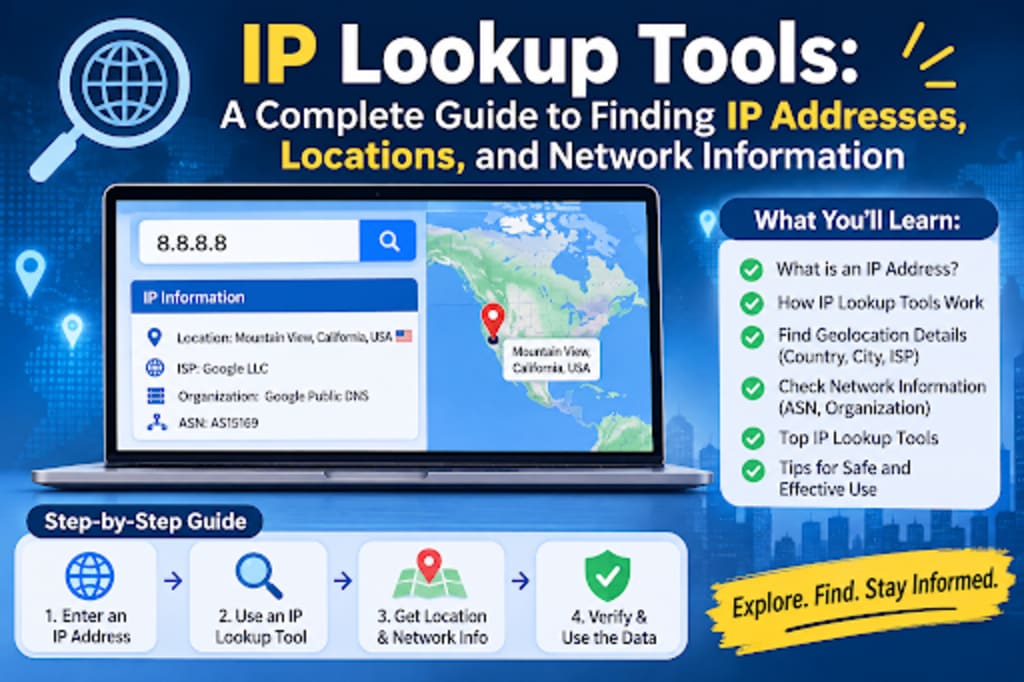
In today's digital world, understanding internet connections and online security is more important than ever. Whether you are a website owner, digital marketer, network administrator, or everyday internet user, IP Lookup Tools can help you discover useful information about an internet connection. These tools provide details such as IP addresses, approximate geographical locations, Internet Service Providers (ISPs), and other network-related information.
An IP lookup service makes it easier to understand where an internet connection originates and how it is connected to the internet. Many platforms offer free IP lookup and geolocation services, allowing users to access basic network information without installing additional software or creating an account.
What Are IP Lookup Tools?
IP Lookup Tools are online services that allow users to investigate an Internet Protocol (IP) address and retrieve information associated with it. Every device connected to the internet uses an IP address to communicate with websites, servers, and other devices.
An IP lookup tool takes an IP address as input and searches available databases to provide relevant information about that address. Depending on the service, the results may include the country, region, city, ISP, organization, hostname, and network details.
Some tools automatically detect your public IP address when you visit their website, while others allow you to enter an IPv4 or IPv6 address manually.
These services are particularly useful for identifying network information, troubleshooting connectivity problems, and understanding the geographical origin of online traffic.
Key Features of Free IP Lookup Tools
A good free IP lookup and geolocation service provides several useful features that help users understand internet connections.
1. IP Address Detection
One of the main features of IP lookup services is automatic IP address detection. When you visit an IP lookup website, it can identify your public IP address and display it on the screen.
Most services support both IPv4 and IPv6 addresses. IPv4 addresses use a numerical format, while IPv6 addresses use a longer hexadecimal format designed to support a much larger number of internet-connected devices.
2. IP Geolocation Information
Geolocation is another important feature of IP Lookup Tools. It uses IP address databases to estimate the geographical location associated with an internet connection.
Depending on the available data, users may see information such as:
Country and country code
State or province
City or general region
Approximate latitude and longitude
Time zone
It is important to understand that IP geolocation is not always precise. The displayed location may represent an ISP's network infrastructure, a regional connection point, or a nearby city rather than the user's exact physical location.
3. ISP Information
Internet Service Provider information helps users identify the company or organization associated with an IP address.
For example, an IP lookup tool may display the ISP name, network operator, or organization responsible for providing internet connectivity.
This information can be helpful when investigating unfamiliar network connections, checking internet service details, or troubleshooting website access issues.
4. Network and ASN Details
Advanced IP lookup services also provide technical network information. One important detail is the Autonomous System Number (ASN).
An ASN identifies a network or group of IP networks managed by a particular organization. Network administrators can use this information to understand routing relationships and identify the organization associated with an internet connection.
Other available details may include IP ranges, reverse DNS hostnames, and network ownership information.
Why Are IP Lookup Tools Important?
IP lookup services have several practical applications for individuals and businesses.
Website Management:
Website administrators can use IP information to understand visitor traffic, investigate suspicious activity, and identify unusual connection patterns.
Cybersecurity Awareness:
Security teams can examine unfamiliar IP addresses and gather information about their associated networks. This can support security investigations and help identify potentially suspicious connections.
Network Troubleshooting:
Network administrators can use IP lookup information to investigate connectivity problems, identify network providers, and understand routing-related details.
Digital Marketing:
Businesses can use approximate geographical information to understand where website visitors are coming from and improve regional marketing strategies.
Privacy Awareness:
Users can check what general location and ISP information may be associated with their public IP address. This helps them better understand their online privacy.
How to Use an IP Lookup Tool
Using an IP lookup service is usually straightforward and does not require technical knowledge.
Follow these simple steps:
Open a free IP lookup website in your browser.
Allow the service to detect your public IP address automatically, or enter an IP address manually.
Click the lookup or search option if required.
Review the displayed IP address and geolocation information.
Explore additional details, including ISP, ASN, hostname, and network information.
Many services display results within seconds, making them convenient for quick network checks.
Benefits of Using Free IP Lookup Services
Free IP lookup services provide several advantages. First, they are accessible through standard web browsers, meaning users do not need to download or install dedicated applications.
Second, they offer quick access to important networking information. Even users with limited technical knowledge can understand basic IP details through a simple interface.
Third, many services support both IPv4 and IPv6, making them useful for different types of internet connections.
Finally, free IP lookup websites can help users make informed decisions about network security, online privacy, and website management without requiring expensive software subscriptions.
Choosing the Right IP Lookup Tool
Not all IP lookup services provide the same information or accuracy. Before selecting a platform, consider its features and reliability.
Look for a service that offers accurate and regularly updated IP databases, IPv4 and IPv6 support, geographical information, ISP identification, and network details.
A user-friendly interface is also important, especially for people who only need basic IP information. If you require technical information, choose a platform that provides ASN, reverse DNS, and network ownership details.
You should also review the service's privacy policy to understand how it handles submitted IP addresses and visitor information.
Are IP Lookup Results Always Accurate?
Although IP Lookup Tools are useful, their results should be treated as estimates rather than guaranteed facts.
Geolocation accuracy depends on the quality of the underlying databases, ISP infrastructure, and network configuration. VPNs, proxy servers, mobile networks, and corporate connections can also affect the displayed location.
For example, someone physically located in one city may appear to be connecting from another city because their ISP routes traffic through a different network location.
Therefore, IP lookup information should not be used as definitive proof of someone's physical location or identity.
Conclusion
IP Lookup Tools are valuable resources for anyone who wants to understand internet connections and access basic network information. From displaying public IP addresses and approximate geographical locations to identifying ISPs and network details, these services make technical information easier to access.
About the Creator
Enjoyed the story? Support the Creator.
Subscribe for free to receive all their stories in your feed.
Comments
There are no comments for this story
Be the first to respond and start the conversation.