
Instagram Face Search: I Tried to Find an Instagram Profile Using Only a Photo
Profile Using Photo

Instagram Face Search: I Tried to Find an Instagram Profile Using Only a Photo
A few days ago, I found myself in a strangely familiar situation.
I had a photo of someone, but almost nothing else.
No Instagram username. No full name I was confident about. No mutual account I could check.
Normally, I would have typed whatever information I had into Instagram and started scrolling through profiles. This time, there wasn't really anything to type.
So I started wondering: can you actually find an Instagram account from a photo alone?
I decided to try.
I Started With the Obvious Option
Starting with a traditional reverse image search.
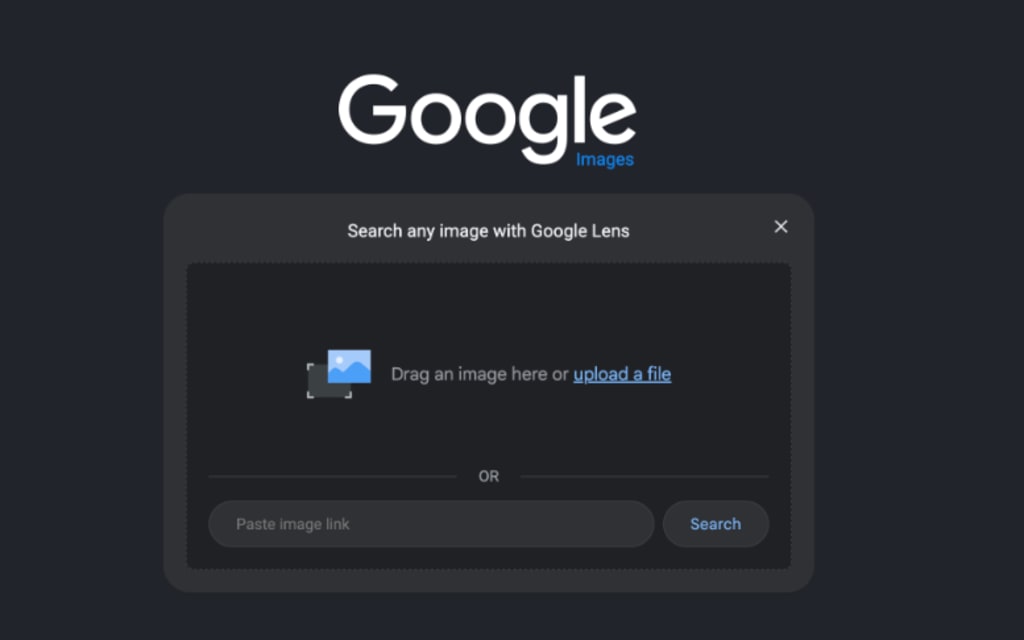
My first stop was Google Lens.
I uploaded the image and waited to see what it could find.
The results weren't useless. I got visually similar photos, a few websites, and images with roughly similar compositions. But none of them gave me the Instagram profile I was looking for.
That actually makes sense.
Google explains that Lens is designed to help users search what they see in an image - including objects, text, products, and visually similar content. It isn't specifically an Instagram profile finder.
So while reverse image search can work brilliantly when the exact same photo appears elsewhere online, I realized I was dealing with a different problem.
I wasn't necessarily looking for the same image.
I was looking for the same person.
And that distinction changed the way I approached the search.
Why Searching Instagram by Photo Is Harder Than I Expected
At first, I assumed finding the account would be relatively easy.
People reuse photos online all the time, right?
But Instagram profiles aren't organized around searchable faces. Instagram's normal search works much better when you already know something - a username, name, hashtag, location, or another clue connected to the account.
A photo alone doesn't give you much to type into that search bar.
There was another problem too: profile pictures change.
Someone might use a beach photo on Instagram, a professional headshot somewhere else, and a completely different selfie on another social network.
Traditional reverse image search is strongest when it can locate the same or a very similar image.
That made me curious whether an Instagram face search could approach the problem differently.
So I Tried Searching by Facial Features Instead
That's when I tested Face2social.
Rather than relying only on an identical image match, Face2social analyzes facial features in the uploaded photo and uses facial similarity to identify potential matching social profiles.
I uploaded the photo and let it run the search.
What I liked about the process was that I didn't need to invent additional clues. I wasn't guessing usernames or trying combinations of first names and locations.
The face itself became the starting point.
Using an Instagram face search like this is particularly useful when the photo you have isn't identical to someone's Instagram profile picture. The system can compare facial characteristics instead of depending entirely on matching pixels between two images.
That was the difference I had been missing with a normal reverse image search.
Using Face2social to search for potential Instagram matches based on facial similarity.
The Results Still Required Some Detective Work
The search didn't suddenly hand me one giant button saying, “This is definitely the person.”
And honestly, I wouldn't expect it to.
Instead, I got potential matches that I could compare myself.
I started looking at profile photos, usernames, bios, and other details that could help confirm whether I had the right person.
Some results were obviously wrong.
Others looked surprisingly close.
That's where I realized an important thing about Instagram face search: the tool can narrow the field dramatically, but you should still verify the result yourself.
A similar-looking face isn't proof of identity.
I checked whether the profile photo looked consistent, whether other visible details made sense, and whether there was enough information to reasonably connect the account to the person in my original image.
That extra verification took a few minutes, but it was much faster than blindly searching Instagram from scratch.
I Also Tried Giving Google More Context
After testing facial search, I went back to Google with a different strategy.
Instead of searching with the image alone, I combined whatever clues I could extract from it.
Was there text in the background?
A company logo?
A recognizable location?
A username fragment?
Even clothing from an event?
Those details can sometimes turn a vague image search into something much more specific.
For example, if a photo appears to have been taken at a conference, searching the event name together with a profession or company can sometimes surface speaker pages, LinkedIn profiles, Instagram posts, or other useful references.
This is where regular search engines still have an advantage: they can connect contextual clues around the image rather than focusing entirely on the face.
So I wouldn't replace Google Lens with facial search.
I'd use them for different jobs.
What Actually Worked Best
After trying several approaches, the most effective method wasn't relying on a single tool.
It was combining them.
I would start with a reverse image search to see whether the exact photo existed somewhere else.
If that failed, I'd use an Instagram face search to look for accounts associated with a similar face.
Then I'd take any clues from those results - a name, username fragment, profession, location, or another social profile - and verify them independently.
That last step matters.
Finding a visually similar profile is the beginning of the verification process, not the end of it.
When This Kind of Search Is Actually Useful
Before trying this, I thought searching for an Instagram account from a photo sounded like a pretty niche problem.
Then I started thinking about how often we encounter people online without knowing their usernames.
Maybe you remember someone from a conference but never exchanged Instagram handles.
Maybe you follow a creator on another platform and want to see whether they have an Instagram account.
Maybe you saved a screenshot months ago and can't remember where it came from.
Or maybe you're trying to verify whether the person behind an account has a consistent presence elsewhere online.
In situations like those, having the photo as another searchable clue can be surprisingly useful.
What I Learned From the Experiment
A photo can become another clue when trying to connect a face with an online profile.
The biggest thing I learned is that “search by image” and “search by face” aren't really the same thing.
Google Lens is excellent when you want to understand an image or locate visually similar content.
Facial search is more specialized.
Instead of asking, “Where else does this exact picture appear?” you're effectively asking, “Where might this same face appear?”
That's why Instagram face search made more sense for this particular experiment. Face2social helped narrow the search down to potential matches, while I could then review the profiles myself and decide which results were actually relevant.
I still wouldn't treat a facial match as definitive proof of someone's identity.
But it gave me something I didn't have at the beginning: a much smaller set of possibilities to investigate.
And when all you're starting with is a photo, narrowing hundreds of millions of Instagram accounts down to a handful of plausible leads is already a pretty useful result.
About the Creator
Gulshan
SEO Services, Guest Post & Content Writter.
Enjoyed the story? Support the Creator.
Subscribe for free to receive all their stories in your feed.
Comments
There are no comments for this story
Be the first to respond and start the conversation.