
Implementing Odoo for Manufacturing Businesses: A Beginner’s Guide
What is Odoo?

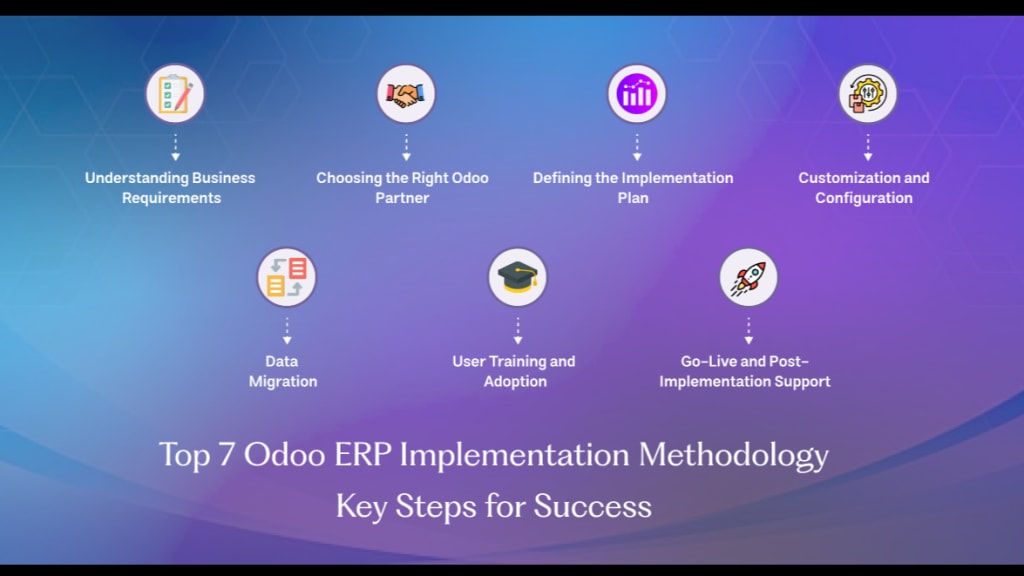
Odoo is a powerful business management software that helps manufacturing companies run smoothly. It handles everything from tracking raw materials to delivering finished products. If you own or manage a manufacturing business, Odoo can save you time and money by organizing your workflow in one system. This guide will help you understand how to use Odoo for your manufacturing business.
Odoo is an all-in-one business management software. It combines different applications into one system so businesses don’t have to use multiple tools. Manufacturing businesses use Odoo to track inventory, manage production, handle sales, and even pay employees.
Why is Odoo Important for Manufacturing?
Manufacturing businesses have many moving parts. You need to keep track of raw materials, production processes, workers, and deliveries. Odoo makes everything easier by:
- Organizing materials and supplies
- Scheduling production tasks
- Managing sales and customer orders
- Tracking employee work hours
- Automating repetitive tasks
Steps to Implement Odoo in Your Manufacturing Business
If you want to use Odoo for your manufacturing company, follow these simple steps.
1. Install Odoo
First, you need to install Odoo on your system. You can choose between two options:
Odoo Online (Cloud-based): This option doesn’t need installation and works on any device with an internet connection.
Odoo On-Premise (Installed on a local server): This option gives you full control over data and customization.
2. Choose the Right Modules
Odoo has different modules for different business needs. For manufacturing, you should install these modules:
Manufacturing (MRP): Helps with production planning and tracking.
Inventory: Manages raw materials and finished goods.
Sales: Handles customer orders and invoices.
Purchases: Tracks orders for raw materials.
Accounting: Manages business finances and payments.
HR (Human Resources): Handles employee information and payroll.
3. Set Up Your Manufacturing Process
Once you install the necessary modules, you need to set up your production process. Follow these steps:
Create a Bill of Materials (BOM): A BOM lists all the raw materials needed to make a product.
Define Work Centers: Work centers are specific places where production takes place, such as assembly lines or welding stations.
Set up Routing: Routing defines the steps needed to manufacture a product, like cutting, assembling, and packaging.
Schedule Production Orders: Use Odoo to create and schedule production tasks for workers.
4. Manage Inventory Efficiently
Odoo’s inventory module helps businesses track stock levels in real-time. Here’s how you can use it:
Monitor Raw Materials: Set alerts when materials are low.
Track Product Movements: Know where items are stored and when they move.
Automate Reordering: Odoo can reorder materials automatically when stock runs low.
5. Improve Production Planning
Production planning ensures that goods are made on time and in the right quantity. Odoo helps by:
Scheduling Work Orders: Assigning tasks to workers based on priority.
Balancing Workload: Making sure no worker or machine is overburdened.
Reducing Waste: Preventing excess production to save resources.
6. Manage Sales and Customer Orders
Your manufacturing business needs to sell products efficiently. Odoo’s Sales module helps by:
Tracking Orders: Keeping records of customer purchases.
Generating Invoices: Sending bills to customers automatically.
Providing Customer Support: Managing customer queries and complaints.
7. Handle Employee Management
Manufacturing businesses rely on workers, so managing employees is crucial. Odoo’s HR module helps by:
Recording Attendance: Tracking employee work hours.
Managing Payroll: Automating salary payments.
Tracking Performance: Monitoring worker efficiency and productivity.
8. Monitor Business Finances
Odoo’s Accounting module helps businesses manage money. With this module, you can:
Track Expenses: Record all business costs, like raw material purchases and salaries.
Create Financial Reports: Generate reports to check profits and losses.
Automate Tax Calculations: Ensure correct tax payments.
Benefits of Using Odoo in Manufacturing
Manufacturing businesses that use Odoo experience several benefits, including:
1. Better Organization
Odoo keeps all business operations in one place, making it easy to find information.
2. Time-Saving Automation
Odoo automates repetitive tasks, like inventory tracking and order processing, saving time for employees.
3. Cost Reduction
By improving efficiency, Odoo helps reduce waste and unnecessary expenses.
4. Scalability
Odoo can grow with your business. You can start with a few modules and add more as needed.
5. Improved Decision-Making
Odoo provides real-time data and reports, helping business owners make better decisions.
Common Challenges and How to Overcome Them
Even though Odoo is a great tool, some businesses face challenges when implementing it. Here’s how to solve them:
1. Learning Curve
Some employees may find Odoo difficult at first. Solve this by providing training and tutorials.
2. Customization Needs
Every business has unique needs. Work with Odoo developers to customize features according to your business.
3. Integration with Other Software
If you use other software, you might need to integrate it with Odoo. Use Odoo’s API or third-party connectors for smooth integration.
4. System Performance
If Odoo runs slowly, optimize your database, reduce unnecessary processes, and use cloud-based hosting.
Final Thoughts
Odoo is an excellent tool for manufacturing businesses. It helps manage production, inventory, sales, and employees in one place. By following this guide, you can successfully Odoo ERP implement in your business and improve efficiency. Whether you run a small workshop or a large factory, Odoo can help you save time, reduce costs, and grow your business.
About the Creator
Webbycrown Solution
WebbyCrown Solutions is a dynamic software development services company. WebbyCrown Solutions provide Website Development, SaaS Development, Bagisto Development Services and WordPress bedrock development, WordPress Bedrock services.
Enjoyed the story? Support the Creator.
Subscribe for free to receive all their stories in your feed.
Comments