
I Tried GPT-Image-2.5: The AI Image Editor That Finally Learned What Not to Touch
It’s faster, sharper, and finally respects the parts you don’t want changed. It also adds sketch input and two API models. The noise problem is still there.
A designer uploads a portrait. They want the background changed from an office to a beach. The model changes the face. An operator adjusts a product photo. They want one line of copy changed. The layout collapses. OpenAI released GPT-Image-2.5 on September 8, 2026. The model is also called ChatGPT Images 2.5. The model focuses on keeping edits from touching what they should not touch.
The model is available to all ChatGPT, ChatGPT Work, and Codex users, including free users. Four changes matter: speed, edit accuracy, input methods, and two API models.
1. Speed
OpenAI says generation latency drops by up to 50%. Manus, a partner, measured end-to-end generation at 2 to 4 times the previous version. ChatGPT Images and the API generate more than 3 billion images per week, about 430 million per day. At that volume, speed is not just about waiting a few seconds less. A designer editing an image loses rhythm when every change takes seconds. When latency drops low enough, editing feels like dragging layers in Figma. Change. Look. Change again. OpenAI also says Flare is faster than GPT-Image-2 while keeping higher image quality. That claim reduces the old tradeoff between speed and quality.
2. Edit accuracy
Speed is only part of the release. Edit accuracy is the main change.
Local edits stay local. Earlier image models damaged nearby areas. Ask for one change, and the model changes something else. GPT-Image-2.5 claims to modify only the selected region while preserving the rest. Higgsfield AI's product lead said the most impressive part was how well the model understood what should not be changed.
Multi-turn edits resist decay. With version 2.0, repeated edits caused visible drift: noise, softer textures, small feature shifts. GPT-Image-2.5 claims to follow edit instructions more reliably across long conversations. Each new edit builds on the previous result. Image quality should not fall with each round. In practice, it works like applying local patches to the previous output.
Multiple references stay separate. GPT-Image-2.5 accepts up to 16 reference images. For tasks like "person reference plus clothing reference plus new scene," changing the clothing is less likely to alter facial micro-expressions or body features. That matters for product images, ad assets, and other commercial work.
From a technical view, the edit improvements point to a shift. Image generation is moving from a generation model to an editing model. A generation model creates from zero. An editing model changes an existing work under control. The second problem is harder. The model must understand the edit instruction and define the boundary of what stays fixed.
3. Input methods
Performance is the inside. Input methods are the outside.
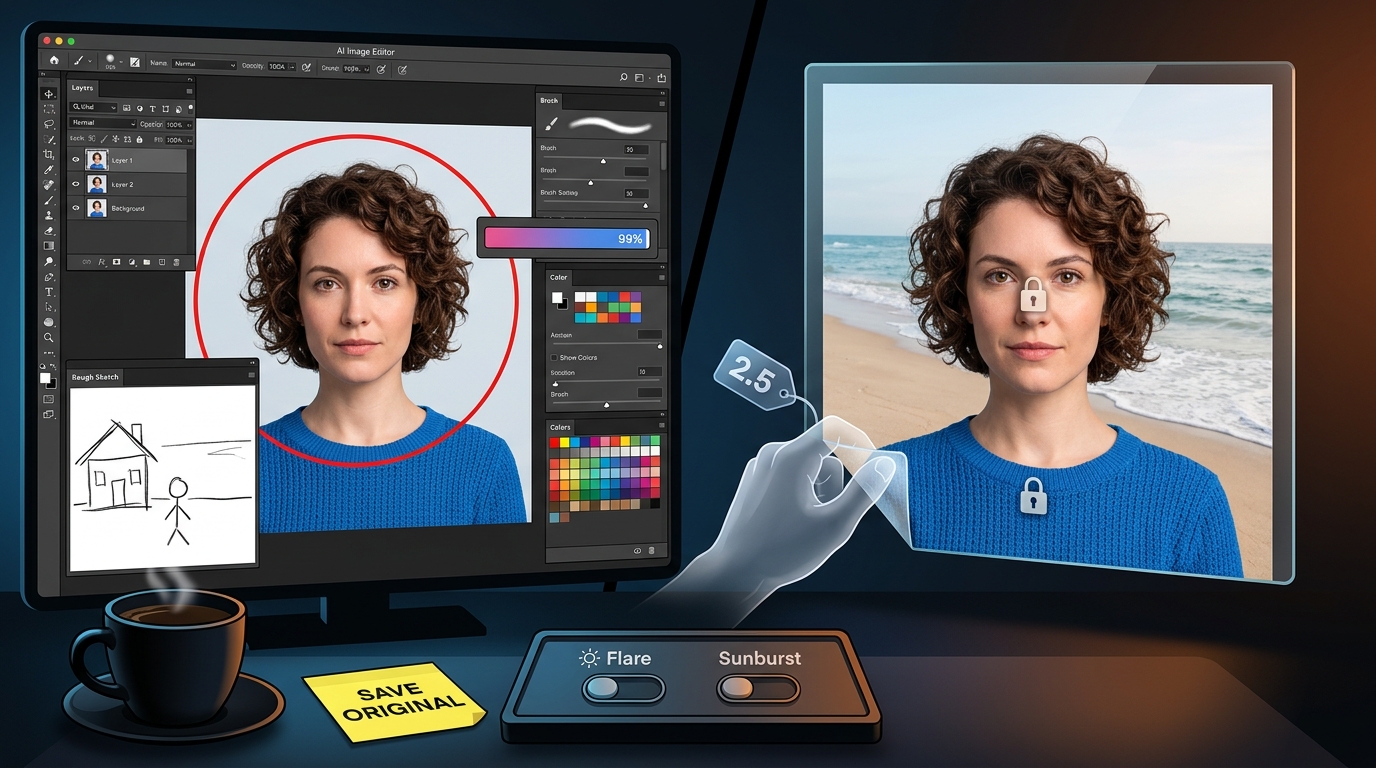
Sketch input. Type @Sketch in the chat box to open a drawing panel. Draw a rough layout and add text. The model generates a full image. In tests, Sketch followed the layout closely. A quick drawing of a house, a stick figure, and a horizon produced those elements in the same positions. The model filled in a sun and mountains that were not drawn. Sketch is a layout reference, not a style reference. Text still matters for intent.
Image comments and precise edits. Add a comment on the image and circle a region. The operation is similar to Figma. AI editing moves from language-only to visual interaction. Point and edit.
Templates and prompt sharing. The model offers 16 templates for common tasks like posters and product images. Generated images can include the full prompt for reuse.
Progress visualization. Users found that the progress bar could run a game of Snake. The easter egg was fixed quickly.
These features share one goal: lower the barrier to professional creation. The Sketch feature is part of that push.
4. Two API models
GPT-Image-2.5 splits into two API models.
GPT-Image-2.5 Flare (gpt-image-2.5-flare) is the default for most applications. It targets low latency. Use it for social content, rapid prototypes, and high-volume generation.
GPT-Image-2.5 Sunburst (gpt-image-2.5-sunburst) targets high-end creative workflows. It spends more time for finer edit control. Use it for brand marketing assets and retouched product images.
Pricing matches GPT-Image-2: image input $8 per million tokens, image output $30 per million tokens, text input $5 per million tokens. Quality adds xhigh and max. The unit price is the same. At the highest quality, a single image costs more than the high setting in 2.0. The strategy moves the speed-quality tradeoff from the model level to the task level. Developers can choose Flare or Sunburst for each task. That helps cost control.
5. Tests and limits
Early reports show progress and problems.
Noise remains a problem in high-ISO or low-light scenes. After many edits, the image can look more AI-generated and noisy. The multi-turn quality claim may not hold in practice.
Multi-turn edits are contested. Some users say multi-turn edits are not as good as the launch page suggests. The main subject changes even when they tell the model not to touch it. Some say it feels no different from 2.0. That conflicts with the claim that the model changes only the selected region.
Independent tests are missing. Twenty-four hours after launch, GPT-Image-2.5 had not appeared on any independent leaderboard. All performance numbers come from OpenAI and its partners. No independent check.
Metadata still says 2.0. Developers found that generated images still label themselves as 2.0 in metadata. Workflows that track versions by metadata are affected.
Content moderation is tighter. Some users say moderation became stricter. Some reasonable requests were blocked, and there was no "view anyway" option.
Copyright complaints continue. Users on social media accused GPT-Image-2.5 of copying. Some asked whether OpenAI used private chats to improve the model. These problems are not new to 2.5, but they returned with the launch.
6. Competition
GPT-Image-2.5 is not alone. Google and Microsoft are pressing.
Against Nano Banana 2. Neither has a clear overall win. Nano Banana 2 keeps multiple elements consistent across a design system. It fits search-driven generation and high-throughput workflows. GPT-Image-2.5 focuses on conversational editing: each revision must leave the rest untouched. Nano Banana 2 remains in the top five on Artificial Analysis. GPT-Image-2.5 has no independent score yet.
Against MAI-Image-2.6 Preview. Microsoft's model tops the Artificial Analysis image editing leaderboard, slightly ahead of GPT-Image-2 (high). But MAI-Image-2.6 is in private preview. Invitations require an application. There is no public pricing. GPT-Image-2.5 is one of the strongest editing models you can buy.
GPT-Image-2.5's core feature, continuous editing, existed in Nano Banana a year earlier. OpenAI is catching up, not inventing. The point is that first-mover advantage is fading. Competition now turns on who is more stable, cheaper, and easier to embed in a workflow.
7. What it changes
The effect on creative work depends on who you are.
For designers and content creators. The main value is usability. The model targets designers, short-video creators, and marketing teams. These users have professional skill requirements. When AI editing moves from luck to controlled operation, the designer's workflow shifts from "generate assets with AI" to "edit with AI." That shift matters more than any single feature.
For enterprise customers. GPT-Image-2.5 links with GPT-6 Astra for text understanding and precise drawing. That builds a complete workflow and gives companies another reason to stay with OpenAI. Adobe confirmed it will add the model to Firefly. It is the first OpenAI image model in Adobe's product line.
For the track. The release shows that competition has moved from generation quality to edit control, from one impressive image to stable output. The release moves AI image generation from concept demos to a production tool that can fit into commercial workflows.
Conclusion
GPT-Image-2.5 is a practical release. It does not raise resolution much. It does not bring a new architecture. Its core editing ability already existed in competing products.
It fixes what kept AI image generation out of production: edits break the image, multi-turn edits blur, speed is slow, and layout is hard to control. As those problems fall, AI image generation moves from viewable to usable.
The noise problems, disputed multi-turn edits, and missing independent tests show a gap between marketing and experience. GPT-Image-2.5 is a milestone, not an endpoint.
Next update: check whether noise in low light is under control. Check whether metadata still says 2.0 after multi-turn edits. If an image survives seven rounds without breaking, then talk about productivity. For now, save the original file.
About the Creator
Jin
Writer of reamstories
https://reamstories.com/jin
Enjoyed the story? Support the Creator.
Subscribe for free to receive all their stories in your feed. You could also become a paid subscriber, letting them know you appreciate their work.
Comments
There are no comments for this story
Be the first to respond and start the conversation.