
I Tried an AI Video Subtitle Remover for Reusing Short Clips
ai-video-subtitle-remover-clean-short-clips

When a useful clip already has captions baked into the pixels, an AI video subtitle remover can be the difference between starting over and putting the same footage back to work. I tested NanoPhoto.AI's subtitle cleanup workflow with a short sample clip and focused on a practical question: can it make hardcoded text easier to remove without turning a simple edit into a full post-production job?
Hardcoded subtitles are different from normal subtitle tracks. A track can be disabled, swapped, translated, or deleted in an editor. Burned-in captions are part of the picture. They sit over faces, clothes, backgrounds, motion blur, and compression artifacts. If you try to cover them manually, the patch often looks obvious. If you crop them out, you may lose framing. If you regenerate the clip, you may lose the original performance, timing, or audio.
That is why subtitle cleanup is becoming a small but important step in creator workflows. A marketing team may need to reuse an older product video with updated messaging. A localization editor may want a clean master before adding new captions in another language. A short-form creator may want to repost a clip across platforms where the original subtitles are too large, in the wrong language, or visually inconsistent with a new layout.
The before and after test
The most useful part of NanoPhoto.AI's page is that it treats subtitle removal like a focused editor, not a vague all-purpose magic button. The workflow is built around either uploading a local video or pasting a public video URL. After processing, the page shows the original and clean result side by side, which is exactly what you need for this category of tool. You do not want to guess whether the repaired background held up; you want to compare frames.
The demo clip shows the core job clearly. In the source, captions are burned into the lower part of the frame. In the cleaned version, that text area is reconstructed so the shot can be reused without visible subtitle text. It is not just a cosmetic detail. Once the caption area is clean, editors can add fresh subtitles, crop for another format, insert branded captions, or keep the scene quiet for a voiceover edit.
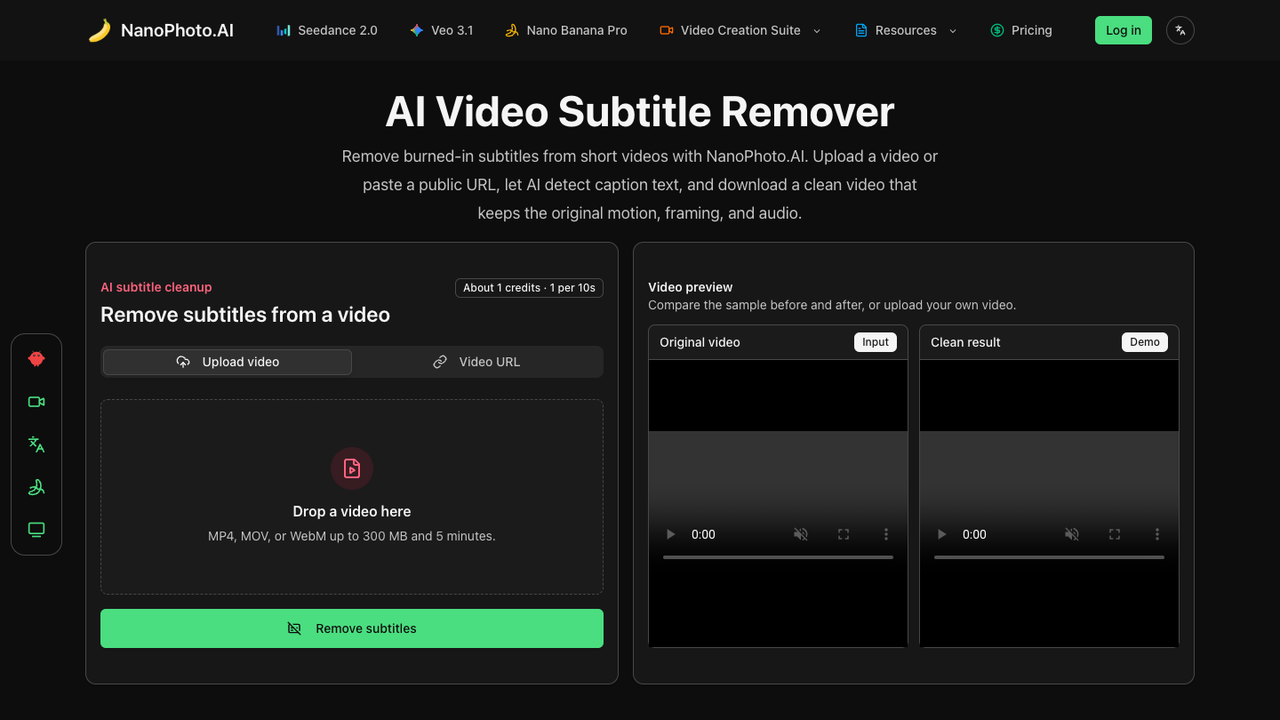
The interface also makes the credit model easier to understand. Instead of charging a flat amount no matter how long the file is, the page prices subtitle removal by duration: one credit for every 10 seconds of footage, rounded up. For short clips, that is a more predictable model. A 26-second video, for example, maps to three credits. That matters because many subtitle cleanup jobs are not long documentaries; they are short ads, social clips, course teasers, or product snippets.
There are sensible constraints too: MP4, MOV, and WebM uploads, a 300 MB file limit, and a five-minute length limit. Those limits match the kind of quick reuse job the tool is clearly designed for. If you need to restore an hour-long archive, you will still want a heavier editing pipeline. If you need to clean a short clip for social distribution, this surface is compact enough to understand in a few seconds.
Where this helps in real editing work
The obvious use case is localization. A clip with English subtitles can be cleaned before adding Spanish, Japanese, Arabic, or German captions. That gives the new subtitle layer space to breathe instead of stacking one text system on top of another. It is also useful when captions are in the right language but the wrong style. Many platform captions are too large, too low, or too branded for a second campaign.
Another use case is campaign refresh. Teams often have usable footage trapped under old promo text, date-specific captions, or draft subtitles. If the people, products, and motion are still good, it is wasteful to reshoot the whole thing. A tool that can remove subtitles from video gives that asset one more round of life. The result can become a clean base for new ads, landing pages, onboarding videos, or internal training clips.
For solo creators, the value is speed. Manual masking and frame-by-frame repairs are possible, but they take patience and skill. They also invite inconsistency, especially when the camera moves or the background texture changes. An automated pass will not remove the need for review, but it can turn a tedious first step into something much lighter: upload, process, compare, download.
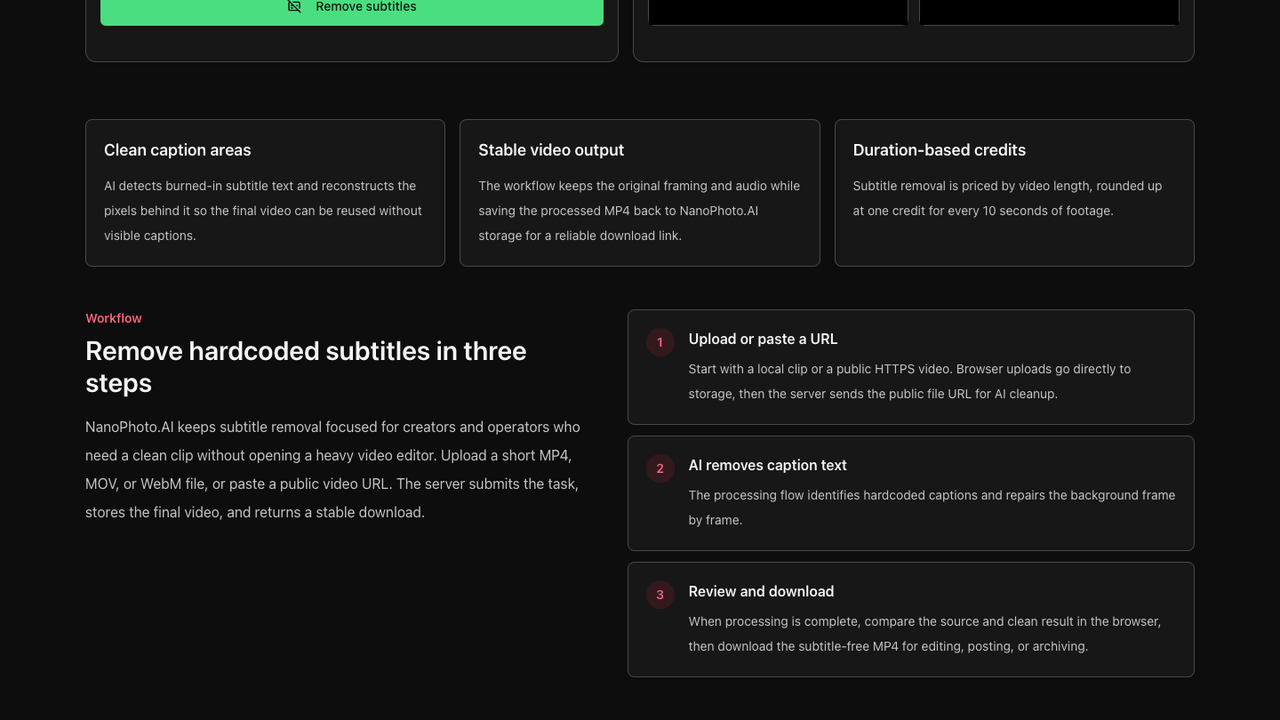
The page also explains that the processed video is saved back to NanoPhoto.AI storage. That may sound like plumbing, but it solves a real usability issue. AI processing providers often return temporary signed URLs. Those links can expire, fail later, or be awkward to share with a teammate. By storing the final MP4 in its own system, NanoPhoto.AI can give the user a more stable download link after the cleanup finishes.
What to check before downloading
Subtitle removal is still a visual repair task, so quality review matters. The first thing to inspect is motion stability. Scrub through the repaired area and look for flicker, ghost outlines, or patches that shift from frame to frame. The second thing to inspect is the background. Smooth walls, sky, and soft gradients are often easier. Hair, hands, patterned clothing, and complex shadows can be more demanding.
Audio and timing are also worth checking. The product states that the cleaned video keeps the original timing and audio track, which is important for clips that need to stay synced with speech or music. Since the output is re-encoded, file size and bitrate may change, but the practical question is whether the edit still feels like the same clip.
The best way to use a video subtitle remover is to treat it as a cleanup stage in a larger workflow. Start with the cleanest source you have. Use a short clip when possible. Avoid adding new captions until the old ones are removed. Then review the repaired result before committing it to a final export. That rhythm keeps the tool useful without expecting it to replace every part of video editing.
NanoPhoto.AI's version is strongest when the task is specific: remove hardcoded subtitle text from short clips, compare the result, and download a clean MP4 for reuse. For creators and small teams that often repurpose footage across platforms, that is a practical niche. It does not ask you to learn a heavy editor just to clean one caption layer. It gives you a focused route from old, captioned footage to a cleaner master clip ready for the next edit.
About the Creator
Enjoyed the story? Support the Creator.
Subscribe for free to receive all their stories in your feed.
Comments
There are no comments for this story
Be the first to respond and start the conversation.