
I Tried 8 AI Tools for One Week. I Kept 5 and Dropped 3.
A rejection email made me stop bookmarking tools and start testing them on the work that was already eating my week.
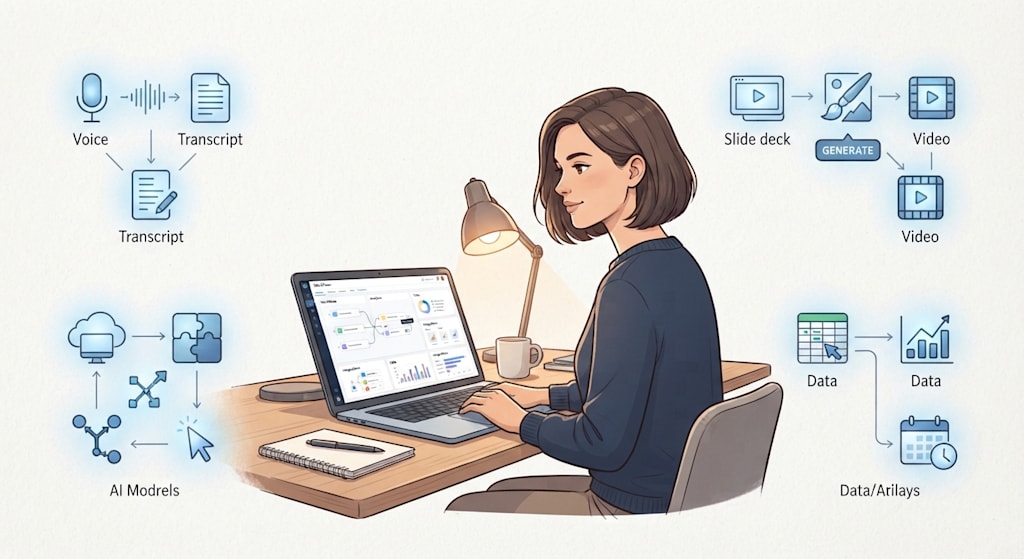
The client changed the color scheme again. Navy to charcoal. Charcoal to “warm slate,” which was gray with a hint of brown. I rebuilt the deck for the third time that week: moving text boxes, re-exporting images, checking charts against the new background.
At 11:14 p.m. I saved the file and closed my laptop. Design took forty minutes. Rebuilding took three hours.
I had a list of tasks that ate my week: rewriting meeting notes, rebuilding slides for client feedback, generating thumbnail concepts, building simple forms, writing the same Monday update email. None of it was hard. All of it repeated.
I had bookmarked a dozen AI tools over the past year. I used none of them consistently. The bookmarks sat in a folder called “Later.” I never opened it.
Then I submitted an article to Vocal. It was a listicle of AI tools, organized by category, written the way I wrote everything: fast, clean, organized. The rejection email arrived on a Tuesday. “Your story does not meet our quality standards.” It cited “spammy language and links” and “unlabeled AI-generated content.”
I read it twice. Reading it back, I could see what the editor saw. It sounded like a brochure. It had the rhythm of a press release. It listed twelve tools without showing a single one in action.
So I stopped bookmarking. I picked one task and tried one tool. Then another. This is what happened.
I checked the Gemini student offer first. I did not qualify, so I did not test it.
Meeting notes came first. I had a standing call with a client every other Thursday. I spent the whole call typing, trying to capture action items, and still missed half of what was agreed. The next day I would email the client asking them to confirm something they had already told me.
I tried Granola. It takes notes without joining the call as a visible bot. That detail mattered. I had been on calls where a “Notetaker” appeared in the participant list and the client got quiet. Granola listened, wrote a summary, pulled out action items.
I tested it on an internal meeting first. Not a client call. I checked the summary against my own memory. It got the action items mostly right. One item was attributed to the wrong person, but I caught it in review. The next day, instead of spending twenty minutes writing up notes, I spent five.
I kept Granola.
Slides came next. I had a project update due for a client who wanted “a clear narrative.” I had the research. I had the numbers. I did not have time to build the structure.
Kimi Slides builds research, charts, and structured analysis into a deck. You can export to PowerPoint or Google Slides. I fed it my research. It gave me a first structure: context, findings, recommendations, next steps.
I checked every number. One chart showed the wrong date range. I fixed it. Another claim needed a source. I added it. The structure saved me an hour. I still checked every number.
I kept it for first drafts. I did not trust it for final output.
Thumbnails were the third task. A client needed concept drafts for a social campaign. I did not want to burn through an online credit limit generating ten variations of an image that might not work. I downloaded Draw Things on my Mac. You download an open-source image model once, then generate offline for free.
My laptop heated up. The fan ran at full speed. The images were slower than online models and rougher. Three of them worked as starting points. I refined them in Photoshop. For concept drafts, that was enough.
Then came a spreadsheet. A client wanted a budget template with conditional formatting. I knew what I wanted it to do. I did not know the formula. I used to open a browser tab and search through a ten-minute tutorial, pausing and rewinding, missing the one setting I needed.
I tried HeyClicky. It sits next to your cursor. Hold a key, ask a question, and it looks at your screen and walks you through the step. I held the key, asked how to make the cell turn red when the budget went over, and it showed me where to click.
It took two minutes. The tutorial would have taken ten.
The Monday email was last. Every week I collected project status from three spreadsheets and sent an update to my team. It took fifteen minutes. It was not hard. It was annoying.
I tried n8n. You connect tools by dragging and dropping. I built one flow: a new row in a spreadsheet triggers an AI model to write a short summary, which triggers Gmail to send it to my team.
The first run failed. I had mapped the wrong column. The second run worked. I let it run for a week. It saved me fifteen minutes every Monday. I kept it.
I tried other tools. Wispr Flow is voice typing with cleanup. You can ramble and it turns the mess into clean text. I tested it on emails. I type faster than I speak, so it was slower for me. I dropped it. The tool is fine. It just did not fit my hands.
I tried Arcads for video ads. I do not run video ads. I dropped it.
I tried Replit for app builds. I did not have an app to build. I dropped it.
I skipped OpenRouter, Goldfish, and Grok Bot. OpenRouter is for people who build with AI, and I do not. Goldfish and Grok Bot did not match a task I already had.
The tools I kept touched work I already did every week. The tools I dropped were the ones I tried because they sounded interesting. I dropped them because they did not fit a task I already had.
It is still 11 p.m. sometimes. The difference is what I am doing at 11 p.m. I am not rebuilding the same slide deck for the third time. I am refining a design. Or reading. Or asleep.
The slide deck takes an hour instead of three. The meeting notes take five minutes instead of twenty. The Monday email sends itself. I have more time for design work.
I did not collect twelve bookmarks and forget them. I tried eight tools. I kept five and dropped three. Pick one task. Use one tool. Decide with one question: did it save you at least thirty minutes, or did it produce something you would send?
If yes, keep it. If no, remove it and try the next task.
My folder called “Later” is still there. I have not opened it. The five tools I kept are in a folder called “This Week.” That is the difference.
About the Creator
Jin
Writer of reamstories
https://reamstories.com/jin
Enjoyed the story? Support the Creator.
Subscribe for free to receive all their stories in your feed. You could also become a paid subscriber, letting them know you appreciate their work.
Comments
There are no comments for this story
Be the first to respond and start the conversation.